
Markdown Studio
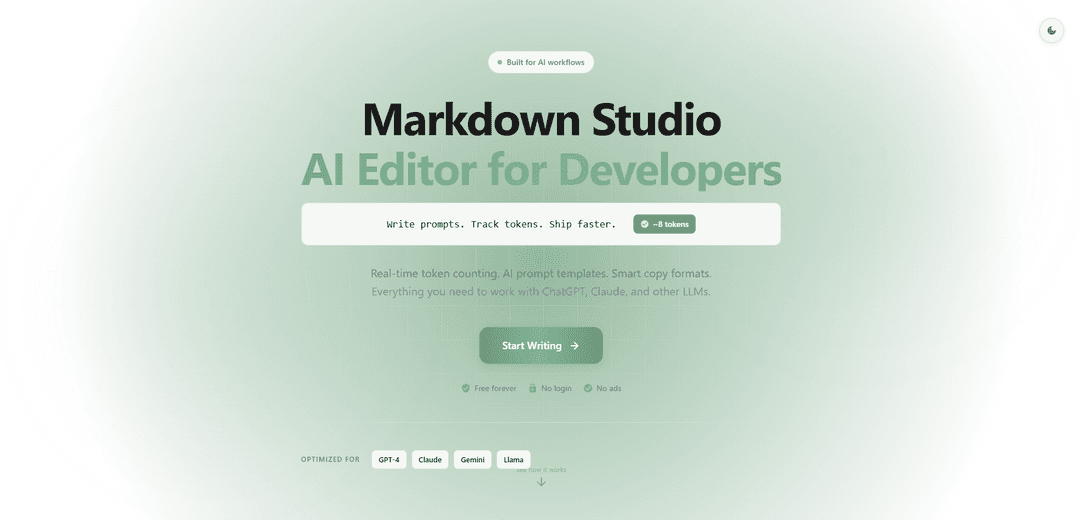
Markdown Studio is a free AI-powered markdown editor with live preview, real-time token counting, and multi-tab editing capabilities designed specifically for developers and prompt engineers working with AI models.
https://md-editor.app/?ref=producthunt
Product Information
Updated:Dec 8, 2025
What is Markdown Studio
Markdown Studio is a modern, feature-rich markdown editor built specifically for AI workflows and development needs. It offers a clean, distraction-free interface that requires no login or setup, making it instantly accessible for users. The editor combines traditional markdown editing capabilities with specialized AI-focused features, making it particularly valuable for developers working with language models like GPT-4, Claude, and Gemini.
Key Features of Markdown Studio
Markdown Studio is a free, AI-powered markdown editor that combines traditional markdown editing capabilities with specialized features for AI workflows. It offers real-time token counting for various AI models (GPT-4, Claude, Gemini), live preview, multi-tab editing, and export options, all without requiring login or showing ads. The editor includes AI prompt templates, smart copy formats, and supports advanced features like Mermaid diagrams and LaTeX math.
AI-Optimized Token Counter: Real-time tracking of token counts compatible with multiple AI models including GPT-4, Claude, and Gemini, helping users stay within context limits
Smart AI Templates & Formatting: 13 pre-built AI prompt templates and multiple copy formats specifically designed for AI interactions and prompt engineering
Advanced Editing Capabilities: Features include multi-tab editing, 30+ slash commands, live split preview, and support for Mermaid diagrams and LaTeX math
Flexible Export Options: Ability to export content in multiple formats including PDF, HTML, JSON, and Markdown
Use Cases of Markdown Studio
AI Prompt Engineering: Perfect for developers and AI engineers who need to craft and optimize prompts for various AI models while monitoring token usage
Technical Documentation: Ideal for creating technical documentation with support for code blocks, diagrams, and mathematical equations
AI Conversation Logging: Enables tracking and formatting of AI chat conversations with built-in role markers for users and assistants
Academic Writing: Suitable for academic papers and research documents requiring mathematical formulas and structured formatting
Pros
Free to use with no login required
Comprehensive AI-focused features
No ads or distractions
Multiple export options and file formats supported
Cons
Web-based only, no desktop application available
Requires internet connection for use
How to Use Markdown Studio
Access the Editor: Go to md-editor.app in your web browser. No login or installation required.
Create New Document: Start typing directly in the left editor pane. Your work will be auto-saved.
Use Markdown Syntax: Type Markdown formatting like **bold**, *italics*, # headers, etc. The preview pane on the right will show the rendered output.
Access Slash Commands: Type / to bring up the command menu with 30+ options for inserting tables, code blocks, templates, and diagrams.
Track Token Count: View real-time token counting for AI models like GPT-4, Claude, and Gemini in the top bar.
Use AI Templates: Access 13 built-in AI prompt templates for code review, testing, bug analysis and more through the slash commands.
Work with Multiple Files: Open up to 10 tabs to work on different documents simultaneously. Each tab auto-saves independently.
Export Your Work: Click export options to download your content as PDF, HTML, JSON, or Markdown formats.
Use Smart Copy: Copy content in different formats (Markdown, Plain Text, with Metadata, AI-optimized) using the copy options.
Switch Themes: Toggle between dark and light themes based on your system preferences for comfortable viewing.
Markdown Studio FAQs
Markdown Studio is a free AI-powered markdown editor with features like live preview, real-time token counting for GPT-4/Claude/Gemini, multi-tab editing, Mermaid diagrams, code syntax highlighting, and PDF export. It's built specifically for developers and prompt engineers.
Popular Articles

Vosko AI: Localize and Dub Videos for Global Audiences
Oct 15, 2026

Atoms: A Multi-Agent AI Platform That Transforms Ideas into Launch-Ready Products
Oct 13, 2026

Nano Banana SBTI: What It Is, How It Works, and How to Use It in 2026
Apr 15, 2026

Atoms Review — The AI Product Builder Redefining Digital Creation in 2026
Apr 10, 2026
Latest AI Tools Similar to Markdown Studio

Gait
Gait is a collaboration tool that integrates AI-assisted code generation with version control, enabling teams to track, understand, and share AI-generated code context efficiently.

invoices.dev
invoices.dev is an automated invoicing platform that generates invoices directly from developers' Git commits, with integration capabilities for GitHub, Slack, Linear, and Google services.

EasyRFP
EasyRFP is an AI-powered edge computing toolkit that streamlines RFP (Request for Proposal) responses and enables real-time field phenotyping through deep learning technology.

Cart.ai
Cart.ai is an AI-powered service platform that provides comprehensive business automation solutions including coding, customer relations management, video editing, e-commerce setup, and custom AI development with 24/7 support.
Popular AI Tools Like Markdown Studio

GitHub Copilot Chat
GitHub Copilot Chat is an AI-powered coding assistant that provides natural language interactions, real-time code suggestions, and contextual support directly within supported IDEs and GitHub.com.

CopilotForXcode
CopilotForXcode is an Xcode Source Editor Extension that integrates GitHub Copilot, Codeium, and ChatGPT to provide AI-powered code suggestions, chat assistance, and prompt-to-code functionality within Xcode.

BrowserAI
BrowserAI is an open-source library that enables running local Large Language Models (LLMs) directly in web browsers with WebGPU acceleration, offering privacy-focused AI capabilities without requiring server infrastructure.

OpenAI Codex CLI
OpenAI Codex CLI is a lightweight, open-source coding agent that runs in your terminal, enabling developers to translate natural language into code execution while providing ChatGPT-level reasoning with the ability to run code, manipulate files, and iterate under version control.