LumiMusic
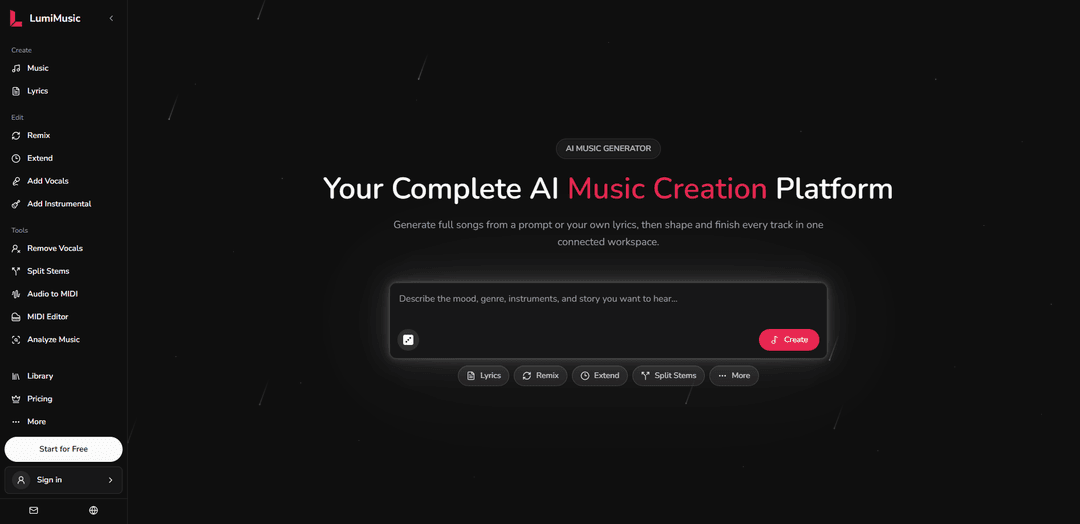
LumiMusic, fikirlerinizi, metin istemlerinizi veya şarkı sözlerinizi eksiksiz vokal ve enstrümantal parçalara dönüştüren hepsi bir arada bir AI müzik oluşturma platformudur; prodüksiyon deneyimi gerektirmez.
https://lumimusic.ai/?utm_source=aipure
Ürün Bilgisi
Güncellendi:Aug 10, 2026
LumiMusic Nedir
LumiMusic, yeniden düzenleme, uzatma, vokal ekleme veya çıkarma, kökleri ayırma, sesi analiz etme ve parçaları düzenlenebilir MIDI'ye dönüştürme için eksiksiz bir düzenleme araçları paketi sunar. Kreasyonlarınızı kişisel bir kütüphanede düzenleyebilir, şık bir web oynatıcısında çalabilir veya özel dinleme sayfalarını paylaşabilirsiniz. Uygun planlar, indirilebilir sertifikalarla telifsiz ticari lisanslar içerir, bu da şarkılarınızı videolarda, podcast'lerde, oyunlarda ve sosyal içeriklerde kullanmayı kolaylaştırır. İster bir yaratıcı, ister bir şarkı yazarı, ister bir başlangıç seviyesinde olun, LumiMusic orijinal müzik yapmayı zahmetsiz hale getirir.
LumiMusic Temel Özellikleri
LumiMusic, yaratıcıların metin istemlerinden veya kendi şarkı sözlerinden eksiksiz vokal veya enstrümantal şarkılar oluşturmasına, ardından remiksleme, şarkı uzatma, kök ayırma, vokal kaldırma, müzik analizi ve sesten MIDI'ye/MIDI düzenleme gibi bağlı araçları kullanarak geliştirmeye devam etmesine olanak tanıyan, tarayıcı tabanlı, hepsi bir arada bir yapay zeka müzik oluşturma çalışma alanıdır. Düzenli bir kütüphane, cilalı çalma ve paylaşılabilir dinleme sayfalarıyla sonuçlanır. Yinelemeli bir iş akışını (oluştur → iyileştir → bitir/paylaş) vurgular ve uygun planlarda ticari kullanım hakları da dahil olmak üzere net lisanslamaya sahip telifsiz müzik sunar.
Metin/şarkı sözlerinden tam şarkı oluşturma: Cilalı, etkileyici bir ses hedefleyen gelişmiş yapay zeka modellerini kullanarak bir istemden veya kendi şarkı sözlerinizden eksiksiz parçalar (enstrümantal veya vokalli) oluşturun.
Hızlı varyasyonlar için yapay zeka remiksleme: Sıfırdan başlamadan yaratıcı yönleri keşfetmek için mevcut bir şarkının türünü, ruh halini, enstrümantasyonunu, vokallerini ve düzenlemesini değiştirerek alternatif versiyonlarını oluşturun.
Gelişmiş kök ayırma (12 köke kadar): Hedefli düzenlemeler ve yeniden kullanım için Solo/Sessiz önizleme kontrolleriyle bitmiş bir şarkıyı senkronize vokal ve enstrüman köklerine (örn. vokaller, davul, bas, gitar, piyano) ayırın.
Bağlı düzenleme araçları: uzat, vokalleri kaldır, analiz et: Şarkıları uzatma, bölümler ekleme, vokalleri kaldırma ve revizyonları ve prodüksiyon kararlarını yönlendirmek için müzikal yapıyı analiz etme araçlarıyla üretimin ötesine geçin.
Sesten MIDI'ye ve MIDI düzenleme: Daha derin kompozisyon kontrolü, düzenleme ince ayarları ve diğer müzik iş akışlarıyla entegrasyon için sesi MIDI'ye dönüştürün ve MIDI içeriğini düzenleyin.
Kütüphane, çalma ve paylaşım sayfaları: Yaratılanları bir kütüphanede düzenleyin, cilalı bir oynatıcıda dinleyin ve kolay inceleme ve işbirliği için özel dinleme sayfaları paylaşın.
LumiMusic Kullanım Alanları
Sosyal medya/video için içerik oluşturma: YouTube/TikTok/kısa biçimli videolar için telifsiz arka plan müziği, tema şarkıları veya vokal parçaları oluşturun, ardından farklı kesimlere ve ruh hallerine uyacak şekilde remiksleyin veya kökleri ayırın.
Bağımsız sanatçı şarkı yazımı ve demoları: Şarkı sözü taslaklarını tam demo şarkılara dönüştürün, remiksleme ve uzantılar aracılığıyla yineleyin ve stüdyo kaydından önce düzenlemeleri iyileştirmek için kökleri/MIDI'yi dışa aktarın.
Reklam ve marka kampanyaları: Birden fazla markaya uygun müzik seçeneğini hızlı bir şekilde üretin (farklı türler/enerjiler), enstrümantal versiyonlar için vokalleri kaldırın ve reklamlar ve promosyonlar için cilalı parçalar sunun.
Oyun/interaktif medya prototipleme: Döngüler veya temalar oluşturun ve genişletin, geçişler için yapıyı analiz edin ve oyun ses hatlarında adaptif katmanları (davul/bas/melodi) uygulamak için kökleri kullanın.
Podcast ve canlı yayın: Girişler/çıkışlar ve segment yatakları oluşturun, ardından bölümler arasında tutarlı bir sonik kimliği korumak için remiksler veya vokal kaldırma ile alternatif miksler oluşturun.
Müzik eğitimi ve pratik materyalleri: Öğrenme, transkripsiyon ve düzenleme alıştırmaları için parçaları izole etmek amacıyla kök ayırma ve sesten MIDI'ye dönüştürmeyi kullanın, öğrencilerin enstrümantasyon ve yapıyı incelemesine yardımcı olun.
Artıları
Hepsi bir arada, yinelemeli iş akışı (oluştur → remiksle/düzenle → kök/MIDI) araçlar arası geçişi azaltır ve üretimi hızlandırır.
Güçlü iyileştirme yetenekleri (remiks, uzatma, kök ayırma, vokal kaldırma, analiz) onu tek tıklamayla üretimin ötesinde kullanışlı kılar.
Kütüphane/çalma/paylaşım özellikli tarayıcı tabanlı olması erişimi, incelemeyi ve işbirliğini basitleştirir.
Uygun planlarda net lisanslama ve ticari haklara sahip telifsiz müzik, profesyonel kullanımı destekler.
Eksileri
Birçok özellik kredi/abonelik bağımlıdır, bu da ücretsiz veya düşük kredili kullanıcılar için denemeyi sınırlayabilir.
Kök ayırma kalitesi ve mevcut köklerin tam sayısı, kaynak materyale bağlı olarak değişebilir.
Yapay zeka tarafından oluşturulan ses, bazı çıktılarda hala artefaktlar veya uyumsuzluklar sergileyebilir ve ek iyileştirme gerektirebilir.
LumiMusic Nasıl Kullanılır
1) LumiMusic'i açın ve yeni bir şarkı başlatın: https://lumimusic.ai/ adresine gidin ve bir fikirden bitmiş bir parçaya geçebileceğiniz ana oluşturma çalışma alanında başlayın.
2) Giriş türünüzü seçin (istem veya şarkı sözleri): Bir metin isteminden (stil + müzikal yön) mi yoksa kendi şarkı sözlerinizden (vokal bir şarkı için) mi bir parça oluşturmak istediğinize karar verin.
3) Ayrıntılı bir müzik istemi yazın (metinden müziğe kullanıyorsanız): Tür, ruh hali, enstrümantasyon, vokal tipi (veya enstrümantal) ve prodüksiyon notlarını açıklayın. Örnek yönlendirmeler arasında "elektronik pop", "R&B groove", "sıcak analog pedler", "yakın mikrofonlanmış kadın vokaller" ve düzenleme/FX notları gibi şeyler bulunur.
4) Şarkı sözlerini yapıştırın veya yazın (şarkı sözlerinden şarkıya kullanıyorsanız): Kendi şarkı sözlerinizi sağlayın (veya planınızda mevcutsa yerleşik AI Şarkı Sözü Oluşturucu'yu kullanın) tam bir vokal parçası oluşturmak için.
5) Şarkıyı oluşturun: İsteminizden/şarkı sözlerinizden tam bir vokal veya enstrümantal parça oluşturmak için AI Müzik Oluşturucu'yu çalıştırın.
6) Yerleşik oynatıcıda oynatmayı gözden geçirin: Düzenlemeler veya varyasyonlar yapmadan önce LumiMusic'in cilalı oynatma deneyiminde oluşturulan sonucu dinleyin.
7) Yeni versiyonları keşfetmek için yeniden düzenleyin: Tür, ruh hali, enstrümantasyon, vokaller ve düzenleme gibi öğeleri değiştirerek alternatif versiyonlar oluşturmak için AI müzik yeniden düzenleyiciyi kullanın.
8) Daha derin kontrol için parçayı köklere ayırın: Bitmiş bir şarkıyı 12'ye kadar senkronize parçaya (genellikle vokaller, davullar, bas, gitar, piyano ve diğer kısımlar dahil) ayırmak için Gelişmiş Kök Ayırıcı'yı kullanın. Solo ve Sessiz kontrollerini kullanarak kökleri önizleyin.
9) Gerektiğinde vokal odaklı düzenlemeler uygulayın: Şarkı yapısını ve prodüksiyon yönünü yeniden şekillendirmek için vokal kaldırma veya vokal/enstrümantal bölümler ekleme gibi araçları kullanın.
10) Şarkıyı uzatın ve düzenlemeyi iyileştirin: Bölümleri uzatmak veya yeni kısımlar eklemek için uzatma araçlarını kullanın, iş akışını bağlı tutarak platformdan ayrılmadan yineleme yapabilirsiniz.
11) Müzikal yapıyı ve zamanlamayı analiz edin: Müzikal yapıyı anlamak için analiz araçlarını kullanın; mevcut olduğunda, vuruş/ritim tespiti ve ilgili analizler düzenleme kararlarını yönlendirmeye yardımcı olur.
12) Sesi MIDI'ye dönüştürün (isteğe bağlı): Düzenlenebilir nota seviyesi kontrolü istiyorsanız, parçanın bölümlerini MIDI verilerine dönüştürmek için sesten MIDI'ye dönüştürmeyi kullanın.
13) MIDI içeriğini düzenleyin (isteğe bağlı): Dönüştürmeden sonra notaları, zamanlamayı ve müzikal içeriği ayarlamak için MIDI düzenleme araçlarını kullanın.
14) Kütüphanenizde kaydedin ve düzenleyin: Tamamlanmış şarkıları Kütüphanenizden tekrar ziyaret edin, böylece daha sonra iyileştirmeye, yeniden düzenlemeye veya dışa aktarmaya devam edebilirsiniz.
15) Bitmiş parçayı indirin ve paylaşın: Şarkınızı indirin (indirme limitleri plana bağlıdır) ve LumiMusic'in özel dinleme/paylaşım sayfasını kullanarak paylaşın.
16) Planınız için kullanım haklarını onaylayın: Lisans koşullarını ve planınızın ticari kullanım haklarını içerip içermediğini kontrol edin (ticari lisans, net lisans koşullarıyla uygun planlarda mevcuttur).
LumiMusic SSS
LumiMusic, şarkı oluşturmayı yeniden karıştırma, kök ayırma, analiz ve düzenleme için bağlantılı araçlarla tek bir iş akışında birleştiren, tarayıcı tabanlı, hepsi bir arada bir yapay zeka müzik oluşturma platformudur.
Popüler Makaleler

Vosko AI: Küresel Kitleler İçin Videoları Yerelleştirin ve Dublaj Yapın
Oct 15, 2026

Atoms: Fikirleri Lansmana Hazır Ürünlere Dönüştüren Çoklu Ajan Yapay Zeka Platformu
May 22, 2026

Nano Banana SBTI: Nedir, Nasıl Çalışır ve 2026'da Nasıl Kullanılır
Apr 15, 2026

Atoms İncelemesi — 2026'da Dijital Oluşumu Yeniden Tanımlayan Yapay Zeka Ürün Geliştiricisi
Apr 10, 2026
LumiMusic Benzer En Yeni Yapay Zeka Araçları
MeloHunt
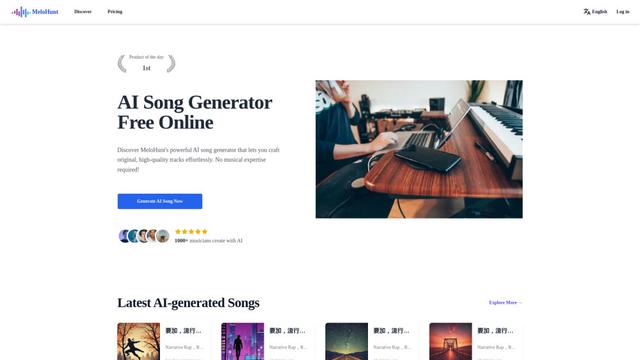
MeloHunt, kullanıcıların herhangi bir müzikal uzmanlık gerektirmeden orijinal, yüksek kaliteli müzik parçaları oluşturmalarını sağlayan güçlü bir yapay zeka destekli şarkı üreticisidir.
ChopLab
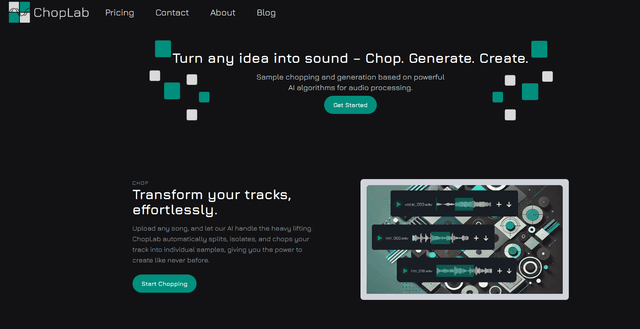
ChopLab, müzik üreticilerinin ses parçalarını benzersiz örneklere ve özel davul paketlerine dönüştürmelerini sağlayan AI destekli bir araçtır.
MindBound Labs
MindBound Labs, topluluk katılımı aracılığıyla Yapay Süper Zeka'yı (ASI) hızlandırmaya odaklanan, NFC kartları, AI istemleri ve çoklu yaratıcı alanlarda kişiselleştirmeyi birleştiren yenilikçi bir platformdur.
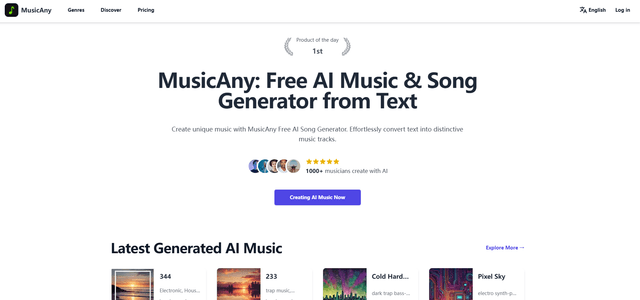
MusicAny
MusicAny, kullanıcıların müzikal bir geçmiş olmadan metin açıklamalarından zahmetsizce benzersiz, telif hakkı olmayan şarkılar yaratmalarını sağlayan son teknoloji ürünü ücretsiz bir yapay zeka müzik oluşturucusudur.
LumiMusic Gibi Popüler Yapay Zeka Araçları
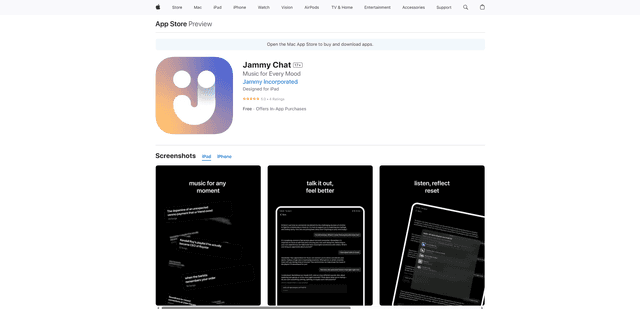
Jammy Chat
Jammy Chat, yapay zeka destekli sohbetler aracılığıyla ruh halinizi analiz ederek kişiselleştirilmiş çalma listeleri ve duygusal destek sağlayan müzikle aşılanmış bir ruh sağlığı uygulamasıdır.
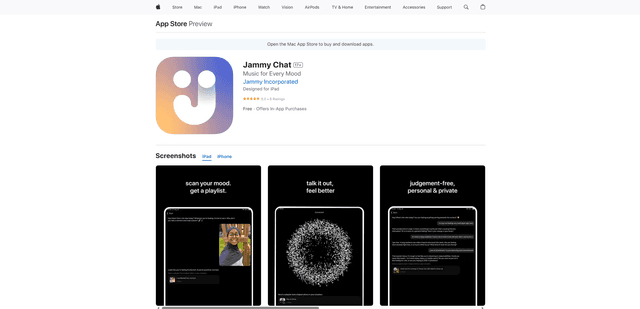
Jammy Chat
Jammy Chat, kullanıcıların yüz ifadelerini tarayan ve duyguları düzenlemeye ve ruh halini iyileştirmeye yardımcı olmak için kişiselleştirilmiş müzik çalma listeleri sağlayan yapay zeka destekli bir zihinsel sağlık uygulamasıdır.
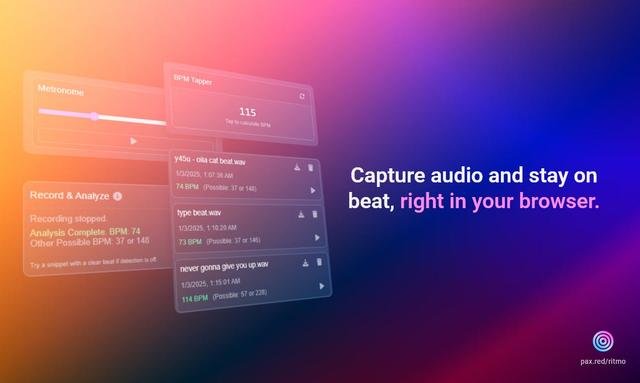
Ritmo
Ritmo, BPM analizi, tempo tıklama ve metronom işlevselliği gibi özelliklerle sesi yakalamaya, analiz etmeye ve yönetmeye yardımcı olan akıllı bir ses araç seti Chrome uzantısıdır.
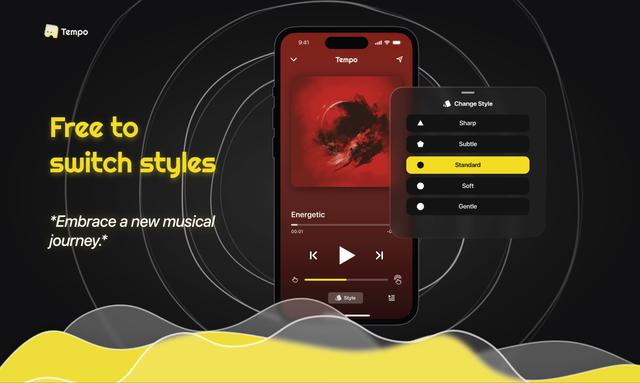
Tempo-Pulse
Tempo-Pulse, yenilikçi dokunsal teknoloji aracılığıyla herhangi bir müziği dokunsal hislere dönüştüren AI destekli bir dokunsal müzik çalar olup, işitme güçlüğü çekenler de dahil olmak üzere herkesin müziği hissedebilmesini sağlar.