
LTX Desktop
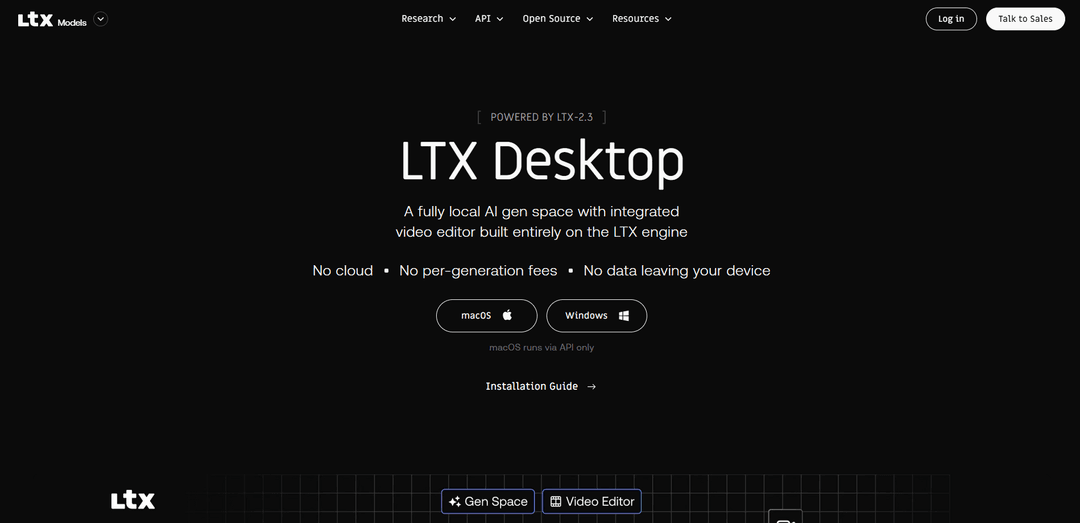
LTX Desktop is an open-source, AI-powered video production suite that combines a full non-linear editor with on-device AI generation capabilities, running entirely locally on users' machines without cloud dependency or per-generation fees.
https://ltx.io/ltx-desktop?ref=producthunt
Product Information
Updated:Mar 9, 2026
What is LTX Desktop
LTX Desktop is a professional-grade video editing and generation tool built on the LTX-2.3 engine, offering a comprehensive suite of AI-powered features for video creation and editing. It's designed as a fully local solution that runs directly on users' hardware, requiring no internet connection after initial setup. The software is open-source under Apache 2.0 license and free for companies with less than $10M in annual revenue. It supports both Windows and macOS platforms, though macOS currently operates via API mode while Windows can run fully locally with appropriate hardware specifications.
Key Features of LTX Desktop
LTX Desktop is an open-source AI-powered video production suite that combines a full non-linear video editor with on-device AI generation capabilities. It runs locally on supported hardware, offering text-to-video, image-to-video, audio-to-video generation, and professional editing tools without requiring cloud connectivity after initial setup. The software is powered by LTX-2.3 engine and provides features like timeline editing, color correction, transitions, and high-quality export options while keeping all data processing local to the user's machine.
Local AI Generation: Generate videos directly on local hardware using multiple AI models (text-to-video, image-to-video, audio-to-video) without requiring cloud processing or internet connection after initial setup
Professional Video Editing Tools: Comprehensive editing suite including trim tools, transitions, color correction, and timeline management with support for importing/exporting XML timelines from other professional NLEs
AI-Native Editing Capabilities: Context-aware gap fill, multiple take generation within timeline, and retake functionality for specific sections without leaving the editing environment
Integrated Text Workflow: Built-in subtitle editor with SRT import/export support and text overlay capabilities directly in the timeline
Use Cases of LTX Desktop
Independent Film Production: Filmmakers can generate and edit video content locally while maintaining full creative control and avoiding cloud processing costs
Corporate Video Production: Companies can create and edit promotional videos while keeping sensitive content secure on their local infrastructure
Educational Content Creation: Educational institutions can produce teaching materials and presentations with AI-assisted video generation and professional editing tools
Social Media Content Creation: Content creators can quickly generate and edit multiple versions of videos for different platforms using AI generation and editing tools
Pros
No per-generation fees or cloud processing costs
Complete data privacy with local processing
Professional-grade editing features with AI integration
Cons
High hardware requirements (32GB+ VRAM recommended)
Limited to Windows for local processing (macOS requires API mode)
Large initial download size for models (150GB+)
How to Use LTX Desktop
Check System Requirements: Ensure your system meets the minimum requirements: Windows 10/11 (64-bit), NVIDIA GPU with 32GB+ VRAM (RTX 5090 recommended), 32GB RAM, and 160GB free disk space. For macOS users: Apple Silicon (M1 or later), macOS 13+, 16GB+ unified memory.
Download and Install: Download the installer from GitHub releases page - .exe for Windows or .dmg for macOS. Run the installer and follow the installation wizard. For macOS users, drag the app to Applications folder.
First Launch Setup: Launch the app and accept the LTX-2 Community License Agreement. The app will begin downloading required components: Python environment (~10GB) and AI models (~150GB) for Windows users. MacOS users will need to enter an LTX API key as local generation isn't supported.
Download Required Models: Use the download wizard to select needed models: LTX-2.3 main weights (~20GB required), distilled_lora for fast mode (~500MB), upsampler for 1080p output (~2GB), text encoder (~5GB optional), Z-image Turbo for image generation (~30GB optional).
Configure Optional API Keys: Optionally set up Gemini API key for context-aware gap fill feature and fal.ai API key if you can't run Z-Image Turbo locally. These are not required for basic functionality.
Generate Videos: Use the Gen Space for AI generation features like text-to-video, image-to-video, audio-to-video, and retake functionality. Start with 720p output initially, use upscaler for 1080p if needed.
Edit Videos: Use the non-linear editor features including trim tools, transitions, color correction, text overlays, and subtitle editing. Import/export XML timelines for compatibility with other NLEs.
Export Final Video: Export your finished video in H.264 or ProRes format. If you downloaded the upscaler model, you can output at 1080p resolution.
LTX Desktop FAQs
LTX Desktop is an open-source, AI-powered video production suite that runs entirely on your machine. It combines a full non-linear editor with on-device AI generation features including text-to-video, image-to-video, audio-to-video, retake, image generation, and timeline import capabilities. It runs locally powered by the LTX-2.3 engine.
LTX Desktop Video
Popular Articles

Vosko AI: Localize and Dub Videos for Global Audiences
Oct 15, 2026

Atoms: A Multi-Agent AI Platform That Transforms Ideas into Launch-Ready Products
Oct 13, 2026

Nano Banana SBTI: What It Is, How It Works, and How to Use It in 2026
Apr 15, 2026

Atoms Review — The AI Product Builder Redefining Digital Creation in 2026
Apr 10, 2026
Latest AI Tools Similar to LTX Desktop

EzVideos
EzVideos is an all-in-one video creation tool that helps users generate viral videos for social media platforms like Instagram, TikTok, and YouTube with automated editing features and built-in resources.

Blanc AI
Blanc AI is a revolutionary AI solution that enables video content translation and dubbing into 47+ languages while preserving the original voice, emotions, and lip synchronization.

Wink Mody
Wink Mody is a modified version of the Wink video editing app that offers premium features like AI-powered retouching, 4K exports, and watermark-free editing completely free of charge.

Shortmake AI
ShortMake is an AI-powered video creation platform that transforms ideas into viral-ready videos by automatically generating scripts, voiceovers, visuals, and subtitles specifically optimized for platforms like TikTok and YouTube Shorts.
Popular AI Tools Like LTX Desktop

AI Clips - New Gen
AI Clips - New Gen is an AI-powered video clipping tool that automatically generates engaging short-form content from long videos for multiple social media platforms like YouTube Shorts, TikTok, Instagram Reels and more.

Edit Mind
Edit Mind is an open-source, AI-powered video indexing and semantic search platform that enables users to analyze and search through video content using natural language queries, with features including transcription, frame analysis, face recognition, and object detection.

Dinamo Notebook
FreeAI Video Editing
Dinamo Notebook is a free, MIT-licensed, local-first browser extension for football video analysis that lets you draw tactical annotations on YouTube/Dailymotion/Twitch footage and optionally use AI (with your own OpenAI API key) for tactical insights.

MediaSeg
MediaSeg is a stable, local-first macOS utility that splits large MP4/WEBM media files into upload-ready chunks under a configurable size limit while preserving quality using ffmpeg/ffprobe and an AI-assisted, target-based sizing strategy.