LogiCoal
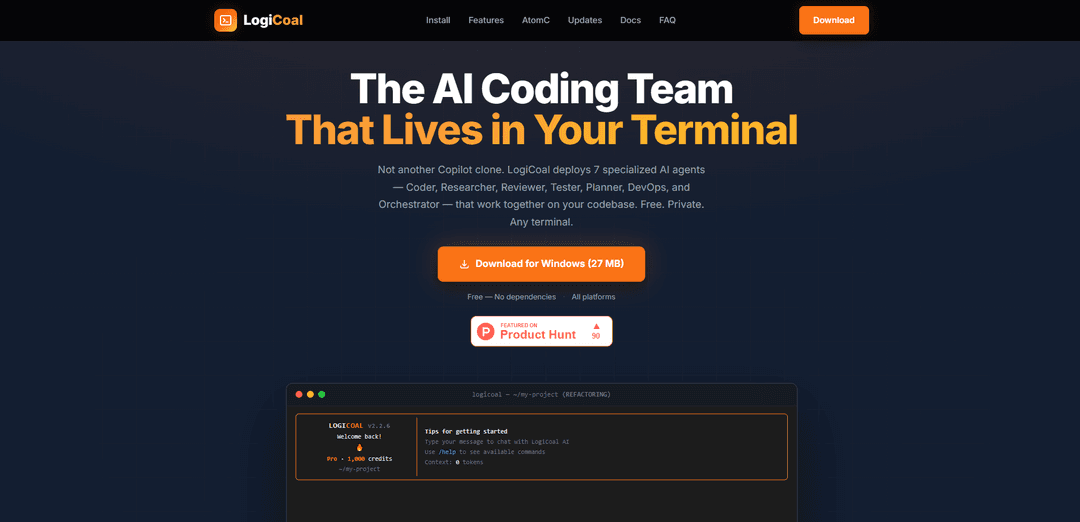
LogiCoal is a free, AI-powered CLI coding assistant that deploys 7 specialized AI agents working together in your terminal to handle complex development tasks through smart model routing and deep code analysis.
https://logicoal.ai/?ref=producthunt
Product Information
Updated:Feb 28, 2026
What is LogiCoal
LogiCoal is an innovative AI coding assistant that lives in your terminal, designed to provide comprehensive development support through a multi-agent system. Unlike traditional coding assistants, it operates as a free, private tool that can work in any terminal environment without requiring Node.js or other dependencies. The system is built on the COALS platform and requires only a free COALS account for authentication, making it accessible across Linux, macOS, and Windows platforms.
Key Features of LogiCoal
LogiCoal is a free, AI-powered CLI coding assistant that operates directly in the terminal, featuring a sophisticated multi-agent system with seven specialized AI agents (Orchestrator, Coder, Researcher, Planner, Reviewer, Tester, and DevOps). It offers smart model routing, deep code analysis capabilities, and works across multiple platforms with a rich terminal UI, requiring no additional dependencies for installation.
Multi-Agent System: Deploys 7 specialized AI agents that collaborate on coding tasks, with the Orchestrator breaking down complex requests and delegating to other specialized agents for comprehensive development support
Smart Model Routing: Automatically analyzes requests and routes them to the optimal AI model, ranging from fast 7B models for simple tasks to powerful 30B models for complex code generation
Deep Code Analysis: Utilizes semantic code search with vector embeddings to understand codebases at a structural level, enabling natural language queries across thousands of files
Cross-Platform Accessibility: Available across desktop, mobile, and web platforms with seamless session persistence and synchronization capabilities
Use Cases of LogiCoal
Code Development and Review: Assists developers in writing, reviewing, and testing code with specialized agents handling different aspects of the development process
DevOps Automation: Handles deployment tasks and infrastructure management through dedicated DevOps agent support
Code Base Analysis: Enables developers to search and understand large codebases through natural language queries and semantic analysis
Pros
Completely free to use
Works in any terminal without dependencies
Privacy-focused with no data training
Cross-platform support with multiple access options
Cons
Requires COALS account for authentication
Limited information about performance and reliability
Relatively new product with potential stability issues
How to Use LogiCoal
Create COALS Account: Sign up for a free COALS account at coals.ai/register for authentication
Download & Install: Download the standalone LogiCoal installer for your platform (macOS, Windows, or Linux) - no additional dependencies required
Launch Terminal: Open your terminal application where LogiCoal will run as a CLI tool
Authenticate: Log in using your COALS account credentials when prompted in the terminal
Make a Request: Type your coding request in natural language - the Orchestrator agent will analyze and route it to the appropriate specialized agent(s)
Review Output: View the results in the rich terminal UI with syntax highlighting, live agent status, and markdown rendering
Interact with Agents: Continue the conversation with the AI agents for iterations, clarifications or new requests - your context persists across sessions
Use Additional Tools: Leverage built-in capabilities like file operations, bash commands, web search, and code analysis as needed
LogiCoal FAQs
LogiCoal is a free, AI-powered CLI coding assistant that runs in your terminal. It uses a multi-agent system with seven specialized agents (Orchestrator, Coder, Researcher, Planner, Reviewer, Tester, and DevOps) to handle complex development tasks.
LogiCoal Video
Popular Articles

Atoms: A Multi-Agent AI Platform That Transforms Ideas into Launch-Ready Products
May 22, 2026

Nano Banana SBTI: What It Is, How It Works, and How to Use It in 2026
Apr 15, 2026

Atoms Review — The AI Product Builder Redefining Digital Creation in 2026
Apr 10, 2026

Kilo Claw: How to Deploy and Use a True "Do‑It‑For‑You" AI Agent(2026 Update)
Apr 3, 2026
Latest AI Tools Similar to LogiCoal

Gait
Gait is a collaboration tool that integrates AI-assisted code generation with version control, enabling teams to track, understand, and share AI-generated code context efficiently.

invoices.dev
invoices.dev is an automated invoicing platform that generates invoices directly from developers' Git commits, with integration capabilities for GitHub, Slack, Linear, and Google services.

EasyRFP
EasyRFP is an AI-powered edge computing toolkit that streamlines RFP (Request for Proposal) responses and enables real-time field phenotyping through deep learning technology.

Cart.ai
Cart.ai is an AI-powered service platform that provides comprehensive business automation solutions including coding, customer relations management, video editing, e-commerce setup, and custom AI development with 24/7 support.
Popular AI Tools Like LogiCoal

GitHub Copilot Chat
GitHub Copilot Chat is an AI-powered coding assistant that provides natural language interactions, real-time code suggestions, and contextual support directly within supported IDEs and GitHub.com.

CopilotForXcode
CopilotForXcode is an Xcode Source Editor Extension that integrates GitHub Copilot, Codeium, and ChatGPT to provide AI-powered code suggestions, chat assistance, and prompt-to-code functionality within Xcode.

BrowserAI
BrowserAI is an open-source library that enables running local Large Language Models (LLMs) directly in web browsers with WebGPU acceleration, offering privacy-focused AI capabilities without requiring server infrastructure.

OpenAI Codex CLI
OpenAI Codex CLI is a lightweight, open-source coding agent that runs in your terminal, enabling developers to translate natural language into code execution while providing ChatGPT-level reasoning with the ability to run code, manipulate files, and iterate under version control.