
Liso
Liso turns highlighted text from any webpage (or pasted text) into natural-sounding audio, letting you build a personal “podcast” library with voice choices, speed control, resume playback, and optional offline downloads.
https://www.getliso.app/?ref=producthunt

Product Information
Updated:Aug 8, 2026
What is Liso
Liso is a text-to-speech listening app designed to convert what you read on the web into something you can hear. It works with articles, newsletters, blog posts, threads, documents, and any text you paste into the app—if you can read it, Liso can speak it. Positioned as an alternative to tools like Speechify, NaturalReader, and ElevenLabs Reader, Liso focuses on turning your own reading list into a clean, on-demand audio library you can play like a podcast.
Key Features of Liso
Liso turns text you find on the web into high-quality audio, creating a “personal podcast” from your reading list. You can highlight text on nearly any webpage (articles, newsletters, Substacks, blog posts, threads, docs) and send it to Liso via a Chrome extension or by pasting text directly into the app. It then reads the content back using natural AI voices with selectable styles, supports playback speed control, saves your listening position across devices, and allows offline downloads on the Pro plan.
Highlight-to-audio conversion: Select text on any webpage and instantly turn it into a listenable audio track, making “reading without the reading” possible.
Chrome extension one-click capture: Right-click highlighted text and choose “Listen with Liso” to send it to your library without copy-pasting; the extension shows a badge count of pending listens.
Paste text directly into the app: Create listens by pasting any text into Liso—useful when content isn’t easily highlightable or comes from emails/docs.
Natural AI voices + styles: Uses high-quality, natural-sounding AI voices with multiple styles so users can choose a preferred listening experience.
Playback controls with cross-device resume: Adjust speed (0.75x–2x) and automatically resume from where you left off, even when switching devices.
Offline downloads (Pro): Download listens for offline playback—designed for commutes, flights, or low-connectivity situations.
Use Cases of Liso
Commuter learning and news catch-up: Turn daily reading (newsletters, longreads, blogs) into audio to listen during commuting, chores, or workouts.
Research and knowledge work: Convert highlighted excerpts from articles, reports, or web documentation into an audio queue to review key material hands-free.
Content repurposing for creators: Writers and creators can listen back to drafts or pasted text to proofread flow and clarity, or to consume saved reading like a podcast feed.
Education and study support: Students can paste notes or highlight web-based study materials to reinforce learning through audio repetition and variable playback speed.
Accessibility and screen-fatigue reduction: Helps users who prefer listening over reading, or who want to reduce eye strain by converting on-screen text into spoken audio.
Pros
Fast workflow: highlight text on any site and send to Liso via right-click using the Chrome extension
Good listening experience: natural AI voices, speed control, and resume playback across devices
Flexible input: works via extension or by pasting text directly into the app
Offline playback available on Pro for uninterrupted listening
Cons
Unlimited listens and offline downloads require Liso Pro
Extension setup requires pairing via a code, adding a small onboarding step
Best suited to text-based content; non-text media still requires extracting/pasting text
How to Use Liso
1. Install Liso: Go to https://www.getliso.app/ and install/open the Liso app so you can create and play listens from your library.
2. (Optional) Add the Liso Chrome extension: From the Liso site, install the Liso extension via the Chrome Web Store (or load it unpacked). It will appear in your Chrome toolbar.
3. Pair the extension with your Liso account: In the Liso app, open Settings and generate a pairing code. Open the extension popup and paste the pairing code to link the extension to your account.
4. Highlight text on any webpage: On any site (articles, newsletters, Substack posts, blog posts, threads, docs), select the text you want to listen to.
5. Send the highlight to Liso (one-click method): Right-click your highlighted text and choose “Listen with Liso.” The text is sent to your Liso library in seconds.
6. Send text to Liso (no-extension method): If you don’t want to use the extension, copy any text and paste it directly into the Liso app to create a new listen.
7. Play your listen from the library: Open Liso, find the newly created item in your library, and press play to hear it read aloud like a personal podcast.
8. Choose a voice and adjust playback speed: Select from Liso’s natural AI voices/styles and adjust speed from 0.75x to 2x to match your listening preference.
9. Resume where you left off: Stop anytime and come back later—Liso saves your place automatically so you can continue from the same spot, even across devices.
10. Download for offline listening (if needed): Download a listen for offline playback so you can keep listening during commutes or flights without an internet connection.
11. Understand free vs. Pro usage: Create your first few listens for free. Upgrade to Liso Pro for unlimited listens, access to every premium voice, and offline downloads.
Liso FAQs
Liso turns anything you read on the internet into audio. You can highlight an article, newsletter, blog post, or any text and Liso reads it back in a natural AI voice—like a podcast built from your own reading list.
Liso Video
Popular Articles

Proferex: A Cloud-Based Ad Tracking and Campaign Optimization Platform
Nov 4, 2026

How to Create Viral Talking Baby Podcast Videos with AI: Step-by-Step Guide
Nov 2, 2026

Vosko AI: Localize and Dub Videos for Global Audiences
Oct 15, 2026

Atoms: A Multi-Agent AI Platform That Transforms Ideas into Launch-Ready Products
Oct 13, 2026
Latest AI Tools Similar to Liso

MicVoice.Ai
MicVoice.Ai is an all-in-one AI voice generator platform that transforms written text into high-quality, natural-sounding speech with over 5000 realistic AI voices supporting 17+ languages.

Narrai
Narrai is an AI-powered mobile app that instantly creates voice narration and background music for short videos by automatically generating relevant scripts and offering multiple narrator personas.

Vagent
Vagent is a lightweight voice interface that enables users to interact with custom AI agents through voice commands, providing a natural and intuitive way to control automations with support for 60+ languages.
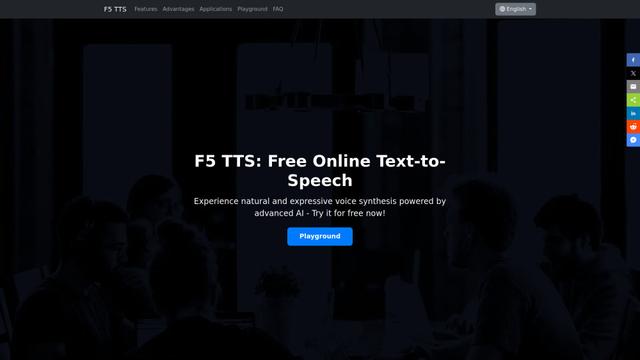
F5 TTS
F5-TTS is a state-of-the-art, non-autoregressive text-to-speech system that uses Flow Matching and Diffusion Transformer techniques to generate highly natural and expressive speech with zero-shot voice cloning capabilities.
Popular AI Tools Like Liso
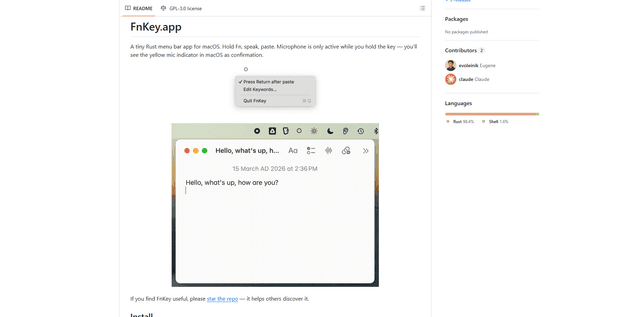
FnKey
FnKey is a lightweight macOS menu bar application that enables quick voice-to-text transcription by holding the Fn key to speak and automatically pastes the transcribed text when released.
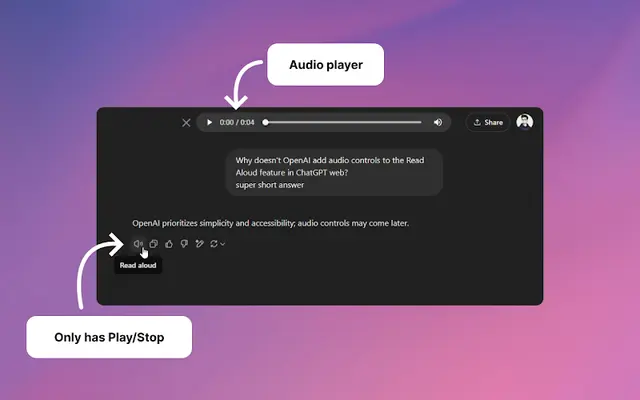
Audio player for ChatGPT
A Chrome extension that enhances ChatGPT's Read Aloud feature by adding a user-friendly audio player with basic controls like play/pause, seek bar, and duration display.
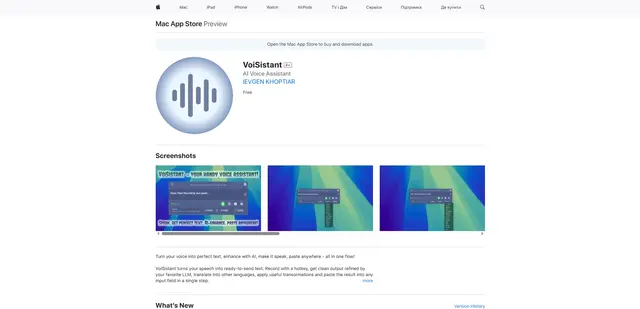
VoiSistant
VoiSistant is a comprehensive voice-to-text application that combines speech recognition, AI enhancement, translation, and text-to-speech capabilities in one seamless workflow.
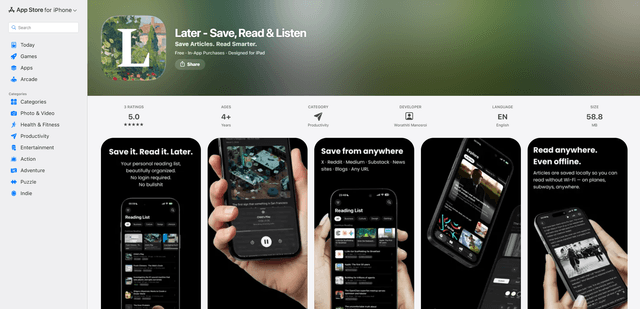
LaterAI
Later is an AI-powered read-it-later app that lets you save articles, read them in a distraction-free environment, and listen to them with natural-sounding AI voices - all while maintaining complete privacy with on-device processing.