
Liminal
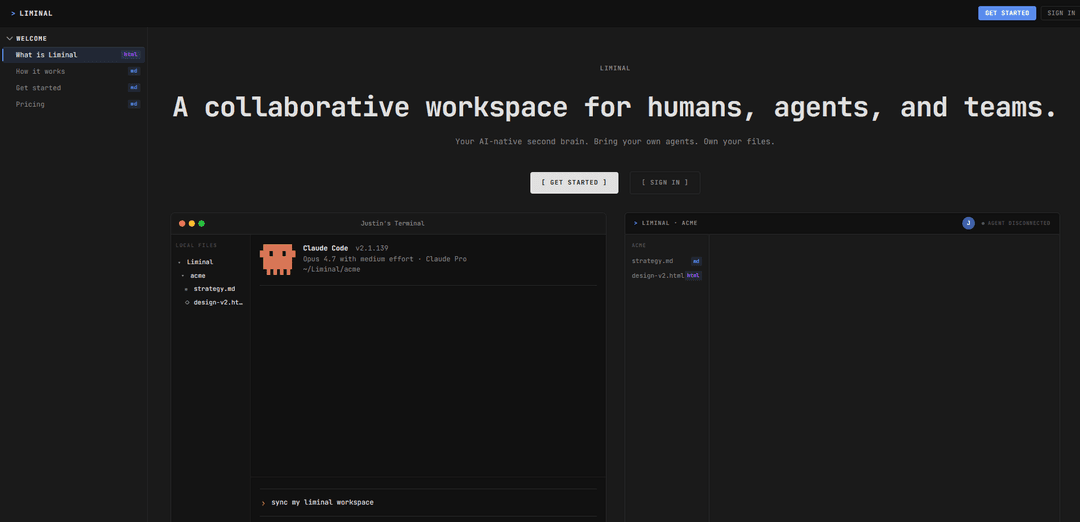
Liminal 是一个协作工作区,它将本地 Markdown/HTML 文件转换为实时、可共享的用户界面,并实时同步编辑,以便人类和 AI 代理可以基于同一个持续更新的知识库进行工作。
https://useliminal.xyz/?ref=producthunt&utm_source=aipure
产品信息
更新于:2026年08月08日
什么是 Liminal
Liminal 是一个 AI 原生协作工作区,专为人类、代理和团队构建和共享实时公司知识而设计。Liminal 不会在工具之间移动文档,而是使用代理已经生成的文件格式——纯 Markdown 和 HTML——以普通文件的形式存储在每个代理的本地磁盘上,并将其渲染成一个干净、可读的界面。团队成员可以打开共享链接,在浏览器中查看和编辑同一个工作区,使其感觉像一个随着工作进行而不断复合的“第二大脑”。
Liminal 的主要功能
Liminal是一个专为人类和AI代理设计的协作工作区,它以纯本地文件(主要是Markdown和HTML)的形式存在于每个代理的磁盘上,同时实时同步更改给团队成员。它能立即将这些文件渲染成一个干净、可共享的用户界面,让协作者在浏览器中进行编辑,并将编辑内容写回本地磁盘——从而创建一个AI原生的“第二大脑”,团队知识以代理已读写的格式持续积累。
本地优先、纯文件工作区: 知识以常规Markdown/HTML文件的形式存在于磁盘上,代理和开发人员可以使用现有工具直接访问、版本控制和操作。
从Markdown/HTML即时渲染到UI: 立即将代理编写的Markdown/HTML转换为干净的界面,减少原始文档和临时格式化的摩擦。
实时团队同步: 通过实时同步更新,保持团队成员之间工作区的一致性,确保每个人都看到相同的当前状态。
可共享的实时链接: 共享一个链接,让其他人可以在浏览器中打开相同的实时工作区,而无需通过聊天发送文件或设置托管。
浏览器编辑并写回磁盘: 团队成员可以在浏览器中编辑,他们的更改会立即写回到您的本地文件,保持本地和共享视图的一致性。
自带代理(AI原生协作): 旨在与人们日常使用的工具(例如,Claude Code/Codex风格的代理)配合使用,以便多个代理和人类可以读写共享知识库。
Liminal 的使用场景
工程团队运行手册和事件知识: 维护活的运营文档(运行手册、事后总结、待命笔记),代理可以在本地更新,团队可以在事件期间实时审查/编辑。
作为活文档的产品和设计规范: 协作迭代PRD、UX笔记和决策日志,代理用Markdown起草,利益相关者通过浏览器编辑并即时同步。
研究和内部知识库: 将发现、摘要和参考文献汇集到一个持续增长的“第二大脑”中,人类和代理都可以查询和扩展。
面向客户的项目工作区: 共享状态更新、交付物和文档的实时链接,无需通过电子邮件发送文档或托管静态页面,同时保持本地的真实来源。
销售/解决方案工程手册: 构建和更新可重用的提案、实施指南和常见问题解答,代理可以在本地定制并跨团队同步。
教育和基于群组的课程: 通过共享材料和不断演变的笔记来运行群组,讲师/助手(包括代理)更新内容,参与者在浏览器中协作。
优点
熟悉格式(Markdown/HTML)的本地纯文件使代理和现有开发工具易于与工作区交互。
实时同步+可共享链接减少了与通过Slack发送文档或管理Google Drive/托管相比的协作摩擦。
写回磁盘的浏览器编辑有助于维护单一的真实来源,同时对非技术协作者保持可访问性。
缺点
与集中式文档系统相比,本地磁盘同步可能会引入冲突、权限和治理方面的复杂性。
Markdown/HTML优先的工作流程可能不适合严重依赖富文档功能或复杂结构化数据库的团队。
采用取决于与各种代理/开发环境和团队安全要求的顺利集成。
如何使用 Liminal
1) 创建账户并登录: 访问 https://useliminal.xyz/signup 创建账户,然后访问 https://useliminal.xyz/login 登录。
2) 安装/连接 Liminal 到本地工作区文件夹: 设置 Liminal,使其可以监视您计算机上的一个文件夹(您的“工作区”)。这是您的代理(Claude Code/Codex/等)将作为纯文件读取和写入的文件夹。
3) 从本地编写 Markdown/HTML 文件开始: 在您的工作区文件夹中创建或打开文件(例如,.md 或 .html)。Liminal 的设计宗旨是让您的代理能够以它已经熟悉的格式(Markdown/HTML)进行编写。
4) 在 Liminal 中即时查看渲染的工作区: 打开 Liminal 的用户界面,立即查看您的本地 Markdown/HTML 渲染为干净、可共享的用户界面(无需单独托管或复制到文档中)。
5) 通过链接与您的团队共享工作区: 使用 Liminal 的共享功能生成链接。团队成员可以在浏览器中打开同一个实时工作区并查看当前状态。
6) 在浏览器中实时协作: 让团队成员直接在浏览器中编辑工作区。他们的更改会实时同步,因此每个人都能看到相同的实时工作区。
7) 自动将团队成员的编辑同步回磁盘: 确认浏览器中的编辑会立即回到您的本地工作区文件夹,将工作区作为纯文件保留在磁盘上。
8) 将多个代理引入同一个工作区: 将您的代理指向同一个本地工作区文件夹,以便它们可以读取/写入共享文件。这使得人类 + 代理 + 团队可以在一个持续更新的知识库中进行协作。
9) 将其用作 AI 原生“第二大脑”: 将正在进行的笔记、规范、计划和输出组织为工作区中的文件,以便知识随着您的团队和代理的工作而不断更新和复合。
Liminal 常见问题
Liminal是一个面向人类、AI代理和团队的协作工作空间。它被定位为“AI原生第二大脑”,允许代理将内容写入本地markdown/HTML文件,同时Liminal将其渲染为简洁的用户界面,并实时同步更改给协作者。




与 Liminal 类似的最新 AI 工具
Folderr
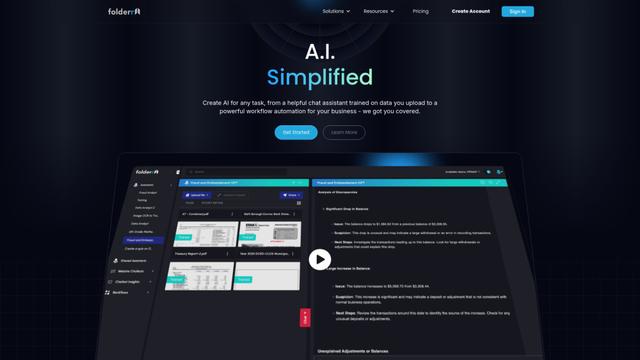
Folderr 是一个全面的 AI 平台,允许用户通过上传无限文件、集成多个语言模型并通过用户友好的界面自动化工作流来创建自定义 AI 助手。
InDesign Translator
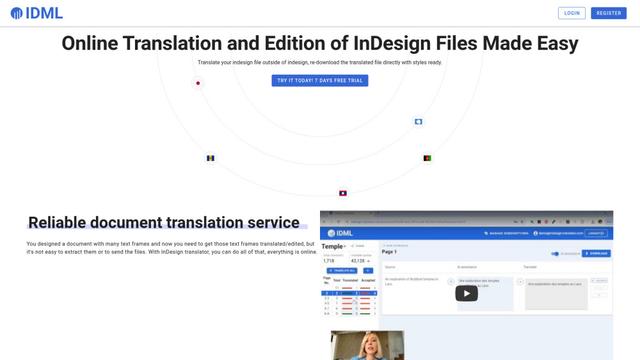
InDesign Translator 是一项在线翻译服务,使用户能够在保留格式和样式的前提下翻译 InDesign 文件,提供 AI 辅助翻译和易于协作的功能,无需翻译人员安装 InDesign。
Specgen.ai
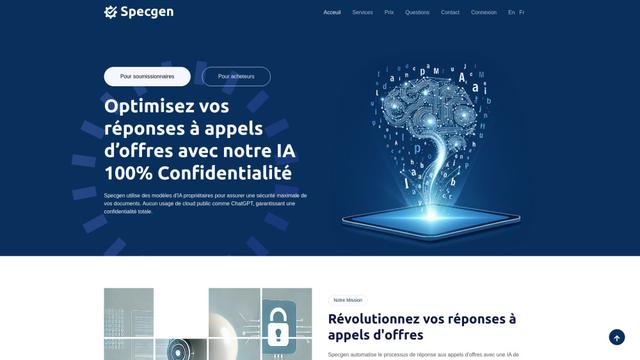
Specgen.ai是一个AI驱动的平台,通过自动分析招标需求并生成个性化响应,帮助企业优化投标响应,同时通过专有AI模型确保100%的数据保密性。
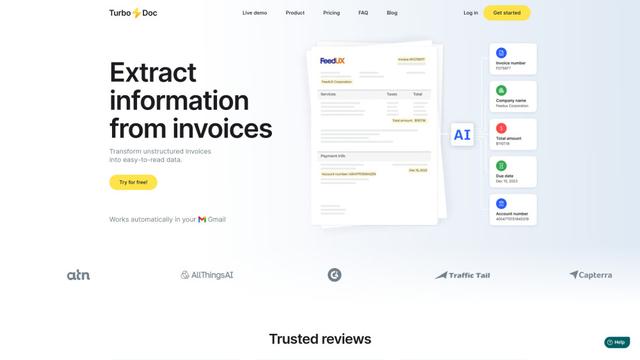
TurboDoc
TurboDoc 是一种 AI 驱动的发票处理软件,通过 Gmail 集成和智能文档处理,自动提取并转换非结构化的发票数据为组织良好、易于阅读的结构化数据。
类似 Liminal 的热门 AI 工具
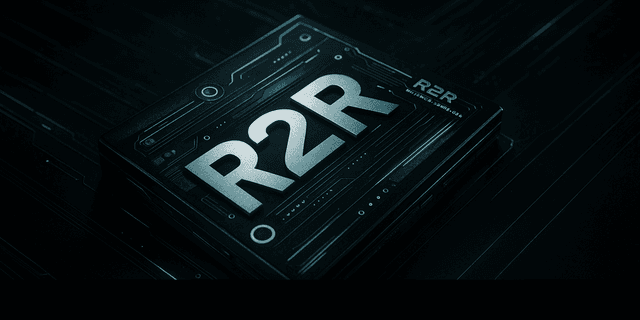
R2R
R2R (Reason to Retrieve) 是一个先进的 AI 检索系统,它通过 RESTful API 提供生产就绪的检索增强生成 (RAG) 功能,包括多模态内容摄取、混合搜索、知识图谱和全面的文档管理。

Claude Folder Upload
一个 Chrome 扩展程序,允许用户将整个文件夹上传到 Claude AI,同时智能地保留目录结构和文件关系,并具有智能过滤无关文件的功能。
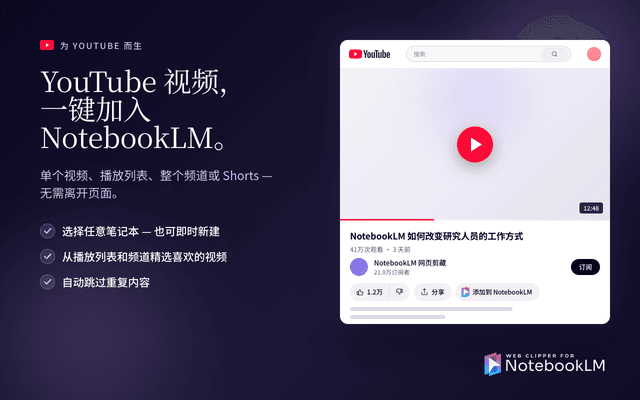
Web Clipper for NotebookLM
Web Clipper for NotebookLM 是一款 Chrome 扩展程序,可一键将网页、PDF、YouTube 内容、社交帖子/帖子,甚至 AI 聊天对话直接保存到 Google NotebookLM 中,并增加了强大的导出、同步和笔记本管理工具。
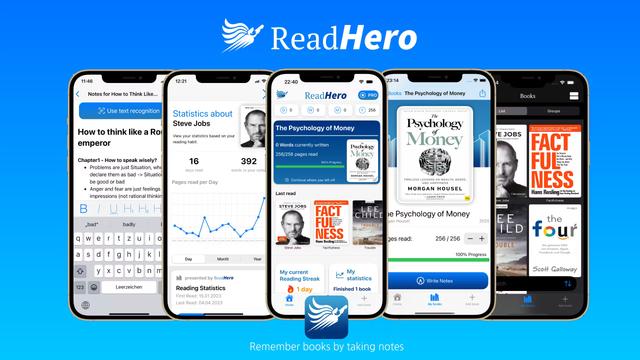
ReadHero
ReadHero 是一款全面的书籍跟踪和记笔记应用程序,通过在一处实现进度跟踪、记笔记和书籍管理,帮助读者记住和保留更多他们所读的内容。