Landscape Design AI
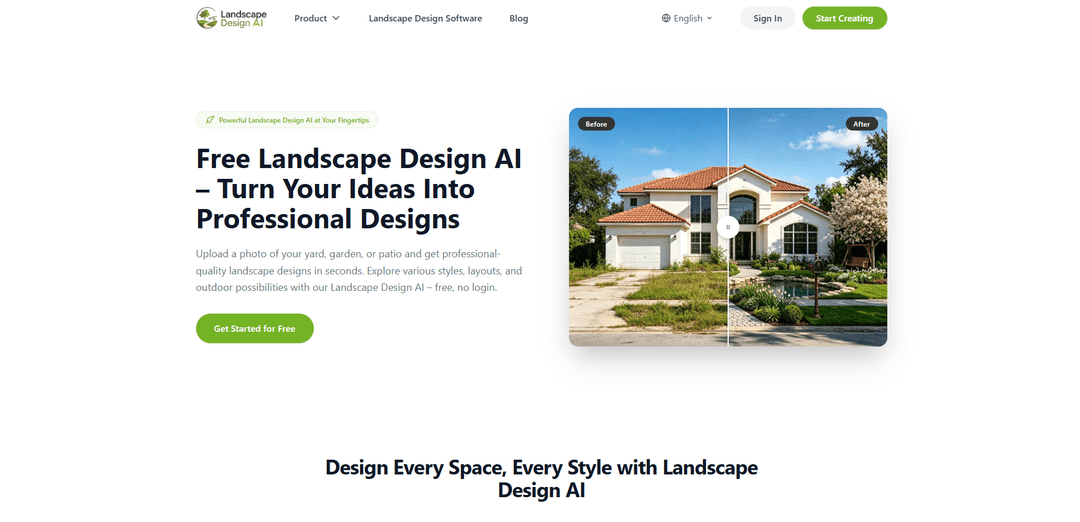
Landscape Design AI is a free, no-login online tool that turns a single photo of your yard, garden, or patio into photorealistic, high-resolution landscape redesigns in seconds with 30+ styles and customizable preferences (space type, use, elements, location, sunlight, terrain).
https://landscape-design.ai/?utm_source=aipure
Product Information
Updated:Sep 20, 2026
What is Landscape Design AI
Landscape Design AI is an AI-powered landscape design tool that turns photos of existing outdoor spaces into realistic design concepts. Users can upload a backyard, front yard, garden, patio, or other outdoor photo, choose from 30+ landscape styles, or enter a custom prompt to generate personalized designs.It works as an AI Landscape Generator and Yard Planner for homeowners, DIY users, garden enthusiasts, and landscape professionals who want to visualize landscaping ideas before making real-world changes.
Key Features of Landscape Design AI
Landscape Design AI is a browser-based, free-to-start landscape visualization tool that turns a single photo of an outdoor space (yard, garden, patio, etc.) into a photorealistic redesign in seconds. Users upload an image, choose from 30+ preset styles (or write a custom prompt), and optionally set preferences like space type, intended use, elements, location/climate, sunlight, and terrain to guide the output. The tool emphasizes realistic before/after results, high-resolution downloads without watermarks, and privacy claims that uploaded images are processed securely and not stored or shared.
Photo-to-photoreal redesign: Transforms one outdoor photo into a realistic landscape concept in seconds, producing a convincing before/after visualization suitable for planning and discussion.
30+ preset styles + custom prompts: Supports many landscaping looks (e.g., Modern, Japanese, Mediterranean, Desert, Coastal, Cottage) and allows users to describe a specific vision in text for more tailored outputs.
Preference controls for more predictable results: Lets users guide generation with settings such as space type, intended use, desired elements, and context inputs like location, sunlight, and terrain.
Works across many outdoor space types: Designed for backyards, front yards, gardens, patios, side yards, and balconies, adapting concepts to different shapes and sizes rather than using a one-size template.
High-resolution, watermark-free downloads: Enables exporting finished renders in high resolution (no watermark) to share with contractors, family, or for HOA and project discussions.
Free-to-start, no-login workflow: Runs online with no download required and offers a free entry experience (the site notes limited free uses and daily free usage after login).
Use Cases of Landscape Design AI
Homeowner yard makeovers: DIY users can test multiple landscaping directions (planting, paths, seating zones, overall style) before spending money on materials or hiring help.
Landscape architect / designer concepting: Professionals can rapidly generate visual options during early ideation to speed up client presentations and iterate on style and layout preferences.
Real estate listing & curb appeal previews: Agents and developers can create quick “improved exterior” visuals for empty or tired yards to help market properties and communicate potential upgrades.
Contractor briefing & collaboration: Teams can use the downloadable render as a reference image to align on the desired look, materials, and scope before detailed site planning.
HOA / stakeholder approvals: Homeowners can share clear, high-res visuals to gather feedback and support approvals by showing a realistic outcome rather than describing it verbally.
Pros
Fast, photorealistic results from a single photo with minimal effort
Wide variety of styles plus custom prompting for flexible creative direction
High-resolution, watermark-free downloads make it easy to share and coordinate
Runs in the browser and is free to start with no login required
Cons
Outputs are visual concepts, not construction-ready plans (no grading/drainage/permit-level documentation)
Free usage is limited (site mentions a small number of free uses and daily limits)
Quality depends on input photo conditions (lighting, angle, and clutter can affect results)
How to Use Landscape Design AI
1. Open Landscape Design AI: Go to https://landscape-design.ai/ and click “Start Creating” or “Get Started for Free” to launch the tool (free to start, no login required).
2. Upload a clear outdoor photo: Drag and drop (or click to upload) a JPG/PNG/WebP photo of your yard, garden, patio, balcony, or other outdoor area. For best results, use a well-lit daylight photo, a wide angle that shows the whole space, and avoid people/crowds in the frame.
3. Crop/Frame the area you want to redesign: After uploading, crop the image so the tool focuses on the exact outdoor area you want to transform.
4. Set your landscape design preferences: Use the “Landscape design preferences” panel to customize the generation. Choose or leave on Auto: Space type, Intended Use, Location (detect your location), Sunlight, and Terrain.
5. Choose a design Style: Pick a preset style from the available options (30+ styles such as Modern, Mediterranean, Japanese, Desert, Cottage, Tropical, Coastal, etc.) to guide the overall look and planting/hardscape vibe.
6. Choose Elements to include: Select the outdoor elements you want the AI to add or emphasize (e.g., planting beds, paths, seating areas, lighting, hardscape features) using the “Elements” selector.
7. Add an optional custom prompt: If you want something specific, type it into the “Looking for any specific?” field. Keep prompts short and direct (long prompts can lead to unexpected results). Example: “Add a stone patio with a dining set and warm garden lights; add colorful flower beds along the fence.”
8. Generate your design: Click “Generate design.” The AI will produce a photorealistic landscape redesign in seconds, generally preserving the existing structure in your photo while redesigning the landscape around it.
9. Review and iterate: If the result isn’t what you want, adjust Style, Elements, or your prompt and generate again to compare variations and refine the concept.
10. Download and share the result: Download the high-resolution, watermark-free image and share it with contractors, family, or for HOA/project discussions. Treat the output as a visual preview—confirm drainage, slope, irrigation, structural work, permits, and final plant choices with local professionals when needed.
Landscape Design AI FAQs
Landscape Design AI is a photo-based AI tool that lets you upload a picture of your yard, garden, patio, or other outdoor space and generates photorealistic landscape design concepts in seconds.
Popular Articles

Vosko AI: Localize and Dub Videos for Global Audiences
Oct 15, 2026

Atoms: A Multi-Agent AI Platform That Transforms Ideas into Launch-Ready Products
Oct 13, 2026

Nano Banana SBTI: What It Is, How It Works, and How to Use It in 2026
Apr 15, 2026

Atoms Review — The AI Product Builder Redefining Digital Creation in 2026
Apr 10, 2026
Latest AI Tools Similar to Landscape Design AI

Rendair
Rendair is an all-in-one AI-powered architectural rendering platform that offers quick, high-quality visualizations through both AI tools and professional 3D artists for architects, designers, and real estate professionals.

Triorama AI
Triorama AI is an AI-powered 3D product configurator platform that enables eCommerce businesses to offer real-time product personalization and visualization capabilities to their customers.

AiHouse
AiHouse is an AI-powered 3D interior design and manufacturing software that streamlines the entire process from design to production.

Kanai
Kanai is an AI-powered 3D interior design platform that allows users to generate furniture models, visualize spaces, and collaborate on design ideas using natural language.
Popular AI Tools Like Landscape Design AI
Planner 5D
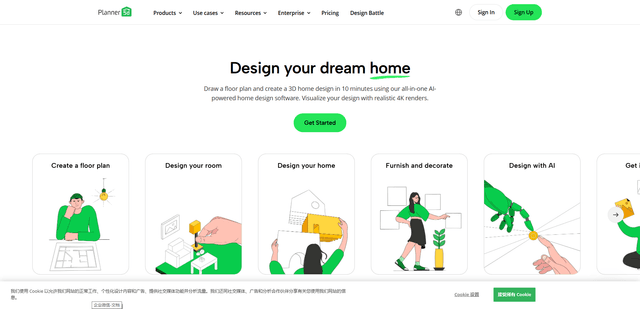
Planner 5D is an AI-powered home design software that allows users to create detailed 2D and 3D floor plans, furnish spaces, and visualize designs through realistic 4K renders with an extensive catalog of over 8,000 items.
Coohom
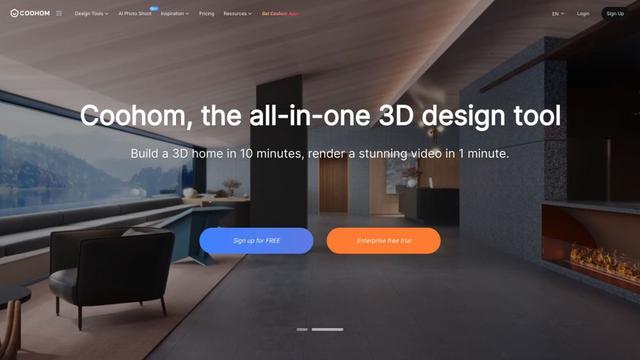
Coohom is an all-in-one 3D design and visualization platform that allows users to create floor plans, render photorealistic images, and design interiors in minutes.

RoomGPT
RoomGPT is an AI-powered interior design tool that allows users to instantly transform and visualize their spaces by uploading a photo and selecting design themes.

Maket
Maket is an AI-powered generative design software that enables architects, builders, and developers to instantly create thousands of customized architectural plans and 3D visualizations based on project constraints.