KugelAudio

KugelAudio

WebsiteFree TrialText to Speech
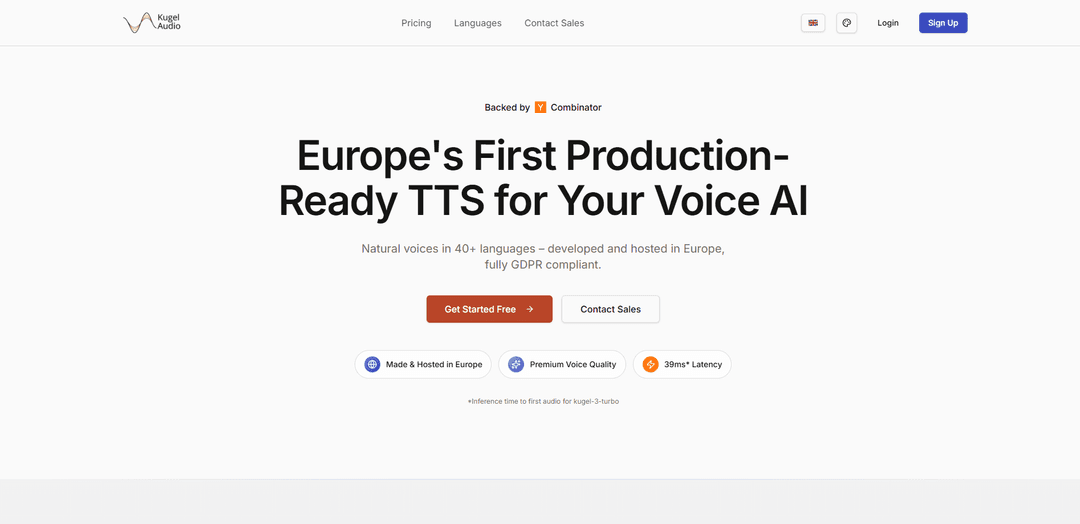
KugelAudio is a Europe-built, ultra-low-latency text-to-speech platform for real-time voice AI, offering natural voices in 40+ languages with GDPR-compliant hosting and enterprise/on‑prem options.
https://kugelaudio.com/?ref=producthunt
KugelAudio

Product Information

Updated:May 29, 2026

What is KugelAudio

KugelAudio is a state-of-the-art text-to-speech (TTS) platform designed for real-time applications such as voice agents, interactive apps, and content creation. Developed and hosted in Europe, it emphasizes data sovereignty and full GDPR compliance, with options for enterprise deployments including on-premise setups. The service provides fast, high-quality speech synthesis and supports a broad set of languages (including extensive European coverage plus global languages), and offers a developer-friendly workflow where you sign up, obtain an API key, and select from pre-encoded voices by name.

Key Features of KugelAudio

KugelAudio is a production-ready, ultra-low-latency text-to-speech (TTS) platform built for real-time voice AI, offering natural-sounding voices across 25–40+ languages. It is developed and hosted in Europe with a strong focus on GDPR compliance and data sovereignty, and is designed to handle real-world “edge case” utterances (e.g., street names, phone numbers, emails) reliably. It provides an API-based workflow with selectable voices, model options optimized for speed vs. quality, and integrations aimed at voice agents and interactive applications.
Ultra-low latency synthesis: Designed for real-time conversations, with very fast time-to-first-audio (reported as ~39ms for turbo models), enabling fluid voice agent interactions.
Multilingual, natural voices: Supports 25+ to 40+ languages, with strong coverage of European languages plus several global languages for international customer experiences.
Europe-hosted, GDPR-focused data sovereignty: Built and hosted on European infrastructure to reduce exposure to US jurisdiction and support GDPR-compliant deployments; on-prem options are available for enterprises.
Edge-case robustness: Trained for real-world inputs like postal codes, street names, phone numbers, and email addresses—common failure points in customer support and voice bots.
Developer-friendly API and controls: API-driven generation with model selection (speed vs. quality), optional voice selection, and generation parameters (e.g., sample rate, guidance scale, normalization) suitable for production tuning.
Voice agent integrations and support: Positioned for quick integration with voice-agent stacks (e.g., Pipecat/LiveKit) and offers hands-on support (including shared Slack) and fine-tuning for special enterprise edge cases.

Use Cases of KugelAudio

Customer support voice bots: Create low-latency, natural-sounding IVR/agent experiences that can accurately speak addresses, order numbers, phone numbers, and emails.
Real-time conversational agents: Power interactive assistants in apps or websites where fast turn-taking is critical for a human-like conversation flow.
Multilingual contact centers: Deliver consistent voice experiences across many languages, especially European markets, without maintaining separate vendor stacks per region.
Content creation and localization: Generate voiceovers for marketing, training, or product videos in multiple languages with consistent voice quality and controllable output settings.
Enterprise on-prem voice AI: Deploy TTS in regulated environments (e.g., finance, healthcare, public sector) where data residency and infrastructure control are required.

Pros

Very low latency suitable for real-time voice agents
Strong European language support with GDPR/data-sovereignty positioning
Designed to handle practical edge cases (numbers, addresses, emails) common in production voice workflows
API-first with configurable generation parameters and enterprise support/fine-tuning options

Cons

Quality may vary by language depending on training data coverage (especially in open-source contexts)
Some open-source/extended tooling reports issues like chunk-boundary artifacts when watermarking is applied per chunk (implementation-dependent)
Advanced deployments (e.g., on-prem or high-volume) may require enterprise engagement and operational setup

How to Use KugelAudio

1) Choose how you want to use KugelAudio (Hosted API vs. Open-source local): If you want production-ready, ultra-low-latency TTS without managing infrastructure, use the hosted API at kugelaudio.com. If you want to run locally, use the open-source repo (kugelaudio-open) or the ComfyUI extension (ComfyUI-KugelAudio).
2) Hosted API: Create an account and get an API key: Go to kugelaudio.com and sign up ("Try for free"). Create an API key in your dashboard and keep it available for your SDK code.
3) Hosted API: Install the official Python SDK: Install the KugelAudio Python package in your environment (e.g., via pip). Then import the client in Python: `from kugelaudio import KugelAudio`.
4) Hosted API: Initialize the client (default geo-routed endpoint): Create a client with your API key: `client = KugelAudio(api_key="your_api_key")`. By default, the SDK uses the canonical geo-routed API endpoint.
5) Hosted API: (Optional) Pin traffic to the EU region: If you need to pin traffic to Europe, either prefix the key with `eu-` (e.g., `eu-ka_...`) or pass `region="eu"`: `client = KugelAudio(api_key="ka_your_api_key", region="eu")`. Priority is: `api_url` > `region` > key prefix > default.
6) Hosted API: (Optional) Override API URL and timeout: You can set custom options: `client = KugelAudio(api_key="your_api_key", api_url="https://api.kugelaudio.com", timeout=60.0)`.
7) Hosted API: Generate speech from text: Call TTS generation with a model id: `audio = client.tts.generate(text="Hello, world!", model_id="kugel-1-turbo")`.
8) Hosted API: Save the audio to a file: Save the returned audio object: `audio.save("output.wav")`.
9) Hosted API: Use streaming for lowest latency (LLM token-by-token use cases): Use the SDK’s streaming/WebSocket capability to stream audio chunks as they’re generated for minimal latency, especially when your text arrives incrementally (token-by-token).
10) Open-source local: Install KugelAudio Open (general approach): Clone/download the `kugelaudio-open` project and install it in your Python environment. Be prepared for high VRAM usage; 4-bit quantization can reduce VRAM substantially (e.g., ~19GB down to ~8GB).
11) Open-source local (ComfyUI): Install the ComfyUI-KugelAudio custom node: Place the ComfyUI-KugelAudio extension under `ComfyUI/custom_nodes/ComfyUI-KugelAudio/` (as provided by the project). This integrates KugelAudio TTS and voice cloning into ComfyUI workflows.
12) Open-source local (ComfyUI Portable/Windows): Run the provided installer batch file(s): In the `ComfyUI-KugelAudio` folder, run the provided batch scripts for Windows Portable to install `kugelaudio-open` in editable mode (-e), so code changes apply after restarting ComfyUI.
13) Open-source local (ComfyUI Portable/Windows): Verify installation in the embedded Python: Run the verification command using ComfyUI’s embedded Python: `C:\path\to\ComfyUI\python_embeded\python.exe -c "import kugelaudio_open; print('kugelaudio-open installed successfully')"`. The bundled package is located at `ComfyUI/custom_nodes/ComfyUI-KugelAudio/kugelaudio-open/`.
14) Open-source local (ComfyUI): Reinstall safely after code edits (without touching dependencies): If you edited code or applied fixes and want changes to take effect without risking dependency breakage, reinstall with: `pip install --no-deps --force-reinstall -e ./kugelaudio-open`.
15) Open-source local (ComfyUI): Fix common voice cloning config errors: If you see errors related to `Qwen2Config`, rerun the `install_portable.bat` script in the ComfyUI-KugelAudio directory.
16) Open-source local (ComfyUI): Handle out-of-memory (OOM) issues: Enable 4-bit quantization to reduce VRAM usage, try different attention types (e.g., SDPA or Eager), and reduce `max_words_per_chunk` for long generations.
17) Open-source local (ComfyUI): Improve audio quality and reduce artifacts: If audio is distorted, adjust `cfg_scale` to improve clarity. If you hear static/noise, disable 4-bit quantization and use full precision.
18) Open-source local: Understand watermarking behavior: Audio generated by the open model is automatically watermarked using Facebook’s AudioSeal (imperceptible, robust to common edits, and detectable for verification).

KugelAudio FAQs

KugelAudio is a production-ready text-to-speech (TTS) platform for real-time voice AI applications such as voice agents, interactive apps, and content creation. It is developed and hosted in Europe and is designed for ultra-low latency and natural-sounding speech.

Latest AI Tools Similar to KugelAudio

MicVoice.Ai
MicVoice.Ai
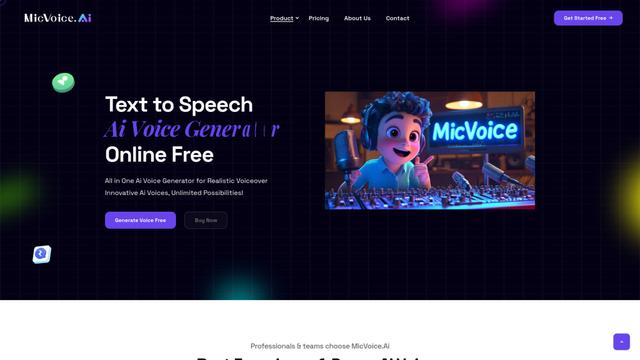
MicVoice.Ai is an all-in-one AI voice generator platform that transforms written text into high-quality, natural-sounding speech with over 5000 realistic AI voices supporting 17+ languages.
Narrai
Narrai
Narrai is an AI-powered mobile app that instantly creates voice narration and background music for short videos by automatically generating relevant scripts and offering multiple narrator personas.
Vagent
Vagent
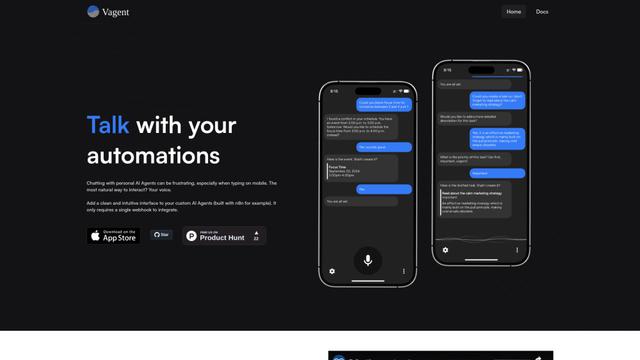
Vagent is a lightweight voice interface that enables users to interact with custom AI agents through voice commands, providing a natural and intuitive way to control automations with support for 60+ languages.
F5 TTS
F5 TTS
F5-TTS is a state-of-the-art, non-autoregressive text-to-speech system that uses Flow Matching and Diffusion Transformer techniques to generate highly natural and expressive speech with zero-shot voice cloning capabilities.