
Kit For AI
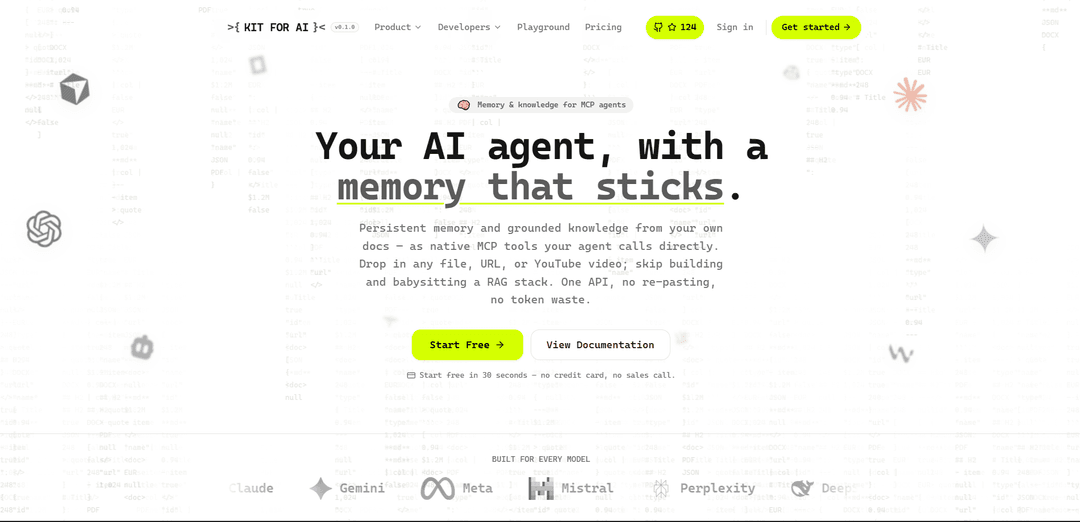
Kit For AI – это уровень памяти и знаний для ИИ-агентов, который обеспечивает постоянное запоминание, а также обоснование документов/URL-адресов/YouTube через нативные инструменты MCP и единый API – без создания стека RAG.
https://kitforai.com/?ref=producthunt&utm_source=aipure
Информация о продукте
Обновлено:08/08/2026
Что такое Kit For AI
Kit For AI – это платформа, разработанная для обеспечения ИИ-агентов долговременной памятью и обоснованными знаниями из ваших собственных источников. Вместо того чтобы начинать каждый чат с нуля или вручную вставлять контекст, она позволяет загружать файлы, веб-URL или видео с YouTube и превращать их в чистые, доступные для поиска базы знаний, которые агенты могут использовать с цитатами. Созданный для работы с основными моделями и клиентами, Kit For AI предоставляет свои возможности в виде нативных инструментов MCP (а также через REST), поэтому разработчики могут добавлять функции «запоминать/вспоминать/искать» и обоснование документов для агентов с минимальной настройкой.
Ключевые особенности Kit For AI
Kit For AI — это «слой памяти» для AI-агентов, который обеспечивает постоянную память и обоснованные знания из ваших собственных документов в виде нативных инструментов MCP (или через REST). Он позволяет загружать файлы, URL-адреса или видео с YouTube и автоматически преобразует их в чистые, доступные для поиска, цитируемые базы знаний с использованием гибридного семантического поиска (вектор + ключевое слово + переранжирование). Платформа разработана для сокращения использования токенов путем извлечения только наиболее релевантных фрагментов, а также предлагает ориентированные на производство элементы управления, такие как версионированные/дедуплицированные воспоминания, запланированное обновление URL-адресов и обработка данных с соблюдением конфиденциальности по умолчанию.
Постоянная память агента (инструменты MCP): Предоставляет инструменты для запоминания/воспроизведения/поиска, которые агенты могут вызывать в середине разговора для сохранения пользовательских предпочтений и решений в разных сеансах, с дедупликацией почти дубликатов и версионированной памятью.
Конвейер обоснования документов и веб-страниц: Принимает файлы и URL-адреса и выводит чистый Markdown (или структурированный JSON), обрабатывая такие форматы, как PDF/Office/CSV/HTML/изображения (OCR), и поддерживая пакетную загрузку, получение URL-адресов и сканирование в пределах одного домена.
Загрузка YouTube в базу знаний: Превращает видео с YouTube с субтитрами в доступные для поиска документы внутри базы знаний, чтобы агенты могли отвечать на вопросы из стенограмм с цитатами.
Гибридный семантический поиск с переранжированием: Объединяет векторные встраивания и полнотекстовый поиск по ключевым словам и переранжирует результаты для повышения релевантности как для перефразированных запросов, так и для точного поиска терминов (например, имен, кодов).
Цитируемые базы знаний и ограниченный поиск: Организует документы в базы знаний для обоснованных вопросов и ответов с цитатами, включая ограничение с помощью @упоминаний и сохраняющиеся отзывы/исправления.
Нативная интеграция MCP + эффективность токенов: Устанавливается в клиенты MCP (например, Claude/Cursor) одной командой и разработан для сокращения использования токенов путем извлечения только необходимых фрагментов, а не выгрузки полных документов.
Варианты использования Kit For AI
AI-агенты для поддержки клиентов и обеспечения успеха: Храните устойчивые предпочтения клиентов, предыдущие решения и документацию по продуктам, чтобы агенты поддержки могли последовательно отвечать на запросы в разных сеансах с использованием проверенных ответов.
Поиск по корпоративной базе знаний и вопросы и ответы: Преобразуйте внутренние PDF-файлы, вики и веб-порталы в доступные для поиска базы знаний, чтобы сотрудники могли задавать вопросы на естественном языке и получать цитируемые, обоснованные ответы.
Ускоритель конвейера RAG для разработчиков: Замените многосервисный стек RAG (парсинг, разбиение на фрагменты, встраивание, извлечение) одним API, который выдает чистый, готовый к фрагментации контент и инструменты извлечения.
Рабочие процессы исследования из длинных видео: Превращайте лекции, выступления и подкасты в доступные для поиска заметки и запрашивайте их для извлечения ключевых моментов и ссылок без повторного просмотра часов контента.
Извлечение счетов и форм для операций: Преобразуйте документы в структурированный JSON с использованием определенной схемы для оптимизации автоматизации бэк-офиса для финансовых, закупочных или комплаенс-рабочих процессов.
Подготовка набора данных для тонкой настройки: Преобразуйте большие библиотеки документов в чистый текст/структурированные данные, готовые для обучения, для создания наборов данных для тонкой настройки или оценки моделей.
Преимущества
Нативные инструменты памяти + знаний MCP, которые агенты могут вызывать напрямую, обеспечивая постоянное поведение в разных сеансах.
Широкий спектр загрузки (файлы, URL-адреса, YouTube) с чистым выводом Markdown и встроенным гибридным поиском с цитатами.
Разработан для эффективности путем извлечения только релевантных фрагментов, потенциально значительно снижая стоимость токенов и задержку.
Позиционирование конфиденциальности по умолчанию с шифрованием в состоянии покоя, изоляцией проектов («пространства») и элементами управления удалением.
Недостатки
Более высокие уровни (Pro/Business) доступны только по приглашениям, что может ограничивать немедленную масштабируемость для некоторых команд.
Зависит от доступности/качества исходного контента (например, видео на YouTube должны иметь субтитры; веб-страницы могут меняться, несмотря на инструменты обновления).
Как внешняя платформа, она вводит зависимость от поставщика для основных возможностей памяти/поиска в архитектурах агентов.
Как использовать Kit For AI
1) Создайте учетную запись: Перейдите на https://kitforai.com/register и зарегистрируйтесь (на сайте указано, что вы можете начать бесплатно примерно за 30 секунд, без кредитной карты).
2) Выберите, как вы будете использовать Kit for AI (MCP или REST): Решите, хотите ли вы подключить его как нативные инструменты MCP внутри клиента MCP (например, Claude/Cursor/любой агент MCP) или вызывать те же возможности по обычному REST. На сайте указано, что MCP и REST поддерживаются одними и теми же инструментами.
3) Подключите Kit for AI к вашему клиенту MCP (необязательно, для агентов): Если вы используете клиент, совместимый с MCP, установите/подключите его с помощью пошаговой настройки на https://kitforai.com/llm-setup. Источник также упоминает путь плагина Claude Code через «/plugin marketplace add l33tcy/kitforai-claude».
4) Создайте (или выберите) базу знаний: Настройте базу знаний для группировки документов, которые ваш ИИ должен искать и цитировать. Бесплатный уровень включает 1 базу знаний.
5) Добавьте источники для обоснования вашего агента (файлы, URL-адреса или YouTube): Загрузите файлы или предоставьте URL-адреса/ссылки на YouTube для получения контента. Kit for AI поддерживает PDF, Word, Excel, PowerPoint, CSV, HTML, изображения (OCR) и расшифровки YouTube. Он также поддерживает пакетную загрузку (до 25) и получение/сканирование URL-адресов (сканирование в пределах одного домена).
6) Преобразуйте контент в чистый, пригодный для использования текст: Запустите процесс преобразования, чтобы ваши входные данные стали чистым Markdown (или структурированным JSON). Платформа акцентирует внимание на извлечении основного контента для URL-адресов (содержимое статьи без навигации/рекламы/нижних колонтитулов) и создании фрагментированных, встроенных, доступных для поиска результатов без создания отдельного стека RAG.
7) Используйте семантический поиск по вашим знаниям: Запрашивайте свою базу знаний с помощью семантического (гибридного) поиска, чтобы вы могли находить по смыслу и точным терминам. Источник описывает гибридный поиск (векторный + полнотекстовый) с переранжированием для вывода лучших отрывков.
8) Общайтесь со своей базой знаний и получайте цитируемые ответы: Задавайте вопросы к базе знаний, чтобы ответы были обоснованными и включали источники/цитаты, а не догадки. Источник подчеркивает «базы знаний, которые он фактически цитирует» и «обоснованный чат с цитируемыми ответами».
9) Добавьте постоянную память для вашего агента (запоминать/вспоминать/искать): Включите постоянную память, чтобы ваш агент мог хранить и извлекать пользовательские предпочтения, решения и контекст между сеансами. Источник описывает инструменты памяти: запоминать / вспоминать / искать, с дедупликацией почти дубликатов и версионированием.
10) Поддерживайте источники в актуальном состоянии (необязательно): Если вы полагаетесь на веб-источники, настройте запланированное обновление URL-адресов, чтобы ваша база знаний автоматически оставалась актуальной (как описано в источниках).
11) Используйте его в производственных рабочих процессах (RAG, агенты, извлечение, наборы данных): Применяйте выходные данные (чистый Markdown или JSON в виде схемы) к вашему рабочему процессу: конвейеры RAG, ИИ-агенты, извлечение счетов/форм, создание наборов данных для тонкой настройки или внутренние базы знаний. Источник позиционирует это как «один API», который вы можете подключить к этим рабочим процессам.
12) Отслеживайте лимиты и обновляйтесь при необходимости: Оставайтесь в пределах лимитов плана (бесплатный уровень упоминает 20 сообщений в чате в месяц, 10 преобразований файлов/веб-страниц, 5 видео и 1 базу знаний). Обновляйтесь, когда вы масштабируетесь (Pro/Business указаны как доступные только по приглашениям в источнике).
Часто задаваемые вопросы о Kit For AI
Kit For AI — это «слой памяти» для агентов ИИ, который обеспечивает постоянную память и обоснованные знания из ваших собственных документов в качестве нативных инструментов (через MCP или REST). Он позволяет агентам запоминать, вспоминать и искать информацию между сессиями, а также использовать загруженные вами источники для ответов со ссылками.
Популярные статьи

Vosko AI: локализация и дубляж видео для мировой аудитории
Oct 15, 2026

Atoms: Мультиагентная ИИ-платформа, которая превращает идеи в готовые к запуску продукты
May 22, 2026

Nano Banana SBTI: Что это такое, как это работает и как это использовать в 2026 году
Apr 15, 2026

Обзор Atoms — AI Product Builder, переопределяющий цифровое творчество в 2026 году
Apr 10, 2026
Последние ИИ-инструменты, похожие на Kit For AI
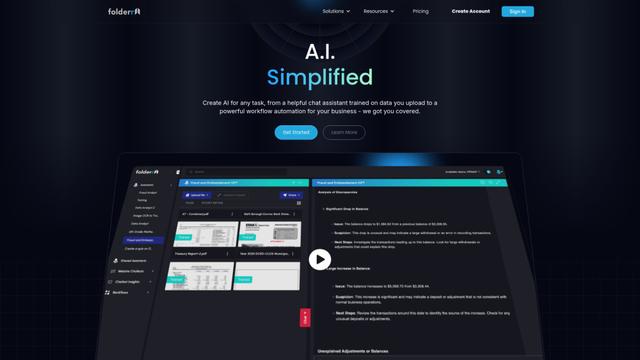
Folderr
Folderr is a comprehensive AI platform that enables users to create custom AI assistants by uploading unlimited files, integrating with multiple language models, and automating workflows through a user-friendly interface.
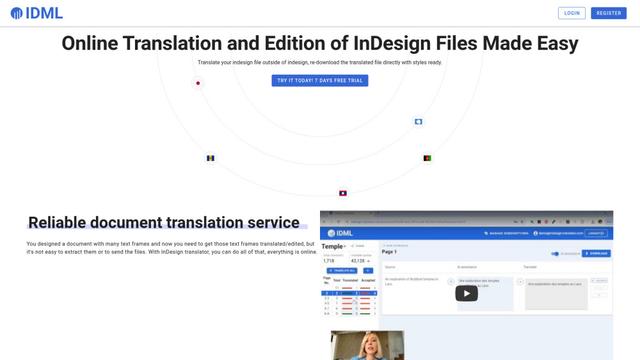
InDesign Translator
InDesign Translator — это онлайн-сервис перевода, который позволяет пользователям переводить файлы InDesign, сохраняя форматирование и стили, и предлагает перевод с поддержкой ИИ и удобные функции совместной работы без необходимости установки InDesign у переводчиков.

Specgen.ai
Specgen.ai is an AI-powered platform that helps businesses optimize their bid responses by automatically analyzing tender requirements and generating personalized responses while ensuring 100% data confidentiality through proprietary AI models.
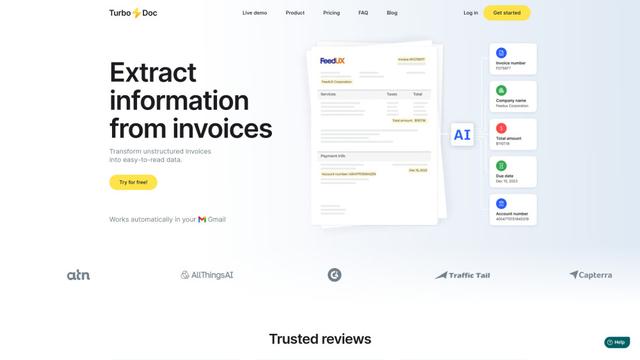
TurboDoc
TurboDoc - это программное обеспечение для обработки счетов на основе ИИ, которое автоматически извлекает и преобразует неструктурированные данные счетов в организованные, легкие для чтения структурированные данные через интеграцию с Gmail и интеллектуальную обработку документов.
Популярные ИИ-инструменты, похожие на Kit For AI

R2R
R2R (Reason to Retrieve) — это продвинутая система извлечения информации на основе ИИ, которая предоставляет готовые к использованию возможности Retrieval-Augmented Generation (RAG) с мультимодальным поглощением контента, гибридным поиском, графами знаний и комплексным управлением документами через RESTful API.

Claude Folder Upload
Расширение для Chrome, которое позволяет пользователям загружать целые папки в Claude AI, при этом интеллектуально сохраняя структуры каталогов и отношения между файлами, с умными фильтрационными возможностями для нерелевантных файлов.

Web Clipper for NotebookLM
Web Clipper для NotebookLM — это расширение Chrome, которое сохраняет веб-страницы, PDF-файлы, контент YouTube, публикации/ветки в социальных сетях и даже беседы в чате ИИ непосредственно в Google NotebookLM одним щелчком мыши, а также добавляет мощные инструменты экспорта, синхронизации и управления блокнотами.

ReadHero
ReadHero — это комплексное приложение для отслеживания чтения и ведения заметок, которое помогает читателям лучше запоминать и удерживать прочитанное, обеспечивая отслеживание прогресса, ведение заметок и управление книгами в одном месте.