
KarmaBox
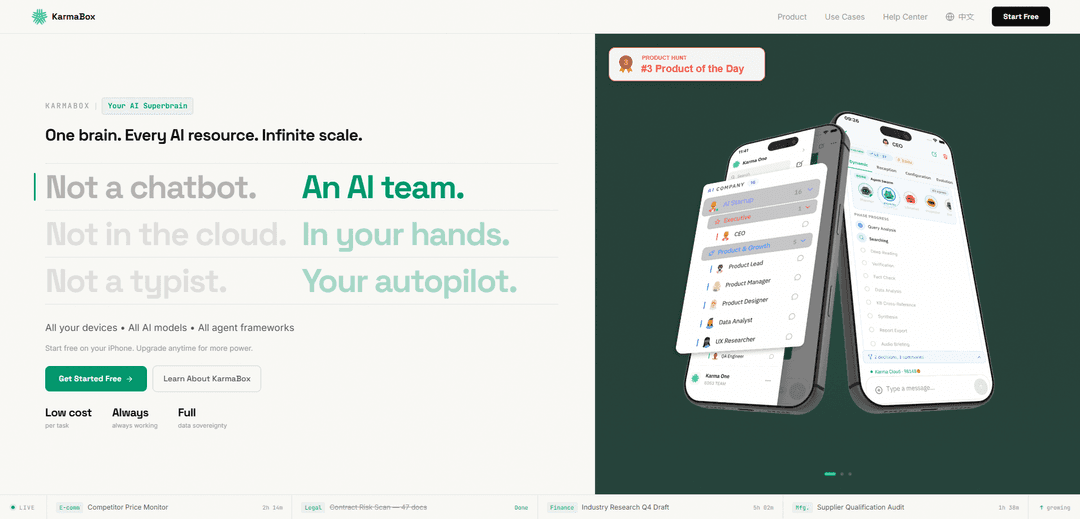
KarmaBox is a mobile-first “sovereign AI foundry” that orchestrates multiple AI agents in parallel with persistent memory, smart model routing, and on-device, end-to-end encrypted data control.
https://karmaboxai.com/?ref=producthunt
Product Information
Updated:May 18, 2026
What is KarmaBox
KarmaBox (Karma AI Factory) positions itself as an “AI superbrain” that goes beyond a single chatbot window by acting like an entire AI team. Built to unify workflows across devices and AI resources, it emphasizes data sovereignty—keeping processing on your device—while still allowing you to use a wide range of models and tools. The product is offered as an iOS app to get started quickly, with options to scale up to more powerful compute setups, aiming to provide a single, portable workspace for research, content, analysis, and execution-heavy tasks.
Key Features of KarmaBox
KarmaBox positions itself as a “sovereign AI foundry” that turns a single app into an AI team: multiple autonomous avatars/agents can run tasks in parallel with persistent memory, orchestrate work across devices, and route jobs to the best AI model (local or cloud). It emphasizes unified workflow execution (research, document analysis, content publishing, automation) while prioritizing data sovereignty—processing on-device with end-to-end encryption—and flexible model/compute control via pooled device compute and optional APIs from providers like OpenAI and Anthropic.
AI team (avatars) not a single chatbot: Create multiple specialized AI “avatars” that can run continuously and collaborate in parallel, acting more like an always-on team than a single chat window.
Persistent memory & context continuity: Keeps long-lived memory so context doesn’t reset each session, enabling ongoing projects and reducing repetitive re-explaining.
On-device data sovereignty + encryption: Designed so processing happens on your device with end-to-end encryption, aiming to keep your data private and under your control.
Smart model routing (local + cloud): Automatically selects the best model for a task, supporting local models (e.g., Llama/Qwen) and cloud APIs (e.g., OpenAI/Anthropic) as interchangeable “skills.”
Cross-device orchestration & compute pooling: Coordinates tasks across phone/desktop and can pool compute (e.g., iPhone + GPU/edge hardware) to run workloads faster and in parallel.
No-code avatar setup in minutes: Create a working AI avatar by describing what you want in plain language—no coding—targeting a ~15-minute setup from zero to running.
Use Cases of KarmaBox
E-commerce competitor price monitoring: Run ongoing monitoring agents that track competitor pricing over time and produce scheduled reports or alerts for merchandising teams.
Legal contract risk scanning: Analyze batches of contracts to flag risk clauses, summarize obligations, and produce review-ready outputs for legal and procurement workflows.
Finance/market research production: Continuously gather and synthesize industry news and filings into quarterly research drafts, briefs, or internal memos with persistent project context.
Manufacturing supplier qualification audits: Automate supplier evaluation by collecting requirements, checking documentation completeness, and generating audit summaries and follow-up task lists.
Unified social/content publishing automation: Create content and distribute it across multiple platforms with one-click publishing, using agents to draft, adapt, and schedule posts.
Personal “AI workspace” for multi-tool tasks: Use one mobile-first hub for mixed workflows (file analysis, web design, slides/PPT, image/video analysis) without switching between separate tools.
Pros
Strong privacy posture via on-device processing and end-to-end encryption (data sovereignty focus).
Unified orchestration: parallel agents, persistent memory, and cross-device continuity reduce context switching.
Flexible model strategy: can use local models for low cost and cloud APIs for higher capability as needed.
Cons
On-device/sovereign approach may be limited by your hardware performance and battery/uptime requirements for always-on agents.
Some advanced capabilities may depend on external cloud APIs, which can introduce ongoing costs and variable latency.
Product messaging spans multiple “KarmaBox” entities online; users may need to verify they’re using the correct official KarmaBox AI product/site.
How to Use KarmaBox
1) Download the KarmaBox app (iPhone): Install the KarmaBox iOS app. The official site states you can start free on your iPhone with no purchase needed to begin.
2) Create your first AI Avatar: In the app, choose the option to create an Avatar. KarmaBox’s flow is: describe what you want your AI to do in plain language (no coding).
3) Describe the Avatar’s job in plain language: Write a clear description of the workflow you want (e.g., competitor price monitoring, contract risk scanning, industry research). KarmaBox uses this to configure an “AI team” style agent setup.
4) Start the Avatar and let it run continuously: Start the Avatar so it begins working immediately. The product positioning emphasizes autonomous agents that run continuously without you.
5) Use parallel execution for multiple tasks: Create additional Avatars for other workflows so multiple agents can work in parallel. KarmaBox is described as “multiple agents working in parallel” rather than a single chat window.
6) Turn on persistent memory / keep context intact: Use KarmaBox’s persistent memory so you don’t have to re-explain context each session. The site highlights “persistent forever” memory and “context never breaks” across devices.
7) Connect and route models as Skills (local or cloud): Add AI models as Skills inside KarmaBox. The FAQ says OpenAI, Anthropic, Qwen and more can be used as skills; it also supports local models like Llama/Qwen for near-zero cost.
8) Choose your sovereignty settings (data/compute/model/identity): Configure how you want KarmaBox to run: on-device processing for data sovereignty, pooled compute across devices, and your preferred model sources (local or cloud).
9) Run across devices and keep tasks going: Use KarmaBox on phone and desktop as needed; the site claims real-time sync and that tasks continue seamlessly across devices.
10) Use cross-channel actions (e.g., publishing) when needed: For workflows like content distribution, use KarmaBox’s unified social publishing/cross-channel execution features to publish or execute actions across platforms from one place.
11) Scale up compute (optional): If you need more power, upgrade to pooled compute or edge hardware. The FAQ mentions NVIDIA-based edge AI hardware with 128GB RAM and 2TB storage as an option.
12) Keep it running long-term (even if the vendor disappears): Rely on the local/on-device runtime for continuity. The FAQ claims the core runtime is open-source and your device keeps running everything even if the company disappears.
KarmaBox FAQs
KarmaBox is an “AI Superbrain” / “Sovereign AI Foundry” designed as an AI team (multiple agents) rather than a single chatbot window, orchestrating tasks in parallel with persistent memory and cross-channel execution.
KarmaBox Video
Popular Articles

Atoms: A Multi-Agent AI Platform That Transforms Ideas into Launch-Ready Products
May 22, 2026

Nano Banana SBTI: What It Is, How It Works, and How to Use It in 2026
Apr 15, 2026

Atoms Review — The AI Product Builder Redefining Digital Creation in 2026
Apr 10, 2026

Kilo Claw: How to Deploy and Use a True "Do‑It‑For‑You" AI Agent(2026 Update)
Apr 3, 2026
Latest AI Tools Similar to KarmaBox

MultipleWords
MultipleWords is a comprehensive AI platform offering 16 powerful tools for content creation and manipulation across audio, video, and image editing with cross-platform accessibility.

Athena AI
Athena AI is a versatile AI-powered platform offering personalized study assistance, business solutions, and life coaching through features like document analysis, quiz generation, flashcards, and interactive chat capabilities.
Taidai.io
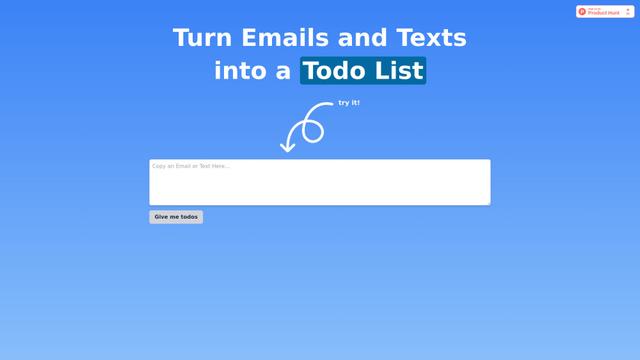
Taidai.io is an AI-powered tool that automatically converts notes, emails, and text content into actionable todo lists.
Repliio
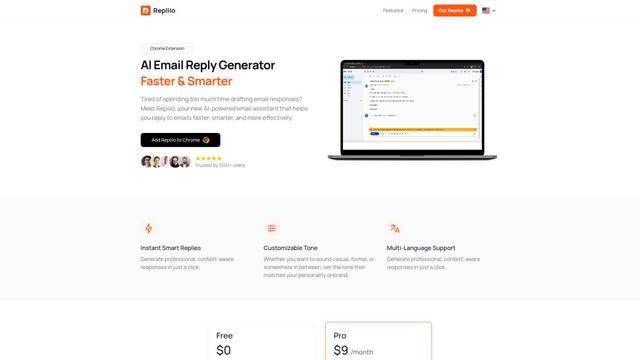
Repliio is an AI-powered email assistant Chrome extension that helps users generate professional, context-aware email responses quickly with customizable tones and multi-language support.
Popular AI Tools Like KarmaBox

Microsoft Excel: Spreadsheets
Microsoft Excel is the industry-leading spreadsheet software that allows users to organize, analyze, and visualize data through powerful features like formulas, charts, and AI-powered insights.

Standboy
Standboy is a VS Code/Cursor extension that auto-expands a Game Boy (GB/GBC/GBA) emulator in the sidebar during AI agent activity, then auto-hides and pauses—resuming mid-frame next time—while keeping a persistent ROM library, saves, and cover art.
Omniaxe
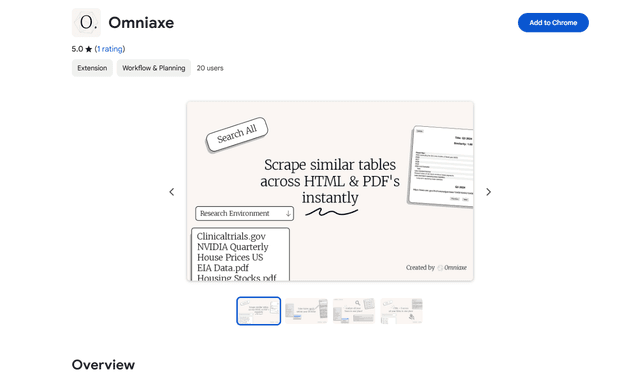
Omniaxe is an all-in-one Chrome extension research tool that combines seamless data extraction, AI-powered analysis, and centralized note-taking capabilities designed specifically for analysts, researchers and students.

Finesse by Skippr AI
Finesse by Skippr AI is a browser extension that provides instant, expert-level product feedback and critiques across design, content strategy, accessibility, and product direction through specialized AI reviewers.