
Joanium
Joanium is a local-first desktop AI command center that chats and takes action across your files and 30+ integrations, supports 28 AI providers, scheduled agents, mobile reply channels, and BYOK—without requiring an account.
https://www.joanium.com/?ref=producthunt

Product Information
Updated:Jun 8, 2026
What is Joanium
Joanium is a Windows desktop app designed to turn your computer into an “AI command center” that can both converse and automate real work across the tools you already use. Instead of being just another chat interface, it’s built around project-scoped workspaces, local storage, and actionable workflows—so it can understand your repo/files, reason over context, and trigger tasks like summaries, digests, reviews, and routine automations. It’s free to install, runs on your machine, supports bring-your-own API keys, and emphasizes keeping your data and setup under your control rather than behind a mandatory cloud account.
Key Features of Joanium
Joanium is a local-first desktop AI command center for Windows that combines chat, project-scoped context, scheduled automations, and tool integrations so it can not only answer questions but also take actions across your workflows. It runs on your machine with bring-your-own-keys (BYOK), stores conversations and usage analytics locally, supports many AI providers (including local models), and can reply back into channels like Slack/Telegram/Discord/WhatsApp. It also supports MCP servers to extend capabilities and includes a marketplace for swapping in skills/personas (e.g., code reviewer, growth hacker) without prompt engineering.
Local-first desktop agent (BYOK, no account): Runs on your machine with no mandatory login; you bring your own API keys, and keys/conversations/routines are kept locally for stronger ownership and privacy.
Scheduled agents & automations: Set up recurring jobs that run while you sleep—e.g., daily digests and workflow automations that collect context, reason, and queue actions.
Project-scoped workspaces with file/git/terminal context: Keeps chats tied to specific repos/projects so the assistant can read project files, use git context, and support coding tasks without repeated copy-paste.
Broad integrations + MCP extensibility: Connects to common tools (e.g., GitHub, Notion, Jira, Figma, calendars, etc.) and can attach any MCP-compatible server to expose additional tools to the assistant.
Multi-provider model switching (cloud + local): Supports many AI providers and local models in one place, letting you swap models depending on task, cost, or capability without changing apps.
Skills/personas marketplace: Browse, create, and publish reusable personas/skills (e.g., “brutally honest code reviewer”, “3am rubber duck debugger”) to quickly change behavior and outputs.
Use Cases of Joanium
Engineering daily brief (GitHub → Slack): Automatically pulls GitHub issues/PRs, summarizes status and failing checks, prioritizes work, and posts a clean morning brief to Slack (or other channels).
Software development & debugging assistant: Uses repo files, diffs, and git history to review code, trace bugs, refactor functions, and propose fixes—without shipping project context to a hosted chat tool.
Product/Project operations hub (Notion/Jira/Linear): Aggregates tasks, updates tickets, drafts status reports, and runs scheduled check-ins across planning tools to reduce manual project management overhead.
Sales/CS and business ops automation: Connects to business tools (e.g., HubSpot/Stripe) to summarize pipelines, flag anomalies, draft follow-ups, and deliver daily/weekly operational digests.
Founder/creator “command center”: Combines research, writing, planning, and automation in one workspace; uses personas/skills to switch between marketer, analyst, and operator modes quickly.
Cross-device action loop via chat channels: Stay in the same workflow from your phone by receiving digests and replying in Telegram/Slack/Discord/WhatsApp while Joanium continues executing on the desktop.
Pros
Local-first design (BYOK, local storage, no required account) supports stronger privacy/ownership than typical cloud chat tools.
Combines chat + automation + integrations + channels, reducing tool switching and enabling real “agentic” workflows.
Supports many model providers (including local) and tracks usage/cost locally for better spend control.
Extensible via MCP and a marketplace for reusable skills/personas.
Cons
Windows desktop focus may limit users on other operating systems (based on the provided source).
BYOK means users must manage API keys/billing themselves, which adds setup complexity.
Heavy reliance on integrations and local environment access can require more configuration/maintenance than a simple web chatbot.
How to Use Joanium
1) Install Joanium (desktop app): Go to https://www.joanium.com/ and download/install the Windows desktop app. Launch Joanium after installation.
2) Start with a local-first setup (no account): Use Joanium without creating an account. Your conversations, routines, and usage history are stored locally on your machine by default.
3) Add AI providers (Bring Your Own Keys): Open Joanium’s provider/settings area and add API keys for the models you want to use (e.g., OpenAI, Anthropic, Google, Mistral, xAI, etc.). Joanium supports many providers so you can switch models without changing tools.
4) (Optional) Run fully offline with local models: If you want zero internet / zero API keys, connect Joanium to a local model runtime such as Ollama or LM Studio, then select that local provider as your active model.
5) Create a project workspace for each codebase or folder: Set up a workspace scoped to a specific repo/folder so Joanium can keep context tied to that project (files, terminal work, and git context) instead of treating every chat as a blank slate.
6) Use Joanium as a command center (chat → action): In the main conversation, ask for outcomes like summaries, plans, refactors, or next steps. Then trigger actions from the same flow (e.g., ‘Check GitHub PRs and summarize failing checks’).
7) Connect your tools (connectors): Link the services you already use via Joanium’s integrations (examples mentioned: GitHub, Notion, Jira, Figma, Linear, Stripe, Supabase, Vercel, Netlify, Sentry, Gmail/Google Drive/Calendar). This lets Joanium read context and act across those tools.
8) Set up a scheduled automation (scheduled agents): Create a scheduled job/agent for recurring work (e.g., every morning at 8am). Configure it to gather context (like GitHub issues/PRs and calendar) and produce a single digest or priority list.
9) Send results to where you’ll actually see them (channels): Connect a live channel such as Slack/Telegram/Discord/WhatsApp, then configure your automation/agent to post the output there (e.g., a morning brief into Slack).
10) Add personas to change tone and behavior instantly: Enable a persona (e.g., ‘senior code reviewer’, ‘startup copywriter’) to shift how the assistant thinks, writes, and reviews—without switching apps.
11) Add or write Skills (markdown-based): Create Skills as markdown files that encode your preferred workflows and instructions. Apply a Skill to teach Joanium how you work (e.g., how to review PRs, how to format daily briefs, how to triage issues).
12) Browse and install Skills/Personas from the marketplace: Visit joanium.com/marketplace to browse community Skills/Personas. Install one to instantly change behavior, or publish your own (PRs are welcomed per the source snippet).
13) Use code intelligence features inside a workspace: Ask Joanium to debug, refactor, review diffs, or rewrite functions using full file context and git history from the workspace—reducing copy/paste between tools.
14) Extend Joanium with MCP servers (MCP support): Connect any MCP-compatible server to expose additional tools directly to the assistant, expanding what it can do beyond built-in connectors.
15) Monitor usage analytics and costs locally: Use Joanium’s local usage analytics to track token usage and cost per provider/model so you can control spend across multiple AI providers.
Joanium FAQs
Joanium is a local-first AI desktop app that turns your computer into an AI command center that can chat, automate, reason, and act across the tools you already use.
Joanium Video
Popular Articles

Vosko AI: Localize and Dub Videos for Global Audiences
Oct 15, 2026

Atoms: A Multi-Agent AI Platform That Transforms Ideas into Launch-Ready Products
Oct 13, 2026

Nano Banana SBTI: What It Is, How It Works, and How to Use It in 2026
Apr 15, 2026

Atoms Review — The AI Product Builder Redefining Digital Creation in 2026
Apr 10, 2026
Latest AI Tools Similar to Joanium

MultipleWords
MultipleWords is a comprehensive AI platform offering 16 powerful tools for content creation and manipulation across audio, video, and image editing with cross-platform accessibility.

Athena AI
Athena AI is a versatile AI-powered platform offering personalized study assistance, business solutions, and life coaching through features like document analysis, quiz generation, flashcards, and interactive chat capabilities.

Taidai.io
Taidai.io is an AI-powered tool that automatically converts notes, emails, and text content into actionable todo lists.

Repliio
Repliio is an AI-powered email assistant Chrome extension that helps users generate professional, context-aware email responses quickly with customizable tones and multi-language support.
Popular AI Tools Like Joanium

Microsoft Excel: Spreadsheets
Microsoft Excel is the industry-leading spreadsheet software that allows users to organize, analyze, and visualize data through powerful features like formulas, charts, and AI-powered insights.

Standboy
Standboy is a VS Code/Cursor extension that auto-expands a Game Boy (GB/GBC/GBA) emulator in the sidebar during AI agent activity, then auto-hides and pauses—resuming mid-frame next time—while keeping a persistent ROM library, saves, and cover art.
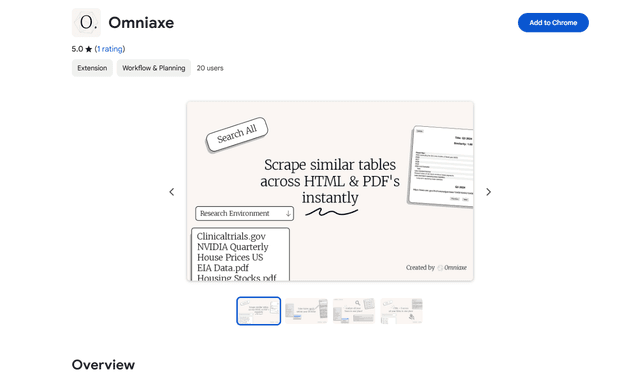
Omniaxe
Omniaxe is an all-in-one Chrome extension research tool that combines seamless data extraction, AI-powered analysis, and centralized note-taking capabilities designed specifically for analysts, researchers and students.

Finesse by Skippr AI
Finesse by Skippr AI is a browser extension that provides instant, expert-level product feedback and critiques across design, content strategy, accessibility, and product direction through specialized AI reviewers.