
JetBrains
JetBrains is a cutting-edge software development company that creates intelligent, productivity-enhancing tools and IDEs for developers and teams, trusted by over 11.4 million professionals and 88 Fortune Global Top 100 companies.
https://www.jetbrains.com/?ref=producthunt
Product Information
Updated:Apr 8, 2026
JetBrains Monthly Traffic Trends
JetBrains received 7.5m visits last month, demonstrating a Slight Decline of -5.3%. Based on our analysis, this trend aligns with typical market dynamics in the AI tools sector.
View history trafficWhat is JetBrains
Founded in 2000, JetBrains is a global software company specializing in creating professional development tools, IDEs (Integrated Development Environments), and the Kotlin programming language. The company offers more than 30 products including popular IDEs like IntelliJ IDEA, PyCharm, WebStorm, and team collaboration tools like YouTrack and TeamCity. Without requiring external funding, JetBrains has achieved significant financial growth, reporting 5.6% revenue growth in 2023 and generating $200 million in EBITDA in 2020.
Key Features of JetBrains
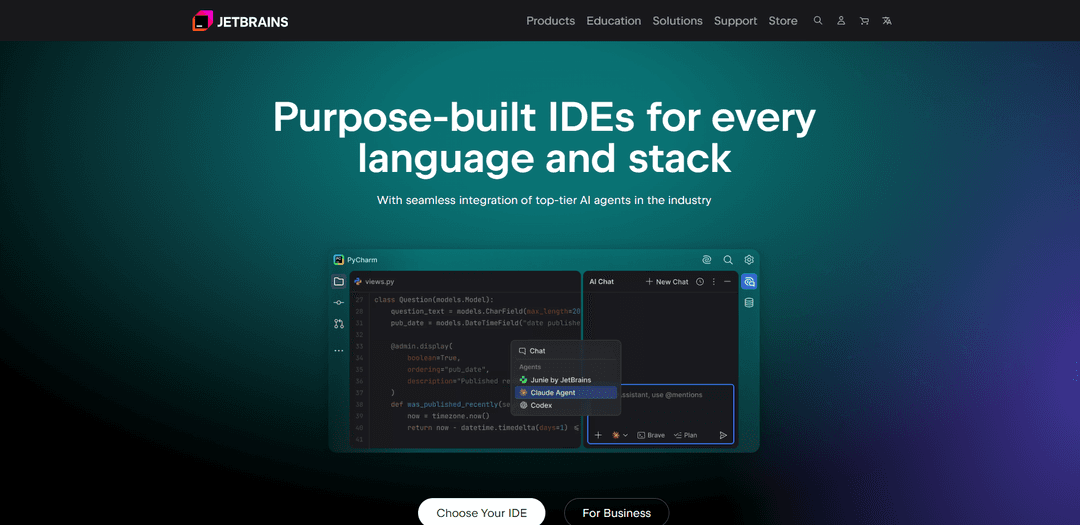
JetBrains is a comprehensive software development ecosystem offering intelligent IDEs, AI-powered coding assistance, and team collaboration tools. It provides language-specific IDEs with advanced features like smart code completion, debugging, and testing capabilities, while also offering AI tools like JetBrains AI Assistant and Junie for enhanced productivity. The platform supports multiple programming languages and frameworks, with seamless integration of development tools and extensive customization options.
Intelligent IDEs: Purpose-built IDEs for different programming languages with smart code completion, navigation, refactoring tools, and deep framework integration
AI-Powered Development: Integrated AI tools including JetBrains AI Assistant and Junie that provide code completion, documentation generation, and autonomous development capabilities
Team Collaboration Tools: Comprehensive suite of tools including TeamCity for CI/CD, YouTrack for project management, and Qodana for code quality analysis
Cross-Platform Compatibility: Support for multiple programming languages, frameworks, and development environments across Windows, macOS, and Linux
Use Cases of JetBrains
Enterprise Software Development: Large organizations use JetBrains tools for managing complex codebases and ensuring code quality across development teams
Game Development: Game developers utilize specialized features and integrations for creating and debugging games across different platforms
Educational Institutions: Universities and coding bootcamps use JetBrains tools to teach programming and software development with special educational licenses
Data Science Projects: Data scientists and analysts use tools like DataSpell and Datalore for data analysis and machine learning development
Pros
Comprehensive feature set with excellent code understanding and assistance
Strong AI integration with cutting-edge coding tools
Extensive language and framework support
Cons
Premium features require subscription
Resource-intensive applications that may require powerful hardware
How to Use JetBrains
Choose and Download IDE: Visit JetBrains website and select the appropriate IDE for your programming language/stack (e.g. IntelliJ IDEA for Java, PyCharm for Python, WebStorm for JavaScript etc.). Download and install the IDE for your operating system.
Get License/Start Trial: Sign up for a free 30-day trial, purchase a license, or check eligibility for free licenses (students, teachers, open source projects). Activate your license in the IDE.
Initial IDE Setup: Configure initial settings like UI theme, keymap (keyboard shortcuts), plugins, and project settings. The IDE will guide you through basic setup on first launch.
Create/Open Project: Create a new project or open an existing one. Select appropriate project type, SDK/framework versions, and build tools (Maven/Gradle for Java, pip for Python etc.).
Learn Basic Navigation: Learn essential keyboard shortcuts: Shift+Shift for Search Everywhere, Ctrl+Shift+A for Find Action, Alt+Enter for quick fixes/intentions, Ctrl+Click for navigation to declarations.
Enable AI Features: Set up JetBrains AI Assistant for intelligent code completion, documentation generation, and refactoring suggestions. Connect to OpenAI API or use JetBrains' own AI models.
Configure Version Control: Set up version control integration (Git, SVN etc.) in the IDE. Configure repositories, credentials and basic VCS operations.
Customize IDE Features: Fine-tune code completion, inspections, formatting rules, and other coding assistance features according to your preferences and team standards.
Install Required Plugins: Browse JetBrains Marketplace to install additional plugins for frameworks, tools or languages needed for your development workflow.
Configure Debugging: Set up debugging configurations for your project type. Learn to use breakpoints, step through code, and analyze variables during debug sessions.
JetBrains FAQs
JetBrains AI Assistant is an AI-powered coding tool integrated into JetBrains IDEs. Users with an active JetBrains IDE subscription (including free non-commercial licenses) get access to AI Free tier. When enabling JetBrains AI for the first time, users also get a free 30-day trial of AI Pro with extended quota for cloud-based features.
JetBrains Video
Popular Articles

Vosko AI: Localize and Dub Videos for Global Audiences
Oct 15, 2026

Atoms: A Multi-Agent AI Platform That Transforms Ideas into Launch-Ready Products
Oct 13, 2026

Nano Banana SBTI: What It Is, How It Works, and How to Use It in 2026
Apr 15, 2026

Atoms Review — The AI Product Builder Redefining Digital Creation in 2026
Apr 10, 2026
Analytics of JetBrains Website
JetBrains Traffic & Rankings
7.5M
Monthly Visits
#5993
Global Rank
#153
Category Rank
Traffic Trends: Aug 2024-Jun 2025
JetBrains User Insights
00:03:15
Avg. Visit Duration
4.95
Pages Per Visit
34.55%
User Bounce Rate
Top Regions of JetBrains
CN: 15.16%
US: 13.16%
IN: 10.52%
DE: 5.54%
RU: 5.35%
Others: 50.27%
Latest AI Tools Similar to JetBrains

Gait
Gait is a collaboration tool that integrates AI-assisted code generation with version control, enabling teams to track, understand, and share AI-generated code context efficiently.

invoices.dev
invoices.dev is an automated invoicing platform that generates invoices directly from developers' Git commits, with integration capabilities for GitHub, Slack, Linear, and Google services.

EasyRFP
EasyRFP is an AI-powered edge computing toolkit that streamlines RFP (Request for Proposal) responses and enables real-time field phenotyping through deep learning technology.

Cart.ai
Cart.ai is an AI-powered service platform that provides comprehensive business automation solutions including coding, customer relations management, video editing, e-commerce setup, and custom AI development with 24/7 support.
Popular AI Tools Like JetBrains

GitHub Copilot Chat
GitHub Copilot Chat is an AI-powered coding assistant that provides natural language interactions, real-time code suggestions, and contextual support directly within supported IDEs and GitHub.com.

CopilotForXcode
CopilotForXcode is an Xcode Source Editor Extension that integrates GitHub Copilot, Codeium, and ChatGPT to provide AI-powered code suggestions, chat assistance, and prompt-to-code functionality within Xcode.

BrowserAI
BrowserAI is an open-source library that enables running local Large Language Models (LLMs) directly in web browsers with WebGPU acceleration, offering privacy-focused AI capabilities without requiring server infrastructure.

OpenAI Codex CLI
OpenAI Codex CLI is a lightweight, open-source coding agent that runs in your terminal, enabling developers to translate natural language into code execution while providing ChatGPT-level reasoning with the ability to run code, manipulate files, and iterate under version control.