
Invoke
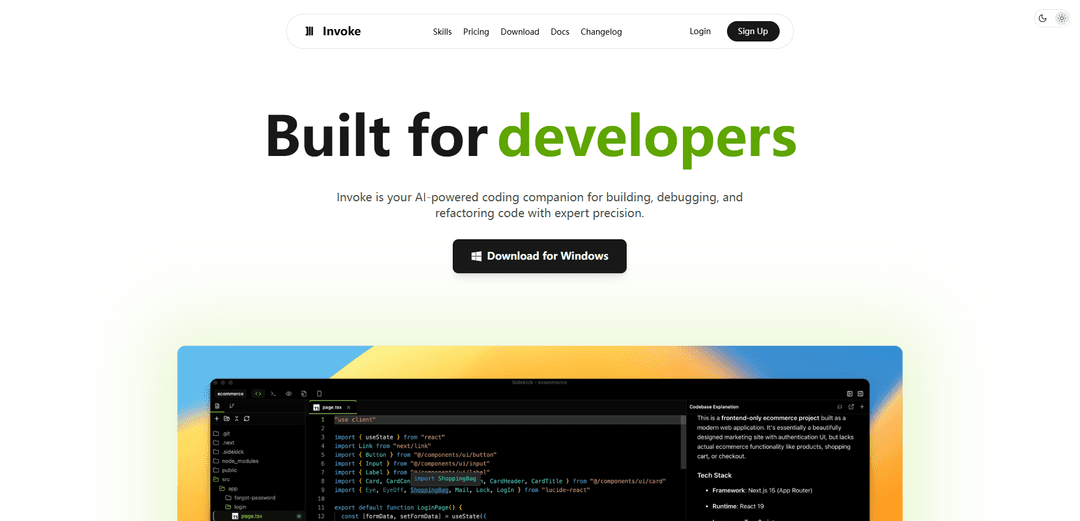
Invoke is a professional AI-powered coding assistant that combines Claude and advanced AI models to provide intelligent workflows, automated code generation, and development tools for developers.
https://invoke.yugin.co/?ref=producthunt
Product Information
Updated:Apr 8, 2026
What is Invoke
Invoke is a sophisticated AI coding companion designed specifically for professional developers. It serves as a comprehensive development environment that integrates powerful AI capabilities with practical coding tools. Built with Claude integration and advanced AI models at its core, Invoke aims to streamline the software development process by providing intelligent assistance across various development tasks, from planning and coding to debugging and refactoring.
Key Features of Invoke
Invoke is an AI-powered coding companion that combines intelligent code assistance with visual development tools. It features a powerful command palette, flexible workspace customization, real-time preview capabilities, and specialized AI agents for different development tasks. The platform supports multiple development workflows through various modes and includes visual planning tools, code refactoring, and debugging capabilities.
Visual Planning Tools: Map out features as cards, draw connections to show dependencies, and convert visual plans directly into code using AI assistance
Customizable AI Agents: Create and configure specialized AI agents for different tasks, with support for running up to five independent agents simultaneously
Flexible Workspace Interface: Customize layout with draggable floating panels, quick command palette access, and real-time preview capabilities
Advanced Integration Options: Supports local AI models through Ollama, brings your own API keys (BYOK), and includes diff integration for version control
Use Cases of Invoke
Professional Software Development: Assists developers in building, debugging, and refactoring code with AI-powered precision
Project Planning and Architecture: Helps teams visualize and plan software features using board-based planning tools with AI assistance
Code Maintenance and Refactoring: Supports maintaining and improving existing codebases through intelligent code analysis and suggestions
Pros
Comprehensive development environment with integrated AI assistance
Highly customizable workspace and AI agent configuration
Strong focus on visual planning and real-time preview capabilities
Cons
May require significant setup and configuration for optimal use
Learning curve for utilizing all available features effectively
How to Use Invoke
Download and Install: Download the Invoke Launcher and run the installation. The launcher handles installing the correct Python version and sets up Invoke as a desktop application.
Install Models: After starting Invoke, install models either through the Starter Model bundle or by scanning an existing model collection folder. Enable/disable in-place installation as needed.
Configure Settings: Customize your workspace by setting up themes, color schemes, and design preferences. Configure API keys if using your own providers.
Set Up Workspace: Arrange your development environment by customizing the layout with draggable floating panels. Access features through the command palette or keyboard shortcuts.
Create Projects: Use the visual board tools to map out features and dependencies. Draw connections between components to create a development plan.
Use AI Assistance: Leverage AI agents for coding tasks by either using the default agents or creating custom specialized agents for different tasks. Up to five agents can run simultaneously.
Preview and Test: Use the live preview feature to see changes in real-time while getting AI assistance to refine your code. Test functionality as you build.
Version Control: Track changes using the built-in diff integration and version control visualization tools to manage code modifications effectively.
Invoke FAQs
Invoke is an AI-powered coding companion designed for professional developers, offering features for building, debugging, and refactoring code with AI assistance.
Popular Articles

Vosko AI: Localize and Dub Videos for Global Audiences
Oct 15, 2026

Atoms: A Multi-Agent AI Platform That Transforms Ideas into Launch-Ready Products
Oct 13, 2026

Nano Banana SBTI: What It Is, How It Works, and How to Use It in 2026
Apr 15, 2026

Atoms Review — The AI Product Builder Redefining Digital Creation in 2026
Apr 10, 2026
Latest AI Tools Similar to Invoke

Gait
Gait is a collaboration tool that integrates AI-assisted code generation with version control, enabling teams to track, understand, and share AI-generated code context efficiently.

invoices.dev
invoices.dev is an automated invoicing platform that generates invoices directly from developers' Git commits, with integration capabilities for GitHub, Slack, Linear, and Google services.

EasyRFP
EasyRFP is an AI-powered edge computing toolkit that streamlines RFP (Request for Proposal) responses and enables real-time field phenotyping through deep learning technology.

Cart.ai
Cart.ai is an AI-powered service platform that provides comprehensive business automation solutions including coding, customer relations management, video editing, e-commerce setup, and custom AI development with 24/7 support.
Popular AI Tools Like Invoke

GitHub Copilot Chat
GitHub Copilot Chat is an AI-powered coding assistant that provides natural language interactions, real-time code suggestions, and contextual support directly within supported IDEs and GitHub.com.

CopilotForXcode
CopilotForXcode is an Xcode Source Editor Extension that integrates GitHub Copilot, Codeium, and ChatGPT to provide AI-powered code suggestions, chat assistance, and prompt-to-code functionality within Xcode.

BrowserAI
BrowserAI is an open-source library that enables running local Large Language Models (LLMs) directly in web browsers with WebGPU acceleration, offering privacy-focused AI capabilities without requiring server infrastructure.

OpenAI Codex CLI
OpenAI Codex CLI is a lightweight, open-source coding agent that runs in your terminal, enabling developers to translate natural language into code execution while providing ChatGPT-level reasoning with the ability to run code, manipulate files, and iterate under version control.