
InspectMind AI
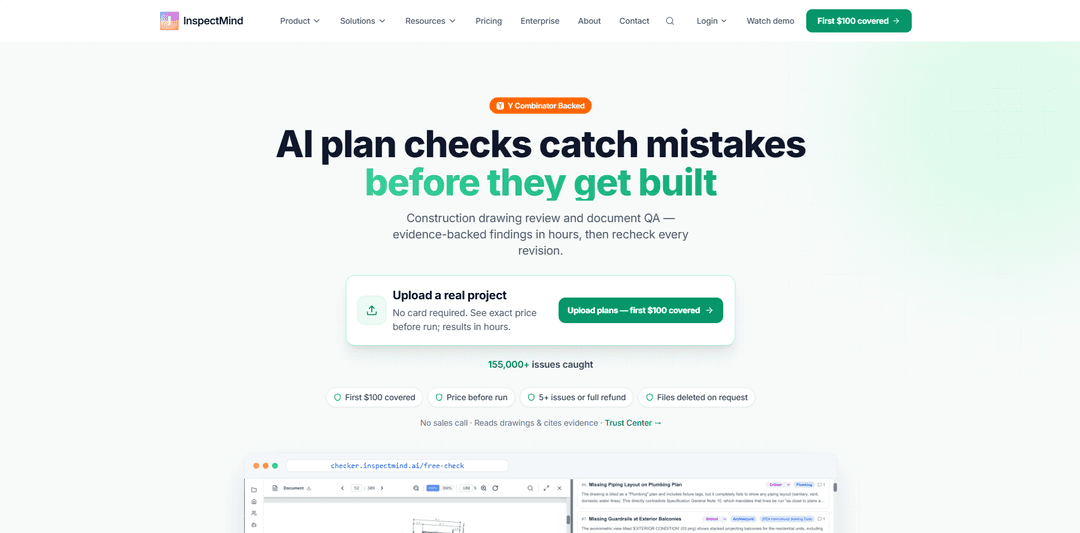
InspectMind AI is an AI-powered plan check and construction document QA/QC platform that reviews drawings, specs, and related PDFs to flag code, coordination, and constructability issues with evidence-backed snippets and references.
https://www.inspectmind.ai/
Product Information
Updated:Oct 20, 2026
InspectMind AI Monthly Traffic Trends
InspectMind AI received 7.3k visits last month, demonstrating a Significant Growth of 265.5%. Based on our analysis, this trend aligns with typical market dynamics in the AI tools sector.
View history trafficWhat is InspectMind AI
InspectMind AI is a purpose-built construction document review tool designed to help AEC teams catch problems before permit submission or fieldwork. Used by general contractors, developers, architects, engineers, owners, and plan reviewers, it automates portions of plan checking and QA/QC by scanning architectural, structural, MEP, and civil drawing sets alongside specifications and other project documents. The platform produces a prioritized issues list (from Critical to Low) and emphasizes transparency by attaching the exact drawing excerpt and relevant reference so professionals can quickly verify each finding rather than relying on “black box” outputs.
Key Features of InspectMind AI
InspectMind AI is a purpose-built construction document QA/QC and plan-check platform that reviews uploaded PDFs (drawings, specs, reports, codes, and internal checklists) to flag potential code issues, cross-discipline coordination conflicts, spec-vs-drawing mismatches, and constructability problems before permit or construction. It produces an evidence-backed, severity-ranked issue list with drawing snippets and code/spec references, supports scanned PDFs via OCR, and can export/share results (e.g., Excel/Procore, RFI-ready outputs). InspectMind also offers a separate mobile Field Reports product for capturing site photos and voice notes (including offline capture) and generating structured inspection reports quickly.
Multi-discipline AI plan checking: Analyzes architectural, structural, MEP, and civil documents together to catch issues that appear only when disciplines are cross-referenced (e.g., coordination conflicts and missing/contradictory information).
Evidence-linked findings with citations: Each flagged issue includes the relevant drawing snippet and references to the code/spec/checklist basis so teams can verify quickly rather than relying on “black box” conclusions.
Spec vs drawing contradiction detection: Identifies discrepancies between specifications and plan sheets/details (e.g., mismatched hold-down types, conflicting schedules/notes, inconsistent dimensions).
Constructability and unbuildable-connection checks: Flags practical build issues such as fasteners that can’t reach, impossible connections, or other constructability constraints before they become RFIs or rework.
Flexible inputs: codes, standards, checklists + OCR: Checks against what you upload (codes/ordinances, internal QA checklists/standards, reports) and supports scanned/legacy PDFs through OCR; works with imperial and metric units.
Actionable outputs and integrations: Delivers a prioritized issue list (Critical→Low), supports exporting (e.g., Excel/Procore), sharing without per-user charges, and generating one-click RFI PDFs per issue.
Use Cases of InspectMind AI
Pre-permit plan review acceleration: Architects/engineers and plan-check teams use it to surface likely code and documentation issues early, reducing back-and-forth and shortening permit cycles.
Design QA/QC for AEC firms: Design teams run consistent QA/QC across large drawing/spec sets to catch internal standard violations, missing notes, and coordination gaps before issuing or revising sets.
GC/CM constructability and coordination review: General contractors use it to identify constructability problems and cross-discipline conflicts early, reducing RFIs, change orders, and schedule risk.
Owner/developer risk reduction: Owners and developers apply it as an independent “second set of eyes” to find costly discrepancies (e.g., egress widths, fire-rated continuity, sizing/calculation errors) before construction.
Retrofit/legacy document review: Teams working with older or scanned plan sets use OCR-supported review to find inconsistencies and missing information during renovations, tenant improvements, or due diligence.
Field inspection reporting (separate Field Reports product): Inspectors capture photos and multi-language voice notes on mobile (including offline), then generate structured inspection reports/punch lists faster with AI-assisted documentation.
Pros
Purpose-built for construction plan review (drawings + diagrams), not generic chat-based text matching
Evidence-backed, severity-ranked findings make verification faster and more auditable
Cross-discipline checking helps catch coordination issues that manual single-discipline reviews often miss
Exports/shareable outputs (e.g., Excel/Procore, RFI PDFs) support downstream workflows
Cons
Findings can be wrong or incomplete; requires professional verification and does not certify compliance
AI may miss issues; a clean report does not establish full code compliance or eliminate liability
Data/privacy considerations may limit use on highly confidential projects unless Trust Center requirements are acceptable
How to Use InspectMind AI
1) Prepare your documents: Gather all project PDFs you want reviewed: architectural, structural, MEP, and civil drawing sets, plus specifications, reports (e.g., geotechnical), and any internal QA checklists/standards or local ordinances you want the check to be run against. Scanned/legacy PDFs are supported.
2) Start a new plan check: Go to InspectMind’s plan-check workflow (e.g., the Checker upload flow on InspectMind’s site) and begin a new review. If eligible, apply the first-check credit (the first $100 covered for eligible work emails) as shown in the checkout/price display.
3) Upload all project PDFs: Upload the full drawing set and any supporting PDFs (specs, codes, checklists, ordinances). InspectMind is designed to cross-reference across everything you upload, so include all relevant disciplines and requirements in the same submission.
4) Confirm scope and run the check: Proceed to run the AI review. InspectMind will analyze sheet-by-sheet, cross-discipline coordination, spec-vs-drawing conflicts, constructability issues, and code/standard requirements based on the documents you provided.
5) Wait for results: Receive results in hours. The output is an issue list prioritized by severity (Critical, High, Medium, Low).
6) Review each finding using the evidence: Open the issue report and verify findings using the provided evidence for each item (drawing snippet and referenced code/spec context). InspectMind notes that AI findings can be wrong or incomplete, so your team should confirm before taking action.
7) Triage by severity and assign next actions: Work from Critical/High items first (e.g., egress width below minimum, fire-rated corridor continuity breaks, unbuildable connections, undersized piping). Use the report’s recommended next steps to route items to the appropriate designer/engineer for correction.
8) Export and share the issue list: Export findings to Excel for handoff and tracking, or push/share into common construction workflows (InspectMind mentions handoff into tools like Procore, Autodesk Construction Cloud, Fieldwire, or Smartsheet). Share the report with your team (InspectMind indicates no per-user charge for sharing).
9) Generate RFIs when needed: For issues that require clarification rather than a direct correction, use the report’s one-click RFI PDF per issue (where available) to package the evidence and question for the design team.
10) Validate on a known project (recommended rollout approach): If you’re evaluating InspectMind, upload a completed project where you already know some issues exist to benchmark what the system catches, then expand usage across active jobs if the results match your QA/QC needs.
InspectMind AI FAQs
InspectMind AI is an AI plan check and construction document QA/QC tool that reviews uploaded project PDFs (drawings, specs, reports, and other documents) to flag potential issues—such as code/spec conflicts, coordination problems, and constructability issues—before permit or field work.
Official Posts
Loading...Popular Articles

Vosko AI: Localize and Dub Videos for Global Audiences
Oct 15, 2026

Atoms: A Multi-Agent AI Platform That Transforms Ideas into Launch-Ready Products
Oct 13, 2026

Nano Banana SBTI: What It Is, How It Works, and How to Use It in 2026
Apr 15, 2026

Atoms Review — The AI Product Builder Redefining Digital Creation in 2026
Apr 10, 2026
Analytics of InspectMind AI Website
InspectMind AI Traffic & Rankings
7.3K
Monthly Visits
#2973738
Global Rank
-
Category Rank
Traffic Trends: Jul 2024-Jun 2025
InspectMind AI User Insights
00:00:26
Avg. Visit Duration
1.87
Pages Per Visit
75.65%
User Bounce Rate
Top Regions of InspectMind AI
US: 84.71%
DE: 15.29%
Others: NAN%
Latest AI Tools Similar to InspectMind AI
Folderr
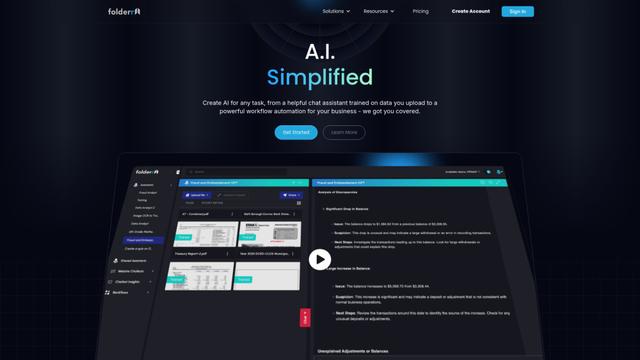
Folderr is a comprehensive AI platform that enables users to create custom AI assistants by uploading unlimited files, integrating with multiple language models, and automating workflows through a user-friendly interface.
InDesign Translator
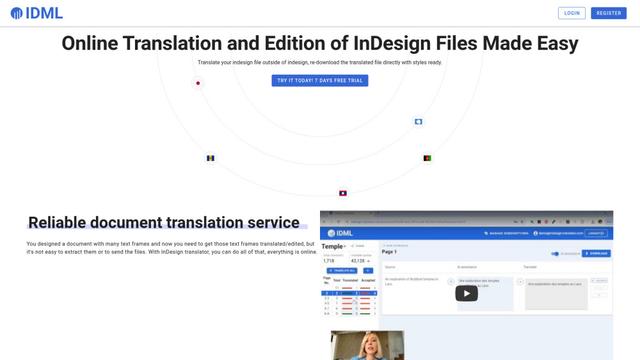
InDesign Translator is an online translation service that enables users to translate InDesign files while maintaining formatting and styles, offering AI-assisted translation and easy collaboration features without requiring translators to have InDesign installed.

Specgen.ai
Specgen.ai is an AI-powered platform that helps businesses optimize their bid responses by automatically analyzing tender requirements and generating personalized responses while ensuring 100% data confidentiality through proprietary AI models.
TurboDoc
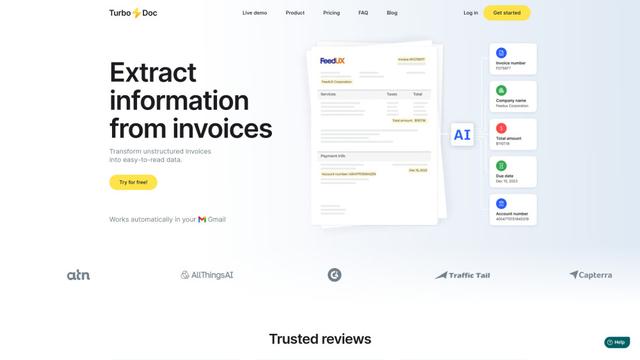
TurboDoc is an AI-powered invoice processing software that automatically extracts and transforms unstructured invoice data into organized, easy-to-read structured data through Gmail integration and intelligent document processing.
Popular AI Tools Like InspectMind AI
R2R
R2R (Reason to Retrieve) is an advanced AI retrieval system that provides production-ready Retrieval-Augmented Generation (RAG) capabilities with multimodal content ingestion, hybrid search, knowledge graphs, and comprehensive document management through a RESTful API.

Claude Folder Upload
A Chrome extension that enables users to upload entire folders to Claude AI while intelligently preserving directory structures and file relationships, with smart filtering capabilities for irrelevant files.
Web Clipper for NotebookLM
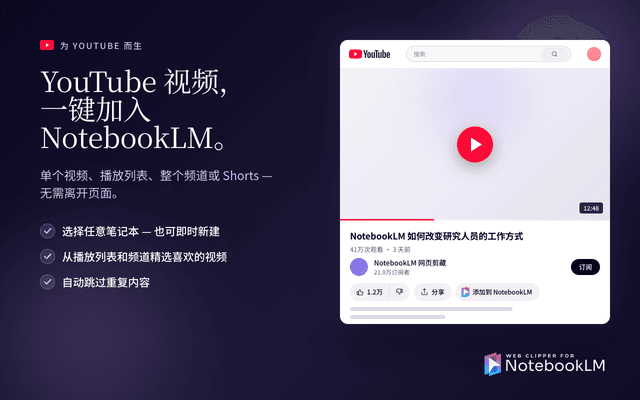
Web Clipper for NotebookLM is a Chrome extension that saves web pages, PDFs, YouTube content, social posts/threads, and even AI chat conversations directly into Google NotebookLM in one click, plus adds powerful export, sync, and notebook-management tools.

ReadHero
ReadHero is a comprehensive book tracking and note-taking app that helps readers remember and retain more of what they read by enabling progress tracking, note-taking, and book management all in one place.