
Hestus
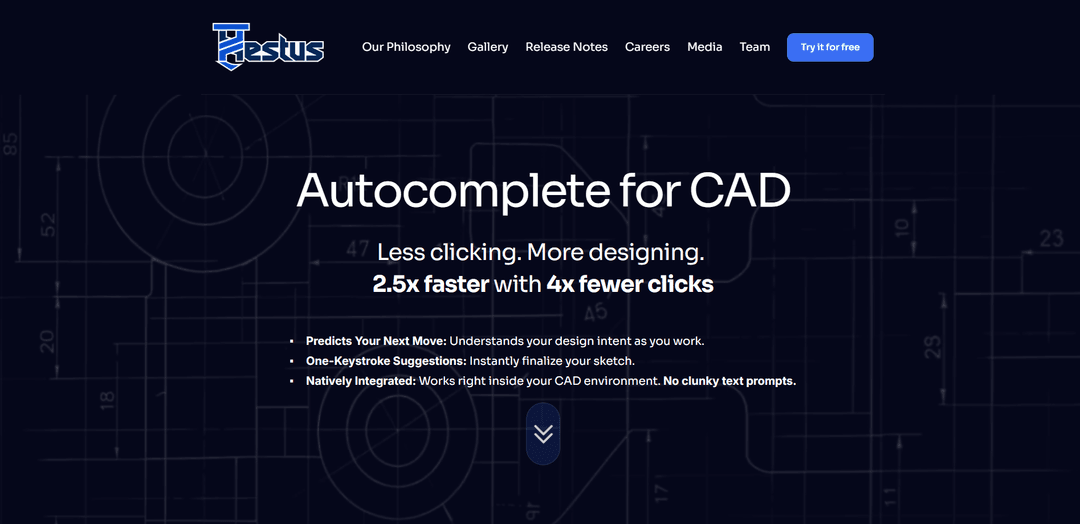
Hestus is an AI-powered “autocomplete for CAD” that natively integrates into tools like Autodesk Fusion 360 to predict design intent, reduce repetitive click-work, and accelerate hardware design execution.
https://www.hestus.co/?ref=producthunt
Product Information
Updated:May 19, 2026
What is Hestus
Hestus is a startup building AI-powered CAD software to speed up hardware development by automating the tedious, repetitive parts of mechanical design. Positioned as “less clicking, more designing,” Hestus focuses on helping engineers move from early concepts to production-ready designs faster, without relying on clunky text-prompt workflows. Its first product, Sketch Helper, integrates directly into the CAD environment (notably Autodesk Fusion 360) to assist engineers during sketching and dimensioning, with plans to expand support to additional CAD platforms over time.
Key Features of Hestus
Hestus is an AI-powered CAD copilot focused on speeding up hardware design by automating repetitive “click-work” inside the CAD environment (not via clunky text prompts). Its first tool, Sketch Helper, integrates natively with Autodesk Fusion 360 to understand design intent, predict the next action, and provide one-keystroke suggestions for sketch constraints and dimensions. Beyond sketching assistance, Hestus aims to reduce redesign effort by checking compatibility/interference, updating dependent geometry when upstream changes occur (with explicit user approval), and preventing common modeling mistakes—helping engineers move from concept to manufacturable design faster.
Autocomplete for CAD (intent-aware suggestions): Understands what you’re trying to build and predicts your next move, offering context-relevant sketch and modeling suggestions while you work.
One-keystroke sketch completion: Applies suggested constraints/dimensions quickly to finalize sketches faster and reduce manual constraint/dimension entry.
Native Fusion 360 integration (no prompt workflow): Runs directly inside Autodesk Fusion 360 so engineers can stay in their normal workflow rather than switching to external generative tools or text prompting.
Automation of repetitive CAD tasks (“click-work” reduction): Targets tedious, repetitive actions that slow down design execution, aiming for materially fewer clicks and faster iteration.
Dependency-aware updates with human approval: Can recommend/propagate changes across interdependent components (e.g., updating mounting holes when a part changes) while requiring explicit approval to avoid unwanted AI edits.
Error prevention and checks (beta/ongoing improvements): Helps catch issues earlier (e.g., interference/compatibility and sketch anchoring such as origin support) to reduce downstream rework.
Use Cases of Hestus
Mechanical product design acceleration: Speed up sketching, constraint definition, and iteration for consumer products, enclosures, brackets, fixtures, and general mechanical assemblies.
Aerospace/space hardware iteration: Rapidly adjust parts where changes cascade (e.g., tanks, mounts, interfaces) by automating dependent updates and reducing redesign overhead.
Robotics and mechatronics packaging: Reduce time spent on CAD housekeeping for robot frames, mounts, and linkages, while catching fit/interference issues earlier in the workflow.
Manufacturing-ready design refinement: Move from concept to detailed, constrained geometry faster—supporting late-stage dimensioning/constraint work that often bottlenecks release.
Architecture/construction-style modeling workflows: Support users who benefit from similar sketching/modeling patterns (even outside pure mechanical engineering) by automating repetitive sketch operations.
Pros
Integrates directly into Fusion 360 and supports in-flow suggestions (no separate prompt-based workflow).
Reduces repetitive CAD “click-work” via autocomplete-style constraints/dimensions and automation.
Keeps engineers in control by requiring explicit approval for AI-proposed cross-component changes.
Cons
Currently centered on Autodesk Fusion 360; broader CAD platform support is still a future plan.
Some showcased capabilities are beta/limited-access features available only to select users.
Not targeting electrical/electronic design workflows at this time.
How to Use Hestus
1) Check prerequisites (CAD + access): Hestus is an AI layer that works inside your existing CAD environment (currently integrates with Autodesk Fusion 360). Some demo capabilities are beta features available only to select users; if you want early access, use the contact form on Hestus’ site to join the priority list.
2) Download Sketch Helper: Go to https://www.hestus.co/download and download Sketch Helper. Note: it uses a custom installer (not the standard App Store installer).
3) Install Sketch Helper: Run the downloaded installer and complete the installation flow. If the download is large (e.g., 300MB+), consider using a download manager as suggested in the installer/download messaging.
4) Launch your CAD tool (Fusion 360) and open a design: Open Autodesk Fusion 360 and load an existing project or create a new one so you can start sketching as you normally would.
5) Start sketching normally (no prompts needed): Hestus is designed so you don’t need to learn a new workflow or write text prompts. Continue your usual sketch workflow and let Sketch Helper observe your design intent.
6) Watch for visual, contextual recommendations: As you sketch, Sketch Helper predicts your next move and surfaces one-keystroke suggestions that are meant to reduce repetitive “click-work.”
7) Preview a suggestion before applying it: When a recommendation appears, preview it in-context in your sketch. (Hestus’ recommendations are intended to be easy to understand and review visually.)
8) Accept a suggestion to apply it instantly: If the recommendation matches your intent, accept it (designed as a one-keystroke action) to finalize the operation without manually performing dozens of precise clicks.
9) Common example: apply equality constraints automatically: If you draw similarly sized circles, Sketch Helper may suggest applying equality constraints so they stay the same size. Preview the constraint, then accept to apply it.
10) Common example: add tangent constraints automatically: If your geometry implies tangency (e.g., between a line and a curve), Sketch Helper may suggest adding a tangent constraint. Preview and accept to apply it quickly.
11) Ignore suggestions when they’re not helpful: If you don’t like a suggestion, simply continue designing as before. Hestus is built to reduce workload, not add friction.
12) Iterate: keep designing and accepting only what you approve: Hestus emphasizes user approval for changes—recommendations are meant to assist, but you stay in control by choosing what to accept.
13) Review examples to learn what Hestus can recommend: Visit the examples/gallery page to see an evolving set of recommendation types and workflows: https://www.hestus.co/examples
14) Check release notes for new capabilities and fixes: For updates and detailed changes, read the release notes: https://www.hestus.co/releasenotes
15) Provide feedback / request beta features: If you want access to beta features shown in the demo video or want to share feedback, use the contact section on https://www.hestus.co/ to reach the team and join the priority list.
Hestus FAQs
Hestus is an AI-powered CAD software company building tools that automate routine design tasks and speed up hardware development.
Hestus Video
Popular Articles

Atoms: A Multi-Agent AI Platform That Transforms Ideas into Launch-Ready Products
May 22, 2026

Nano Banana SBTI: What It Is, How It Works, and How to Use It in 2026
Apr 15, 2026

Atoms Review — The AI Product Builder Redefining Digital Creation in 2026
Apr 10, 2026

Kilo Claw: How to Deploy and Use a True "Do‑It‑For‑You" AI Agent(2026 Update)
Apr 3, 2026
Latest AI Tools Similar to Hestus

MultipleWords
MultipleWords is a comprehensive AI platform offering 16 powerful tools for content creation and manipulation across audio, video, and image editing with cross-platform accessibility.

Athena AI
Athena AI is a versatile AI-powered platform offering personalized study assistance, business solutions, and life coaching through features like document analysis, quiz generation, flashcards, and interactive chat capabilities.

Taidai.io
Taidai.io is an AI-powered tool that automatically converts notes, emails, and text content into actionable todo lists.

Repliio
Repliio is an AI-powered email assistant Chrome extension that helps users generate professional, context-aware email responses quickly with customizable tones and multi-language support.
Popular AI Tools Like Hestus

Microsoft Excel: Spreadsheets
Microsoft Excel is the industry-leading spreadsheet software that allows users to organize, analyze, and visualize data through powerful features like formulas, charts, and AI-powered insights.

Standboy
Standboy is a VS Code/Cursor extension that auto-expands a Game Boy (GB/GBC/GBA) emulator in the sidebar during AI agent activity, then auto-hides and pauses—resuming mid-frame next time—while keeping a persistent ROM library, saves, and cover art.
Omniaxe
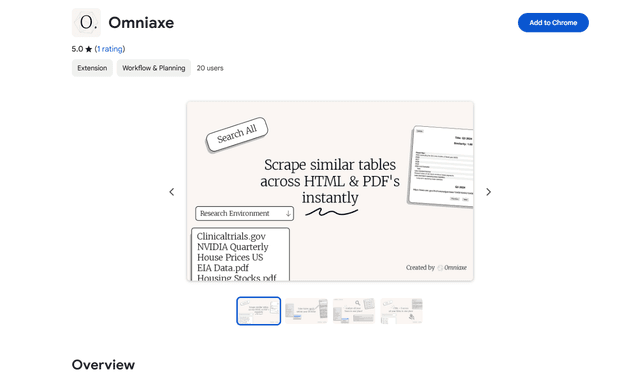
Omniaxe is an all-in-one Chrome extension research tool that combines seamless data extraction, AI-powered analysis, and centralized note-taking capabilities designed specifically for analysts, researchers and students.

Finesse by Skippr AI
Finesse by Skippr AI is a browser extension that provides instant, expert-level product feedback and critiques across design, content strategy, accessibility, and product direction through specialized AI reviewers.