
Gaia
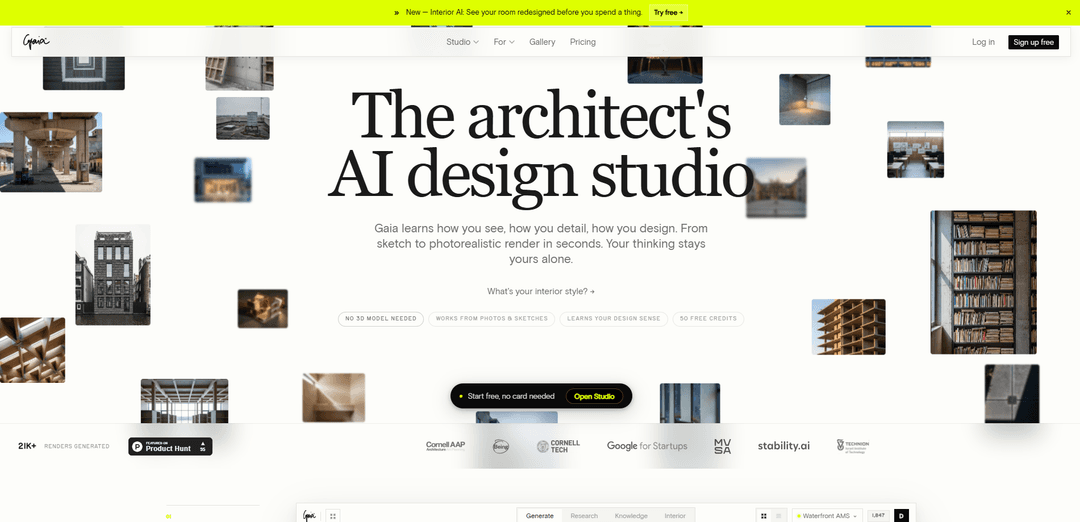
Gaia is an AI-powered design studio for architects that transforms sketches and photos into photorealistic renders in seconds while learning your unique design aesthetic and providing building code compliance research.
https://www.gaia.computer/?ref=producthunt
Product Information
Updated:Apr 10, 2026
What is Gaia
Gaia is a specialized AI platform built specifically for architects and design professionals, founded in 2021 during architectural research at Cornell Tech. Unlike generic AI image generators, Gaia functions as an intelligent design companion that understands architectural vocabulary, building codes, and design intent. The platform requires no 3D modeling and works directly from sketches, photos, or simple descriptions to generate presentation-ready renders. Gaia offers multiple specialized tools including Studio (full design workspace), Sketch to Render (converting drawings to photorealistic images), Interior AI (room redesign from photos), and Research capabilities for building codes and compliance. The platform emphasizes privacy and ownership, never training on user work without consent, ensuring that proprietary design decisions remain confidential while providing access to collective architectural knowledge.
Key Features of Gaia
Gaia is an AI-powered design studio specifically built for architects that transforms sketches, photos, and prompts into photorealistic architectural renders in seconds without requiring 3D models. It learns individual design aesthetics and vocabulary over time, offering tools for generating concept renders, researching building codes and compliance, interior redesign with 20+ curated styles, and virtual staging for real estate. The platform combines generation and research capabilities in one workspace, maintains end-to-end encryption for proprietary designs, and provides architecture-specific tools including camera angle control, material specification, and atmospheric rendering from concept to presentation-ready outputs.
Sketch to Photorealistic Render: Converts hand sketches, SketchUp exports, or Rhino screenshots into photorealistic architectural renders in seconds, offering 8 architectural styles including Ando and Zumthor, without requiring a 3D model.
AI-Powered Building Code Research: Provides instant access to site analysis, zoning regulations, and compliance requirements cited by specific sections, allowing architects to upload project briefs and receive constraints and regulatory guidance.
Personalized Design Learning: Learns individual aesthetic vocabulary, jurisdictional requirements, material preferences, and project history over time, creating a personalized AI twin that expands design judgment while keeping proprietary solutions private.
Regional Edit & Masking: Allows precise control through brush-mask functionality to modify specific regions of renders while preserving the rest of the design, enabling targeted iteration without affecting the entire composition.
Interior AI with 20+ Styles: Transforms any room photo into 4 photorealistic redesign options using architect-curated styles, enabling rapid client presentations and virtual staging for real estate without photographers or staging companies.
Unified Generate & Research Workspace: Combines image generation, building code research, and project context management in a single studio environment, maintaining conversation history and project organization across sessions.
Use Cases of Gaia
Rapid Concept Development for Client Presentations: Architecture studios can generate multiple design options in minutes instead of weeks, presenting five concept variations with different materials, atmospheres, and lighting conditions in first client meetings to accelerate decision-making.
Real Estate Virtual Staging: Real estate agents can stage empty properties in 20 seconds per room without hiring photographers or staging companies, generating four photorealistic variations to enhance listings and attract buyers cost-effectively.
Interior Design Client Discovery: Interior designers can use the Style Quiz feature to help clients articulate their aesthetic preferences through six questions, generating personalized renders that serve as visual references for project direction and client acquisition.
Landscape & Urban Planning Visualization: Landscape architects can visualize waterfront developments, territorial planning, ecological interventions, and public space designs at multiple scales, exploring spatial strategies from forest walks to coastal dunes with photorealistic context.
Architecture Education & Process Documentation: Students and educators can document design process through pin-ups, physical models, and material studies, generating renders from rough sketches and plaster models to communicate design intent during critiques and reviews.
Building Code Compliance Research: Architects can upload project briefs to receive instant analysis of site constraints, zoning requirements, and regulatory compliance with specific code citations, streamlining the pre-design research phase and reducing legal risk.
Pros
No 3D modeling required - works directly from sketches, photos, and text prompts, significantly reducing time from concept to presentation-ready renders
Privacy-focused architecture - designs are encrypted end-to-end and never used for training without consent, protecting proprietary client work and studio methodologies
Learns individual design vocabulary over time, creating a personalized AI assistant that understands specific aesthetic preferences, material choices, and jurisdictional requirements
Affordable entry point with 50 free credits and €24/month subscription compared to traditional visualization services costing €500+ per project or rendering software requiring €500+ annual licenses
Cons
Relatively new platform compared to established rendering tools like Lumion or Enscape, with some advanced features still on the roadmap including team workspaces and API access
Requires consistent internet connection for cloud-based generation, unlike traditional desktop rendering software that can work offline
Learning curve for architects unfamiliar with AI prompt engineering to achieve desired results, though the platform aims to simplify this through style presets
May produce variations that require multiple iterations to match exact design intent, as with most AI generation tools, potentially requiring more refinement than traditional 3D modeling for precision work
How to Use Gaia
1. Sign up and get started: Visit gaia.computer and create a free account. You'll receive 50 free credits to start with, no credit card required.
2. Choose your workflow: Access Gaia Studio, the main workspace where you can generate renders from prompts, sketches, or reference images, and research building codes and compliance.
3. Upload your input: Drop in a sketch, photo, SketchUp export, Rhino screenshot, or room photo. No 3D model is required - Gaia works directly from 2D inputs.
4. Select your style and settings: Choose from 20+ architect-curated styles (including Ando, Zumthor, Scandinavian, etc.), select your camera angle (16:9, 3:4, or Photo aspect ratio), and describe your architectural vision in the prompt field.
5. Generate your render: Click generate and wait seconds for your photorealistic render. Each standard generation costs 1 credit. You'll receive 4 variations to choose from.
6. Refine with Edit tools (Pro): Use the brush-mask tool to select specific regions you want to change while keeping the rest of the design intact. This allows for targeted iterations without regenerating the entire image.
7. Use specialized features: Try Interior AI to redesign existing rooms, Sketch to Render for converting drawings to photorealistic images, or Realtor AI to stage empty rooms for property listings.
8. Research and compliance: Upload project briefs to get site analysis, zoning information, and building code compliance cited by section. This feature is available in the Studio workspace.
9. Organize your projects: Use project folders to organize your work, access your full image history, and create PDF concept decks for client presentations (Pro feature).
10. Upgrade as needed: Start with the free tier (50 credits). Upgrade to Pro (€24/month) for 2,000 credits, priority queue, advanced models, private generation, and full editing capabilities.
Gaia FAQs
Gaia is an AI design studio for architects that generates photorealistic renders from sketches, photos, or prompts in seconds. It learns your design sense and aesthetic vocabulary over time, helping you move from concept to presentation-ready visuals without needing a 3D model.
Popular Articles

Atoms: A Multi-Agent AI Platform That Transforms Ideas into Launch-Ready Products
May 22, 2026

Nano Banana SBTI: What It Is, How It Works, and How to Use It in 2026
Apr 15, 2026

Atoms Review — The AI Product Builder Redefining Digital Creation in 2026
Apr 10, 2026

Kilo Claw: How to Deploy and Use a True "Do‑It‑For‑You" AI Agent(2026 Update)
Apr 3, 2026
Latest AI Tools Similar to Gaia

Rendair
Rendair is an all-in-one AI-powered architectural rendering platform that offers quick, high-quality visualizations through both AI tools and professional 3D artists for architects, designers, and real estate professionals.

Triorama AI
Triorama AI is an AI-powered 3D product configurator platform that enables eCommerce businesses to offer real-time product personalization and visualization capabilities to their customers.

AiHouse
AiHouse is an AI-powered 3D interior design and manufacturing software that streamlines the entire process from design to production.
Kanai
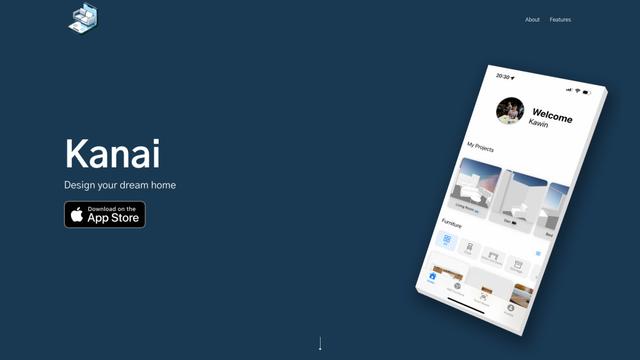
Kanai is an AI-powered 3D interior design platform that allows users to generate furniture models, visualize spaces, and collaborate on design ideas using natural language.
Popular AI Tools Like Gaia
Planner 5D
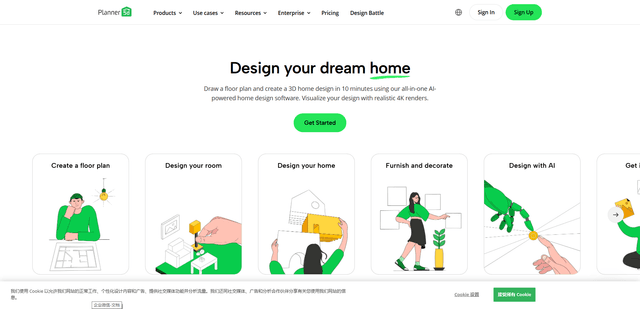
Planner 5D is an AI-powered home design software that allows users to create detailed 2D and 3D floor plans, furnish spaces, and visualize designs through realistic 4K renders with an extensive catalog of over 8,000 items.
Coohom
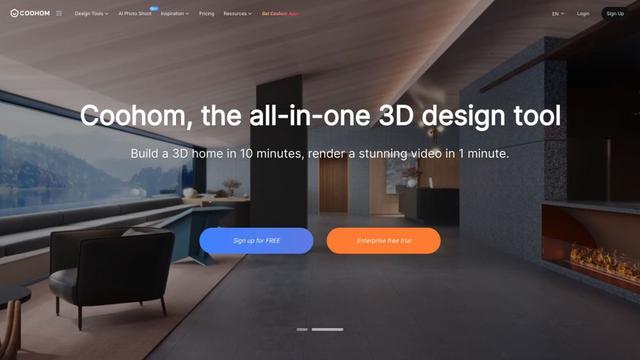
Coohom is an all-in-one 3D design and visualization platform that allows users to create floor plans, render photorealistic images, and design interiors in minutes.

RoomGPT
RoomGPT is an AI-powered interior design tool that allows users to instantly transform and visualize their spaces by uploading a photo and selecting design themes.
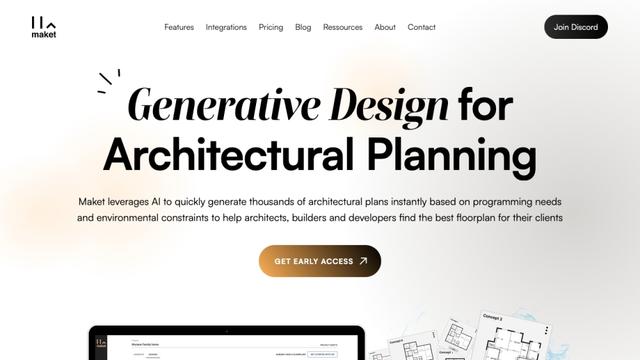
Maket
Maket is an AI-powered generative design software that enables architects, builders, and developers to instantly create thousands of customized architectural plans and 3D visualizations based on project constraints.