
FlowLens
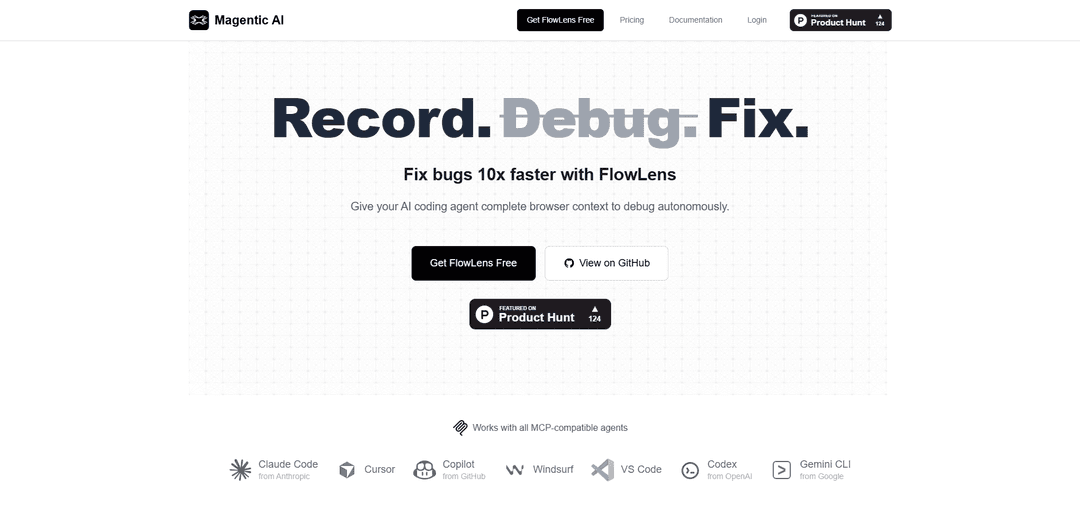
FlowLens is an AI-powered bug reporting and debugging tool that captures complete browser context to help developers and AI coding agents fix bugs 10x faster.
https://magentic.ai/flowlens?ref=producthunt
Product Information
Updated:Dec 8, 2025
What is FlowLens
FlowLens is a cloud-based debugging solution that combines a Chrome extension and MCP (Model Context Protocol) server to revolutionize the bug fixing process. It's designed to work seamlessly with various AI coding agents like Claude Code, Cursor, GitHub Copilot, and others, providing them with comprehensive context for autonomous debugging. The tool emphasizes privacy-first operation, with automatic PII redaction and local data processing, making it suitable for both individual developers and development teams.
Key Features of FlowLens
FlowLens is an AI-powered debugging tool that combines a Chrome extension and MCP server to capture comprehensive browser context for bug reporting and fixing. It records screen activities, network requests, console logs, user interactions, and system information while providing privacy-first features like local PII redaction and encrypted recordings. The tool integrates with various AI coding agents like Claude Code, GitHub Copilot, and Cursor to enable autonomous debugging.
Comprehensive Context Capture: Records complete debugging context including screen recordings, network activity, console logs, user interactions, storage state, and system information in a synchronized timeline
Privacy-First Architecture: Performs automatic PII redaction locally on user's machine with encrypted recordings and custom redaction patterns before any data leaves the browser
AI Agent Integration: Works with MCP-compatible AI coding agents like Claude Code, Cursor, GitHub Copilot, providing them structured context for autonomous debugging
One-Click Sharing: Generates a single link that contains all captured context, making it easy to share with both AI agents and human developers
Use Cases of FlowLens
Bug Reproduction: Developers can quickly record and share bug scenarios with complete context instead of manually documenting steps and copying logs
AI-Powered Debugging: AI coding agents can autonomously analyze and fix bugs using the comprehensive context provided through the MCP server
Team Collaboration: Development teams can efficiently share and analyze bugs through single links containing all necessary debugging information
Regression Testing: Teams can record critical user flows and use AI agents to automatically generate and run corresponding test scripts
Pros
Quick setup with just Chrome extension and MCP server installation
Strong privacy features with local PII redaction
Comprehensive context capture in one click
Seamless integration with multiple AI coding agents
Cons
Limited to Chrome browser only
Requires MCP server installation for AI-powered debugging
Works exclusively with MCP-compatible agents
How to Use FlowLens
Install FlowLens Chrome Extension: Install the FlowLens Chrome extension from the Chrome Web Store to enable bug recording capabilities in your browser
Install FlowLens MCP Server: If you want to use AI-powered debugging features, install the open-source FlowLens MCP (Model Context Protocol) server from GitHub: github.com/magentic/flowlens-mcp-server
Click Record: When you encounter a bug, click the FlowLens record button in your Chrome browser to start capturing the bug context
Reproduce the Bug: Perform the steps needed to reproduce the bug while FlowLens automatically captures video, console logs, network requests, user actions, and system state
Stop Recording: Once you've reproduced the bug, stop the recording. FlowLens will package all the captured data
Share the Bug Report: Get a shareable link that contains all the bug context in an AI-readable format. This can be shared with both developers and AI coding agents
Debug with AI: Connect the bug report to your preferred AI coding agent (Claude Code, Cursor, Copilot, etc.) via the MCP server to get automated debugging assistance
FlowLens FAQs
FlowLens is an AI-powered debugging tool that helps fix bugs 10x faster by capturing complete browser context for AI coding agents. It records screen recordings, network data, console logs, and user interactions to provide autonomous debugging capabilities.
FlowLens Video
Popular Articles

Vosko AI: Localize and Dub Videos for Global Audiences
Oct 15, 2026

Atoms: A Multi-Agent AI Platform That Transforms Ideas into Launch-Ready Products
Oct 13, 2026

Nano Banana SBTI: What It Is, How It Works, and How to Use It in 2026
Apr 15, 2026

Atoms Review — The AI Product Builder Redefining Digital Creation in 2026
Apr 10, 2026
Latest AI Tools Similar to FlowLens

Gait
Gait is a collaboration tool that integrates AI-assisted code generation with version control, enabling teams to track, understand, and share AI-generated code context efficiently.

invoices.dev
invoices.dev is an automated invoicing platform that generates invoices directly from developers' Git commits, with integration capabilities for GitHub, Slack, Linear, and Google services.

EasyRFP
EasyRFP is an AI-powered edge computing toolkit that streamlines RFP (Request for Proposal) responses and enables real-time field phenotyping through deep learning technology.

Cart.ai
Cart.ai is an AI-powered service platform that provides comprehensive business automation solutions including coding, customer relations management, video editing, e-commerce setup, and custom AI development with 24/7 support.
Popular AI Tools Like FlowLens

GitHub Copilot Chat
GitHub Copilot Chat is an AI-powered coding assistant that provides natural language interactions, real-time code suggestions, and contextual support directly within supported IDEs and GitHub.com.

CopilotForXcode
CopilotForXcode is an Xcode Source Editor Extension that integrates GitHub Copilot, Codeium, and ChatGPT to provide AI-powered code suggestions, chat assistance, and prompt-to-code functionality within Xcode.

BrowserAI
BrowserAI is an open-source library that enables running local Large Language Models (LLMs) directly in web browsers with WebGPU acceleration, offering privacy-focused AI capabilities without requiring server infrastructure.

OpenAI Codex CLI
OpenAI Codex CLI is a lightweight, open-source coding agent that runs in your terminal, enabling developers to translate natural language into code execution while providing ChatGPT-level reasoning with the ability to run code, manipulate files, and iterate under version control.