
Finyuus
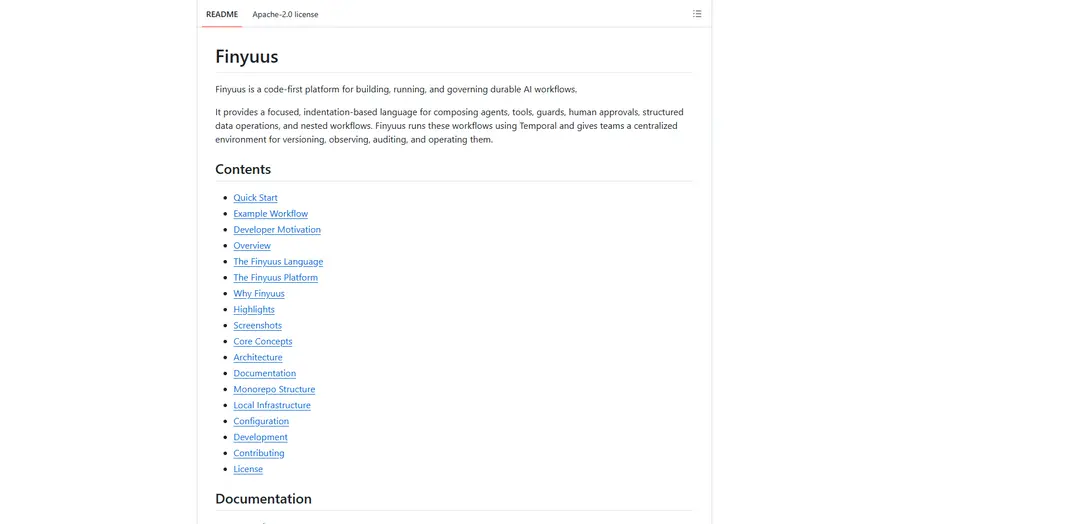
Finyuus is a code-first platform that uses an indentation-based DSL and a Temporal-backed runtime to build, run, version, and govern durable AI workflows with agents, tools, guards, human approvals, observability, and API publishing.
https://github.com/mariusndini/Finyuus?ref=producthunt
Product Information
Updated:Aug 8, 2026
What is Finyuus
Finyuus is a platform for defining and operating AI behavior as a standalone, versioned system rather than embedding prompts and orchestration logic throughout application code. It combines a small, readable, indentation-based workflow language (DSL) with a production runtime and control plane so teams can compose agents, tools, policy checks (guards), human approvals, and nested workflows in text. Finyuus runs workflows durably using Temporal, provides a dashboard for authoring and reviewing runs, and supports enterprise-style operation through versioning, auditing, and centralized observability.
Key Features of Finyuus
Finyuus is a code-first platform for defining, running, and governing durable AI workflows using a small indentation-based DSL. It separates AI behavior (agents, prompts, tools, guards, approvals, schemas, and pipelines) from application code, then executes workflows on Temporal for durable state, retries, cancellation, and replayability. The platform adds centralized versioning, auditing and run history (including nested workflows), observability via Langfuse tracing and cost reporting, data and artifact handling through ClickHouse and object storage (MinIO/S3), and the ability to publish pipelines as authenticated APIs with validation, idempotency, rate limiting, and server-sent events.
Indentation-based Pipeline DSL: A focused text DSL to compose agents, tools, guards, approvals, control flow (if/else, loops, routes, parallel), child pipelines, and structured returns—optimized for readable diffs and code review.
Durable execution on Temporal: Runs workflows with durable state, retries, cancellation, long-running execution, and replayability; supports child-workflow orchestration and consistent semantics for nested pipelines.
Versioned AI building blocks: Central registry for agents, tools, guards, schemas, and pipelines with version history and immutable version pins (e.g., pipeline@v3) to ensure reproducibility and controlled rollouts.
Governance: guards + human approvals: First-class policy checks (LLM-based guards with pass/block routing and confidence) plus approval steps that pause execution for human review with assignees, timeouts, and explicit approved/rejected branches.
Tool registry (native, HTTP, pipeline-backed): Supports TypeScript-native tools, configurable HTTP tools, and pipeline-backed tools callable from the DSL or by agents during tool loops, enabling reusable operational capabilities.
Production API + observability stack: Publish pipelines as authenticated endpoints with rate limiting, idempotency, input validation, and SSE streaming; inspect run events, workflow history, tool calls, and model traces/costs via Langfuse and the dashboard.
Use Cases of Finyuus
Financial services compliance workflows: Create customer-facing content pipelines that route requests through financial-advice guards, generate educational rewrites, and require compliance approvals before release—fully auditable and replayable.
Enterprise support and IT automation: Orchestrate multi-step agent/tool workflows (ticket triage, diagnostics via HTTP tools, remediation checklists) with safe-guards, human escalation approvals, and durable retries for flaky integrations.
Research and reporting pipelines: Automate market/company research by combining data-fetch tools (e.g., SEC EDGAR/Yahoo Finance examples), analysis agents with structured outputs, publication-policy guards, and artifact storage.
Healthcare or regulated content generation: Generate patient/provider materials or internal summaries with policy guards and mandatory human approvals, keeping a complete run history for auditing and incident review.
Internal data ops and analytics workflows: Build pipelines that read/write ClickHouse tables, manage files/artifacts in object storage, and produce structured returns—useful for ETL-like AI augmentation and repeatable data enrichment.
Productized AI endpoints for applications: Expose stable AI workflows as APIs so multiple apps can call the same versioned pipeline, while operations teams manage behavior changes, monitoring, and governance outside the app codebase.
Pros
Durable, production-grade execution semantics via Temporal (retries, cancellation, replayability, long-running workflows).
Strong governance primitives (guards, version pins, approvals) plus centralized audit/run history.
Code-first DSL enables Git-based review, reuse, and maintainable diffs compared to large visual workflows.
Cons
Operational complexity: requires running and maintaining multiple services (Temporal, Postgres, Redis, ClickHouse, object storage, Langfuse).
Learning curve: teams must adopt a new DSL and workflow model rather than staying purely in application code.
Best value appears at scale; may be heavier than needed for small prototypes or simple prompt chains.
How to Use Finyuus
1) Install prerequisites: Install Node.js 22+, pnpm 10+, and Docker Desktop (engine running). Prepare at least one LLM provider key: OPENAI_API_KEY or ANTHROPIC_API_KEY.
2) Get the code: Clone the Finyuus repository locally (e.g., from https://github.com/mariusndini/Finyuus) and cd into the repo root.
3) Install dependencies: Run: pnpm install
4) Create your local environment file: Copy the template: cp .env.local.example .env.local
5) Configure required environment variables: Edit .env.local and add at least one provider key (OPENAI_API_KEY or ANTHROPIC_API_KEY). If you plan to use the published Pipeline API, set PIPELINE_API_TOKEN. Optional: set SEC_USER_AGENT for SEC EDGAR demo tools. For object storage: leave unset to use local MinIO, or set OBJECT_STORAGE_PROVIDER=s3 plus the S3 variables if you want AWS S3.
6) Generate local secrets and app env files: Run: make init (this generates infra/.env and other generated env files used by local services like Langfuse).
7) Start local infrastructure (Temporal, Postgres, ClickHouse, MinIO, Redis, Langfuse): Run: make up
8) (Optional) Seed demo content: Fresh installs start empty. If you want sample tools/schemas/agents/pipelines to explore, run: make demos
9) Build and start the web dashboard (recommended for faster navigation): Run: pnpm build-web ثم pnpm start-web (the dashboard runs at http://localhost:3001).
10) Start the worker (execution engine): In a second terminal, run: pnpm start-worker (this Temporal worker executes pipelines).
11) Open the local UIs: Open Finyuus dashboard: http://localhost:3001. Optional supporting UIs: Langfuse http://localhost:3000, Temporal UI http://localhost:8080, MinIO Console http://localhost:9001, Redis Insight http://localhost:5540.
12) Create or edit a pipeline using the indentation-based DSL: In the dashboard pipeline editor, write a workflow using first-class statements like agent:, tool:, guard:, approval:, pipeline:, http:*, read/save file/table, if/else, for, parallel, route, return. Save it as a versioned pipeline so it can be run and pinned by version.
13) Run a pipeline from the dashboard: From the pipeline page in the dashboard, start a run with input values. Observe run events, guard outcomes, tool calls, and nested workflow steps. Use cancellation/retries as supported by Temporal-backed execution.
14) Add governance with guards (policy checks): Insert guard:<key> steps before/after agent calls. Implement pass/block branches to route execution. Use the guard’s returned fields (e.g., message/confidence) in your return payloads or branching logic.
15) Add human-in-the-loop approvals: Insert approval:<key> steps to pause execution until a reviewer resolves it. Configure -assigned-to and -timeout, and define approved:/rejected: branches (and timeout actions if needed). Reviewers resolve approvals in the dashboard or via API.
16) Use tools (native, HTTP, or pipeline-backed): Call tools directly in the DSL with tool:<name> and arguments. Configure HTTP tools in the dashboard (headers/URLs can reference server-side env secrets like {{env.MY_API_KEY}}). Create pipeline-backed tools by saving pipelines and allowing agents to call them during the tool loop.
17) Use durable data and artifacts (tables + files): Use read:table/save:table for ClickHouse-backed structured data operations, and read:file/save:file for object-storage-backed files/artifacts (local MinIO by default, or S3 if configured).
18) Pin versions for reproducibility: Reference immutable versions like pipeline:company_research@v3 or agent:research_analyst@v2 to ensure stable behavior across runs and enable auditability.
19) Publish a pipeline as an authenticated HTTP API: Publish the pipeline as an endpoint in the dashboard. Then call it with a bearer token and idempotency key, e.g.: curl -X POST http://localhost:3001/api/v1/responses/<pipeline-slug> -H "Authorization: Bearer $PIPELINE_API_TOKEN" -H "Idempotency-Key: request-001" -H "Content-Type: application/json" -d '{"input": {"query": "example"}}'. Use SSE streaming endpoints for live run updates if enabled.
20) Observe and audit runs: Use the dashboard to inspect run history, nested workflows, guard/approval decisions, and events. Use Temporal UI for workflow timelines and durability semantics (retries/cancellation/replayability). Use Langfuse for traces, token usage, and model cost reporting (disable globally via LLM_TRACING_ENABLED=false if desired).
21) Develop locally (watch mode) when changing code: If you are modifying Finyuus itself, run pnpm dev for watch mode. Use pnpm typecheck (or package-filtered typechecks) during development.
22) Add a new native tool (extending Finyuus): Add tool metadata in packages/tools/src/metadata.ts, add a factory in packages/tools/src/registry.ts, implement the tool in packages/tools/src/, then run typechecks for affected packages.
23) Add a new DSL statement (extending the language/runtime): Add the AST type in packages/pipelines/src/types.ts, add parser support in packages/pipelines/src/parser.ts, implement execution logic in apps/worker/src/workflows.ts, add activities in apps/worker/src/activities.ts if there are side effects, and update editor intelligence/autocomplete in apps/web/src/lib/pipeline-intelligence.ts and apps/web/src/components/pipeline/pipeline-completions.ts.
24) Stop or reset local infrastructure: To stop services while keeping data: make down. To follow logs: make logs. To verify health: make verify. To destroy local service data: make reset.
Finyuus FAQs
Finyuus is a code-first platform for building, running, and governing durable AI workflows. It provides an indentation-based DSL to compose agents, tools, guards, human approvals, structured data operations, and nested workflows, and runs them using Temporal with a centralized environment for versioning, observing, auditing, and operating workflows.
Popular Articles

Vosko AI: Localize and Dub Videos for Global Audiences
Oct 15, 2026

Atoms: A Multi-Agent AI Platform That Transforms Ideas into Launch-Ready Products
Oct 13, 2026

Nano Banana SBTI: What It Is, How It Works, and How to Use It in 2026
Apr 15, 2026

Atoms Review — The AI Product Builder Redefining Digital Creation in 2026
Apr 10, 2026
Latest AI Tools Similar to Finyuus

Gait
Gait is a collaboration tool that integrates AI-assisted code generation with version control, enabling teams to track, understand, and share AI-generated code context efficiently.

invoices.dev
invoices.dev is an automated invoicing platform that generates invoices directly from developers' Git commits, with integration capabilities for GitHub, Slack, Linear, and Google services.

EasyRFP
EasyRFP is an AI-powered edge computing toolkit that streamlines RFP (Request for Proposal) responses and enables real-time field phenotyping through deep learning technology.

Cart.ai
Cart.ai is an AI-powered service platform that provides comprehensive business automation solutions including coding, customer relations management, video editing, e-commerce setup, and custom AI development with 24/7 support.
Popular AI Tools Like Finyuus

GitHub Copilot Chat
GitHub Copilot Chat is an AI-powered coding assistant that provides natural language interactions, real-time code suggestions, and contextual support directly within supported IDEs and GitHub.com.

CopilotForXcode
CopilotForXcode is an Xcode Source Editor Extension that integrates GitHub Copilot, Codeium, and ChatGPT to provide AI-powered code suggestions, chat assistance, and prompt-to-code functionality within Xcode.

BrowserAI
BrowserAI is an open-source library that enables running local Large Language Models (LLMs) directly in web browsers with WebGPU acceleration, offering privacy-focused AI capabilities without requiring server infrastructure.

OpenAI Codex CLI
OpenAI Codex CLI is a lightweight, open-source coding agent that runs in your terminal, enabling developers to translate natural language into code execution while providing ChatGPT-level reasoning with the ability to run code, manipulate files, and iterate under version control.