
Finamie
Finamie is a voice-first personal finance app that automatically turns spoken expense entries into categorized transactions and personalized, AI-generated spending insights in English and Spanish.
https://finamie.com/?ref=producthunt

Product Information
Updated:Aug 8, 2026
What is Finamie
Finamie is a personal finance app designed to help people stop guessing where their money goes by converting voice-recorded expenses into detailed financial insights automatically. Built around a voice-first workflow, it captures key transaction details (like amount, currency, category, and notes) and organizes them into an easy-to-browse history with analytics that update as you log more activity. Finamie is available in English and Spanish, offers a free plan to get started, and lets users try the core experience before creating an account.
Key Features of Finamie
Finamie is a voice-first personal finance app that turns spoken expense entries into structured transactions and actionable insights automatically. Users can record expenses by voice, see spending analytics through widgets tailored to their goals and income, and even ask an AI agent to create new analytics widgets on demand. It offers filterable transaction history with controls to edit/delete entries (Premium), supports English and Spanish, and lets users try the full flow before signing up. A free tier includes limited monthly voice transactions, while Premium unlocks unlimited tracking and analytics.
Voice-First Expense Tracking: Record a transaction by speaking; Finamie automatically captures key fields like amount, currency, category, and details.
Personalized Analytics Widgets: Transactions feed into live, goal- and income-aware widgets so insights reflect the user’s real financial situation.
AI-Powered Analytics Creation: Chat with an AI agent to describe what you want to track; Finamie generates a new analytics widget instantly.
Filterable Transaction History: Browse and filter activity by category, price range, date, or currency, with the ability to adjust records as needed.
Try Before You Sign Up: Test the end-to-end experience—record a real transaction and see analysis—before creating an account.
Bilingual Experience (English & Spanish): Fully available in both English and Spanish for more accessible everyday money tracking.
Use Cases of Finamie
Personal budgeting for busy professionals: Log expenses in seconds via voice during commutes or between meetings and review spending patterns through analytics widgets.
Multi-currency travel expense tracking: Capture purchases in different currencies while traveling and filter history by currency and date to understand trip costs.
Household spending visibility: Quickly record daily purchases (groceries, bills, subscriptions) and use widgets to spot overspending categories and trends.
Freelancer and side-hustle expense logging: Track business-related purchases and review category-based summaries to support better cash-flow awareness and planning.
Bilingual users managing finances: Use the app in English or Spanish to reduce friction in recording transactions and interpreting insights.
Pros
Fast, low-friction expense capture via voice with automatic structuring (amount/currency/category/details).
AI-guided creation of custom analytics widgets enables personalized insights without manual setup.
Free plan available with no card required, plus a try-before-sign-up experience.
Supports both English and Spanish.
Cons
Free plan is limited to 30 voice transactions per month and only 1 default analytics widget.
Key controls like editing/deleting transactions and unlimited analytics require Premium.
Premium pricing is annual ($39.99/year), which may not suit users who prefer a fully free tool.
How to Use Finamie
1) Download Finamie: Go to the Finamie website and tap “Download,” or install it directly from the App Store listing for Finamie.
2) Open the app and try it before signing up: Use Finamie’s “Try Before You Sign Up” flow to experience the full process first—record a real transaction and see it analyzed—without creating an account.
3) Record an expense using voice: Hold the record button and describe your transaction out loud. Finamie will automatically capture key details like amount, currency, category, and other transaction notes.
4) Review the captured transaction details: After recording, check that the amount, currency, category, and details were interpreted correctly from your voice input.
5) View your analytics widgets: Open the analytics area to see personalized financial widgets that update live based on your transactions and are tailored to your goals and income.
6) Browse and filter your transaction history: Go to your transaction history to view all activity, then filter by category, price range, date, or currency to find specific spending patterns or entries.
7) (Premium) Edit or delete transactions when needed: If you’re on Premium, you can edit or delete any transaction at any time from the transaction history.
8) (Premium) Create new analytics with the AI agent: Chat with the Finamie AI agent and describe what you want to track. Finamie will create an analytics widget for you instantly.
9) Enable or disable analytics (Free and Premium): Turn analytics on or off depending on what you want to see; the Free plan includes viewing analytics and details plus the ability to enable/disable analytics.
10) Choose a plan based on your usage: Stay on Free (up to 30 voice transactions/month and 1 default analytics widget) or upgrade to Premium for unlimited voice transactions, unlimited analytics, AI-guided analytics creation, and full edit/delete controls. Premium is billed at $39.99/year (or $1.99/week).
11) Use your preferred language (English or Spanish): Set or use Finamie in English or Spanish—Finamie supports both languages for the full experience.
Finamie FAQs
Finamie is a personal finance app that turns your voice into detailed financial insights automatically, helping you understand and control your finances.
Popular Articles

Vosko AI: Localize and Dub Videos for Global Audiences
Oct 15, 2026

Atoms: A Multi-Agent AI Platform That Transforms Ideas into Launch-Ready Products
Oct 13, 2026

Nano Banana SBTI: What It Is, How It Works, and How to Use It in 2026
Apr 15, 2026

Atoms Review — The AI Product Builder Redefining Digital Creation in 2026
Apr 10, 2026
Latest AI Tools Similar to Finamie

Ticknotes
Ticknotes is an AI-powered meeting assistant that automatically records, transcribes, and generates personalized meeting summaries, action items, and key insights from audio, video, and text content.

Feta
Feta is an AI-powered meeting tool that helps product and engineering teams run efficient meetings by capturing discussions, automating tasks, and providing actionable insights through smart summaries and integrations.

TranscriptionPlus
TranscriptionPlus is an AI-powered transcription service that offers accurate speech-to-text conversion with advanced features like speaker identification, summary generation, and multi-language support at affordable pricing tiers.
AudioScribe.io
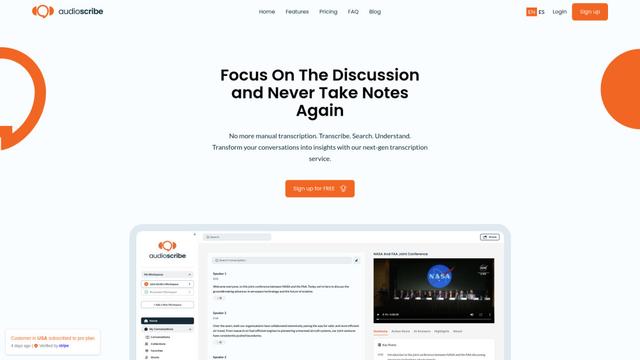
AudioScribe.io is a revolutionary AI-powered transcription service that converts audio and video content into accurate text while offering advanced features like automated meeting recording, full-text search, and multi-language support.
Popular AI Tools Like Finamie
Ghost Pepper 🌶️
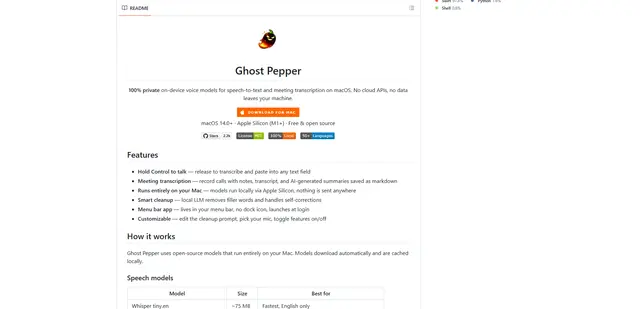
Ghost Pepper is a 100% local, privacy-focused speech-to-text and meeting transcription app for macOS that runs entirely on your Mac using open-source AI models, featuring hold-to-talk recording, intelligent text cleanup, and multi-language support without sending any data to the cloud.

Whisper AI
Whisper is an open-source automatic speech recognition system from OpenAI that approaches human-level accuracy and robustness for transcribing and translating speech in multiple languages.

Youtube to transcript
Youtube to Transcript is a Chrome extension that allows users to easily convert YouTube videos into text transcripts with features like multi-language support, AI-powered summarization, and downloadable formats.

inFin
inFin is a lightweight, user-friendly AI-powered voice notes app that offers unlimited recording, real-time transcription, and translation between Chinese and English, with offline capabilities and local storage for enhanced privacy.