
FetchSandbox
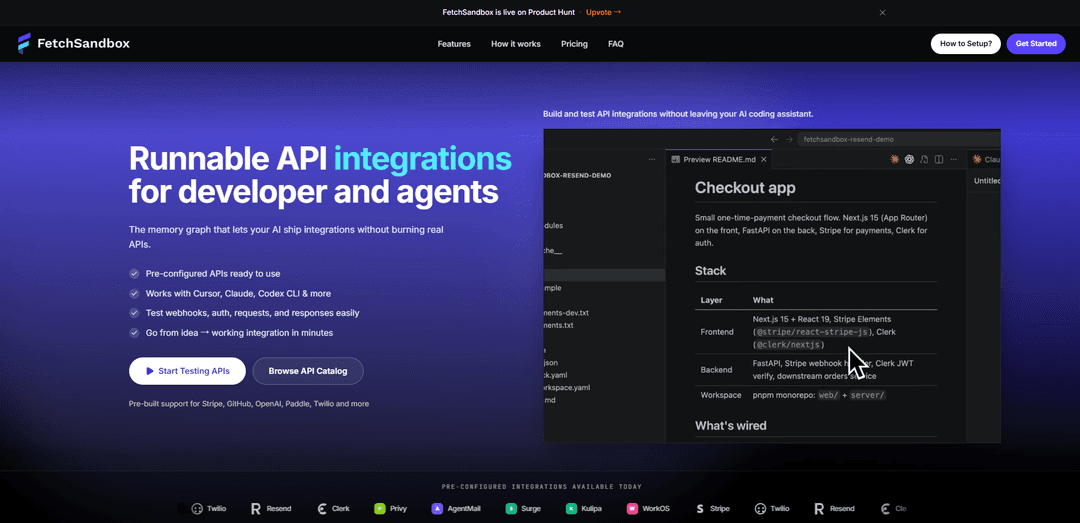
FetchSandbox is a stateful, local API and webhook sandbox (with MCP support for IDE agents) that turns OpenAPI specs and prebuilt providers like Stripe, Shopify, and Resend into realistic workflows with persistent state, validated responses, and failure scenarios—without burning real API quota.
https://fetchsandbox.com/?ref=producthunt
Product Information
Updated:Jul 15, 2026
What is FetchSandbox
FetchSandbox is a developer tool for building and testing API integrations in a production-realistic environment without calling real vendor services. It provides pre-configured sandboxes for 50+ popular APIs (e.g., Stripe, GitHub, Twilio, OpenAI, Paddle, Shopify, Resend, Notion) and can generate a runnable sandbox from any OpenAPI 3.x specification. Unlike static mock servers that only return example payloads, FetchSandbox focuses on end-to-end integration behavior—requests, auth, persistent resources, lifecycle flows, and webhook delivery—so engineers and AI coding agents can iterate quickly and confidently inside tools like Cursor, VS Code, Claude Code, Windsurf, and Codex.
Key Features of FetchSandbox
FetchSandbox is a developer tool that turns OpenAPI specs (including many prebuilt popular APIs) into fully stateful, local sandboxes you can run from your IDE or AI coding assistant via MCP. Unlike static mocks, it persists resources, supports lifecycle transitions, validates requests, and simulates realistic webhook behavior (retries, duplicates, replays, signatures, out-of-order delivery) so teams can test end-to-end integration workflows—including failures—without burning real API quota, needing vendor accounts, or polluting real environments.
Stateful API sandboxes (not static mocks): Creates persistent resources with real IDs and stored state (e.g., POST creates an object you can fetch later), enabling realistic CRUD, idempotency replays, and multi-step workflows.
Webhook simulation with production-like delivery behavior: Tests webhook handlers beyond a single happy-path POST by simulating retries, duplicate delivery, replay, signature checks, out-of-order events, and state changes from providers like Stripe, GitHub, Paddle, Resend, Shopify, and more.
OpenAPI-driven generation + contract validation: Generates a sandbox automatically from any OpenAPI 3.x spec with AJV-style validation so requests/responses match the schema—reducing broken integrations caused by guessed fields or hallucinated IDs.
Preconfigured provider sandboxes (50+ APIs ready): Includes ready-to-run sandboxes for common platforms (e.g., Stripe, Resend, Notion, Shopify, Twilio, GitHub, OpenAI, Paddle) to start testing integrations quickly.
Runs locally to avoid vendor accounts, quotas, and shared test state: Provides a fully local mock for supported APIs (e.g., Stripe/Notion), avoiding network calls to the vendor, production keys, and rate limits while enabling repeatable tests.
IDE + agent integration via MCP: Works with Cursor, Claude Code, Cline, Windsurf, Codex CLI and other MCP-compatible tools so developers and agents can run workflows and verify integration behavior without leaving the coding environment.
Use Cases of FetchSandbox
Fintech payments integration testing: Validate Stripe-like flows—customers, charges, subscriptions, refunds—and failure scenarios (e.g., declines, insufficient funds) with realistic records and state transitions before hitting real payment systems.
SaaS billing and subscription lifecycle validation: Simulate Paddle/Stripe subscription events and webhook-driven state changes to ensure your billing logic, retries, and idempotency handling work end-to-end.
Transactional email + lifecycle/webhook testing: Use a Resend-style sandbox to test sending, storing, and retrieving emails plus webhook events (bounced, delivered, etc.) without sending real mail or requiring a provider account.
E-commerce platform integrations (orders, inventory, fulfillment): Exercise Shopify Admin-like workflows (products, orders, customers, fulfillments, inventory, metafields, webhooks) without polluting a real store or relying on shared staging data.
Internal platform engineering and CI integration tests: Run deterministic integration tests in CI that cover retries, duplicates, and failure modes—reducing flaky tests and 3am debugging caused by unstable external sandboxes.
AI-assisted integration development and onboarding: Give AI coding agents a real sandbox to call (instead of guessing from raw specs), and onboard engineers faster with runnable, verified workflows that demonstrate correct request/response shapes.
Pros
More realistic than typical OpenAPI mock servers: persistent state, lifecycle transitions, and real webhook event simulation (including retries/duplicates/signatures).
Local execution avoids vendor accounts, rate limits, quota burn, and shared external test environments; fast, repeatable workflows for CI and debugging.
MCP integration makes it easy to use from modern IDEs and AI coding assistants, improving agent reliability on API integrations.
Cons
Does not replicate vendor-specific business logic (e.g., Stripe test-mode card-number semantics), so final validation may still require the vendor’s official test mode.
Fidelity depends on the completeness/accuracy of the underlying OpenAPI spec; gaps in the spec can limit realism.
May complement rather than replace other tools (e.g., MSW for component/UI tests), adding another layer in the testing stack.
How to Use FetchSandbox
1) Pick what you want to sandbox (pre-built provider or your own OpenAPI spec): FetchSandbox can provision a stateful sandbox for pre-configured providers (e.g., Stripe, Shopify, Resend, Paddle, Notion, GitHub, Twilio, OpenAI) or generate one from any OpenAPI 3.x spec you provide.
2) Provision a sandbox via the FetchSandbox API: Create a sandbox by POSTing to the sandboxes endpoint with a provider spec_id. Example (Resend): curl -X POST https://fetchsandbox.com/api/sandboxes -H "Content-Type: application/json" -d '{"spec_id":"resend"}'. The response returns an id, a base_url, and credentials (e.g., an api_key).
3) Point your application/client at the sandbox base URL: Replace the provider’s normal API base URL with sandbox.base_url so your existing integration code runs unchanged against the sandbox. For example, set an env var like RESEND_BASE_URL (or equivalent) to the returned base_url.
4) Use the sandbox credentials in your app/test environment: Set your app’s API key/token to the sandbox-provided credential. Example (Resend): set process.env.RESEND_API_KEY = sandbox.credentials[0].api_key.
5) Run your existing integration tests or manually call endpoints: Execute the same API calls your app would make in production. FetchSandbox returns schema-validated, realistic responses and persists state (e.g., creating an email returns an ID you can fetch later). No real provider quota is consumed.
6) Configure webhooks to hit your webhook handler: In the sandbox/provider configuration, set the webhook destination URL to your application’s webhook endpoint so events generated by sandbox state transitions are delivered to your handler.
7) Test realistic webhook behavior (retries, duplicates, replay, signatures, ordering): Use FetchSandbox to simulate production-like webhook delivery patterns: retry behavior, duplicate deliveries, replaying events, signature checks, out-of-order events, and lifecycle-driven event emission (e.g., email.sent, email.delivered, email.bounced for Resend).
8) Trigger multi-step workflows and state transitions (including failures): Drive the sandbox through real integration flows (e.g., subscription lifecycle, refunds, declines, rate limiting). FetchSandbox supports realistic failure states so you can verify your error handling before production.
9) Validate end-to-end success criteria for a workflow run: Run complete workflow simulations where success is defined by terminal state, required webhook events, and invariants. FetchSandbox verifies behavior end-to-end so integrations don’t only “pass unit tests” but also behave correctly under real conditions.
10) (Optional) Use the MCP server to work from your IDE/agent tools: Add FetchSandbox as an MCP server in an MCP-compatible tool (e.g., Cursor, Claude Code, Cline, Windsurf, Codex). Then use the FetchSandbox MCP tools to import an OpenAPI spec, list available workflows, and run workflows directly from your IDE/agent.
11) (Optional) Import your own OpenAPI 3.x spec to generate a sandbox: Provide an OpenAPI 3.x spec (URL or pasted content) to FetchSandbox to generate a stateful sandbox. Note: internal refs are resolved automatically; external refs/remote schemas should be inlined or bundled (e.g., with swagger-cli) before uploading.
12) Use in CI for isolated, repeatable integration tests: Because sandboxes are ephemeral/isolated and don’t burn real quotas, you can run the full integration workflow tests on every commit without colliding with teammates or polluting real provider dashboards.
FetchSandbox FAQs
FetchSandbox helps developers and AI coding agents build, test, and validate API integrations using stateful sandboxes generated from OpenAPI specs. You can drop in an OpenAPI 3.x spec and get documentation, a sandbox, workflow guides, and working code quickly, with no complex configuration required.
FetchSandbox Video
Popular Articles

Vosko AI: Localize and Dub Videos for Global Audiences
Oct 15, 2026

Atoms: A Multi-Agent AI Platform That Transforms Ideas into Launch-Ready Products
Oct 13, 2026

Nano Banana SBTI: What It Is, How It Works, and How to Use It in 2026
Apr 15, 2026

Atoms Review — The AI Product Builder Redefining Digital Creation in 2026
Apr 10, 2026
Latest AI Tools Similar to FetchSandbox

Gait
Gait is a collaboration tool that integrates AI-assisted code generation with version control, enabling teams to track, understand, and share AI-generated code context efficiently.

invoices.dev
invoices.dev is an automated invoicing platform that generates invoices directly from developers' Git commits, with integration capabilities for GitHub, Slack, Linear, and Google services.

EasyRFP
EasyRFP is an AI-powered edge computing toolkit that streamlines RFP (Request for Proposal) responses and enables real-time field phenotyping through deep learning technology.

Cart.ai
Cart.ai is an AI-powered service platform that provides comprehensive business automation solutions including coding, customer relations management, video editing, e-commerce setup, and custom AI development with 24/7 support.
Popular AI Tools Like FetchSandbox

GitHub Copilot Chat
GitHub Copilot Chat is an AI-powered coding assistant that provides natural language interactions, real-time code suggestions, and contextual support directly within supported IDEs and GitHub.com.

CopilotForXcode
CopilotForXcode is an Xcode Source Editor Extension that integrates GitHub Copilot, Codeium, and ChatGPT to provide AI-powered code suggestions, chat assistance, and prompt-to-code functionality within Xcode.

BrowserAI
BrowserAI is an open-source library that enables running local Large Language Models (LLMs) directly in web browsers with WebGPU acceleration, offering privacy-focused AI capabilities without requiring server infrastructure.

OpenAI Codex CLI
OpenAI Codex CLI is a lightweight, open-source coding agent that runs in your terminal, enabling developers to translate natural language into code execution while providing ChatGPT-level reasoning with the ability to run code, manipulate files, and iterate under version control.