
Extella.AI
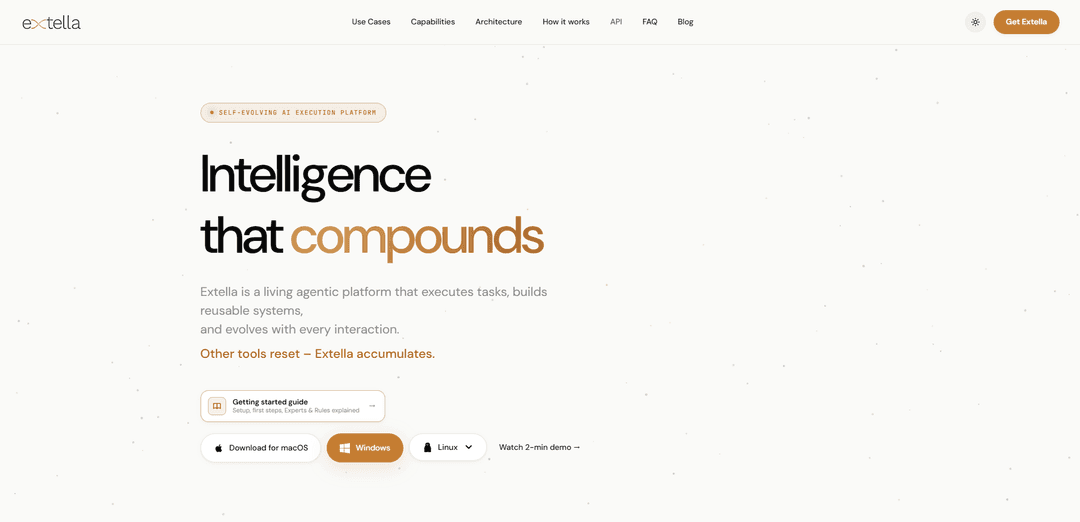
Extella.AI is an AI execution platform that turns plain-language requests into reusable, evolving automations by orchestrating specialized agents (“Experts”) with persistent memory and dynamic behavioral “Rules.”
https://extella.ai/?utm_source=ph&utm_medium=ph_launch&utm_campaign=ph_first_launch&ref=producthunt
Product Information
Updated:Jun 8, 2026
What is Extella.AI
Extella.AI positions itself as “AI that gets things done,” focusing on execution rather than advice. It’s a cross-platform app (macOS, Windows, Linux; free to install) designed to help individuals and teams automate research, operations, content, engineering tasks, and personal workflows. Instead of one-off chat responses, Extella aims to produce real outputs—files, artifacts, integrations, and repeatable systems—while learning your preferred style and constraints over time.
Key Features of Extella.AI
Extella.AI is an agentic execution platform that turns natural-language instructions into completed, reusable workflows that operate on real files, data, and connected systems. It combines orchestration across specialized “Experts” (isolated execution containers), persistent memory (“Concepts”) that automatically recalls relevant context, and a dynamic “Rules” layer that adapts behavior based on user corrections over time—so outputs and automations improve with repeated use. It’s positioned to reduce prompt repetition and manual glue work by executing end-to-end tasks (not just providing advice) across research, operations, content, engineering, personal productivity, and analytics.
End-to-end execution (delivered, not described): Transforms a plain-language outcome into a working system that can produce artifacts (files, reports, scripts) and act across data and integrations rather than only generating suggestions.
Multi-agent orchestration without glue code: Connects multiple specialized agents in a single pipeline, coordinating steps across tools and tasks so you don’t have to manually stitch together separate AI utilities.
Persistent memory via “Concepts”: Stores semantic knowledge and retrieves the right context automatically by similarity, reducing repeated prompting and keeping outputs aligned with your stored information.
Dynamic “Rules” behavioral layer: A system-level instruction layer that can adapt based on your corrections and carry those preferences forward, aiming to make the system improve with ongoing usage.
Isolated “Experts” execution containers: Runs tools/languages/libraries/models in separate containers (e.g., local transcription, compiling code), designed to avoid conflicts and keep execution environments separated.
Reusable workflow library (“describe once, run forever”): Each executed task can be saved and re-run, shared, or extended, enabling compounding productivity as your library of automations grows.
Use Cases of Extella.AI
Research briefs and structured reporting: Automatically gathers sources, deduplicates information, and produces structured briefs/reports that increasingly match an organization’s preferred style over time.
Ops/RevOps automation across business systems: Connects CRMs, spreadsheets, drives, and APIs into orchestrated workflows (e.g., updating records, generating summaries, routing tasks) with minimal manual integration work.
Editorial-grade content production: Generates outlines through publish-ready drafts while maintaining consistent tone, rules, and references across repeated content workflows.
Engineering scaffolds and internal tooling: Creates scripts, integrations, and tool scaffolding from a single instruction, then keeps them as reusable assets for ongoing developer productivity.
Personal productivity OS (decisions, routines, follow-ups): Maintains persistent context for notes and recurring routines, helping users avoid losing task history and enabling repeatable personal workflows.
Analytics from exports and spreadsheets: Turns natural-language questions into answers plus artifacts (summaries, tables, dashboards/outputs) by operating directly on uploaded or connected data.
Pros
Compounding value: memory + reusable workflows mean the system can improve and become more tailored over time.
Execution-oriented: focuses on producing artifacts and running workflows across tools, not just chat responses.
Modular architecture: isolated “Experts” support diverse tools/languages and reduce environment conflicts.
Cons
Platform complexity: concepts like Rules/Concepts/Experts may require setup and governance to use effectively.
Potential vendor lock-in: reusable workflow libraries and behavioral tuning may be harder to migrate to other systems.
Environment constraints: some capabilities (e.g., local execution containers) may depend on device/OS setup and permissions.
How to Use Extella.AI
1) Install Extella: Download and install the base Extella app (available for macOS, Windows, and Linux).
2) Launch Extella once (first-run setup): Open the app one time and let it complete its first-run setup before doing anything else.
3) Run the install command: In your terminal, run the command shown on the site: `curl -fsSL | /bin/sh`.
4) Reopen/Restart Extella: Close and reopen Extella so the toolbar/extension components load properly.
5) Describe the outcome you want (in plain language): Type what you want done (the end result) rather than writing a complex prompt—Extella is designed for “describe it once.”
6) Let Extella execute the task: Extella runs reusable “Experts” that can operate on real files, data, APIs, and integrations—aiming to deliver working outputs, not just advice.
7) Re-run and reuse what it built: The executed pipeline becomes part of your library so you can run it again, share it, and build on it without recreating the workflow.
8) Improve results by correcting it (so it evolves): When you adjust outputs or provide corrections, Extella is designed to carry those forward via persistent memory (Rules/Concepts) so future runs match your preferences and house style.
9) Use it across common workflows (examples): Apply the same loop (describe → execute → reuse) to Research (briefs/reports), Operations (CRM/sheets/drives/APIs), Content (publish-ready assets), Engineering (scripts/tools/integrations), Personal OS (notes/routines), and Data (spreadsheets/dashboards).
10) Follow the official “Getting Started” guide for deeper setup: If you’re new, use the site’s onboarding link: https://extella.ai/getting-started
Extella.AI FAQs
Extella is a self-evolving AI execution platform that turns natural-language instructions into real outputs (e.g., files, data, API calls, integrations). It’s designed to execute tasks, build reusable systems, and improve as you use it.
Extella.AI Video
Popular Articles

Vosko AI: Localize and Dub Videos for Global Audiences
Oct 15, 2026

Atoms: A Multi-Agent AI Platform That Transforms Ideas into Launch-Ready Products
Oct 13, 2026

Nano Banana SBTI: What It Is, How It Works, and How to Use It in 2026
Apr 15, 2026

Atoms Review — The AI Product Builder Redefining Digital Creation in 2026
Apr 10, 2026
Latest AI Tools Similar to Extella.AI

MultipleWords
MultipleWords is a comprehensive AI platform offering 16 powerful tools for content creation and manipulation across audio, video, and image editing with cross-platform accessibility.

Athena AI
Athena AI is a versatile AI-powered platform offering personalized study assistance, business solutions, and life coaching through features like document analysis, quiz generation, flashcards, and interactive chat capabilities.

Taidai.io
Taidai.io is an AI-powered tool that automatically converts notes, emails, and text content into actionable todo lists.

Repliio
Repliio is an AI-powered email assistant Chrome extension that helps users generate professional, context-aware email responses quickly with customizable tones and multi-language support.
Popular AI Tools Like Extella.AI

Microsoft Excel: Spreadsheets
Microsoft Excel is the industry-leading spreadsheet software that allows users to organize, analyze, and visualize data through powerful features like formulas, charts, and AI-powered insights.

Standboy
Standboy is a VS Code/Cursor extension that auto-expands a Game Boy (GB/GBC/GBA) emulator in the sidebar during AI agent activity, then auto-hides and pauses—resuming mid-frame next time—while keeping a persistent ROM library, saves, and cover art.
Omniaxe
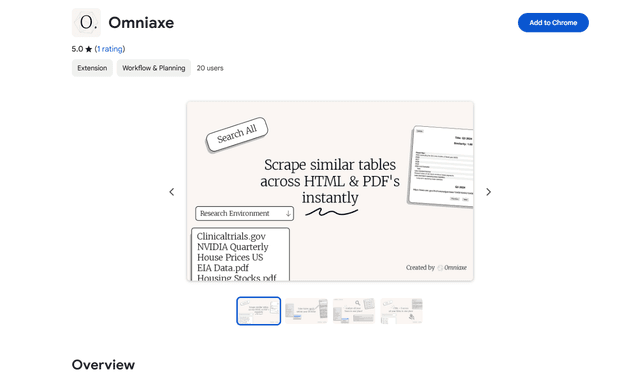
Omniaxe is an all-in-one Chrome extension research tool that combines seamless data extraction, AI-powered analysis, and centralized note-taking capabilities designed specifically for analysts, researchers and students.

Finesse by Skippr AI
Finesse by Skippr AI is a browser extension that provides instant, expert-level product feedback and critiques across design, content strategy, accessibility, and product direction through specialized AI reviewers.