
ElevenMusic
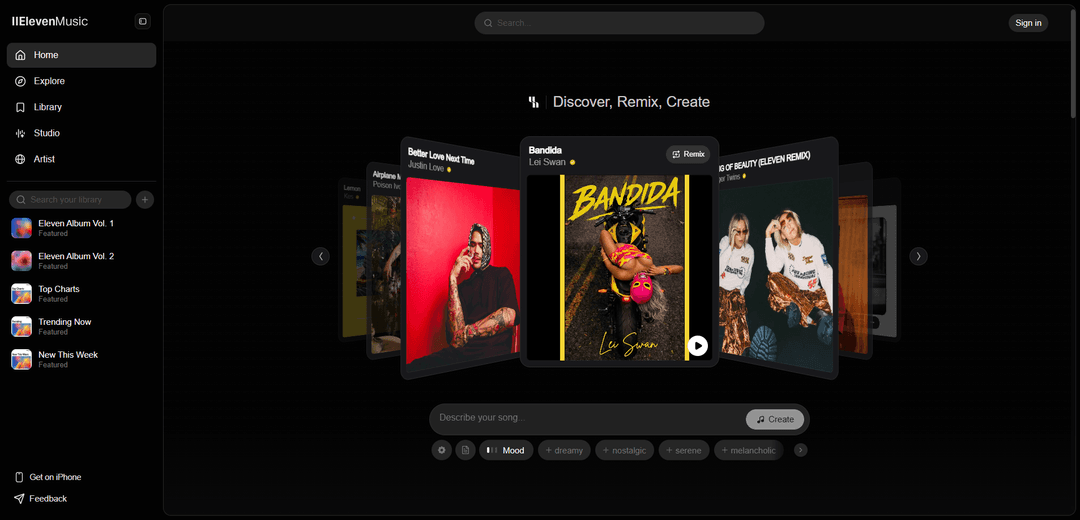
ElevenMusic is an AI-powered platform that lets you discover, remix, and generate studio-grade songs from natural-language prompts, then organize, share, and export your creations.
https://elevenmusic.io/?ref=producthunt
Product Information
Updated:May 18, 2026
What is ElevenMusic
ElevenMusic is ElevenLabs’ music creation and listening platform built around its generative music model. It combines a streaming-style experience (Explore, playlists, albums, artists, charts) with creation tools (Studio) so users can both consume and make music in one place. The service is positioned for fast, professional-quality music generation—instrumental or with vocals—alongside library management and sharing features, and it is designed to support creator workflows as well as broader product use cases via ElevenLabs’ music capabilities.
Key Features of ElevenMusic
ElevenMusic is an AI-powered music platform that lets users discover and stream tracks, remix existing songs, and generate studio-grade, context-aware music from natural-language prompts in virtually any style. It supports iterative creation workflows (including section-based editing) and is positioned for both casual creators and professionals, with outputs cleared for broad commercial use under its Music Terms and plan tiers.
Text-to-music generation: Generate complete, studio-grade musical tracks from natural language prompts, with the model understanding both everyday intent and musical terminology.
Remix + discovery platform: Browse artists, albums, playlists, and charts to stream music and create remixes, turning listening into an interactive creation experience.
Section-based editing controls: Edit compositions with section-level prompts to shape different parts of a track (e.g., intro/verse/chorus), enabling more precise creative direction.
Commercial usage options: Outputs are cleared for broad commercial use, with specific allowances depending on plan tier (e.g., Self-Serve vs Enterprise) as defined in ElevenLabs Music Terms.
Workflow features for creators/teams: Designed to support modern creation workflows, including project organization (e.g., library/playlists) and collaboration-oriented capabilities mentioned in product materials.
Related audio tools (e.g., vocal removal): Includes adjacent music-creation utilities highlighted in product listings, such as vocal removal and genre-specific generation (e.g., rap).
Use Cases of ElevenMusic
Marketing and social content: Rapidly generate custom background music or theme variations for ads, product demos, short-form videos, and brand campaigns without sourcing stock tracks.
Game development and interactive media: Create adaptive or mood-specific tracks for game levels, menus, and trailers, iterating quickly with section prompts to match gameplay pacing.
Creator economy (YouTube/podcasts/streams): Produce royalty-cleared intros, stingers, and underscore music tailored to a channel’s vibe, and remix tracks to create distinctive sonic identity.
Music production ideation: Use text prompts and section editing to generate drafts (hooks, chordal beds, arrangement ideas) that producers can refine in a DAW.
Retail/brand experiences and apps: Power in-app soundscapes (focus, relaxation, energy) or branded audio experiences that can be refreshed frequently with new prompt-driven generations.
Artist/fan engagement via remixing: Enable fans to participate by remixing tracks and exploring curated playlists/albums, supporting interactive community-driven music experiences.
Pros
Studio-grade, prompt-driven generation that understands both natural language and musical terms
Supports remixing and discovery in one platform (stream, create, organize in library/playlists)
Section-based editing enables more control than single-shot generation
Commercial-use clearance available (subject to plan tier and Music Terms)
Cons
Commercial rights vary by plan and may exclude certain uses (e.g., film/TV/large studio games on some tiers)
Public API access is not generally available yet (noted as “coming soon”)
Some advanced features (and consistency across iterations) may be challenging depending on the workflow and model behavior
How to Use ElevenMusic
1) Open ElevenMusic and sign in: Go to https://elevenmusic.io/ and create an account or sign in. Use the left sidebar to navigate between Home, Explore, Library, and Studio.
2) Discover music on Home/Explore: Browse featured tracks, Top Charts, Trending Now, New This Week, Live Sessions, Daily Mixes, and Albums. Click a track to open it and start playback (track details appear once something is playing).
3) Create playlists to organize your library: Use the sidebar playlists area to manage collections. You can organize songs into playlists for quick access.
4) Add songs to a playlist (drag & drop): Drag and drop any song into a playlist in your sidebar to add it to your collection.
5) Remix an existing track: From Home/Explore, open a track that offers Remix and choose Remix to create a new variation using text prompts (remixes may count toward your daily generation limit, depending on your plan).
6) Generate a new track from a text prompt (Studio): Go to Studio and enter a natural-language description of the music you want (genre, mood, instruments, theme; optionally vocals/lyrics and language). Start generation to create a complete track.
7) Refine using section-based editing: In Studio, iteratively edit and rebuild parts of the song by working in sections (e.g., intro/verse/chorus/bridge/outro). Adjust section durations, edit lyrics, and apply style keywords or conversational edits for more control.
8) Use a Finetune (optional) to shape style: When available, select a curated Finetune (pre-trained styles) or a custom Finetune you created by uploading your own non-copyrighted tracks (uploads are screened; finetunes are typically ready in ~5–10 minutes). If you don’t select one, the standard model is used.
9) Iterate with short drafts, then extend: A common workflow is to start with a short duration (e.g., ~30 seconds) and keep adding new sections until you reach the full song length you want.
10) Export or import your finished track: When satisfied, download a high-fidelity MP3 or import the track into Studio for further edits/remixes (availability and limits depend on your plan).
11) Follow usage rights and prompt restrictions: Review the Music Terms for your plan (commercial-use permissions vary by tier). Avoid copyrighted material in prompts (e.g., naming specific artists/bands or using copyrighted lyrics), as this can trigger a bad_prompt error.
ElevenMusic FAQs
ElevenMusic is a platform to discover, stream, remix tracks, and create your own music.
ElevenMusic Video
Popular Articles

Atoms: A Multi-Agent AI Platform That Transforms Ideas into Launch-Ready Products
May 22, 2026

Nano Banana SBTI: What It Is, How It Works, and How to Use It in 2026
Apr 15, 2026

Atoms Review — The AI Product Builder Redefining Digital Creation in 2026
Apr 10, 2026

Kilo Claw: How to Deploy and Use a True "Do‑It‑For‑You" AI Agent(2026 Update)
Apr 3, 2026
Latest AI Tools Similar to ElevenMusic
MeloHunt
MeloHunt is a powerful AI-powered song generator that enables users to create original, high-quality music tracks without requiring any musical expertise.
ChopLab
ChopLab is an AI-powered tool that enables music producers to transform audio tracks into unique samples and custom drum packs through automated splitting, isolation, and chopping processes.
MindBound Labs
MindBound Labs is an innovative platform focused on accelerating Artificial Super Intelligence (ASI) through community engagement, combining NFC cards, AI prompts, and personalization across multiple creative domains.
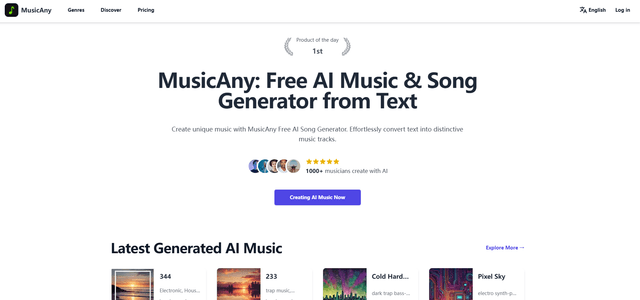
MusicAny
MusicAny is a cutting-edge free AI music generator that enables users to effortlessly create unique, royalty-free songs from text descriptions without any musical background.
Popular AI Tools Like ElevenMusic
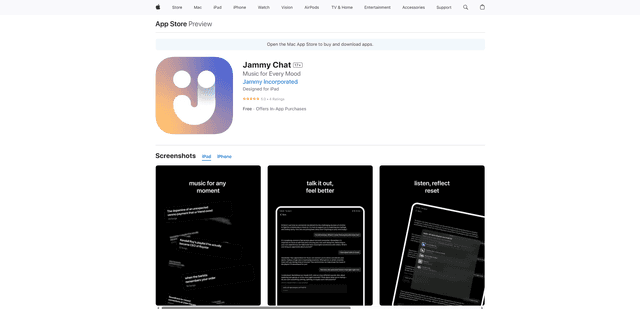
Jammy Chat
Jammy Chat is a music-infused mental health app that provides personalized playlists and emotional support by analyzing your mood through AI-powered conversations.
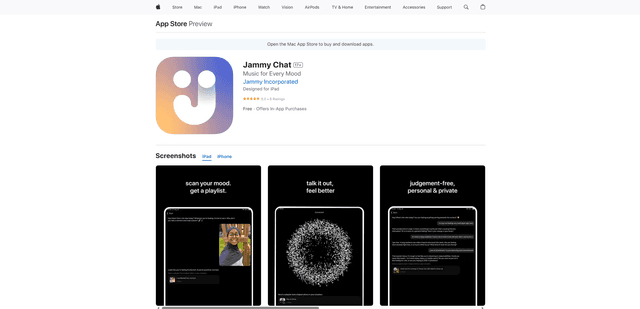
Jammy Chat
Jammy Chat is an AI-powered mental health app that scans users' facial expressions and provides personalized music playlists to help regulate emotions and improve mood.
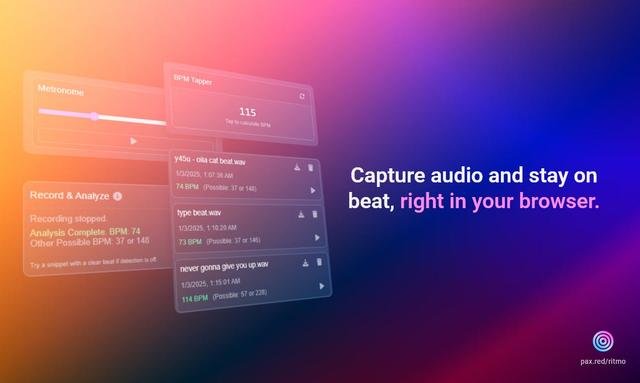
Ritmo
Ritmo is a smart audio toolkit Chrome extension that helps capture, analyze, and manage audio with features like BPM analysis, tap tempo, and metronome functionality.
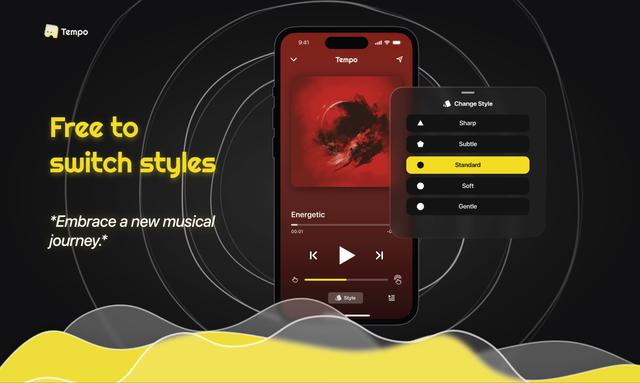
Tempo-Pulse
Tempo-Pulse is an AI-driven haptic music player that transforms any music into tactile sensations through innovative haptic technology, making music feelable for everyone including those who are hard of hearing.