Document.Bot - EU/ Offline AI workspace
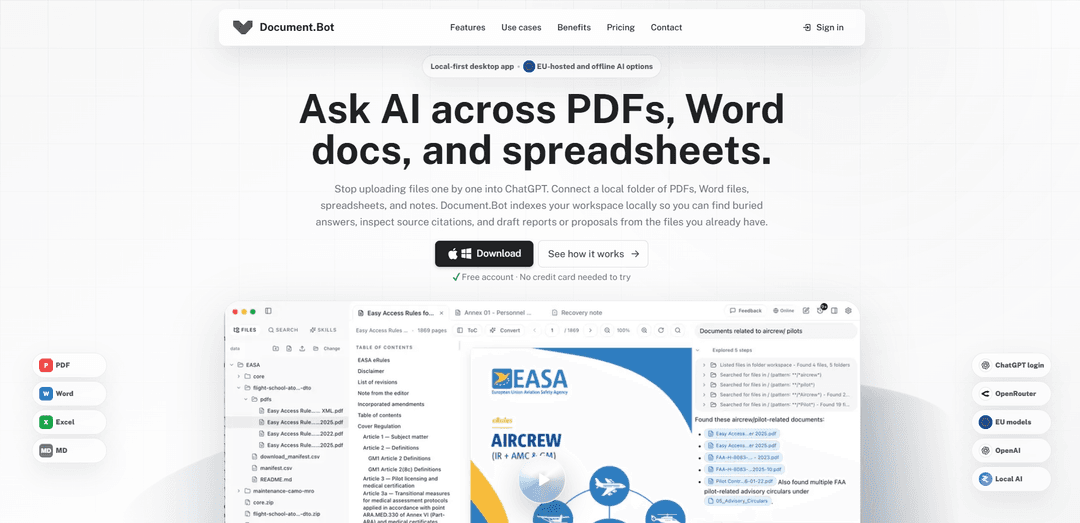
Document.Bot is a local-first AI workspace that indexes your real folders (PDF, Word, Excel, Markdown) to deliver source-cited answers and reviewable drafts using EU-hosted, cloud, or fully offline local models.
https://document.bot/?ref=producthunt
Product Information
Updated:Jun 8, 2026
What is Document.Bot - EU/ Offline AI workspace
Document.Bot is a desktop AI workspace built for teams who do recurring work across many documents—research, compliance, proposals, operations, and other high-stakes document workflows. Instead of uploading files one-by-one into chat tools, you connect a normal local folder of PDFs, Word documents, spreadsheets, and notes, then ask questions across that workspace and get answers grounded in your sources with clickable citations. It supports macOS and Windows, offers provider choice (including EU-hosted and local/offline AI options), and is designed to keep sensitive document work within the right data boundary.
Key Features of Document.Bot - EU/ Offline AI workspace
Document.Bot is a local-first desktop AI workspace designed for teams that work across large folders of PDFs, Word documents, spreadsheets, and notes. Instead of uploading files into chat tools one-by-one, it indexes your document folders so you can search, ask questions, and generate drafts with traceable, clickable source citations back to the exact PDF page, Word paragraph/comment, or Excel cell range. It supports multiple AI deployment boundaries—cloud APIs, EU-hosted providers, or fully local models—so sensitive work can remain within policy and data-residency constraints, while keeping outputs reviewable through visible changes and human approval workflows.
Local folder indexing (no upload workflow): Connect a normal project folder on your computer and have Document.Bot analyze and index PDFs, Word files, Excel workbooks, and notes so you can find answers across your existing file structure without manually copying content into a chat.
Source-backed answers with clickable citations: Responses include traceable source tags that jump back to the underlying evidence (specific PDF pages, Word paragraphs/comments, or Excel cells), supporting auditability and faster verification.
Tag-and-select evidence for precise context: Use @-tagging to attach specific files/folders, or select exact passages (PDF text, Word paragraphs/track changes, Excel ranges/comments) to constrain the assistant to the right evidence.
Unified search across mixed file types: Search by exact keywords or approximate descriptions across PDFs, Word docs, spreadsheets, and markdown, leveraging a pre-built workspace map to help retrieval and citation accuracy.
Flexible AI provider boundary (cloud, EU-hosted, or local): Choose between ChatGPT login/frontier APIs, EU-hosted providers, or local models (e.g., via LM Studio or Ollama) to match privacy, residency, and offline requirements.
Reviewable drafting and Word feedback support: Generate outputs (briefs, proposals, review notes) that remain reviewable, including the ability to inspect Word comments and track changes and propose edits with attached source context.
Use Cases of Document.Bot - EU/ Offline AI workspace
Compliance & regulatory clause impact review: Compliance and legal ops teams can locate affected clauses across policies and evidence packs, inspect cited sources, and draft review notes or gap analyses with traceability for audits.
Proposal/bid preparation from scattered project files: Consultants and bid teams can compare registers, feedback, comments, and prior decisions across Word/Excel/PDF sources to draft a consistent proposal narrative backed by citations.
Research synthesis across PDF libraries and notes: Researchers and analysts can turn large folders of papers, drafts, and spreadsheets into a searchable workspace and produce sourced summaries or reports without losing provenance.
Finance/HR/legal work on sensitive local documents: Teams handling confidential material can keep processing local or use EU-hosted options, reducing exposure while still enabling Q&A and drafting over internal documents.
Operational decision briefs and status updates: Project managers can generate decision briefs from meeting notes, customer feedback registers, and vendor PDFs, then verify each claim via page/paragraph/cell-level citations.
Pros
Local-first workflow reduces repetitive uploading/copy-pasting and keeps teams working directly from real folders.
Strong grounding via clickable citations back to exact locations in PDFs/Word/Excel improves trust and review speed.
Flexible model hosting options (cloud, EU-hosted, local) support data residency and offline/privacy needs.
Safety posture: designed around predefined document tools and workspace-scoped access rather than arbitrary shell/terminal execution.
Cons
Web version is listed as “coming soon,” so current usage centers on desktop platforms (macOS/Windows).
Team-wide shared sources/connectors (e.g., SharePoint/OneDrive/SMB/S3) are on the roadmap/exploring rather than broadly available today.
Best results may depend on upfront indexing and user discipline in tagging/selecting the right evidence for the task.
How to Use Document.Bot - EU/ Offline AI workspace
1) Install and open Document.Bot: Download Document.Bot for your OS (macOS or Windows) and launch the desktop app to start a local-first document workspace.
2) Create a workspace by opening a real folder: Choose a normal folder on your computer that already contains your project materials (PDFs, Word docs, Excel files, Markdown/notes). Document.Bot uses this folder as the boundary for what the assistant can access.
3) Let Document.Bot index the folder locally: Wait for Document.Bot to analyze and index the files in the selected folder so you can search and ask questions across them without manually uploading documents one-by-one.
4) Choose an AI model/provider that matches your data boundary: Select how the assistant should run: ChatGPT login, frontier cloud APIs, EU-hosted providers, or local models (e.g., via LM Studio or Ollama) depending on privacy, residency, and policy requirements.
5) Search across your workspace sources: Use unified search to find information by exact keywords or approximate descriptions across PDFs, Word documents, spreadsheets, and notes. Use results to locate the right evidence before drafting.
6) Ask questions across documents (with citations): In chat, ask questions about your folder’s content. Document.Bot returns source-backed answers with clickable citations/tags that jump back to the exact PDF page, Word paragraph, or Excel cell range.
7) Tag specific files into the chat with @: Type “@” in the prompt to attach specific folders or files (PDFs, Word docs, Excel workbooks, notes) as explicit context for the assistant—without copying content into the prompt or doing a manual upload workflow.
8) Tag precise source selections (snippets, ranges, comments): Select and attach targeted evidence—PDF text, Word paragraphs, track changes, comments, or Excel cell ranges—so the assistant focuses on the exact material you want it to use.
9) Inspect the evidence behind an answer: Open the cited sources directly from the assistant’s response to verify grounding (e.g., jump to the referenced PDF page, Word paragraph/comment, or spreadsheet cells).
10) Draft an output file from your sources: Ask Document.Bot to produce a reviewable deliverable (e.g., a decision brief, gap review notes, proposal draft) using the tagged sources. Save the output back into the workspace so it stays with the project files.
11) Review Word documents with comments and track changes: Have the assistant inspect Word feedback and propose updates you can review. Keep humans in control by checking suggested edits and verifying attached source tags before accepting changes.
12) Reuse “Skills” to standardize your workflow: Create reusable skills that encode domain knowledge, company procedures, and team review habits so the assistant follows consistent, repeatable document-review and drafting patterns.
13) Work safely within the workspace boundary: Use Document.Bot’s predefined document tools (search, inspect, cite, draft) within the selected folder. The agent is designed not to run arbitrary shell commands by default, reducing IT risk compared to terminal-first agents.
14) Adjust your setup for sensitive or regulated work: For sensitive documents, prefer EU-hosted or local models to meet data residency and privacy needs. For less sensitive tasks, switch to cloud models for capability or speed as policy allows.
Document.Bot - EU/ Offline AI workspace FAQs
Document.Bot is a local-first desktop app that lets you ask AI questions across a connected folder of PDFs, Word documents, spreadsheets, and notes. It indexes your workspace locally so you can search, reason, and draft outputs with source citations back to the original files.
Document.Bot - EU/ Offline AI workspace Video
Popular Articles

Vosko AI: Localize and Dub Videos for Global Audiences
Oct 15, 2026

Atoms: A Multi-Agent AI Platform That Transforms Ideas into Launch-Ready Products
Oct 13, 2026

Nano Banana SBTI: What It Is, How It Works, and How to Use It in 2026
Apr 15, 2026

Atoms Review — The AI Product Builder Redefining Digital Creation in 2026
Apr 10, 2026
Latest AI Tools Similar to Document.Bot - EU/ Offline AI workspace

Folderr
Folderr is a comprehensive AI platform that enables users to create custom AI assistants by uploading unlimited files, integrating with multiple language models, and automating workflows through a user-friendly interface.
InDesign Translator
InDesign Translator is an online translation service that enables users to translate InDesign files while maintaining formatting and styles, offering AI-assisted translation and easy collaboration features without requiring translators to have InDesign installed.
Specgen.ai
Specgen.ai is an AI-powered platform that helps businesses optimize their bid responses by automatically analyzing tender requirements and generating personalized responses while ensuring 100% data confidentiality through proprietary AI models.
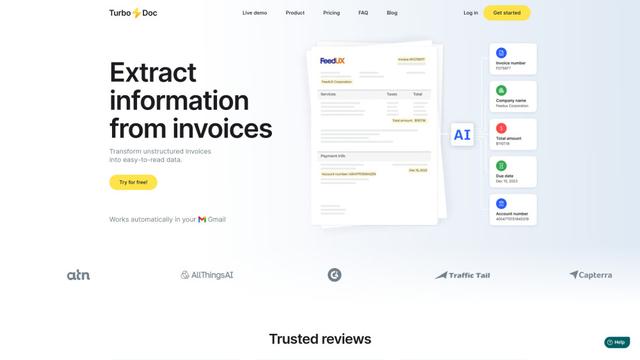
TurboDoc
TurboDoc is an AI-powered invoice processing software that automatically extracts and transforms unstructured invoice data into organized, easy-to-read structured data through Gmail integration and intelligent document processing.
Popular AI Tools Like Document.Bot - EU/ Offline AI workspace

R2R
R2R (Reason to Retrieve) is an advanced AI retrieval system that provides production-ready Retrieval-Augmented Generation (RAG) capabilities with multimodal content ingestion, hybrid search, knowledge graphs, and comprehensive document management through a RESTful API.

Claude Folder Upload
A Chrome extension that enables users to upload entire folders to Claude AI while intelligently preserving directory structures and file relationships, with smart filtering capabilities for irrelevant files.
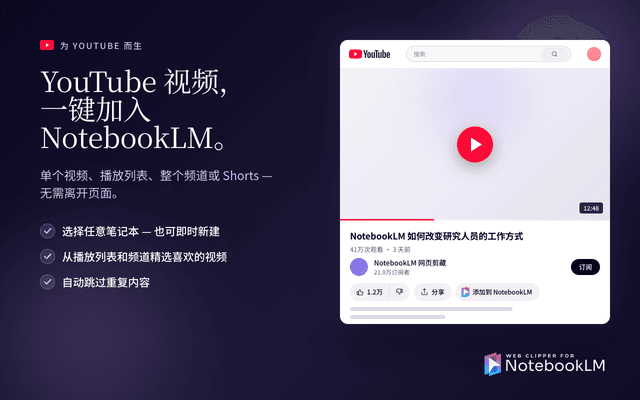
Web Clipper for NotebookLM
Web Clipper for NotebookLM is a Chrome extension that saves web pages, PDFs, YouTube content, social posts/threads, and even AI chat conversations directly into Google NotebookLM in one click, plus adds powerful export, sync, and notebook-management tools.
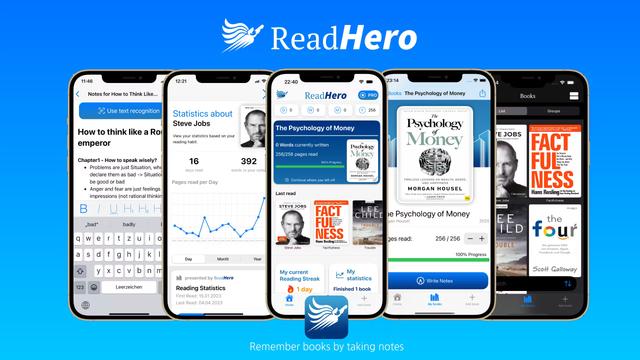
ReadHero
ReadHero is a comprehensive book tracking and note-taking app that helps readers remember and retain more of what they read by enabling progress tracking, note-taking, and book management all in one place.