
DevLensPro
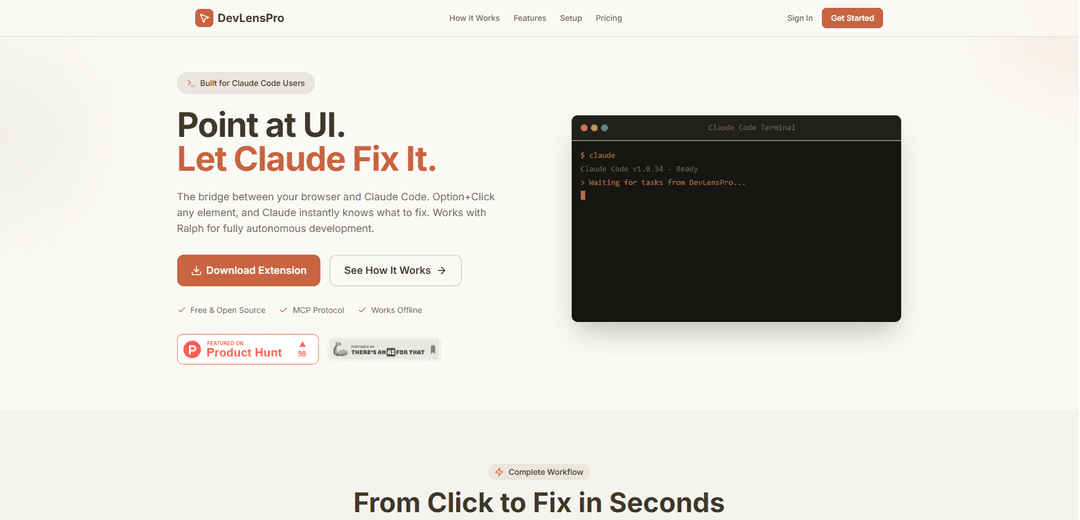
DevLensPro is a browser extension that bridges your browser and Claude Code, allowing developers to instantly debug and fix UI elements through AI-powered analysis with a simple Option+Click interaction.
https://www.devlens.pro/?ref=producthunt
Product Information
Updated:Feb 8, 2026
What is DevLensPro
DevLensPro is a free and open-source development tool designed to streamline the debugging and development workflow for modern web applications. It serves as an intelligent bridge between web browsers and Claude Code, offering developers a seamless way to identify, analyze, and fix UI elements without switching between different tools or writing lengthy bug descriptions. The platform integrates with React applications and supports both local and remote development environments through its MCP (Model Context Protocol) protocol.
Key Features of DevLensPro
DevLensPro is an AI-powered debugging and development tool that integrates with Claude Code through a Chrome extension. It allows developers to Option+Click any element in their browser to capture context, screenshots, and element information, which is then synchronized with Claude Code via MCP protocol for instant analysis and fixes. The tool supports both local and remote development workflows, includes React component detection, and works with Ralph for autonomous development.
Point-and-Click Element Selection: Option+Click any element to instantly capture its complete context including CSS, HTML, screenshots, and React component information
MCP Protocol Integration: Native integration with Claude Code through Model Context Protocol, enabling real-time WebSocket communication and task synchronization
URL-Based Project Management: Automatically maps URLs to local project folders, ensuring Claude Code always knows which codebase to edit
Privacy-First Architecture: 100% local operation with no cloud requirements, ensuring all data stays on your machine
Use Cases of DevLensPro
Quick Debugging Sessions: Fix CSS bugs and UI issues in around 10 minutes by pointing at broken elements and letting Claude apply fixes instantly
New Feature Development: Build entire features using Ralph by pointing at existing UI for context and letting Claude scaffold new code (2-8 hours per feature)
Full Project Development: Kickstart new projects or handle complex refactoring by giving Claude complete codebase understanding through element inspection
Pros
Significantly faster debugging workflow (5-10x speed improvement)
Zero context switching needed
Complete element context capture
Privacy-focused with local-first approach
Cons
Limited to Chrome browser extension
Requires Claude Code integration
Token-based pricing model may not suit all users
How to Use DevLensPro
Install Chrome Extension: Download and install the DevLensPro Chrome extension in Developer Mode
Install MCP Server: Run command: npx -y @devlenspro/mcp-server install to configure MCP server and set up integration with Claude Code
Start MCP Server: Run command: devlens start to launch the MCP server on localhost:7007 for local development mode
Select Element: Hold Option key and click on any element in your browser that you want Claude to analyze or fix
Review Captured Context: DevLensPro captures element details including HTML, CSS, screenshots, console logs and React component info
Add Description: Type your description of the issue or desired changes, and use AI Enhance for structured task details
Let Claude Fix: Claude Code receives the context via MCP protocol and automatically locates the relevant code to fix
Review Changes: If using Ralph autonomous agent, it will execute the fix and create a PR. Otherwise, review Claude's suggested changes
DevLensPro FAQs
DevLensPro is a browser extension that connects to Claude Code, allowing developers to debug and fix UI issues by Option+Clicking elements. It captures context, screenshots, and element data to help Claude understand and fix code issues.
Popular Articles

Vosko AI: Localize and Dub Videos for Global Audiences
Oct 15, 2026

Atoms: A Multi-Agent AI Platform That Transforms Ideas into Launch-Ready Products
Oct 13, 2026

Nano Banana SBTI: What It Is, How It Works, and How to Use It in 2026
Apr 15, 2026

Atoms Review — The AI Product Builder Redefining Digital Creation in 2026
Apr 10, 2026
Latest AI Tools Similar to DevLensPro

Gait
Gait is a collaboration tool that integrates AI-assisted code generation with version control, enabling teams to track, understand, and share AI-generated code context efficiently.

invoices.dev
invoices.dev is an automated invoicing platform that generates invoices directly from developers' Git commits, with integration capabilities for GitHub, Slack, Linear, and Google services.

EasyRFP
EasyRFP is an AI-powered edge computing toolkit that streamlines RFP (Request for Proposal) responses and enables real-time field phenotyping through deep learning technology.

Cart.ai
Cart.ai is an AI-powered service platform that provides comprehensive business automation solutions including coding, customer relations management, video editing, e-commerce setup, and custom AI development with 24/7 support.
Popular AI Tools Like DevLensPro

GitHub Copilot Chat
GitHub Copilot Chat is an AI-powered coding assistant that provides natural language interactions, real-time code suggestions, and contextual support directly within supported IDEs and GitHub.com.

CopilotForXcode
CopilotForXcode is an Xcode Source Editor Extension that integrates GitHub Copilot, Codeium, and ChatGPT to provide AI-powered code suggestions, chat assistance, and prompt-to-code functionality within Xcode.

BrowserAI
BrowserAI is an open-source library that enables running local Large Language Models (LLMs) directly in web browsers with WebGPU acceleration, offering privacy-focused AI capabilities without requiring server infrastructure.

OpenAI Codex CLI
OpenAI Codex CLI is a lightweight, open-source coding agent that runs in your terminal, enabling developers to translate natural language into code execution while providing ChatGPT-level reasoning with the ability to run code, manipulate files, and iterate under version control.