
Devin by Cognition
Devin by Cognition is an autonomous AI software engineering agent that can plan, code, run tests, debug, and ship PRs end-to-end using an agent-native IDE with terminal, editor, and browser—plus search and parallel cloud agents for larger tasks.
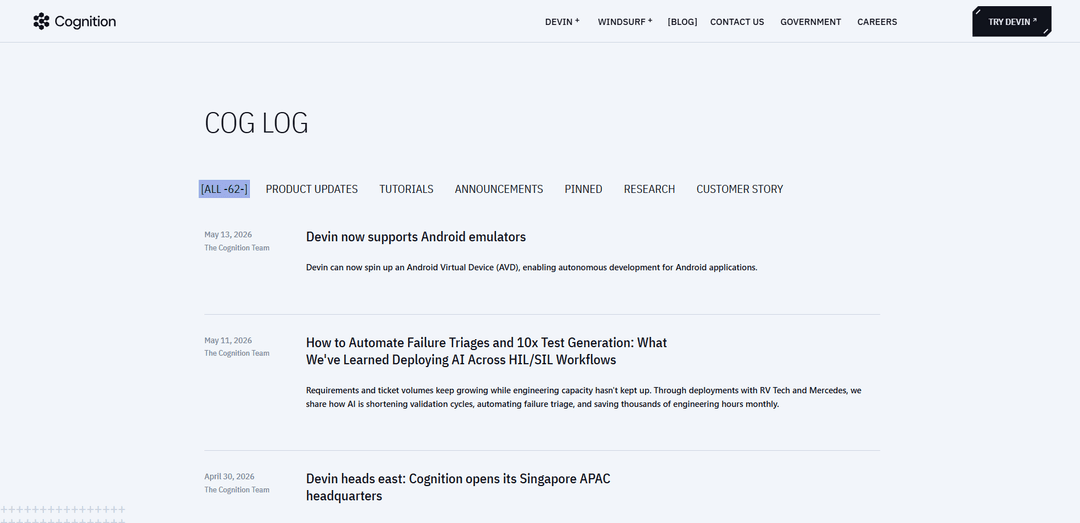
https://www.cognition-labs.com/blog?ref=producthunt
Product Information
Updated:May 19, 2026
What is Devin by Cognition
Devin is Cognition’s “AI software engineer,” designed to do more than autocomplete code by autonomously executing real software engineering workflows from start to finish. Positioned as a collaborative teammate for engineering teams, Devin can take a task, understand the relevant codebase context, make changes across files, run commands and tests in a sandboxed environment, and produce reviewable outputs (such as pull requests) that follow a team’s development process. Cognition has showcased Devin on real-world style tasks—like fixing bugs in established codebases and building and deploying applications—while continuing to expand the product into an agent-native IDE experience with features aimed at codebase understanding and scaled execution.
Key Features of Devin by Cognition
Devin by Cognition is an autonomous AI software engineering agent designed to take tickets from plan to code to tests to deployment, working like a teammate rather than a chat tool. It can explore and understand codebases (via search/wiki-style indexing), propose and execute step-by-step plans, run commands and CI to self-verify, open PRs, respond to review feedback, and iteratively fix issues until checks pass. Recent additions emphasize tighter end-to-end workflows (agent-native IDE/terminal handoff, code review assistance, scheduling, and managed parallel Devins) so teams can offload well-scoped engineering work and investigations while keeping humans in the loop for approval and merge decisions.
End-to-end autonomous engineering loop: Plans, codes, debugs, runs tests/CI, and ships changes as PRs—iterating on failures and feedback until the work is ready to merge.
Interactive Planning with human approval: Drafts a concrete step-by-step plan up front that users can modify to align scope and approach before execution.
Codebase understanding (Search/Wiki): Indexes repositories to answer questions, map dependencies, generate documentation-style summaries/diagrams, and speed up onboarding and impact analysis.
PR review and autofix loop: Supports review workflows by analyzing diffs for likely issues and can pick up PR comments/CI results to automatically apply fixes and updates.
Multi-agent delegation (Managed Devins): Breaks large tasks into sub-tasks and runs them in parallel isolated VMs, while keeping writes coordinated to reduce conflicts.
Terminal + local-to-cloud handoff: Start a session locally and hand it off to cloud compute when tasks outgrow a laptop, preserving context and progress.
Use Cases of Devin by Cognition
Enterprise legacy modernization: Modernizes legacy stacks (e.g., COBOL/older Java) across many repos by automating repetitive migration steps, validation, and PR generation for human review.
Bug reproduction and fixing in large codebases: Sets up environments, reproduces reported issues (e.g., open-source bugs), implements fixes, and runs tests to confirm correctness before opening a PR.
Security/vulnerability and lint/CI cleanup: Takes static-analysis findings or failing checks and iteratively patches code until CI/lint passes, reducing toil for engineering teams.
Code review acceleration for high-volume PRs: Helps reviewers understand complex diffs (including copy/move detection and logical grouping) and flags probable bugs/warnings to focus human attention.
Recurring engineering ops via scheduling: Runs repeatable tasks on a schedule (e.g., periodic checks, routine updates), maintaining state between runs so each session continues where it left off.
Cross-functional data/ops investigations (via specialized variants): In organizations using Devin-like agents for data work, teams can ask operational questions (e.g., “why did signups drop?”) and get analyses/SQL/dashboards without pulling engineers off core work.
Pros
Reduces end-to-end engineering toil by handling planning→implementation→testing→PR iteration autonomously.
Improves throughput on well-scoped, verifiable tasks (migrations, bugfixes, CI cleanup) and can parallelize work via managed agents.
Integrates with real engineering workflows (PRs, CI, review comments, terminal/local-to-cloud), keeping humans in control of approvals.
Cons
Best suited to clear requirements and verifiable outcomes; ambiguous/product-creative tasks still require strong human direction.
Autonomous execution increases the need for careful review/governance to avoid regressions or misaligned changes.
Parallel agents can add coordination complexity; writes typically must remain controlled to prevent conflicts.
How to Use Devin by Cognition
1) Get access to Devin: If your company already works with Cognition, request permissions from your Administrator or Cognition. Then sign in to the Devin web app at app.devin.ai.
2) Start a Devin session (web): Open app.devin.ai and create a new session. Provide a clear task prompt (e.g., a bug report, feature request, refactor, migration). Devin will draft a step-by-step plan for you to approve or adjust (Interactive Planning).
3) Start a Devin session (terminal): Use Devin for Terminal to start locally from your terminal. When the task outgrows your laptop, hand the same session off to the cloud and continue there.
4) Connect Devin to your engineering workflow (Linear): Assign Devin tickets directly in Linear or add a Devin label. For bug triage automation, configure your workflow so that adding a “Bug” label triggers Devin automatically—no manual assignment required.
5) (Optional) Connect observability/data tools via MCP (e.g., Datadog): Connect the Datadog MCP so Devin can query logs during investigations. This helps Devin include evidence (log findings) alongside code-level root-cause analysis.
6) Let Devin investigate bugs end-to-end: When triggered (e.g., by a Bug label), Devin can locate relevant files, inspect recent changes (e.g., via git history), and post a summary back to the ticket: likely root cause, affected files, and a suggested fix approach.
7) Have Devin implement fixes and handle CI/lint until green: Devin can make code changes, run checks/tests, and iterate on failures. It can also tackle CI/lint issues until all checks pass, closing the loop from investigation to a working fix.
8) Use Devin Search / DeepWiki for codebase understanding: Use Devin’s codebase understanding tools to explore repositories. DeepWiki can automatically index repos and produce wikis with architecture diagrams, links to sources, and summaries to speed up onboarding and investigation.
9) Use Devin Review to scale PR review: Open a PR in Devin Review to understand changes faster. It organizes diffs logically (not just alphabetical), detects copy/move operations for cleaner diffs, and runs AI bug detection that labels issues by confidence/severity.
10) Close the agent loop with review feedback: During PR review, leave comments as you normally would. Devin can pick up review feedback and CI results and iterate until the PR is approved and ready to merge (including autofixing review comments where supported).
11) Use managed Devins for parallel work (large tasks): For big projects, have Devin break the work into independent chunks and spin up multiple managed Devins in parallel. Each runs in its own isolated VM with terminal/browser/dev environment, verifies changes with tests, and reports back.
12) Use scheduling for recurring tasks: If a task should run repeatedly (e.g., periodic checks or routine maintenance), tell Devin to schedule recurring sessions. Devin maintains state between runs so each session can pick up where the last left off.
13) Use DANA for database/data questions (if available in your workspace): Select DANA (a specialized Devin optimized for querying databases, analyzing data, and creating visualizations) from the agent picker in the web app, or ask from Slack using /dana or @Devin !dana. DANA can answer questions with SQL included so the team can validate the logic.
14) Provide feedback to improve results over time: Coach Devin by giving feedback in chat and accepting or adding Knowledge. You can also send feedback via [email protected], Slack Connect (Teams), or the in-app Feedback button; Cognition logs customer feedback to drive improvements.
Devin by Cognition FAQs
Devin is an autonomous AI software engineering agent from Cognition Labs (Cognition). Cognition presents it as a tool-using agent that can plan tasks, set up environments, read and edit code, run tests, and ship changes end-to-end inside a persistent workspace.
Devin by Cognition Video
Popular Articles

Atoms: A Multi-Agent AI Platform That Transforms Ideas into Launch-Ready Products
May 22, 2026

Nano Banana SBTI: What It Is, How It Works, and How to Use It in 2026
Apr 15, 2026

Atoms Review — The AI Product Builder Redefining Digital Creation in 2026
Apr 10, 2026

Kilo Claw: How to Deploy and Use a True "Do‑It‑For‑You" AI Agent(2026 Update)
Apr 3, 2026
Latest AI Tools Similar to Devin by Cognition

Gait
Gait is a collaboration tool that integrates AI-assisted code generation with version control, enabling teams to track, understand, and share AI-generated code context efficiently.

invoices.dev
invoices.dev is an automated invoicing platform that generates invoices directly from developers' Git commits, with integration capabilities for GitHub, Slack, Linear, and Google services.

EasyRFP
EasyRFP is an AI-powered edge computing toolkit that streamlines RFP (Request for Proposal) responses and enables real-time field phenotyping through deep learning technology.

Cart.ai
Cart.ai is an AI-powered service platform that provides comprehensive business automation solutions including coding, customer relations management, video editing, e-commerce setup, and custom AI development with 24/7 support.
Popular AI Tools Like Devin by Cognition

GitHub Copilot Chat
GitHub Copilot Chat is an AI-powered coding assistant that provides natural language interactions, real-time code suggestions, and contextual support directly within supported IDEs and GitHub.com.

CopilotForXcode
CopilotForXcode is an Xcode Source Editor Extension that integrates GitHub Copilot, Codeium, and ChatGPT to provide AI-powered code suggestions, chat assistance, and prompt-to-code functionality within Xcode.

BrowserAI
BrowserAI is an open-source library that enables running local Large Language Models (LLMs) directly in web browsers with WebGPU acceleration, offering privacy-focused AI capabilities without requiring server infrastructure.

OpenAI Codex CLI
OpenAI Codex CLI is a lightweight, open-source coding agent that runs in your terminal, enabling developers to translate natural language into code execution while providing ChatGPT-level reasoning with the ability to run code, manipulate files, and iterate under version control.