
deckpipe.dev
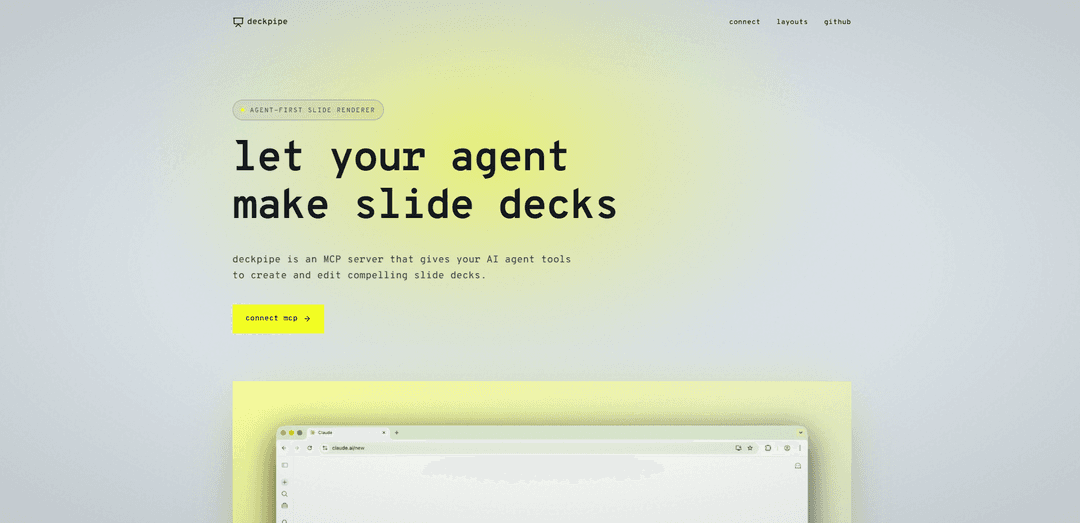
deckpipe is an agent-first slide deck engine that enables AI agents to create, edit, and render professional presentations through JSON descriptions, featuring 24+ layouts, custom theming, and native MCP server integration for Claude, Cursor, and Claude Code.
https://deckpipe.dev/?ref=producthunt
Product Information
Updated:Apr 15, 2026
What is deckpipe.dev
deckpipe is a specialized rendering engine designed specifically for AI agents to create polished slide decks programmatically. Unlike traditional presentation tools built for human users, deckpipe allows AI agents to describe slides as JSON data while the platform automatically handles layout, typography, styling, and hosting. The service operates as an MCP (Model Context Protocol) server that integrates seamlessly with popular AI development environments including Claude.ai, Cursor, and Claude Code. With support for 24 different slide layouts ranging from basic title slides to complex visualizations like SWOT analyses, Venn diagrams, and charts, deckpipe bridges the gap between AI-generated content and professional presentation design. The platform offers both remote server access and local installation options, making it flexible for different development workflows.
Key Features of deckpipe.dev
Deckpipe is an agent-first slide deck rendering engine designed to work seamlessly with AI agents through the Model Context Protocol (MCP). It allows AI agents to create and edit professional slide presentations by describing them in JSON format, while deckpipe handles all the layout, typography, theming, and hosting automatically. The platform supports 24 different slide layouts including titles, bullets, stats, quotes, timelines, SWOT analyses, charts, and image galleries. It offers live editing capabilities with deep merge operations, integrated stock photo search from Unsplash, customizable theming with Google Fonts and accent colors, and collaborative features like commenting. Deckpipe can be connected to AI assistants like Claude, Cursor, and Claude Code either through remote MCP servers or local installation via npx.
24 Pre-built Slide Layouts: Comprehensive collection of layouts including title slides, bullets, tables, two-columns, stats, quotes, timelines, SWOT, charts, Venn diagrams, and more, allowing agents to choose the most appropriate format for each slide's content.
MCP Native Integration: Built-in Model Context Protocol support for seamless connection with AI agents like Claude.ai, Cursor, and Claude Code through both remote servers and local installation via npx deckpipe-mcp.
Live Editing with Deep Merge: Advanced editing capabilities supporting insert, delete, move, and replace operations that allow agents to modify specific elements without re-sending the entire deck, enabling efficient iterative improvements.
Automatic Theming System: Customizable theming with any Google Font for headings and body text, custom accent colors, and per-slide key takeaways that automatically re-render across the entire deck when changed.
Integrated Stock Photo Search: Built-in Unsplash integration that allows agents to search and insert stock photos directly into slides with automatic attribution and re-hosting handled by the platform.
Collaborative Commenting: Element-level commenting system where users can click any slide element to leave feedback, which agents can read, respond to, and use to update the deck accordingly.
Use Cases of deckpipe.dev
Business Strategy Presentations: Create comprehensive business strategy decks with SWOT analyses, comparison slides, and data visualizations where AI agents can quickly generate professional presentations from strategic discussions and automatically incorporate stakeholder feedback.
Product Launch Decks: Develop product launch presentations with feature highlights, timelines, team introductions, and visual galleries where agents can iterate rapidly based on marketing team comments and update specific slides without rebuilding the entire deck.
Educational Content Creation: Generate educational slide decks with structured content, code examples, quotes, and visual aids where educators can collaborate with AI to create course materials and refine them through iterative feedback loops.
Sales and Pitch Decks: Build compelling sales presentations with stats, customer quotes, comparison charts, and closing slides where sales teams can work with AI agents to customize decks for different prospects while maintaining consistent branding.
Data Analysis Reports: Produce data-driven presentation decks with charts, tables, statistics, and key takeaways where analysts can have AI agents transform raw data discussions into polished visual presentations with automatic formatting.
Project Status Updates: Create project update presentations with timelines, progress stats, team information, and agenda slides where project managers can quickly generate status reports through conversation with AI and incorporate team feedback efficiently.
Pros
Seamless AI agent integration through MCP protocol eliminates manual slide creation and formatting work
Extensive layout library with 24 options provides flexibility for diverse content types and presentation needs
Live editing with granular operations enables efficient iterations without regenerating entire decks
Automatic theming and styling ensures professional, consistent design without manual formatting effort
Cons
Requires AI agent integration knowledge and MCP setup which may present a learning curve for non-technical users
Dependent on AI agent capabilities and prompt quality for optimal deck generation results
Limited to predefined layouts which may restrict highly customized or unique slide designs
Relatively new platform with potentially limited community resources and third-party integrations compared to established presentation tools
How to Use deckpipe.dev
1. Connect deckpipe to your AI agent: Choose your connection method: For Claude.ai and Cursor, use the remote MCP server at https://deckpipe.dev/mcp. For Claude Code, run 'claude mcp add deckpipe -- npx deckpipe-mcp' in your terminal. For manual MCP configuration, add deckpipe to your MCP servers config with command 'npx' and args ['-y', 'deckpipe-mcp'].
2. Jam with your AI on a topic: Have a conversation with your AI agent about the subject you want to create a presentation about. Discuss the key points, structure, and content you want to include.
3. Ask your agent to generate a deck: Prompt your AI agent to create a slide deck using deckpipe. The agent will use the create_deck tool to describe slides as JSON, choosing from 24 available layouts (title, bullets, stats, quotes, timelines, SWOT, charts, galleries, etc.).
4. Review the generated deck: Open the deck link provided by your agent. Review the slides and click on any element to add comments with feedback or suggestions for improvements.
5. Iterate with your agent: Provide feedback directly to your agent or through comments on the deck. Your agent can read the comments and use the update_deck tool to make changes using operations like insert, delete, move, or replace without re-sending the entire deck.
6. Customize the theme (optional): Ask your agent to adjust theme settings such as heading_font, body_font, accent_color (hex color), or add key_takeaway boxes to slides. The agent can also search and add stock photos from Unsplash using the search_images tool.
7. Share and present: Once satisfied with the deck, share the link with collaborators or use it for your presentation. The deck is automatically hosted and ready to present.
deckpipe.dev FAQs
deckpipe is an agent-first slide deck engine and MCP server that allows AI agents to create and edit slide decks. Your agent describes slides as JSON, and deckpipe handles the rendering, layout, typography, theming, and hosting automatically.
deckpipe.dev Video
Popular Articles

Atoms: A Multi-Agent AI Platform That Transforms Ideas into Launch-Ready Products
May 22, 2026

Nano Banana SBTI: What It Is, How It Works, and How to Use It in 2026
Apr 15, 2026

Atoms Review — The AI Product Builder Redefining Digital Creation in 2026
Apr 10, 2026

Kilo Claw: How to Deploy and Use a True "Do‑It‑For‑You" AI Agent(2026 Update)
Apr 3, 2026
Latest AI Tools Similar to deckpipe.dev
PPTalker
PPTalker is an online PowerPoint to video converter that transforms presentations into engaging videos with AI-powered multilingual voiceovers and subtitles.
Napkin
Napkin AI is an innovative AI-powered tool that automatically transforms text into visually appealing graphics, diagrams, and illustrations to enhance business communication and storytelling.
Aidocmaker.com
Aidocmaker.com is an AI-powered document creation platform that allows users to effortlessly generate professional documents, presentations, spreadsheets, and voiceovers in minutes.

Yanbi AI
Yanbi AI is a free AI-powered writing tool that generates high-quality content for various writing scenarios with one click.
Popular AI Tools Like deckpipe.dev

MulmoCast
MulmoCast is an AI-native multi-modal presentation tool that automatically generates videos, podcasts, slides, PDFs, and manga-style content from a single script using various AI technologies.
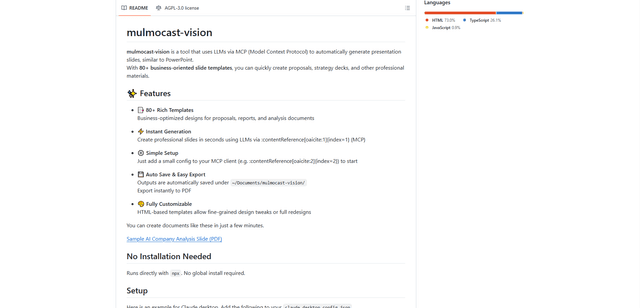
MulmoCast Vision
MulmoCast Vision is an AI-powered tool that automatically generates professional presentation slides through LLMs via Model Context Protocol (MCP), featuring 80+ business-oriented templates for various corporate needs.

Gamma
Free TrialAI Presentation Generator
Gamma App is an AI-powered tool for creating beautiful presentations, documents, and websites with no design or coding skills required.
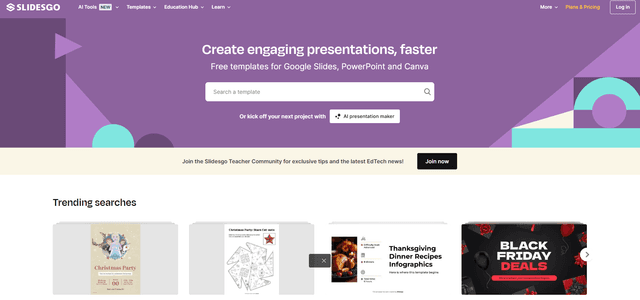
SLIDESGO
Slidesgo is a free online platform that provides professionally designed presentation templates for Google Slides and PowerPoint with customizable themes, infographics, and AI-powered tools to help create engaging presentations faster.