
DCP
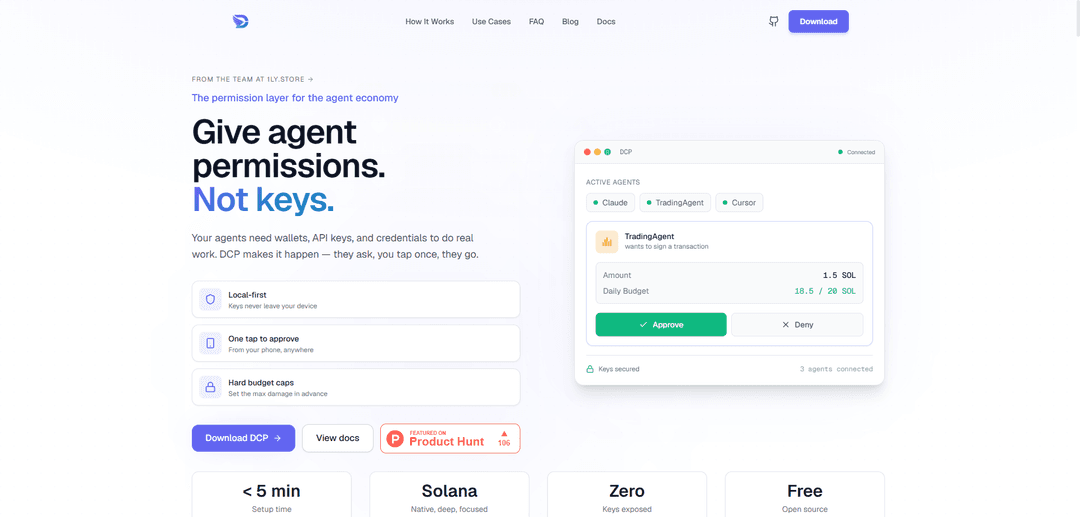
DCP is a local-first, open-source permission layer that lets AI agents use wallets and API keys without ever seeing or holding the raw secrets, with one-tap phone approvals, per-agent rules, and hard daily budget caps (Solana-native).
https://dcpagent.com/?ref=producthunt
Product Information
Updated:Jun 8, 2026
What is DCP
DCP ("gives agents permission, not keys") is a security and permissions product designed for the agent economy: it enables AI agents (e.g., Claude, Cursor, MCP-based agents, VPS agents) to perform real actions that require sensitive credentials—such as signing Solana transactions or calling OpenAI/Anthropic/Stripe/AWS—without exposing those secrets to the agent runtime. Instead of storing credentials in plaintext .env files or letting agents read keys directly from disk (where prompt injection, compromised dependencies, or buggy tooling can leak them), DCP keeps secrets encrypted on your own device and enforces explicit, auditable permissions for each agent.
Key Features of DCP
DCP is a local-first permission layer for AI agents that lets them use wallets, API keys, and other credentials without ever exposing the raw secrets. Instead of reading keys from .env files, agents connect to DCP (via MCP/HTTP) and request scoped actions; you approve with one tap on your phone or allow auto-approval under strict daily budget caps. DCP keeps secrets encrypted on your laptop, supports per-agent rules (read-only vs signing/spending), provides audit logs, and works across common agent tools like Claude, Cursor, OpenClaw, LangChain, and remote/VPS agents—especially with deep Solana support.
Permissioned access (not key sharing): Agents request specific actions or data through DCP, rather than reading raw credentials from disk; DCP returns only what’s needed and can prevent secret exfiltration.
Local-first, non-custodial secret storage: Wallets and API credentials stay encrypted on your laptop; DCP is designed so keys never leave your device and you don’t need a hosted custody account.
One-tap mobile approvals + auto-approve rules: Approve sensitive operations from your phone anywhere, or set auto-approval for small/low-risk actions while requiring manual approval for larger ones.
Hard budget caps and scoped per-agent policies: Define per-agent limits (e.g., max SOL/day) and permissions (read-only, no signing, rate-limited), so worst-case damage is bounded even under prompt injection.
Works with existing agent ecosystems: Connects with Claude/Cursor via MCP, supports VPS/remote agents via a simple install flow, and can integrate with custom agents over HTTP MCP.
Centralized vault + activity logging: Add a secret once and reuse it across many agents; rotate keys centrally, and keep an activity log of requests/signatures for monitoring and auditing.
Use Cases of DCP
Solana trading/automation agents with risk limits: Run trading or treasury bots that can sign transactions up to a fixed daily SOL cap, with phone approval for larger moves to reduce catastrophic loss.
Secure research and data-collection agents: Let research agents use paid APIs (e.g., OpenAI/Anthropic) without exposing keys, while restricting them from any spending/signing actions beyond defined scopes.
Developer tooling (Claude/Cursor) with protected credentials: Use AI coding assistants that need cloud keys (AWS/Stripe/etc.) while preventing them from reading plaintext .env secrets and limiting what they can do.
Multi-agent operations for teams or power users: Maintain one local vault and apply different rules per agent (dev, ops, trading), so multiple agents can operate safely with consistent governance.
Remote/VPS agent deployments: Run agents on servers while keeping the sensitive keys at home on your laptop; remote agents request actions through DCP and you approve as needed.
x402 payments to Solana services: Enable agents to pay x402-enabled services on Solana without embedding private keys in prompts, code, or server environments.
Pros
Keys are not exposed to agents or stored in plaintext .env files; secrets remain local and encrypted.
Per-agent policies, approval flows, and hard spending caps bound worst-case damage from prompt injection or compromised dependencies.
Works across multiple agent frameworks/tools and supports both local and VPS/remote agents with a single vault.
Cons
Requires running a local DCP app and maintaining its availability for agents that depend on it.
Manual approval steps can add friction for high-frequency workflows unless carefully tuned with auto-approve rules.
Ecosystem focus is Solana-native; non-Solana workflows may be less “deep” depending on the credential/action type.
How to Use DCP
1) Install the DCP desktop app on your laptop: Download and install DCP for your OS. On first launch, set a password and write down your 12-word recovery phrase (used to recover your local, non-custodial vault). macOS (unsigned beta) note: if the app won’t open, run `xattr -cr /Applications/DCP.app` then right-click the app → Open.
2) Create or import what your agents will need (wallets, API keys, identity, custom fields): Inside DCP, add the secrets and data your agents may request: Solana wallets (generate or import), API keys (e.g., OpenAI/Anthropic/Stripe/AWS), identity data (email/address/etc.), and any custom fields. These are encrypted locally and do not leave your device.
3) Connect your agents to DCP (use MCP instead of reading .env keys): Configure each agent (Claude, Cursor, OpenClaw, LangChain/MCP agents, VPS agents, etc.) to connect to DCP via MCP (or HTTP MCP for custom integrations). The goal is that agents request permissions/usage from DCP rather than reading plaintext secrets from disk.
4) (Optional) Connect remote/VPS agents using the installer command: For agents running on a VPS/remote machine, install the DCP connector/agent using the provided one-liner and your token: `curl -fsSL https://dcpagent.com/install.sh | sudo bash -s -- 'dcp_vps_v1_...'`.
5) Define per-agent permissions and budgets: In DCP, set rules per agent: what it can access (wallets vs API keys vs identity), whether access is read-only, and hard daily spending caps (e.g., limit a trading agent to X SOL/day). These caps bound worst-case damage if an agent is compromised.
6) Configure approval behavior (manual vs auto-approve under a cap): Choose when DCP should require explicit approval (phone prompt) versus auto-approving small actions under your configured daily limits. Larger or sensitive requests should trigger a phone approval.
7) Run your agents normally; approve requests when prompted: Start using your agents as usual. When an agent needs to spend money, sign a Solana transaction, or use a credential, it sends a request to DCP. You approve on your phone (or it auto-approves if allowed). The agent never receives the raw secret value.
8) Monitor activity and audit what happened: Use DCP’s activity log to review every signature/request and confirm which agent did what. This provides an audit trail of approvals and actions.
9) Rotate/update secrets once and have all agents inherit the change: When you need to rotate an API key or change a wallet/credential, update it in DCP. All connected agents automatically use the updated secret without you editing multiple .env files.
10) Handle offline periods safely: If you’re away or offline, requests queue until you’re back online. For 24/7 agents, keep your laptop available (sleeping is fine; it doesn’t need to be unlocked) so DCP can continue enforcing permissions and budgets.
DCP FAQs
DCP is a local-first permission layer for AI agents. It stores wallets, API keys, identity data, and custom secrets encrypted on your own device, and lets agents request actions (like signing a transaction or using a credential) that you approve via a one-tap prompt on your phone.
Popular Articles

How to Create Viral Talking Baby Podcast Videos with AI: Step-by-Step Guide
Nov 2, 2026

Proferex: A Cloud-Based Ad Tracking and Campaign Optimization Platform
Nov 2, 2026

Vosko AI: Localize and Dub Videos for Global Audiences
Oct 15, 2026

Atoms: A Multi-Agent AI Platform That Transforms Ideas into Launch-Ready Products
Oct 13, 2026
Latest AI Tools Similar to DCP

invoices.dev
invoices.dev is an automated invoicing platform that generates invoices directly from developers' Git commits, with integration capabilities for GitHub, Slack, Linear, and Google services.
Monyble
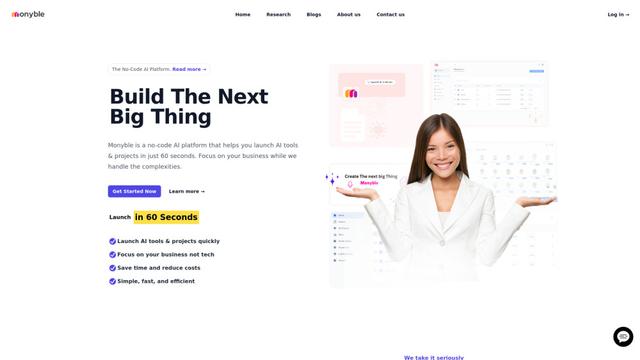
Monyble is a no-code AI platform that enables users to launch AI tools and projects within 60 seconds without requiring technical expertise.

Devozy.ai
Devozy.ai is an AI-powered developer self-service platform that combines Agile project management, DevSecOps, multi-cloud infrastructure management, and IT service management into a unified solution for accelerating software delivery.
Mediatr
MediatR is a popular open-source .NET library that implements the Mediator pattern to provide simple and flexible request/response handling, command processing, and event notifications while promoting loose coupling between application components.
Popular AI Tools Like DCP
Launch
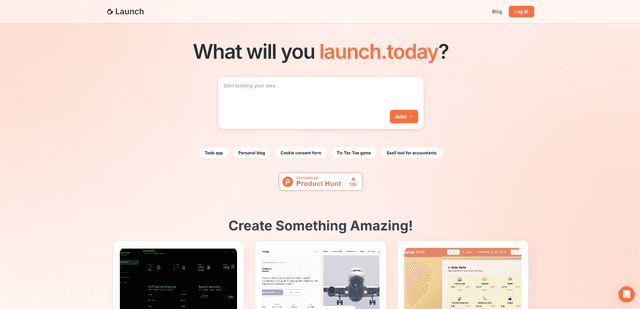
Launch is an AI-powered platform that enables users to build full-stack applications instantly while providing comprehensive tools for product launches, entrepreneurship programs, and customer acquisition.

GitHub Copilot Chat
GitHub Copilot Chat is an AI-powered coding assistant that provides natural language interactions, real-time code suggestions, and contextual support directly within supported IDEs and GitHub.com.
Rememberall
Rememberall is a secure, open-source long-term memory solution that enables AI applications and GPT models to maintain persistent memory across conversations through semantic search and vector storage capabilities.
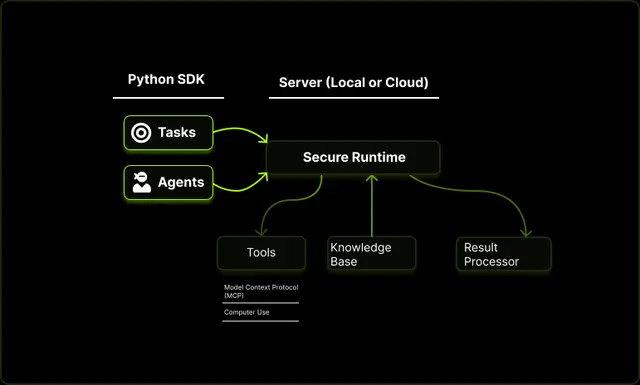
Upsonic
Upsonic is a reliability-focused AI agent framework with dockerized server-client architecture that enables trusted agent workflows through advanced features like verification layers, triangular architecture, and Model Context Protocol (MCP) integration.