Dayli
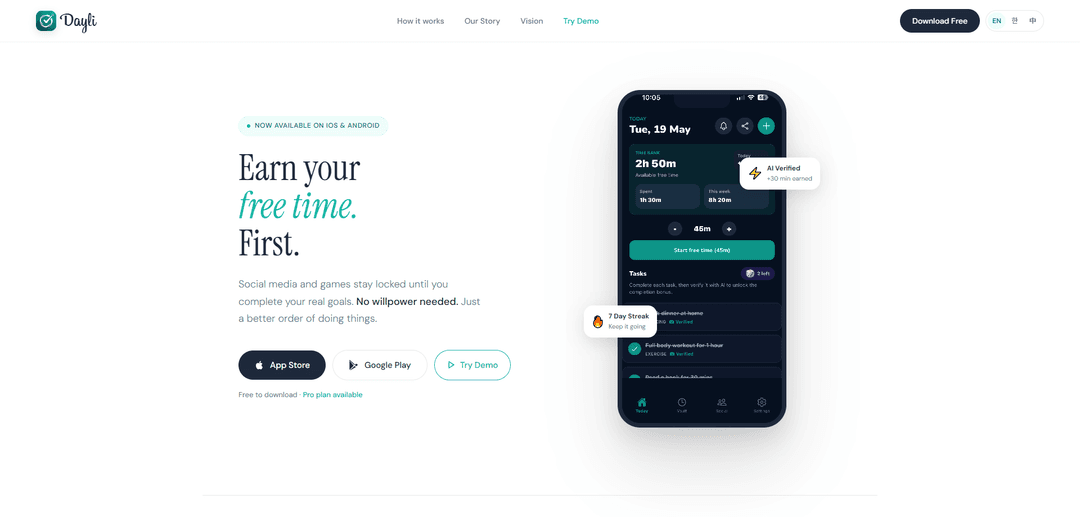
Dayli is a goal-first app blocker that uses AI photo verification to turn completed real-life tasks into earned minutes that unlock your chosen social apps and games on iOS and Android.
https://dayli.live/?ref=producthunt
Product Information
Updated:Jun 8, 2026
What is Dayli
Dayli is a self-improvement and digital wellness app built around a simple reward system: complete what matters first, then enjoy your screen time. Instead of relying on willpower or strict restrictions, Dayli helps you “earn” access to distracting apps by finishing daily goals like studying, exercising, reading, or cooking. It’s free to download on iOS and Android, with an optional Pro plan, and is designed to help people reclaim attention and reduce guilt-driven scrolling by putting real priorities ahead of social media.
Key Features of Dayli
Dayli is a goal-first screen-time control app for iOS and Android that locks selected social and entertainment apps until you complete real-world goals. Users set daily goals, submit photo proof, and receive AI verification (Gemini) that credits “earned minutes” into a Time Bank. Those minutes can then be spent to unlock distracting apps guilt-free, turning app blocking into a reward-based loop rather than pure restriction. Dayli is free to download with an optional Pro plan, and positions itself as an “attention infrastructure” with planned expansion into AI coaching and broader integrations.
Earned-access app locking: Locks chosen social media and games until you complete your real-life goals, enforcing a “do what matters first” order without relying on willpower.
Daily goal setting: Lets you add the tasks that matter today (e.g., exercise, reading, studying, cooking) and ties access to those goals.
Photo proof submission: After completing a goal, you submit a photo as evidence to progress through the unlock loop.
AI verification (Gemini): Uses Gemini AI to check submitted proof in seconds and confirm completion before awarding time.
Time Bank for earned minutes: Credits verified goal completions into a “Time Bank” that you can spend to unlock apps for a limited duration.
Streaks and progress feedback: Tracks streaks and earned time to reinforce consistency and reduce habitual scrolling through visible progress signals.
Use Cases of Dayli
Student study discipline: Students can require completing study blocks or assignments (verified via photo) before unlocking TikTok/YouTube, improving focus during exam periods.
Work-from-home productivity: Remote workers can gate distracting apps behind work goals (e.g., finishing a report section) to reduce context switching and time loss.
Fitness and wellness adherence: Individuals can tie screen-time access to workouts, meal prep, or mindfulness sessions, using rewards to build healthier routines.
Parenting and teen screen-time management: Families can structure “earn your screen time” routines where chores or homework unlock entertainment apps, shifting conflict from restriction to clear rules.
Digital detox and habit change programs: Coaches or self-guided users can use Dayli as a practical mechanism to reduce compulsive social usage by replacing it with goal completion and earned access.
Pros
Reward-based approach (earn time) can feel more motivating than traditional blockers that rely on restriction alone.
AI verification via photo proof adds accountability and reduces easy bypassing compared to manual checklists.
Simple loop (goals → verify → unlock) makes it quick to understand and apply daily.
Cons
Photo-based verification may be imperfect (false accepts/rejects) and can be gamed depending on goal type.
Requires users to submit photos, which may raise privacy comfort concerns for some users.
Best suited to goals that can be evidenced visually; less effective for non-visual tasks (e.g., deep work, reading without clear proof).
How to Use Dayli
1) Install Dayli: Download Dayli on iOS (App Store) or Android (Google Play). Open the app to begin setup.
2) Set your goals for today: Add the real-world tasks you want to complete first (e.g., exercise, reading, studying, cooking). Dayli will keep selected apps locked until you complete these goals.
3) Choose which apps to lock: Select the distracting apps you want Dayli to restrict (e.g., Instagram, YouTube, games). These apps remain locked until you earn time.
4) Complete a goal in real life: Do the activity you set as a goal (for example, finish your workout or study session).
5) Submit proof to verify completion: In Dayli, submit a photo as proof that you completed the goal. Dayli uses Gemini AI to verify your proof in seconds.
6) Earn minutes into your Time Bank: Once verified, Dayli adds earned minutes to your Time Bank (your available screen-time allowance).
7) Unlock apps using earned time: Spend your Time Bank minutes to unlock the apps you chose (social media, video, games) and use them guilt-free—because you earned the time.
8) Repeat daily to build streaks and reduce screen time: Keep setting goals, verifying completion, and earning minutes each day to maintain streaks and reduce social media usage over time.
9) (Optional) Try the demo first: If you want to preview how it works before committing, use the 'Try Demo' option on Dayli’s website.
10) (Optional) Upgrade to Pro: Dayli is free to download, with an optional Pro plan available if you want additional features.
Dayli FAQs
Dayli is a self-improvement app that locks social media and games until you complete your real-life goals, helping you earn your free time first.
Popular Articles

Vosko AI: Localize and Dub Videos for Global Audiences
Oct 15, 2026

Atoms: A Multi-Agent AI Platform That Transforms Ideas into Launch-Ready Products
Oct 13, 2026

Nano Banana SBTI: What It Is, How It Works, and How to Use It in 2026
Apr 15, 2026

Atoms Review — The AI Product Builder Redefining Digital Creation in 2026
Apr 10, 2026
Latest AI Tools Similar to Dayli

MultipleWords
MultipleWords is a comprehensive AI platform offering 16 powerful tools for content creation and manipulation across audio, video, and image editing with cross-platform accessibility.

Athena AI
Athena AI is a versatile AI-powered platform offering personalized study assistance, business solutions, and life coaching through features like document analysis, quiz generation, flashcards, and interactive chat capabilities.
Taidai.io
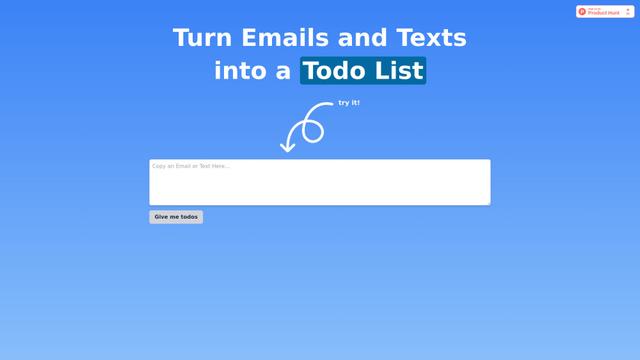
Taidai.io is an AI-powered tool that automatically converts notes, emails, and text content into actionable todo lists.
Repliio
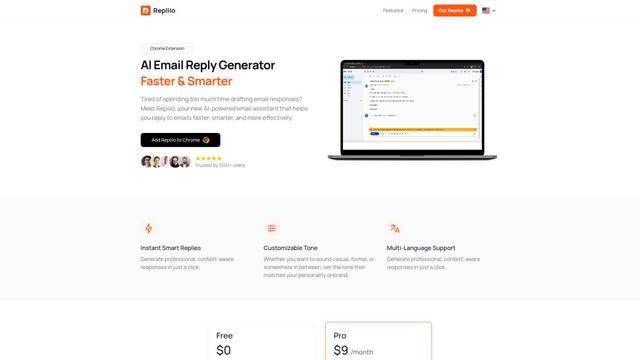
Repliio is an AI-powered email assistant Chrome extension that helps users generate professional, context-aware email responses quickly with customizable tones and multi-language support.
Popular AI Tools Like Dayli

Microsoft Excel: Spreadsheets
Microsoft Excel is the industry-leading spreadsheet software that allows users to organize, analyze, and visualize data through powerful features like formulas, charts, and AI-powered insights.

Standboy
Standboy is a VS Code/Cursor extension that auto-expands a Game Boy (GB/GBC/GBA) emulator in the sidebar during AI agent activity, then auto-hides and pauses—resuming mid-frame next time—while keeping a persistent ROM library, saves, and cover art.
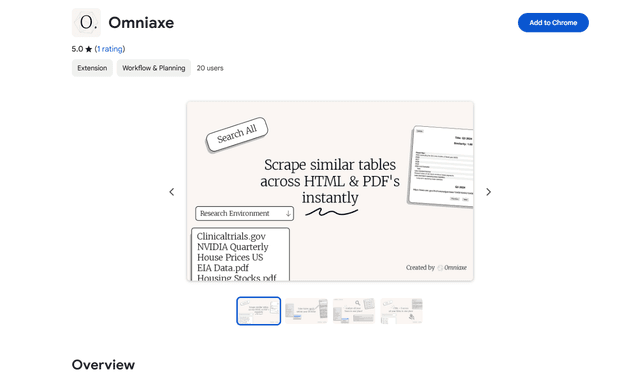
Omniaxe
Omniaxe is an all-in-one Chrome extension research tool that combines seamless data extraction, AI-powered analysis, and centralized note-taking capabilities designed specifically for analysts, researchers and students.

Finesse by Skippr AI
Finesse by Skippr AI is a browser extension that provides instant, expert-level product feedback and critiques across design, content strategy, accessibility, and product direction through specialized AI reviewers.