
Crewdle
WebsiteAI Website Builder
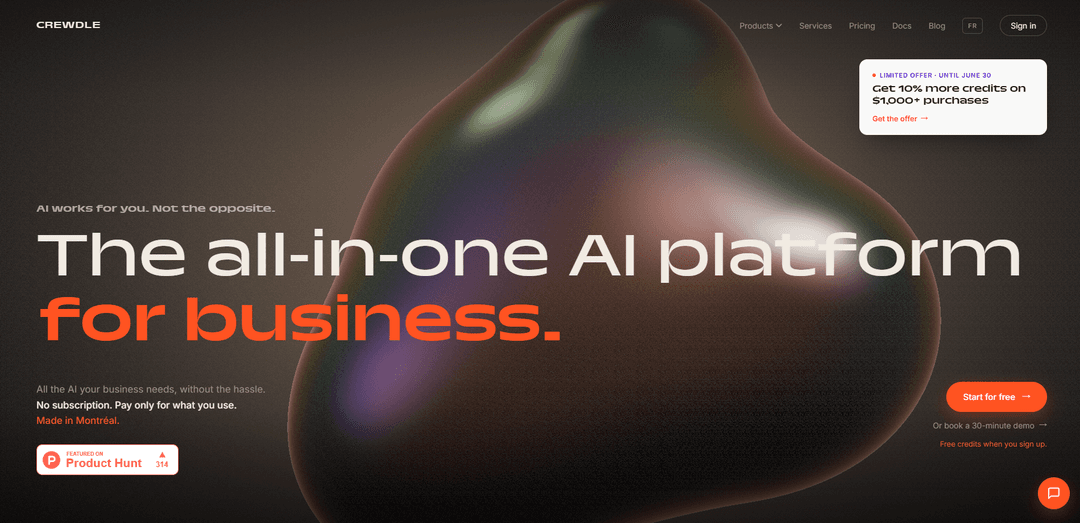
Crewdle, küçük işletmeler için çok modelli yapay zeka sohbetini, otonom ajanları, içerik oluşturmayı, web sitesi/uygulama oluşturmayı ve iş akışı otomasyonunu tek bir oturum açma ve tek bir fatura altında birleştiren birleşik, kullandıkça öde yapay zeka platformudur.
https://crewdle.com/?ref=producthunt&utm_source=aipure
Ürün Bilgisi
Güncellendi:Jul 8, 2026
Crewdle Nedir
Crewdle, küçük işletmelerin birden fazla araç, abonelik veya karmaşık kurulumla uğraşmadan yapay zekayı kullanmalarına yardımcı olmak için tasarlanmıştır. Altı temel uygulamayı (Yönetici, Sohbet, Bağlan, Oluştur, İnşa Et ve Forge) bir araya getirerek ekiplerin önde gelen yapay zeka modelleri (GPT, Claude, Gemini ve Grok gibi) arasında soru sormasına, müşteri ve arka ofis işlerini otomatikleştirmesine, yaratıcı varlıklar oluşturmasına ve gerçek web siteleri veya dahili araçlar yayınlamasına olanak tanır. Crewdle, kendini "sadece cevap vermekle kalmayıp hareket eden yapay zeka" olarak konumlandırarak, basit dil isteklerini minimum öğrenme eğrisi ve merkezi maliyet kontrolü ile tamamlanmış görevlere dönüştürmeyi hedefler.
Crewdle Temel Özellikleri
Crewdle, önceliği gizlilik olan, hafif bir iletişim ve yapay zeka platformudur. Video tarafında, eşler arası aramayı ve uçtan uca şifrelemeyi vurgular; ekran paylaşımı, sohbet, kişisel toplantı odaları ve takvim/sohbet entegrasyonları gibi pratik toplantı özelliklerinin yanı sıra, yardımcı bir uygulama aracılığıyla isteğe bağlı bulut kaydı sunar. Yapay zeka tarafında ise Crewdle AI, birden fazla önde gelen modeli (örn. GPT, Claude, Gemini, Grok) birleştirir ve altı uygulama (Chat, Connect, Create, Build, Forge ve Admin) sunar, böylece ekipler tek bir girişle soru sorabilir, medya oluşturabilir, iş akışlarını otomatikleştirebilir, web siteleri/araçlar oluşturabilir ve kullandıkça öde faturalandırma ve eğitim için kullanılmayan verilerle maliyetleri kontrol edebilir.
Eşler arası görüntülü toplantılar: Doğrudan katılımcıdan katılımcıya bağlantılar, merkezi sunuculara bağımlılığı azaltarak, güçlü bir gizlilik duruşu ve hafif bir toplantı deneyimi ile verimli aramalar hedefler.
Uçtan uca şifreli sohbet ve aramalar: Toplantı sohbeti ve iletişimleri, eşler arası teknolojiler kullanılarak gönderilir ve güvenli, özel konuşmalar için uçtan uca şifrelenir.
Ekran paylaşımı + arama içi işbirliği temel özellikleri: Bir tarayıcı sekmesini, bir uygulamayı veya tüm ekranınızı paylaşın ve katılımcılara mesaj göndermek veya bağlantı paylaşmak için arama içi sohbeti kullanın.
Kişisel toplantı odaları ve kişiler: Kolay paylaşım için kısa bir URL'ye sahip kişisel bir oda oluşturmak üzere kişisel bir kimlik talep edin, ayrıca kişisel bir adres defteri olarak çalışan bir Kişiler özelliği de mevcuttur.
Bulut kaydı (isteğe bağlı): Toplantıları kaydedin ve daha sonra paylaşın; kayıtlar Crewdle bulutunda saklanır ve bir tarayıcıda yayınlanabilir (Crewdle Companion uygulamasını gerektirir).
Maliyet kontrolleriyle birleşik yapay zeka paketi: Altı yapay zeka uygulaması (Admin, Chat, Connect, Create, Build, Forge) tek bir giriş ve kullanıma dayalı kredilerle (abonelik/koltuk başına ücret yok) çok modelli sohbet, otonom aracılar, medya üretimi, web sitesi/araç oluşturma, iş akışı otomasyonu ve harcama görünürlüğü sağlar.
Crewdle Kullanım Alanları
Güçlü gizlilikle küçük ekip görüntülü görüşmeleri: Basit, dikkat dağıtıcı unsurlardan arındırılmış toplantılar isteyen ekipler, ağır toplantı "karmaşası" olmadan güvenli eşler arası aramalar, ekran paylaşımı ve bağlantı paylaşımı için Crewdle'ı kullanabilir.
Müşteri hizmetleri ve mesai sonrası destek otomasyonu: Hizmet işletmeleri (örn. müteahhitler, stüdyolar) Crewdle Connect'i kullanarak sorguları önceliklendirebilir, takip edebilir, planlayabilir ve rutin talepleri 7/24 yönetebilir.
Perakende/e-ticaret içerik üretimi: Crewdle Create ve Build'i kullanarak ürün görselleri/medyası oluşturabilir ve çevrimiçi mağazalar için katalog metinleri, alternatif metinler ve site sayfalarını hızlıca taslak haline getirebilirsiniz.
Arka ofis iş akışları için operasyon otomasyonu: Crewdle Forge ile, Google Workspace ve Microsoft 365 gibi araçlara (artı MCP sunucuları aracılığıyla diğer entegrasyonlar) bağlanarak işlem kategorizasyonu, işe alım adımları veya raporlama gibi tekrarlayan görevleri otomatikleştirebilirsiniz.
Planlama ve rezervasyon yönetimi: Restoranlar, özel ders hizmetleri ve randevu tabanlı işletmeler, Connect + Forge'u kullanarak cevapsız aramaları/SMS'leri yakalayabilir, uygunluk durumunu koordine edebilir ve rezervasyonları otomatik olarak onaylayabilir.
Pazarlama ve dahili üretkenlik "tek yapay zeka merkezi": Ajanslar ve KOBİ'ler, birden fazla yapay zeka aboneliğini Crewdle Chat'te (çok modelli) birleştirebilir ve araç dağınıklığını azaltmak için Crewdle Admin'de ekip erişimini/harcamalarını yönetebilir.
Artıları
Güçlü gizlilik odaklılık (eşler arası mimari ve uçtan uca şifreleme vurgulanmıştır).
Toplantı karmaşasını azaltan ve kurulumu hızlandıran hafif, basit kullanıcı deneyimi.
Tek bir hesapta geniş yapay zeka platformu kapsamı (çok modelli sohbet, aracılar, otomasyonlar, site/araç oluşturma) ve merkezi maliyet görünürlüğü.
Kullandıkça öde yapay zeka faturalandırması (krediler) ve kullanıcı verilerinin yapay zekayı eğitmek için kullanılmadığına dair belirtilen politika.
Eksileri
Daha büyük platformlarda beklenen gelişmiş toplantı özelliklerinden yoksun olabilir (örn. alt odalar, gelişmiş sunucu kontrolleri, yerleşik işbirliği/beyaz tahta).
Bazı kullanıcılar arayüzün Zoom/Google Meet gibi daha yerleşik araçlara göre daha az sezgisel olabileceğini belirtiyor.
Kullanıcı geri bildirimlerine göre, fiyatlandırma/plan dahil olanları başlangıçta değerlendirmek daha zor olabilir.
Crewdle Nasıl Kullanılır
1) Bir Crewdle hesabı oluşturun (veya oturum açın): https://crewdle.com adresine gidin ve bir hesap oluşturun (veya oturum açın). Yeni hesaplar ücretsiz kredilerle başlar (Crewdle AI için). Crewdle video konferans özellikleri için standart bir Crewdle hesabı kullanabilir ve oturum açabilirsiniz (bazı akışlar Google oturum açmayı belirtir).
2) Yeniden kullanılabilir bir kişisel toplantı odası oluşturun (Kişisel Kimlik odası): Crewdle'ın toplantı/odalar alanında, bir Kişisel Kimlik talep ederek kişisel bir oda oluşturmayı seçin. Mevcut bir ad seçin ve "Oluştur"a tıklayın. Odanıza yönlendirileceksiniz ve hesabınıza kaydedilecek, böylece tekrarlayan toplantılar için aynı bağlantıyı yeniden kullanabilirsiniz.
3) Kişisel oda bağlantınızı paylaşın: Kişisel Kimlik odanızı oluşturduktan sonra, kişisel kimliğinizi içeren kısa bir URL alacaksınız. Bu bağlantıyı misafirlerinizle paylaşın, böylece her seferinde aynı URL'yi kullanarak size kolayca ulaşabilirler.
4) Tek seferlik bir odaya ihtiyacınız olduğunda geçici bir toplantı oluşturun: Tek seferlik bir toplantı için geçici bir toplantı odası oluşturun. Crewdle, kopyalaması ve paylaşması kolay dinamik bir bağlantı oluşturur. Misafirler bir tarayıcıdan (masaüstü veya mobil) veya Crewdle mobil uygulaması (iOS/Android) aracılığıyla katılabilirler.
5) Toplantıya katılın ve arama içi özellikleri kullanın: Odaya girdikten sonra Crewdle'ın yerleşik özelliklerini kullanın: bir tarayıcı sekmesini, bir uygulamayı veya sunumlar için tüm ekranınızı paylaşın; katılımcılara mesaj göndermek veya bağlantı paylaşmak için sohbeti kullanın. Sohbet aynı zamanda eşler arasıdır.
6) Gizlilik ve güvenlik temellerini anlayın: Crewdle, toplantı içeriğinin özel ve gizli olması için eşler arası teknoloji ve uçtan uca şifreleme kullanır. Platform, özel tartışmaları dinlemediğini vurgular.
7) Hızlı arama için Kişileri kullanın (isteğe bağlı): Kişiler özelliğini kişisel bir adres defteri olarak kullanın: tek tıklamayla bağlanın ve arama başlatın, kimlerin çevrimiçi olduğunu görün ve başkalarını katılmaya davet edin.
8) Yükseltme yaparak kaydı etkinleştirin (isteğe bağlı): Crewdle'ın kayıt hizmetine ihtiyacınız varsa, "Pro" planına yükseltin (kaynaklar kaydın Pro gerektirdiğini belirtir).
9) Çok modelli Soru-Cevap için Crewdle AI (Sohbet) kullanın: Crewdle AI'da, tek bir oturum açma ve tek bir fatura altında birden fazla model (örn. GPT, Claude, Gemini, Grok) kullanarak soru sormak ve cevap almak için Crewdle Sohbet'i açın. Crewdle bunu ayrı abonelikler veya API anahtarları olmadan birleştirilmiş erişim olarak konumlandırır.
10) Sürekli açık aracılar için Crewdle Connect'i kullanın: Sizin için 7/24 çalışabilecek otonom aracılar kurmak için Crewdle Connect'i açın (örn. müşterilere cevap verme, takip randevuları planlama). Platform bu aracıları sadece cevap vermekle kalmayıp hareket eden olarak tanımlar.
11) Medya oluşturma için Crewdle Create'i kullanın: İstediğiniz şeyi basit bir dille tanımlayarak, projeye göre düzenlenmiş görüntüler, videolar ve sesler oluşturmak için Crewdle Create'i açın.
12) Bir web sitesi veya dahili araç oluşturmak için Crewdle Build'i kullanın: Crewdle Build'i açın ve işinizi veya başlatmak istediğiniz şeyi tanımlayın. Crewdle Build, çevrimiçi olarak yayınlayabileceğiniz çalışan bir web sitesi, portal veya araç oluşturur. (Kaynaklar ayrıca geliştiriciler için bir Build CLI'dan da bahseder.)
13) Tekrarlayan görevleri otomatikleştirmek için Crewdle Forge'u kullanın: Bir şeyler yapılması gerektiğinde çalışan otomasyonlar oluşturmak için Crewdle Forge'u açın. Kaynaklar bunu "bir kez inşa et, her zaman çalıştır" olarak tanımlar, iş akışları ve entegrasyonlar (örn. Google Workspace, Microsoft 365, Quickbooks) içinde yapay zeka ajanları ile.
14) Ekip erişimini ve maliyetleri yönetmek için Crewdle Admin'i kullanın: Ekibinizi eklemek, roller/izinler ayarlamak ve yapay zeka harcamalarını takip etmek/sınırlamak için Crewdle Admin'i açın. Kaynaklar Yöneticiyi faturalandırma ve maliyet görünürlüğü için kontrol merkezi olarak konumlandırır.
15) Crewdle AI fiyatlandırmasını anlayın (krediler / kullandıkça öde): Crewdle AI, abonelik veya koltuk başına ücret olmaksızın kullandıkça öde olarak tanımlanır: krediler satın alırsınız ve yalnızca yapay zeka çalıştığında ücretlendirilirsiniz. Yeni hesaplar ücretsiz kredilerle başlar, böylece deneyebilirsiniz.
16) (Geliştiriciler) Geliştirici Konsolundan Crewdle SDK kimlik bilgilerini alın: Crewdle SDK'yı kullanmak için, Crewdle Geliştirici Konsolunda satıcı kimliğinizi ve erişim belirtecinizi oluşturun. Bunları bir SDK örneğini başlatmak ve bir kullanıcıyı doğrulamak için kullanacaksınız.
17) (Geliştiriciler) SDK'yı başlatın ve bir kullanıcıyı doğrulayın: SDK'yı satıcı kimliğiniz ve erişim belirtecinizle başlatın, ardından bir kullanıcıyı kimlik bilgileriyle doğrulayın. Kaynaklar şöyle bir akış gösterir: getInstance(vendorId, accessToken, options) ardından sdk.authenticateUser(credentials).
18) (Geliştiriciler) İletişim kurmak için aynı kümeye katılın: Crewdle SDK kullanıcıları, bağlanmak ve veri alışverişi yapmak için aynı kümeye katılmalıdır. Kümeler, ağ üzerinden iletişimi sağlamak için kullanılır.
19) (Geliştiriciler) Mist hizmetlerini kullanın (Pub/Sub, Nesne Depolama, Anahtar-Değer Veritabanı): Kurulumdan sonra, Crewdle Mist bilgi işlem platformunu kullanarak Pub/Sub mesajlaşma, Nesne Depolama ve Anahtar-Değer Veritabanı gibi merkezi olmayan hizmetleri uygulamanıza entegre edin.
20) (Geliştiriciler) Mist'te Üretken Yapay Zeka için erişim isteyin (gerekirse): Crewdle Mist'in Üretken Yapay Zeka hizmetini (LLM'ler ve özel modeller dahil) kullanmak istiyorsanız, hizmet sayfasındaki "Erişim İste" düğmesi aracılığıyla erişim isteyin, ardından SDK "Başlarken" akışını ve örnek referansları takip edin.
Crewdle SSS
Crewdle AI, küçük işletmeler için birleşik bir yapay zeka platformudur. Tek bir hesapla, tek bir giriş ve tek bir fatura ile altı uygulamaya (Yönetici, Sohbet, Bağlan, Oluştur, İnşa Et ve Forge) sahip olursunuz.
Crewdle Videosu
Popüler Makaleler

Atoms: Fikirleri Lansmana Hazır Ürünlere Dönüştüren Çoklu Ajan Yapay Zeka Platformu
May 22, 2026

Nano Banana SBTI: Nedir, Nasıl Çalışır ve 2026'da Nasıl Kullanılır
Apr 15, 2026

Atoms İncelemesi — 2026'da Dijital Oluşumu Yeniden Tanımlayan Yapay Zeka Ürün Geliştiricisi
Apr 10, 2026

Kilo Claw: Gerçek Bir "Senin Yerine Yapan" Yapay Zeka Aracısı Nasıl Kurulur ve Kullanılır (2026 Güncellemesi)
Apr 3, 2026
Crewdle Benzer En Yeni Yapay Zeka Araçları
GPT Easy Web
GPT Easy Web, kullanıcıların doğal dil etkileşimleri ve otomatik araçlar aracılığıyla kolayca web siteleri oluşturmasını, özelleştirmesini ve yönetmesini sağlayan kullanıcı dostu bir AI destekli platformdur; kodlama bilgisi gerektirmeden.
AI Website Tool
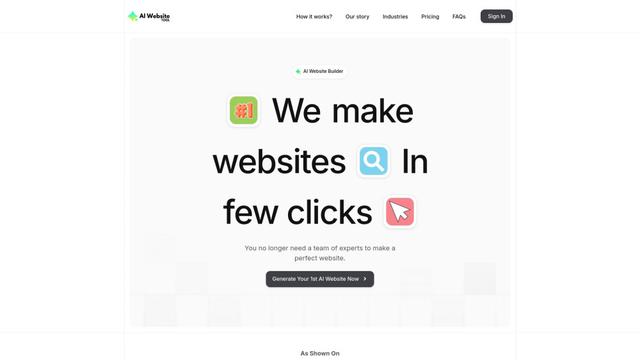
AI Web Sitesi Aracı, sadece birkaç tıklama ile iş odaklı metin, özel görseller ve duyarlı tasarımlar otomatik olarak oluşturarak profesyonel web siteleri oluşturan yapay zeka destekli bir web sitesi oluşturucusudur.

Softgen
Softgen.ai, kullanıcıların fikirlerini kodlama gereksinimi olmadan işlevsel web uygulamalarına dönüştürmelerini sağlayan AI destekli tam yığın proje oluşturucu platformdur.
Webifier
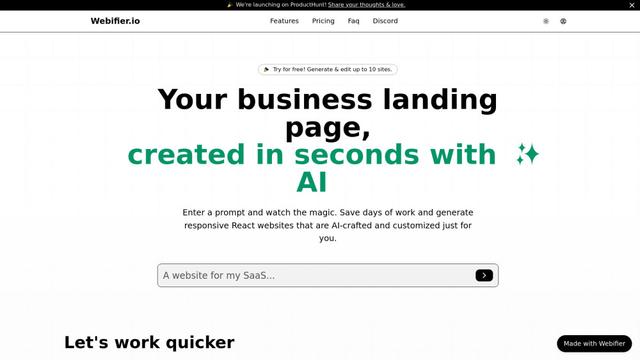
Webifier, metin isteklerini NextJS14, TailwindCSS ve Shadcn bileşenlerini kullanarak tamamen işlevsel React açılış sayfalarına dönüştüren AI destekli bir araçtır.
Crewdle Gibi Popüler Yapay Zeka Araçları
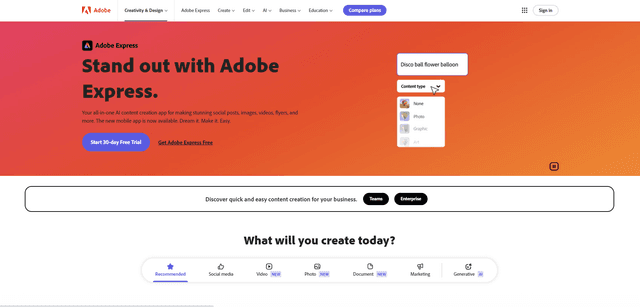
Adobe Express
Adobe Express, profesyonelce tasarlanmış şablonlar ve varlıklarla etkileyici sosyal gönderiler, görseller, videolar, broşürler ve daha fazlasını kolayca oluşturmak için hepsi bir arada AI destekli bir içerik oluşturma uygulamasıdır.
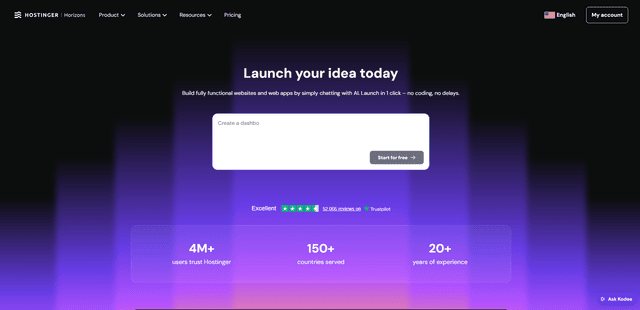
Hostinger
Hostinger, basit bir sohbet arayüzü aracılığıyla kodlama yapmadan herkesin özel web uygulamaları ve web siteleri oluşturmasına, düzenlemesine ve yayınlamasına olanak tanıyan Horizons gibi yapay zeka destekli araçlar sunan bir web hosting ve alan adı hizmeti sağlayıcısıdır.

GPT Engineer
GPT Engineer, herkesin bir AI mühendisiyle sohbet ederek web uygulamaları oluşturmasını sağlayan AI destekli bir yazılım geliştirme aracıdır.
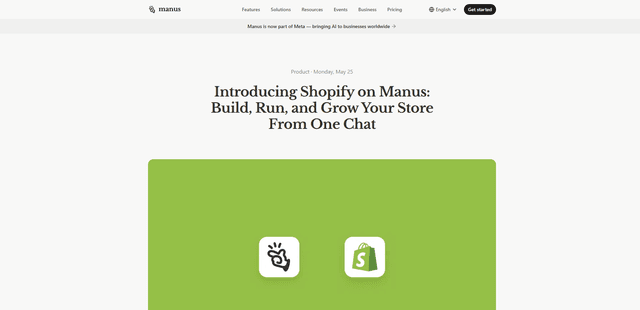
Manus Shopify Connector
Manus Shopify Bağlayıcısı, OAuth kapsamlı erişime sahip Shopify API'leri ve Shopify ödeme sistemini kullanarak tek bir sohbetten Shopify destekli bir mağaza önü oluşturmanıza, kataloğunuzu yönetmenize ve veriye dayalı kampanyalar oluşturmanıza olanak tanır.