
Crew44
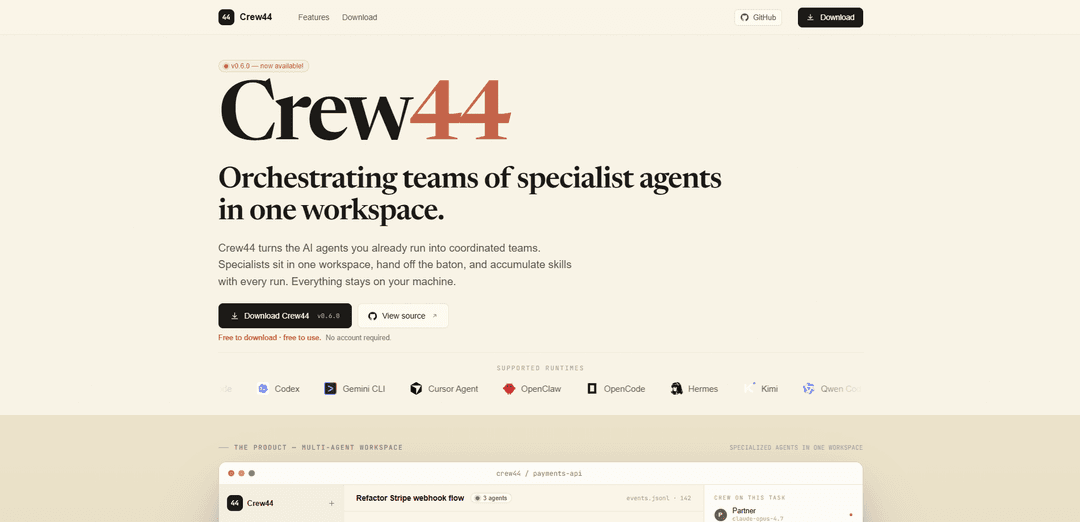
Crew44 is a local-first multi-agent workspace that orchestrates teams of specialist AI agents, lets you pick the best model per role, and compounds skills and memory over time—free to use with no account required.
https://crew44.io/?ref=producthunt
Product Information
Updated:Jun 8, 2026
What is Crew44
Crew44 is a desktop workspace for coordinating multiple AI agents as a “crew” to complete software and product tasks collaboratively. Instead of running a single general-purpose assistant per task, Crew44 organizes specialized roles (e.g., Partner, Engineer, Product Lead, Designer) in one shared workspace where they can plan, build, review, and hand off work efficiently. It’s free to download and use, requires no account, and is designed so your data stays on your machine; state is stored as plain files under `~/.crew44/`, and the daemon binds locally to `127.0.0.1` with minimal exposed surface area.
Key Features of Crew44
Crew44 is a local-first workspace for orchestrating multiple specialist AI agents as a coordinated “crew” that can work in parallel, hand off tasks with minimal context, and improve over time via persistent, on-disk skills and memory. It lets you assign different models to different roles (and even switch models mid-task), keeps run history and state as plain files on your machine, and provides optional mobile access to monitor and approve work remotely—without requiring an account, subscription, telemetry, or remote inference by Crew44 itself.
Multi-agent workspace with role specialization: Run a team (e.g., Partner, Engineer, Product Lead, Designer) in one shared workspace where each agent owns a role, responsibilities, and context—enabling more realistic division of labor than a single generalist agent.
Parallel execution and baton-style handovers: Specialists can work concurrently (planning, implementation, review) and hand off with short briefs, reducing repeated context dumping and speeding up end-to-end delivery.
Compounding skills and long-term memory (local files): Per-agent skills and per-project memory persist across runs as plain files, and a “Partner” can propose new skills/memories/routing tweaks with evidence—nothing is written without user approval.
Right model for the job (per role and per step): Bind different providers/models to different roles (e.g., deep planner vs fast coder vs local reviewer) and swap models mid-task to balance cost, speed, and quality without locking into one model.
Local-first security and transparency: Designed to keep code, run history, and state on your machine (e.g., stored under ~/.crew44/), with a local daemon bound to 127.0.0.1, minimal unauthenticated surface (/health), and no telemetry or required cloud account.
Mobile companion for anywhere approvals: Pair a phone client to the local daemon over an end-to-end encrypted tunnel to monitor progress, nudge agents, and approve handovers while away from the laptop.
Use Cases of Crew44
Software engineering: refactors, features, and test backfills: Coordinate planning, implementation, and review for codebase changes (e.g., refactoring a webhook flow with idempotency + migrations + replay tests) with parallel specialists and tracked touched files.
Product & UX iteration loops: Have Product and Design agents review copy, empty states, and UX requirements while Engineering implements—shortening feedback cycles and making reviews more consistent via reusable skills.
DevOps and reliability improvements: Use a specialized crew to propose and implement operational hardening (idempotency, monitoring hooks, regression tests), while preserving institutional knowledge in persistent, searchable local memory.
Agency / consultancy delivery: Run multiple client projects with consistent standards: a Partner proposes process upgrades, an Engineer ships code, and reviewers enforce conventions—without sending client artifacts to a third-party workspace.
Regulated or privacy-sensitive workflows: For teams handling sensitive IP or data, Crew44’s local-first approach (no account, no telemetry, on-disk state you can delete) supports tighter control over where artifacts and history reside.
Pros
Local-first by design: no account required, no telemetry, and state/history stored as plain files you can inspect or delete.
Specialized, parallel agents with handovers can improve throughput versus a single generalist assistant.
Model flexibility: assign different models/providers per role and swap models mid-task to optimize cost/quality/speed.
Cons
Requires local setup and management (daemon, files under ~/.crew44/), which may be less convenient than fully hosted solutions.
Quality and cost depend on the underlying models/providers you connect; misconfiguration can reduce benefits.
Mobile access introduces additional pairing/tunneling complexity even with end-to-end encryption.
How to Use Crew44
1) Download Crew44: Go to https://crew44.io/download and download Crew44 v0.6.0 for your OS.
2) (Optional) Inspect the source: If you want to verify how it works, open the source link on the site (GitHub: https://github.com/getcrew44/crew44) and review the daemon/app code before running it.
3) Install and launch Crew44 locally: Install the app and start it. Crew44 is local-first: it runs a local daemon bound to 127.0.0.1, uses a per-launch bearer token, and exposes /health as the only unauthenticated endpoint.
4) Create/open a workspace and start a task: In the Crew44 workspace, create a new task (e.g., a refactor or feature request). Provide the goal and any relevant context (repo/module names, files, constraints).
5) Use the default crew (specialist agents): Assign work to the built-in specialist roles (as shown on the site): Partner (coordination), Engineer (implementation), Product Lead (requirements/review), and Designer (UX/copy). Specialists can work in parallel and hand off with short briefs.
6) Route work by role and model: Bind or choose models per role (example from the site: Opus for planning, GPT-5.5 for codegen, a local model for review). Swap models per task/phase so the best model is used for each job.
7) Drive execution with handovers: Have one agent produce a concise handover for another (e.g., Partner outlines a plan; Engineer implements; Product Lead reviews; Designer refines empty states). Keep handovers short and actionable to avoid re-sending full context.
8) Review touched files and changes: As agents work, review the list of touched files and diffs (the site shows examples like new/modified server files, migrations, and tests). Validate that changes match your intent before accepting them.
9) Run/verify results and decide to ship: Use your normal workflow to run tests/builds and confirm the run is correct (the site example shows an Engineer reporting tests green and asking to ship). Approve shipping only after verification.
10) Manage compounding knowledge (skills + memory): Let Crew44 persist per-agent skills and per-project memory as plain files on disk (stored under ~/.crew44/). Over time, the crew accumulates conventions and lessons learned across runs.
11) Accept or reject Partner-proposed improvements: Use the Partner’s evidence-based suggestions to add memories, promote repeated review patterns into skills, or adjust routing. Nothing is written to disk without your explicit click (Accept/Edit/Snooze/Dismiss).
12) Pair mobile access (optional): If you want anywhere access, pair the companion mobile client with the daemon using the in-app pairing flow (scan a QR code or enter a pairing code). The site describes an end-to-end encrypted tunnel for remote approvals and nudges.
13) Reset or clean state (optional): To fully reset Crew44’s accumulated state, delete the local state directory (~/.crew44/), since skills/memory/run history are stored as plain files.
Crew44 FAQs
Crew44 is a multi-agent workspace that orchestrates teams of specialist AI agents in one place so they can collaborate, hand off tasks, and build up skills over time.
Crew44 Video
Popular Articles

Vosko AI: Localize and Dub Videos for Global Audiences
Oct 15, 2026

Atoms: A Multi-Agent AI Platform That Transforms Ideas into Launch-Ready Products
Oct 13, 2026

Nano Banana SBTI: What It Is, How It Works, and How to Use It in 2026
Apr 15, 2026

Atoms Review — The AI Product Builder Redefining Digital Creation in 2026
Apr 10, 2026
Latest AI Tools Similar to Crew44

Gait
Gait is a collaboration tool that integrates AI-assisted code generation with version control, enabling teams to track, understand, and share AI-generated code context efficiently.

invoices.dev
invoices.dev is an automated invoicing platform that generates invoices directly from developers' Git commits, with integration capabilities for GitHub, Slack, Linear, and Google services.

EasyRFP
EasyRFP is an AI-powered edge computing toolkit that streamlines RFP (Request for Proposal) responses and enables real-time field phenotyping through deep learning technology.

Cart.ai
Cart.ai is an AI-powered service platform that provides comprehensive business automation solutions including coding, customer relations management, video editing, e-commerce setup, and custom AI development with 24/7 support.
Popular AI Tools Like Crew44

GitHub Copilot Chat
GitHub Copilot Chat is an AI-powered coding assistant that provides natural language interactions, real-time code suggestions, and contextual support directly within supported IDEs and GitHub.com.

CopilotForXcode
CopilotForXcode is an Xcode Source Editor Extension that integrates GitHub Copilot, Codeium, and ChatGPT to provide AI-powered code suggestions, chat assistance, and prompt-to-code functionality within Xcode.

BrowserAI
BrowserAI is an open-source library that enables running local Large Language Models (LLMs) directly in web browsers with WebGPU acceleration, offering privacy-focused AI capabilities without requiring server infrastructure.

OpenAI Codex CLI
OpenAI Codex CLI is a lightweight, open-source coding agent that runs in your terminal, enabling developers to translate natural language into code execution while providing ChatGPT-level reasoning with the ability to run code, manipulate files, and iterate under version control.