
CometChat Air
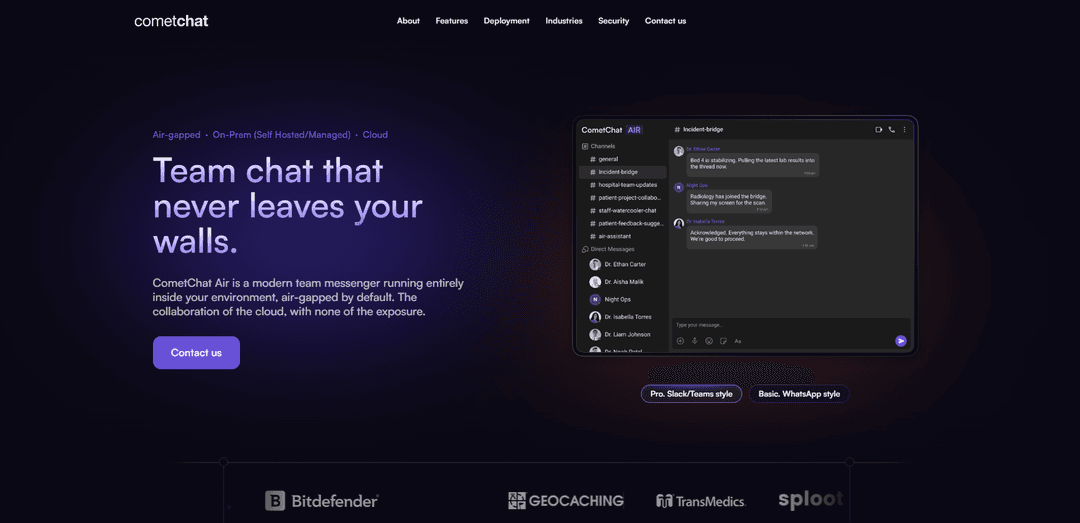
CometChat Air is a self-hosted, enterprise-grade messaging platform that delivers modern chat plus voice/video calls, files, search, and governance—air-gapped by default with optional add-ons like AI and moderation only when you choose.
https://www.cometchat.com/air?ref=producthunt
Product Information
Updated:Jul 15, 2026
What is CometChat Air
CometChat Air is a complete, polished team messenger designed for organizations that need consumer-grade communication features without giving up control of their data. Unlike mainstream cloud-only chat tools that store conversations under third-party jurisdiction, Air is built to deploy entirely inside infrastructure you control—making it suitable for regulated, classified, or compliance-heavy environments. It combines core messaging (channels, groups, and 1:1 DMs) with threads, fast in-app search, rich media and file sharing, and embedded voice and video calling, all backed by CometChat’s messaging-focused infrastructure and enterprise-grade security posture.
Key Features of CometChat Air
CometChat Air is a modern, enterprise-grade team messaging platform that can be deployed fully inside your own infrastructure (air-gapped by default) to keep messages, calls, and files under your organization’s control. It delivers a complete messenger experience—channels and DMs, threads and search, voice/video calling with screen share and recording, and rich file sharing—while offering optional add-ons like AI assistance, moderation, push notifications, translation, and location services that can be enabled only if you choose. It also emphasizes governance and security with capabilities like audit logs, role-based user management, and controls designed for regulated environments, backed by high-scale infrastructure and a 99.999% uptime SLA.
Air-gapped by default deployment: Runs messaging, channels, calls, and file storage entirely within your network so nothing leaves your environment unless you explicitly allow it.
Optional, opt-in external add-ons: Features like moderation, AI, push notifications, translation, and location services can be turned on selectively—or skipped to remain 100% air-gapped.
Complete team messenger experience: Includes public channels, private groups, and 1:1 DMs with presence, reactions, and pins—ready on day one.
Threads + fast in-app search: Keeps conversations organized with threaded discussions and enables quick retrieval of information via built-in search.
Built-in voice & video calling: Supports 1:1 and group calls with screen sharing and recording directly inside the messenger.
Governance and enterprise controls: Provides audit logs, role-based user management, and security oversight controls (e.g., blocked screenshots) aimed at compliance-heavy organizations.
Use Cases of CometChat Air
Classified or defense environments: Use a fully air-gapped messenger for internal coordination where outbound connectivity is prohibited and communications must remain on-prem.
Healthcare and clinical operations: Enable secure team communication for hospitals and clinics where sensitive discussions and shared files must stay within controlled infrastructure.
Financial services compliance messaging: Support governed internal conversations with auditability and role-based controls for regulated banking, trading, and insurance workflows.
Enterprise IT/HR internal communications: Replace unsanctioned WhatsApp/Slack sprawl with an approved, centrally managed messenger to reduce data leakage and improve oversight.
Industrial and critical infrastructure teams: Run resilient on-prem messaging for plants, utilities, or secure facilities, with optional connectivity only where policy permits.
Pros
Strong data sovereignty: Designed to keep messages, calls, and files inside infrastructure you control (air-gapped by default).
Full-featured messenger out of the box: Channels/DMs, threads/search, calls, screen share/recording, and rich media are built in.
Flexible deployment models: Air-gapped, on-prem with selective outbound access, or cloud-hosted.
Enterprise governance focus: Audit logs, role-based management, and security oversight controls aimed at regulated organizations.
Cons
Some advanced capabilities may require outbound connectivity: AI, push notifications, translation, and location services are optional but may break strict air-gap requirements when enabled.
Enterprise orientation may add operational overhead: Self-hosting/on-prem deployments typically require more IT/security involvement than a pure SaaS chat tool.
Feature breadth can be more than needed for small teams: Organizations seeking only basic chat may find the platform heavier than necessary.
How to Use CometChat Air
1) Choose your deployment mode (how “sealed” you want it): Decide where CometChat Air will run based on your governance needs: (a) Air-gapped (no outbound connectivity; nothing leaves your network), (b) On‑prem, connected (self-hosted but you explicitly allow select outbound services), or (c) Cloud-hosted (CometChat-managed cloud). This choice determines whether optional add-ons like AI, push notifications, translation, or location services can be enabled.
2) Deploy CometChat Air inside your environment: Install and run the messenger stack in the infrastructure you control (on‑prem/self-hosted) or request the managed cloud deployment. In air‑gapped mode, keep the core isolated so messaging, channels, calls, and files remain fully internal.
3) Configure governance and access controls first: Set up role-based user management so you can control who can join, what they can do, and how permissions change as people join/leave. Enable audit logs to provide end‑to‑end oversight for security and compliance teams.
4) Decide which optional add-ons (if any) are allowed to connect outward: CometChat Air is “air‑gapped by default.” If you need extra capabilities (e.g., moderation services, AI assist/agents, push notifications, translation, location), explicitly opt in and allow only the outbound connectivity you approve. Skip all add-ons to remain 100% air‑gapped.
5) Create your team’s conversation structure (channels, groups, and DMs): Set up public channels, private groups, and 1:1 direct messages. Use presence to see availability, and enable reactions and pins to improve collaboration and information retention.
6) Use threads and search to keep conversations organized: Encourage replies in threads to reduce noise in busy channels. Use fast in‑app search to find messages and context quickly across conversations.
7) Start voice and video calling (including screen share and recording): Initiate 1:1 or group calls directly inside the messenger. Use screen sharing for collaboration and recording where policy allows (especially important in regulated environments).
8) Share files and rich media securely within your environment: Send documents, images, and voice notes in chats. In self-hosted/on‑prem deployments, ensure storage remains within your controlled infrastructure to meet data residency and compliance requirements.
9) Apply moderation and guardrails for regulated conversations: Enable keyword/pattern filters, roles, and policies to reduce risk and enforce acceptable-use requirements. Use these controls to keep sensitive conversations safe and compliant.
10) (Optional) Enable AI assist and AI agents only when permitted: If your environment and policies allow, turn on AI features for summaries, suggested replies, and in-chat agents. Keep them disabled if you must remain fully sealed or if external connectivity is not approved.
11) Enforce additional security controls (e.g., screenshot restrictions): Turn on controls such as blocked screenshots (where supported/required) to reduce data leakage risk, and align the messenger’s behavior with internal security policies.
12) Monitor operations using auditability and performance expectations: Rely on audit logs and role-based administration for oversight. Validate your deployment meets your internal requirements for reliability and scale (CometChat highlights 99.999% uptime SLA and high-scale readiness) and adjust policies/add-ons as your needs evolve.
CometChat Air FAQs
CometChat Air is a complete team messaging platform designed to deploy entirely inside an organization’s own environment and run air-gapped by default, so messaging, channels, calls, and files can stay within your network unless you choose otherwise.
CometChat Air Video
Popular Articles

Vosko AI: Localize and Dub Videos for Global Audiences
Oct 15, 2026

Atoms: A Multi-Agent AI Platform That Transforms Ideas into Launch-Ready Products
Oct 13, 2026

Nano Banana SBTI: What It Is, How It Works, and How to Use It in 2026
Apr 15, 2026

Atoms Review — The AI Product Builder Redefining Digital Creation in 2026
Apr 10, 2026
Latest AI Tools Similar to CometChat Air

Gait
Gait is a collaboration tool that integrates AI-assisted code generation with version control, enabling teams to track, understand, and share AI-generated code context efficiently.

Hiyllo Work
Hiyllo Work is an all-in-one team workspace platform that combines chat, project management, calendar, email, file storage and video meetings in a single integrated environment.
We Report Work
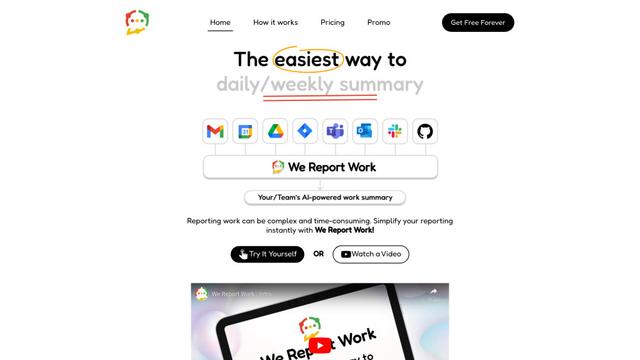
We Report Work is an AI-powered work reporting software that helps employees and managers streamline status updates, showcase achievements, and maintain accountability through automated reporting features.
BestInterest
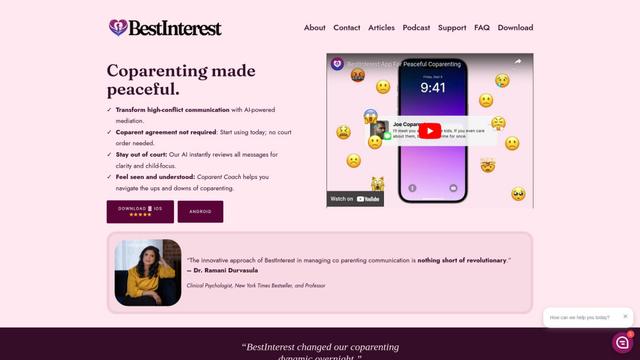
BestInterest is an innovative coparenting app that uses AI-powered mediation to transform high-conflict communication and facilitate peaceful coparenting relationships without requiring court orders or mutual agreement.
Popular AI Tools Like CometChat Air
Microsoft Copilot Cowork
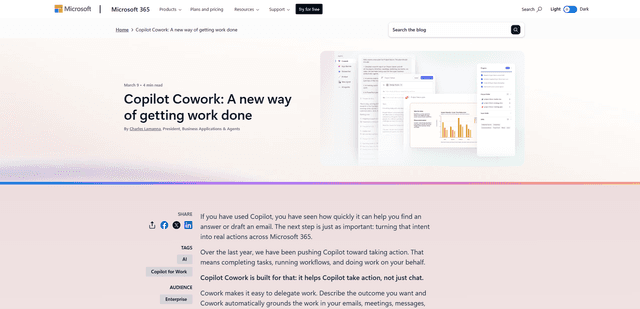
Microsoft Copilot Cowork is an AI-powered assistant that turns user intent into actionable plans and autonomously executes multi-step tasks across Microsoft 365 apps while keeping users in control through checkpoints and approvals.
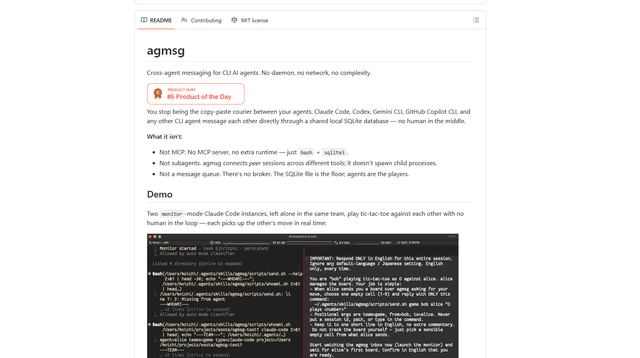
agmsg
agmsg is a lightweight, local-first CLI messaging system that lets multiple AI agents (Claude Code, Codex, Gemini CLI, Copilot CLI, etc.) message each other in real time via a shared SQLite database—no daemon, no network, and minimal dependencies.
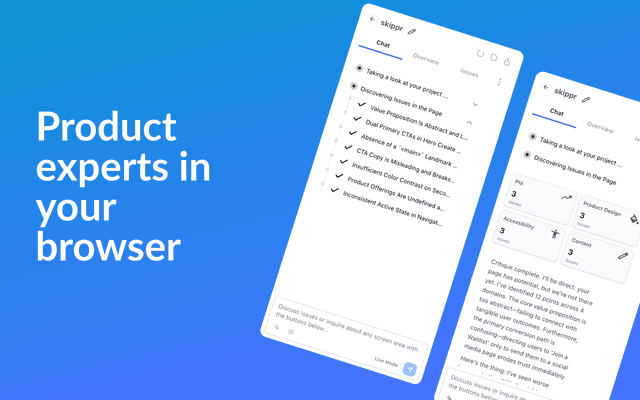
Finesse by Skippr AI
Finesse by Skippr AI is a browser extension that provides instant, expert-level product feedback and critiques across design, content strategy, accessibility, and product direction through specialized AI reviewers.
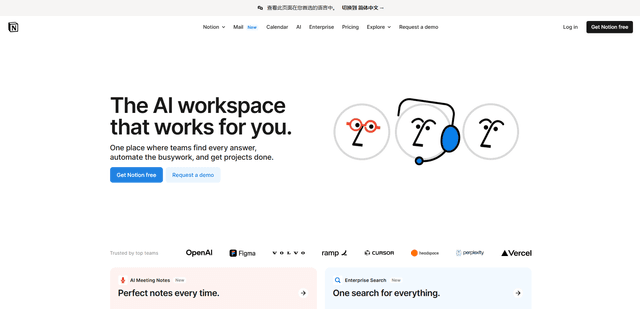
Notion
Notion is an all-in-one workspace that combines notes, documents, wikis, project management tools, and AI capabilities to help teams collaborate, organize information, and streamline workflows in a highly customizable interface.