
CodeYam CLI & Memory
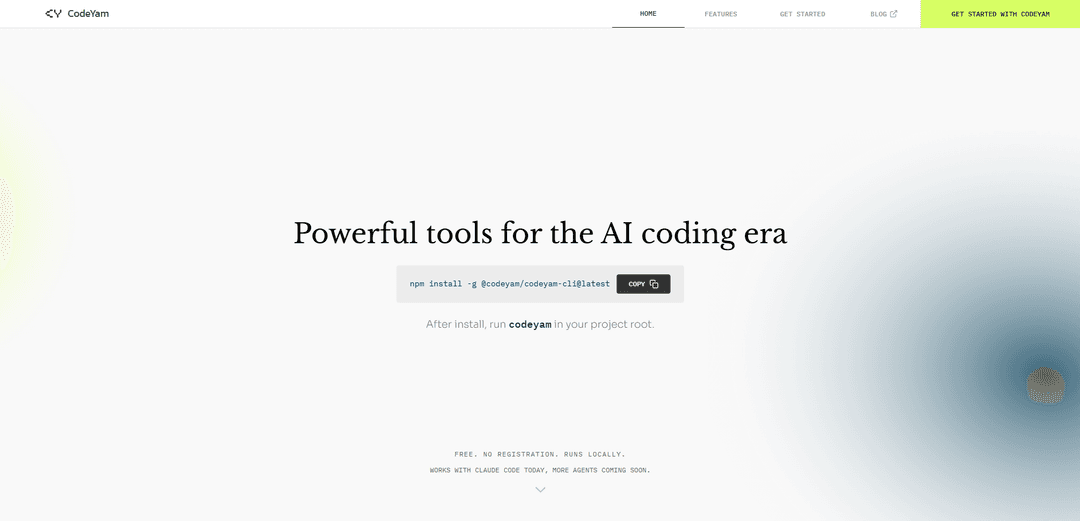
CodeYam CLI & Memory is a local development tool that helps manage AI coding sessions by automatically capturing, organizing, and retrieving context through a comprehensive dashboard interface.
https://codeyam.com/?ref=producthunt
Product Information
Updated:Mar 15, 2026
What is CodeYam CLI & Memory
CodeYam CLI & Memory is a free, locally-run tool designed to address the challenges of AI-assisted software development. It consists of a command-line interface and a memory management system that works seamlessly with AI coding agents like Claude Code. The tool requires no registration or cloud connectivity, and can be easily installed via npm. At its core, CodeYam Memory helps solve the problem of AI agents forgetting context between coding sessions by maintaining and organizing important project information.
Key Features of CodeYam CLI & Memory
CodeYam CLI & Memory is a local development tool that helps manage AI-assisted software development by providing memory management features for coding sessions. It automatically captures important decisions and context from coding sessions, organizes them into rules, and provides a dashboard to view, edit, and track changes. The tool runs locally, requires no registration, and is designed to make AI coding more effective by helping AI agents remember and apply project-specific context and conventions.
Automatic Memory Management: Reviews coding sessions automatically and captures important decisions and confusion points, organizing them into clean rules for future sessions
Comprehensive Dashboard: Provides a visual interface to read, edit, and track changes to rules, as well as see which rules apply to specific files in the codebase
Hierarchical Memory Structure: Supports different levels of memory files (Project, Local Project, and User Memory) allowing for both team-wide and personal context management
Rule Review System: Allows users to review and approve new rules suggested by the AI agent and flags outdated information
Use Cases of CodeYam CLI & Memory
Team Collaboration: Helps development teams maintain consistent coding standards and architectural decisions across projects by sharing common memory files
Project Onboarding: Accelerates new developer onboarding by providing access to captured project context and conventions
AI-Assisted Development: Improves AI code generation quality by maintaining consistent context and project-specific requirements across coding sessions
Pros
Runs entirely locally with no cloud dependency
No registration or login required
Improves AI coding efficiency by reducing repeated instructions
Cons
Currently only works with Claude Code (more agents coming soon)
Requires initial setup and maintenance of memory files
How to Use CodeYam CLI & Memory
Install CodeYam CLI: Run 'npm install -g @codeyam/codeyam-cli@latest' in your terminal to install the CLI globally
Navigate to Project: Change directory to your project's root folder where you want to use CodeYam
Initialize CodeYam: Run 'codeyam' command in your terminal. This will launch the CodeYam dashboard with instructions for setting up CodeYam Memory
Review Dashboard: The dashboard provides a comprehensive view of your rules, allowing you to read, edit, and track changes across your codebase
Configure Memory Rules: Review and approve rule suggestions made by the AI agent. These rules help guide future coding sessions by maintaining context
Monitor Rule Coverage: Track which parts of your codebase have memory coverage and identify areas that need attention
Manage Local Files: CodeYam uses different memory files: CLAUDE.md (team's shared knowledge), CLAUDE.local.md (personal workspace notes), and ~/.claude/CLAUDE.md (global preferences)
Regular Maintenance: Clean up stale references and resolve rule conflicts as they are flagged by the system
CodeYam CLI & Memory FAQs
CodeYam Memory is a feature that automatically reviews coding sessions, captures important decisions and confusion points, and organizes them into rules that guide future sessions to make AI agents more effective over time.
CodeYam CLI & Memory Video
Popular Articles

Vosko AI: Localize and Dub Videos for Global Audiences
Oct 15, 2026

Atoms: A Multi-Agent AI Platform That Transforms Ideas into Launch-Ready Products
Oct 13, 2026

Nano Banana SBTI: What It Is, How It Works, and How to Use It in 2026
Apr 15, 2026

Atoms Review — The AI Product Builder Redefining Digital Creation in 2026
Apr 10, 2026
Latest AI Tools Similar to CodeYam CLI & Memory

Gait
Gait is a collaboration tool that integrates AI-assisted code generation with version control, enabling teams to track, understand, and share AI-generated code context efficiently.

invoices.dev
invoices.dev is an automated invoicing platform that generates invoices directly from developers' Git commits, with integration capabilities for GitHub, Slack, Linear, and Google services.

EasyRFP
EasyRFP is an AI-powered edge computing toolkit that streamlines RFP (Request for Proposal) responses and enables real-time field phenotyping through deep learning technology.

Cart.ai
Cart.ai is an AI-powered service platform that provides comprehensive business automation solutions including coding, customer relations management, video editing, e-commerce setup, and custom AI development with 24/7 support.
Popular AI Tools Like CodeYam CLI & Memory

GitHub Copilot Chat
GitHub Copilot Chat is an AI-powered coding assistant that provides natural language interactions, real-time code suggestions, and contextual support directly within supported IDEs and GitHub.com.

CopilotForXcode
CopilotForXcode is an Xcode Source Editor Extension that integrates GitHub Copilot, Codeium, and ChatGPT to provide AI-powered code suggestions, chat assistance, and prompt-to-code functionality within Xcode.

BrowserAI
BrowserAI is an open-source library that enables running local Large Language Models (LLMs) directly in web browsers with WebGPU acceleration, offering privacy-focused AI capabilities without requiring server infrastructure.

OpenAI Codex CLI
OpenAI Codex CLI is a lightweight, open-source coding agent that runs in your terminal, enabling developers to translate natural language into code execution while providing ChatGPT-level reasoning with the ability to run code, manipulate files, and iterate under version control.