
Cline
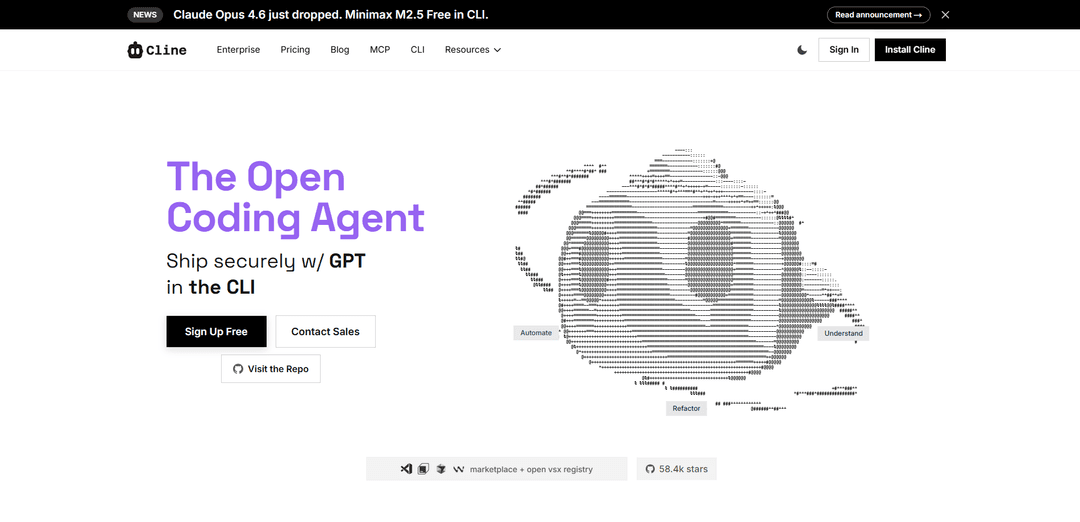
Cline - это AI-агент кодирования с открытым исходным кодом, который интегрирует передовые модели AI непосредственно в вашу IDE, предлагая всестороннюю помощь в кодировании с возможностями понимания кодовых баз, планирования сложных изменений и выполнения многоэтапных задач.
https://cline.bot/?ref=producthunt&utm_source=aipure
Информация о продукте
Обновлено:28/02/2026
Что такое Cline
Cline - это мощный помощник по кодированию на базе ИИ, которому доверяют более 5 миллионов разработчиков по всему миру. Он функционирует как расширение Visual Studio Code и интерфейс командной строки, что делает его универсальным для различных сред разработки. В отличие от традиционных инструментов автозаполнения, Cline служит настоящим агентом кодирования, который может понимать целые кодовые базы и взаимодействовать с различными моделями ИИ, включая OpenAI, Anthropic, Google Gemini, AWS Bedrock и другие. Пользователи также могут настроить его для работы с локальными моделями через LM Studio/Ollama.
Ключевые особенности Cline
Cline - это AI-агент для кодирования с открытым исходным кодом, который интегрируется непосредственно в популярные IDE и предоставляет всестороннюю помощь в кодировании посредством режимов Plan/Act. Он может понимать целые кодовые базы, планировать сложные изменения и выполнять многоэтапные задачи с полной прозрачностью. Инструмент поддерживает несколько AI-моделей через различных поставщиков API, предлагает контекстно-зависимую помощь в кодировании и включает такие функции, как автоматическое управление контекстом, контрольные точки и настраиваемые рабочие процессы.
Режим Plan & Act: Обеспечивает структурированную разработку, сначала изучая и планируя изменения перед реализацией, с видимостью в реальном времени сложных реализаций и автоматическим отслеживанием прогресса
Контекстно-зависимый интеллект: Автоматически собирает и управляет контекстом о вашем проекте, с динамической адаптацией и поддержанием цепочки фокуса для лучшей непрерывности задач
Интегрированная среда разработки: Легко интегрируется в VSCode, JetBrains IDE и терминальные рабочие процессы с помощью команд кода, быстрых исправлений и сочетаний клавиш
Настраиваемая автоматизация: Предлагает систему правил, навыков и рабочих процессов для создания многократно используемых наборов инструкций и автоматизации повторяющихся задач
Варианты использования Cline
Масштабное рефакторинг: Координируйте изменения в больших кодовых базах, сохраняя согласованность импорта, типов и поведения
Миграция системы: Планируйте и выполняйте сложные миграции системы, такие как изменения системы аутентификации, с всесторонним планированием и управлением рисками
Проверка кода и документация: Анализируйте код, объясняйте изменения и автоматически поддерживайте документацию при модификациях проекта
Автоматизация CI/CD: Используйте интерфейс CLI для автоматизации повторяющихся проверок, обновлений и пользовательских рабочих процессов в конвейерах непрерывной интеграции
Преимущества
Открытый исходный код с полной прозрачностью и безопасностью
Поддерживает несколько AI-моделей без привязки к поставщику
Богатая интеграция с IDE с широкими возможностями автоматизации
Недостатки
Требуются ключи API от поставщиков моделей
Кривая обучения для расширенных функций и рабочих процессов
Как использовать Cline
Установите VS Code: Загрузите и установите Visual Studio Code с code.visualstudio.com, если вы еще этого не сделали
Установите расширение Cline: Установите расширение Cline из магазина VS Code или откройте реестр VSX
Настройте доступ к API: Настройте ключи API от вашего предпочтительного провайдера (Anthropic, OpenAI, Google, Mistral) или используйте бесплатные модели, такие как Minimax M2.5 и Kimi K2.5, которые доступны в течение ограниченного времени
Установите пользовательские инструкции: При необходимости настройте пользовательские инструкции, чтобы контролировать поведение Cline в вашей среде
Начните использовать Cline: Начните взаимодействовать с Cline в вашей IDE, чтобы исследовать кодовые базы, вносить изменения и выполнять команды
Используйте интерфейс терминала: Запустите Cline CLI в вашем терминале для рабочих процессов командной строки, используя Tab для переключения режимов и навигацию с помощью клавиатуры
Настройте элементы управления проектом: Создайте файлы .clinerules, чтобы установить элементы управления и рабочие процессы, специфичные для проекта
Отслеживайте использование: Следите за использованием API и затратами через пользовательский интерфейс Cline, который отображает оценочные затраты для задач
Используйте расширенные функции: Используйте такие функции, как Deep Planning, Focus Chain, Auto Compact и Memory Bank для сложных задач разработки
Интегрируйте с CI/CD: Настройте Cline CLI в скриптах, заданиях cron и конвейерах CI для автоматизированных рабочих процессов и проверок
Часто задаваемые вопросы о Cline
Cline - это AI-ассистент для кодирования с открытым исходным кодом, который интегрируется с различными платформами, включая VS Code, JetBrains IDE и Cursor. У него более 5 миллионов установок, и он служит партнером по совместной работе с AI как для корпоративной, так и для обычной разработки.
Видео Cline
Популярные статьи

Atoms: Мультиагентная ИИ-платформа, которая превращает идеи в готовые к запуску продукты
May 22, 2026

Nano Banana SBTI: Что это такое, как это работает и как это использовать в 2026 году
Apr 15, 2026

Обзор Atoms — AI Product Builder, переопределяющий цифровое творчество в 2026 году
Apr 10, 2026

Kilo Claw: Как развернуть и использовать настоящего AI-агента "Сделай-Это-За-Вас" (Обновление 2026)
Apr 3, 2026
Последние ИИ-инструменты, похожие на Cline

Gait
Gait — это инструмент для сотрудничества, который интегрирует генерацию кода с поддержкой ИИ с системой контроля версий, позволяя командам эффективно отслеживать, понимать и делиться контекстом кода, сгенерированного ИИ.

invoices.dev
invoices.dev - это автоматизированная платформа для выставления счетов, которая генерирует счета напрямую из коммитов Git разработчиков, с возможностями интеграции с GitHub, Slack, Linear и Google-услугами.

EasyRFP
EasyRFP — это ИИ-технология для вычислений на краю, которая упрощает ответы на RFP (запросы предложений) и позволяет проводить реальное время полевой фенотипизации с использованием технологий глубокого обучения.

Cart.ai
Cart.ai — это платформа на основе ИИ, предоставляющая комплексные решения для автоматизации бизнеса, включая программирование, управление отношениями с клиентами, редактирование видео, настройку электронной коммерции и разработку пользовательских решений на основе ИИ с поддержкой 24/7.
Популярные ИИ-инструменты, похожие на Cline

GitHub Copilot Chat
GitHub Copilot Chat — это помощник по кодированию на базе искусственного интеллекта, который обеспечивает взаимодействия на естественном языке, реальные предложения кода и контекстную поддержку непосредственно в поддерживаемых IDE и на GitHub.com.

CopilotForXcode
CopilotForXcode — это расширение редактора исходного кода Xcode, которое интегрирует GitHub Copilot, Codeium и ChatGPT для предоставления предложений по коду на основе искусственного интеллекта, чат-помощи и функциональности prompt-to-code в Xcode.

BrowserAI
BrowserAI — это библиотека с открытым исходным кодом, которая позволяет запускать локальные большие языковые модели (LLM) непосредственно в веб-браузерах с ускорением WebGPU, предлагая возможности ИИ, ориентированные на конфиденциальность, без необходимости в серверной инфраструктуре.

OpenAI Codex CLI
OpenAI Codex CLI - это легкий агент для кодирования с открытым исходным кодом, который работает в вашем терминале, позволяя разработчикам переводить естественный язык в выполнение кода, обеспечивая при этом рассуждения на уровне ChatGPT с возможностью запуска кода, манипулирования файлами и итерации под контролем версий.