
Claunnector
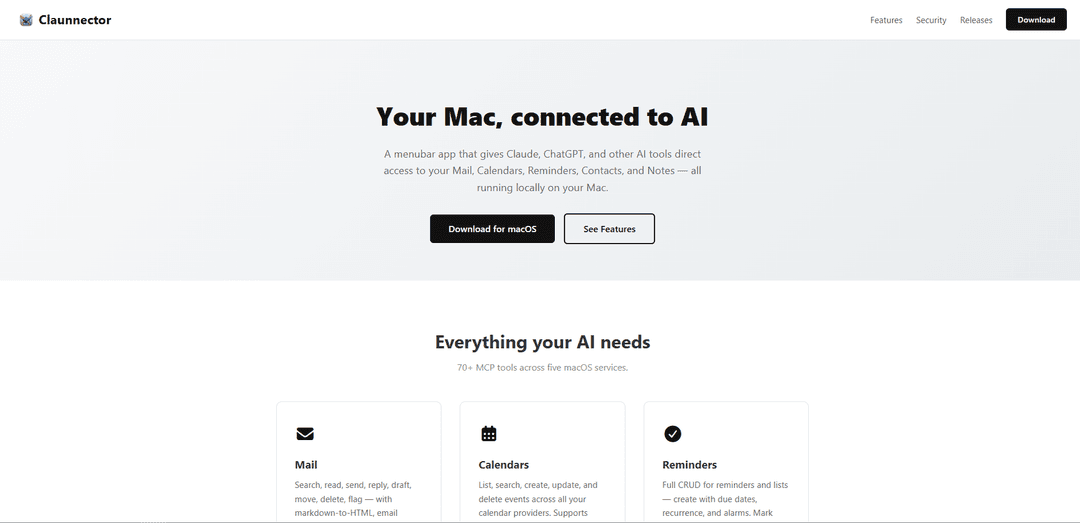
Claunnector is a native macOS menubar app that connects AI tools like Claude, ChatGPT, and other MCP-compatible clients to your Mac's Mail, Calendars, Reminders, Contacts, and Notes with over 70 local tools and granular privacy controls.
https://claunnector.com/?ref=producthunt
Product Information
Updated:Apr 15, 2026
What is Claunnector
Claunnector is a lightweight macOS application designed to bridge the gap between AI assistants and your personal productivity data. Running entirely locally on your Mac, it provides AI tools with secure access to your email accounts, calendar events, reminders, contacts, and notes through the Model Context Protocol (MCP). The app operates as a single process from your menubar, offering over 70 tools across five core macOS services without requiring any background daemons or complex installation processes. Compatible with macOS 15 or later, Claunnector supports popular AI clients including Claude Desktop, Claude Code, ChatGPT, Codex, and any MCP-compatible application, enabling them to perform tasks like sending emails, scheduling meetings, creating reminders, and searching contacts through natural language interactions.
Key Features of Claunnector
Claunnector is a macOS menubar application that bridges AI tools like Claude, ChatGPT, and other MCP-compatible clients with native Mac services including Mail, Calendars, Reminders, Contacts, and Notes. It runs entirely locally on your Mac with over 70 MCP tools, featuring a localhost-only server that binds exclusively to 127.0.0.1 for maximum security. The app offers granular permission control through Client Profiles, allowing users to specify exactly which AI clients can access which services and resources, while maintaining a comprehensive audit log of all AI interactions. With support for both HTTP+SSE and stdio connections, one-click installation for Claude Desktop, and secure keychain storage for credentials, Claunnector provides a private-by-design solution that keeps all data on your device.
70+ Native macOS Integration Tools: Provides comprehensive access to Mail (search, send, reply with Gmail OAuth and IMAP/SMTP), Calendars (create/update events with recurrence), Reminders (full CRUD with due dates), Contacts (search and organize), and Notes (list, create, update with HTML support) through MCP tools.
Client Profiles with Granular Permissions: Create individual profiles for each AI client with token-based authorization, controlling access at both service level and individual resource level (specific calendars, mail accounts, etc.), ensuring your calendar bot doesn't access email and coding assistants don't see contacts.
Complete Audit Log and Notifications: Records every tool call with timestamps, client profile, module, and full details in a searchable interface, while AI tools can send native macOS banner notifications about actions taken like scheduled meetings or sent emails with full in-app history.
Localhost-Only Security Architecture: Server binds exclusively to 127.0.0.1 making remote connections impossible, runs in a single app sandbox process with proper entitlements, stores passwords and OAuth tokens securely in macOS Keychain, and requires no installer or background daemons.
Universal MCP Client Compatibility: Supports Claude Desktop via built-in stdio bridge with one-click installation, Claude Code over HTTP+SSE with global or per-project configuration, and any MCP-compatible client including ChatGPT and Codex through simple URL configuration.
Menubar Control Center: Single menubar icon provides start/stop server control, access to settings, notification review, and audit log viewing, with launch-at-login option to keep the app always ready without being intrusive.
Use Cases of Claunnector
AI-Powered Email Management: Connect Claude or ChatGPT to automatically draft replies, search through email threads, organize messages into folders, and send responses with proper formatting and authentication, all through natural language commands without leaving your AI chat interface.
Intelligent Calendar Scheduling: Let AI assistants check your availability, schedule meetings with recurrence rules, send calendar invites, and manage events across multiple calendar providers, enabling seamless coordination through conversational requests like 'schedule a weekly team sync every Monday at 2pm'.
Development Workflow Automation: Use Claude Code to have your coding agent send project status emails to stakeholders, create calendar events for sprint deadlines, look up colleague contact details, or add reminders for code reviews, all while staying in your development environment.
Personal Productivity Assistant: Ask your AI to create task lists in Reminders with due dates, search Notes for specific information, organize contacts into groups, and summarize unread emails, transforming your AI into a comprehensive personal assistant that manages your digital life.
Client Communication Management: Enable AI tools to search client contacts, retrieve their communication history from Mail, schedule follow-up meetings in Calendar, and create reminder tasks for deliverables, streamlining client relationship management through AI-powered automation.
Cross-Service Information Retrieval: Query your AI to find information across multiple services simultaneously, like 'find all emails from John about the project and check if we have a meeting scheduled', allowing comprehensive searches across Mail, Calendar, Contacts, and Notes in one request.
Pros
Maximum privacy and security with localhost-only architecture that keeps all data on your Mac and prevents remote access
Granular permission control through Client Profiles allows precise management of which AI clients can access specific services and resources
Comprehensive audit logging provides complete transparency and accountability for all AI tool actions
Simple setup with single app bundle, one-click Claude Desktop installation, and no background daemons or complex configuration required
Cons
Requires macOS 15 or later, limiting compatibility to newer Mac systems only
Limited to macOS platform with no support for Windows or Linux users
Requires manual configuration for some AI clients beyond Claude Desktop, which may be challenging for non-technical users
As a local-only solution, cannot be accessed remotely or from multiple devices, limiting flexibility for users who work across different machines
How to Use Claunnector
1: Download Claunnector for macOS from the official website (requires macOS 15 or later)
2: Drag the Claunnector.app to your Applications folder - no installer needed, it's a single .app bundle
3: Launch Claunnector from your Applications folder - it will appear as a menubar icon
4: Open General Settings from the menubar and optionally enable 'Launch at login' so Claunnector is always ready
5: Configure Mail Accounts in Settings if you want AI to access your email - add accounts with IMAP/SMTP settings or use Google OAuth for Gmail
6: Create Client Profiles in Settings for each AI tool you want to connect - configure which modules (Mail, Calendar, Reminders, Contacts, Notes) each profile can access
7: For Claude Desktop: Click the 1-click Install button in Settings to automatically configure the stdio bridge connection
8: For Claude Code: Either install globally or add a .mcp.json file to your project root pointing to the HTTP+SSE endpoint
9: For ChatGPT, Codex, or other MCP clients: Point your client to http://127.0.0.1:5000/sse in the MCP configuration
10: Start the server from the menubar control if it's not already running
11: Begin using your AI tools - they can now search mail, create calendar events, manage reminders, look up contacts, and access notes based on the permissions you configured
12: Monitor AI actions through native macOS notifications that appear when tools take actions like sending emails or scheduling meetings
13: Review the Audit Log from the menubar to see every tool call made by AI clients, including timestamps, client profiles, modules used, and full details
Claunnector FAQs
Claunnector is a menubar app for macOS that gives Claude, ChatGPT, and other AI tools direct access to your Mail, Calendars, Reminders, Contacts, and Notes. It provides 70+ MCP tools across five macOS services, all running locally on your Mac.
Popular Articles

Atoms: A Multi-Agent AI Platform That Transforms Ideas into Launch-Ready Products
May 22, 2026

Nano Banana SBTI: What It Is, How It Works, and How to Use It in 2026
Apr 15, 2026

Atoms Review — The AI Product Builder Redefining Digital Creation in 2026
Apr 10, 2026

Kilo Claw: How to Deploy and Use a True "Do‑It‑For‑You" AI Agent(2026 Update)
Apr 3, 2026
Latest AI Tools Similar to Claunnector

Inbox AI
Inbox AI is a privacy-focused MacOS productivity app that combines voice-driven AI automation with email management capabilities, allowing users to create custom workflows and commands while offering both cloud-based and on-device AI options.

Cart.ai
Cart.ai is an AI-powered service platform that provides comprehensive business automation solutions including coding, customer relations management, video editing, e-commerce setup, and custom AI development with 24/7 support.

Hiyllo Work
Hiyllo Work is an all-in-one team workspace platform that combines chat, project management, calendar, email, file storage and video meetings in a single integrated environment.

MailSense
MailSense is an AI-powered email assistant that filters, summarizes, and generates replies to emails through a Telegram bot interface to help users manage their inbox more efficiently.
Popular AI Tools Like Claunnector

Magentic-UI
Magentic-UI is an open-source, human-centered web agent prototype by Microsoft Research that enables collaborative planning and execution of complex web-based tasks through transparent interaction between humans and AI agents.

Microsoft Copilot Cowork
Microsoft Copilot Cowork is an AI-powered assistant that turns user intent into actionable plans and autonomously executes multi-step tasks across Microsoft 365 apps while keeping users in control through checkpoints and approvals.

Upsonic
Upsonic is a reliability-focused AI agent framework with dockerized server-client architecture that enables trusted agent workflows through advanced features like verification layers, triangular architecture, and Model Context Protocol (MCP) integration.

CampEd Hire
CampEd Hire is a powerful Chrome extension that streamlines recruitment by automatically collecting and organizing job applicant data from LinkedIn job posts, with features like automated data collection, CSV export, and batch resume downloads.