CC-BEEPER
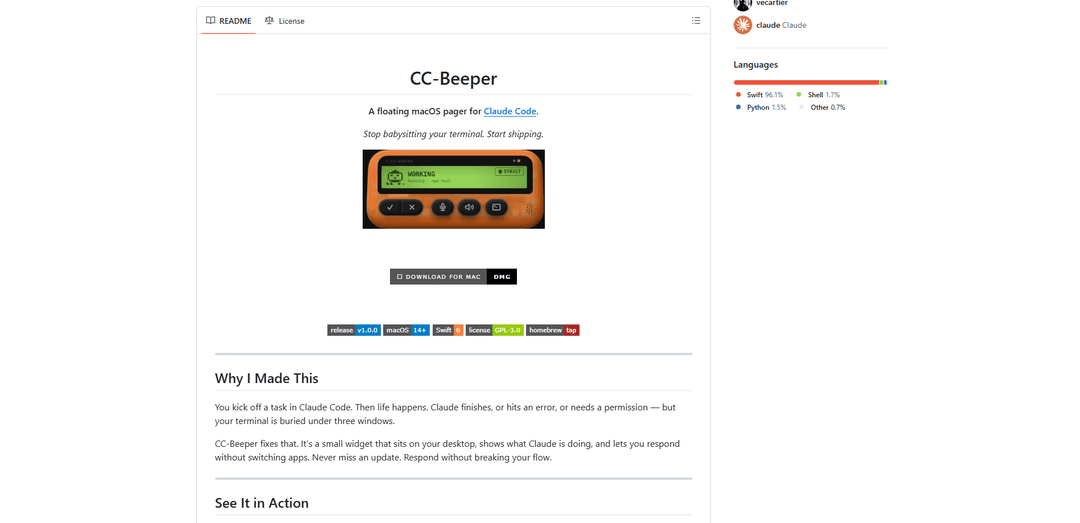
CC-Beeper is a floating macOS pager for Claude Code that provides real-time visual notifications, voice interaction, and intelligent auto-approval modes to monitor and control AI coding sessions without switching windows.
https://github.com/vecartier/cc-beeper?ref=producthunt
Product Information
Updated:Apr 16, 2026
What is CC-BEEPER
CC-Beeper is a native macOS application designed to enhance the Claude Code development experience by providing persistent, at-a-glance monitoring of AI coding activities. Built as an independent, open-source tool, CC-Beeper addresses a common frustration developers face: missing critical updates from Claude Code when the terminal window is buried beneath other applications. The app displays a customizable floating widget on your desktop that tracks eight distinct states—from idle and working to completion, errors, and permission requests—each represented by unique pixel-art animations. Requiring macOS 14 Sonoma or later, CC-Beeper operates entirely locally without any cloud connections, API keys, or telemetry, ensuring complete privacy while Claude Code works on your projects.
Key Features of CC-BEEPER
CC-Beeper is a floating macOS pager application designed specifically for Claude Code that provides real-time monitoring and interaction with AI coding sessions. It displays the current state of Claude Code through pixel-art animations, eliminates the need to constantly check terminal windows, and offers features like voice dictation, text-to-speech, global hotkeys, and customizable auto-approval modes. The app runs entirely on-device with no cloud dependencies, featuring on-device speech recognition via WhisperKit and text-to-speech via Kokoro, while maintaining complete privacy with local-only communication over localhost.
Real-Time State Monitoring: Tracks and displays 8 distinct Claude Code states (Snoozing, Working, Done, Error, Allow, Input, Listening, Recap) through pixel-art animations, providing instant visual feedback on what Claude is doing without switching windows.
Flexible Auto-Accept Modes: Offers four permission presets (Strict, Relaxed, Trusted, YOLO) that control automatic approval of Claude's tool requests, ranging from ask-every-time to fully automated approval of file operations and shell commands.
Voice Interaction System: Includes on-device dictation using WhisperKit (99 languages) for hands-free prompting and answering Claude's questions, plus read-aloud functionality with Kokoro (54 voices, 9 languages) to hear Claude's responses.
Global Hotkey Control: Provides remappable keyboard shortcuts (⌥A for approve, ⌥D for deny, ⌥R for voice recording, ⌥T for terminal focus, ⌥M for TTS control) that work across all apps and keyboard layouts.
Privacy-First Architecture: Operates entirely locally via localhost (127.0.0.1) with no API keys, telemetry, or outbound connections—all voice processing and communication happens on-device without uploading data.
Customizable Interface: Features 10 shell color themes, 3 widget sizes (Large with buttons, Compact LCD-only, or Menu bar-only), and configurable sound/haptic feedback for notifications and task completion.
Use Cases of CC-BEEPER
Multitasking Developers: Developers working across multiple applications can monitor Claude Code sessions without constantly switching to the terminal, receiving notifications when permission is needed or tasks complete while focusing on other work.
Hands-Free Coding Sessions: Developers can use voice dictation with double-clap activation to prompt Claude or respond to questions without touching the keyboard, ideal for brainstorming sessions or when working away from the desk.
Automated Workflow Management: Teams running trusted Claude Code operations can use Relaxed or Trusted modes to auto-approve read operations and file modifications, reducing interruptions while maintaining control over critical shell commands.
Accessibility-Enhanced Development: Developers with mobility limitations or those preferring auditory feedback can leverage voice input and text-to-speech features to interact with Claude Code entirely through spoken commands and audio responses.
Multi-Session Monitoring: Developers running multiple concurrent Claude Code sessions can track all sessions simultaneously with CC-Beeper resolving and displaying the highest-priority state across all active sessions.
Pros
Complete privacy with all processing happening locally on-device, no cloud dependencies or API keys required
Eliminates context switching by providing persistent visual feedback on Claude Code status without checking terminal windows
Highly customizable with multiple themes, sizes, auto-accept modes, and remappable hotkeys to fit different workflows
On-device voice recognition (WhisperKit) and TTS (Kokoro) support 99 and 9 languages respectively without internet connection
Cons
macOS-only support (requires macOS 14 Sonoma or later), not available for Windows or Linux users
YOLO mode auto-approves all operations including potentially destructive file writes and shell commands, requiring careful usage
Requires Claude Code CLI to be installed and configured, adding dependency complexity for new users
On-device AI models (WhisperKit, Kokoro) require initial downloads and may consume significant disk space and system resources
How to Use CC-BEEPER
1: Ensure you have macOS 14 Sonoma or later and Claude Code CLI installed on your Mac
2: Download the latest CC-Beeper release from https://github.com/vecartier/cc-beeper/releases/latest/download/CC-Beeper.dmg
3: Move the CC-Beeper.app file to your /Applications folder
4: Launch CC-Beeper - an onboarding wizard will appear to guide you through initial setup
5: Complete the onboarding wizard to configure hooks, theme, permissions, voice engines, and hotkeys (all optional and changeable later)
6: CC-Beeper will bind to a local port (19222-19230) and register hooks in ~/.claude/settings.json to communicate with Claude Code
7: Start using Claude Code in your terminal - CC-Beeper will automatically display Claude's current state in a floating widget on your desktop
8: Monitor the widget to see Claude's status: SNOOZING (idle), WORKING (running tools), DONE (completed), ERROR (failed), ALLOW? (needs permission), INPUT? (waiting for response), LISTENING (recording voice), or RECAP (reading aloud)
9: When Claude needs permission, use hotkey ⌥A to approve or ⌥D to deny, or click the buttons in the widget
10: Use ⌥R to toggle voice dictation to prompt Claude or answer questions by speaking, or enable double clap to activate hands-free
11: Use ⌥T to quickly focus your active terminal window from anywhere
12: Use ⌥M to stop text-to-speech or replay Claude's last response
13: Click the menu bar icon to access options: change auto-accept mode (Strict/Relaxed/Trusted/YOLO), adjust widget size (Large/Compact/Menu Only), mute/unmute, or sleep/wake
14: Open Settings from the menu bar to customize theme (10 shell colors), dictation engine, text-to-speech, feedback options, hotkeys, and permission presets
15: Choose an auto-accept mode based on your trust level: Strict (ask every time), Relaxed (auto-approve reads), Trusted (auto-approve file operations), or YOLO (auto-approve everything)
CC-BEEPER FAQs
CC-Beeper is a floating macOS pager for Claude Code that helps you monitor and interact with Claude Code sessions without constantly checking your terminal. It displays real-time states of what Claude is doing through pixel-art animations, allows you to approve/deny permissions, and respond to questions through a persistent desktop widget.
Popular Articles

Vosko AI: Localize and Dub Videos for Global Audiences
Oct 15, 2026

Atoms: A Multi-Agent AI Platform That Transforms Ideas into Launch-Ready Products
Oct 13, 2026

Nano Banana SBTI: What It Is, How It Works, and How to Use It in 2026
Apr 15, 2026

Atoms Review — The AI Product Builder Redefining Digital Creation in 2026
Apr 10, 2026
Latest AI Tools Similar to CC-BEEPER

Gait
Gait is a collaboration tool that integrates AI-assisted code generation with version control, enabling teams to track, understand, and share AI-generated code context efficiently.

invoices.dev
invoices.dev is an automated invoicing platform that generates invoices directly from developers' Git commits, with integration capabilities for GitHub, Slack, Linear, and Google services.

EasyRFP
EasyRFP is an AI-powered edge computing toolkit that streamlines RFP (Request for Proposal) responses and enables real-time field phenotyping through deep learning technology.

Cart.ai
Cart.ai is an AI-powered service platform that provides comprehensive business automation solutions including coding, customer relations management, video editing, e-commerce setup, and custom AI development with 24/7 support.
Popular AI Tools Like CC-BEEPER

GitHub Copilot Chat
GitHub Copilot Chat is an AI-powered coding assistant that provides natural language interactions, real-time code suggestions, and contextual support directly within supported IDEs and GitHub.com.

CopilotForXcode
CopilotForXcode is an Xcode Source Editor Extension that integrates GitHub Copilot, Codeium, and ChatGPT to provide AI-powered code suggestions, chat assistance, and prompt-to-code functionality within Xcode.

BrowserAI
BrowserAI is an open-source library that enables running local Large Language Models (LLMs) directly in web browsers with WebGPU acceleration, offering privacy-focused AI capabilities without requiring server infrastructure.

OpenAI Codex CLI
OpenAI Codex CLI is a lightweight, open-source coding agent that runs in your terminal, enabling developers to translate natural language into code execution while providing ChatGPT-level reasoning with the ability to run code, manipulate files, and iterate under version control.