BuilderStudio
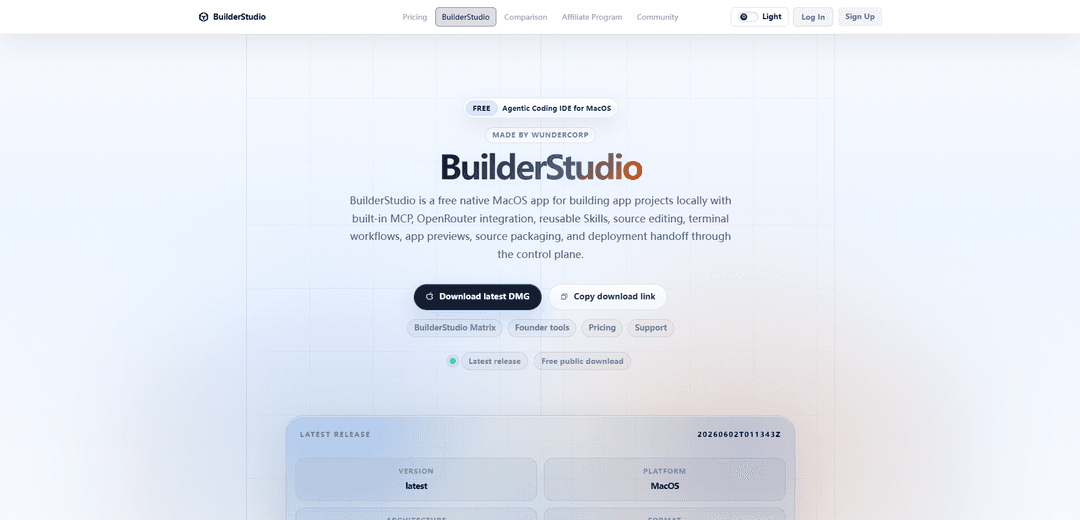
BuilderStudio is a free native macOS agentic coding IDE that builds projects locally with built-in MCP, OpenRouter integration, reusable Skills, source editing, terminal workflows, app previews, safe packaging, and deployment handoff via a control plane.
https://builderstudio.dev/ide?utm_source=aipure
Product Information
Updated:Jun 2, 2026
What is BuilderStudio
WunderCorp is the company behind BuilderStudio, a native macOS agentic coding platform for builders and teams who want to create software locally, securely, and without being locked into one AI provider. BuilderStudio combines AI coding agents, reusable Skills, Pathways, MCP integrations, local/cloud execution, app previews, terminal workflows, and access to 380+ models so teams can build real applications with more control, repeatability, and security.
Key Features of BuilderStudio
BuilderStudio is a free, native MacOS agentic coding IDE from WunderCorp designed for building app projects locally with an AI coding agent workflow. It combines built-in MCP tooling, OpenRouter integration, reusable “Skills,” source editing, terminal workflows, and app previews, then lets you package a sanitized source bundle for a secure deployment handoff to a separate control plane. It also emphasizes safety for running newly generated code via containerized previews (Docker), workspace quarantine, and optional supply-chain monitoring for frontend dependency installs.
Native MacOS agentic IDE: A focused desktop workspace for moving from idea to working product with local source editing, navigation, and a VS Code-style development loop optimized for AI-assisted building.
Built-in MCP + reusable Skills: MCP-aware tool surfaces plus curated, reusable Skills (e.g., design taste, accessibility/polish, shadcn/ui patterns, motion/animation) to standardize and accelerate agent outputs without constantly rewriting prompt recipes.
Local edit, preview, and terminal workflows: Open projects from disk, run commands, inspect previews, and iterate quickly in one place—supporting practical local development rather than purely cloud-based generation.
Hermes Agent integration (containerized runs): Can hand requests to Hermes Agent, generate a dedicated project folder, mount it into a local container at /workspace, and auto-start an app preview when generation completes.
Secure execution model for generated code: Designed to reduce risk when running new code and packages: Docker-based preview isolation, workspace quarantine to approved folders, and optional Aikido SafeChain checks for suspicious dependency install behavior.
Source packaging + control plane deployment handoff: Packages a clean, sanitized source bundle for deployment via a separate control plane that handles deployment/ops (auth, integrations, app management), keeping local iteration and cloud operations decoupled.
Use Cases of BuilderStudio
Startup MVPs and rapid prototyping: Solo builders and small teams can generate and iterate on real code locally (with previews and terminal runs), then hand off a packaged bundle for streamlined deployment through the control plane.
Agency or studio delivery workflows: Use Skills to enforce consistent UI quality (layout, typography, accessibility, motion) across client projects, while packaging sanitized source bundles for clean handoff and deployment.
Regulated or security-conscious development: Teams in finance/healthcare/enterprise settings can reduce supply-chain and runtime risk by routing installs through SafeChain checks and running previews in disposable Docker containers.
Frontend product teams standardizing UI quality: Apply curated Skills (e.g., Impeccable polish, shadcn/ui patterns) to keep component architecture and UX quality consistent while accelerating implementation work.
Education and internal enablement: Instructors or platform teams can provide a repeatable, containerized environment for learning agentic workflows and experimenting safely without polluting host machines.
Pros
Free native MacOS IDE optimized for agentic, local-first development (edit + preview + terminal in one workflow).
Strong safety posture for AI-generated code via containerized previews, workspace controls, and optional supply-chain monitoring.
Reusable Skills help teams standardize quality and reduce prompt/iteration overhead.
Clear separation of local build loop and operational deployment via control plane handoff.
Cons
MacOS-only (native app), which may limit adoption for Windows/Linux teams.
Full deployment flow depends on a separate control plane account/workflow, adding an extra platform dependency.
Containerization and security checks can add setup/operational complexity compared to simpler local-only editors.
How to Use BuilderStudio
1) Download BuilderStudio for macOS: Go to https://builderstudio.dev/ide and click the MacOS download button to fetch the latest DMG (the page checks the latest release manifest and provides a SHA-256 for verification).
2) Install the app: Open the downloaded DMG, then drag BuilderStudio into your Applications folder.
3) Launch BuilderStudio: Open BuilderStudio from Applications. When you’re ready to deploy via the control plane, sign in with your platform account.
4) Create or open a local project workspace: Use BuilderStudio to open source from disk and work locally in a focused native workspace (file editing, navigation, and project organization).
5) Edit source code locally: Make changes directly in the built-in code editor. BuilderStudio is designed for local source editing as part of an agentic workflow.
6) Use agentic workflows (MCP + Skills): Use BuilderStudio’s built-in MCP tool surfaces and reusable Skills to guide generation and improvements (e.g., design taste, polish, shadcn/ui patterns, motion/animation, copy).
7) Run terminal workflows inside BuilderStudio: Execute project commands using the built-in terminal workflows to install dependencies, run scripts, and iterate on your app locally.
8) Preview your app: Use BuilderStudio’s preview surfaces to inspect the running app while you iterate. BuilderStudio supports preview-ready app building inside the native workspace.
9) (Optional) Use Hermes Agent for containerized runs: Open the in-app “/hermes help” to follow the prepare → setup → status → run order. BuilderStudio can create a dedicated project folder, mount it into a local container as /workspace, and run the agent there.
10) Prepare the Hermes runner (if using Hermes): Have BuilderStudio build or refresh the local Hermes container image so tools run in the container rather than being installed into your host shell.
11) Run the agent in /workspace (if using Hermes): Start a Hermes run targeting a fresh generated project folder mounted into the container at /workspace, keeping the run isolated from your normal environment.
12) Auto-preview after Hermes finishes (if using Hermes): When Hermes completes file generation, BuilderStudio detects the app shape and automatically starts the appropriate preview runtime (package or static preview).
13) Use security features during builds (recommended): Route managed frontend dependency installs through Aikido SafeChain checks (where available), keep builds in approved workspace folders (quarantine), and prefer Docker-based previews to isolate generated code.
14) Package a sanitized source bundle for handoff: When ready, use BuilderStudio to package a clean app source bundle intended for the control plane, keeping local machine details out of the deployment handoff.
15) Deploy through the control plane: Hand the packaged source back to the control plane for deployment, authentication, integrations, and ongoing app management (BuilderStudio is the local desktop half; deployment/ops happen in the control plane).
BuilderStudio FAQs
BuilderStudio is a free, native macOS agentic coding IDE made by WunderCorp for building app projects locally, with built-in MCP, OpenRouter integration, reusable Skills, source editing, terminal workflows, app previews, source packaging, and deployment handoff through a control plane.
Popular Articles

Vosko AI: Localize and Dub Videos for Global Audiences
Oct 15, 2026

Atoms: A Multi-Agent AI Platform That Transforms Ideas into Launch-Ready Products
Oct 13, 2026

Nano Banana SBTI: What It Is, How It Works, and How to Use It in 2026
Apr 15, 2026

Atoms Review — The AI Product Builder Redefining Digital Creation in 2026
Apr 10, 2026
Latest AI Tools Similar to BuilderStudio

Gait
Gait is a collaboration tool that integrates AI-assisted code generation with version control, enabling teams to track, understand, and share AI-generated code context efficiently.

invoices.dev
invoices.dev is an automated invoicing platform that generates invoices directly from developers' Git commits, with integration capabilities for GitHub, Slack, Linear, and Google services.

EasyRFP
EasyRFP is an AI-powered edge computing toolkit that streamlines RFP (Request for Proposal) responses and enables real-time field phenotyping through deep learning technology.

Cart.ai
Cart.ai is an AI-powered service platform that provides comprehensive business automation solutions including coding, customer relations management, video editing, e-commerce setup, and custom AI development with 24/7 support.
Popular AI Tools Like BuilderStudio

GitHub Copilot Chat
GitHub Copilot Chat is an AI-powered coding assistant that provides natural language interactions, real-time code suggestions, and contextual support directly within supported IDEs and GitHub.com.

CopilotForXcode
CopilotForXcode is an Xcode Source Editor Extension that integrates GitHub Copilot, Codeium, and ChatGPT to provide AI-powered code suggestions, chat assistance, and prompt-to-code functionality within Xcode.

BrowserAI
BrowserAI is an open-source library that enables running local Large Language Models (LLMs) directly in web browsers with WebGPU acceleration, offering privacy-focused AI capabilities without requiring server infrastructure.

OpenAI Codex CLI
OpenAI Codex CLI is a lightweight, open-source coding agent that runs in your terminal, enabling developers to translate natural language into code execution while providing ChatGPT-level reasoning with the ability to run code, manipulate files, and iterate under version control.