
Bookshelf for NotebookLM
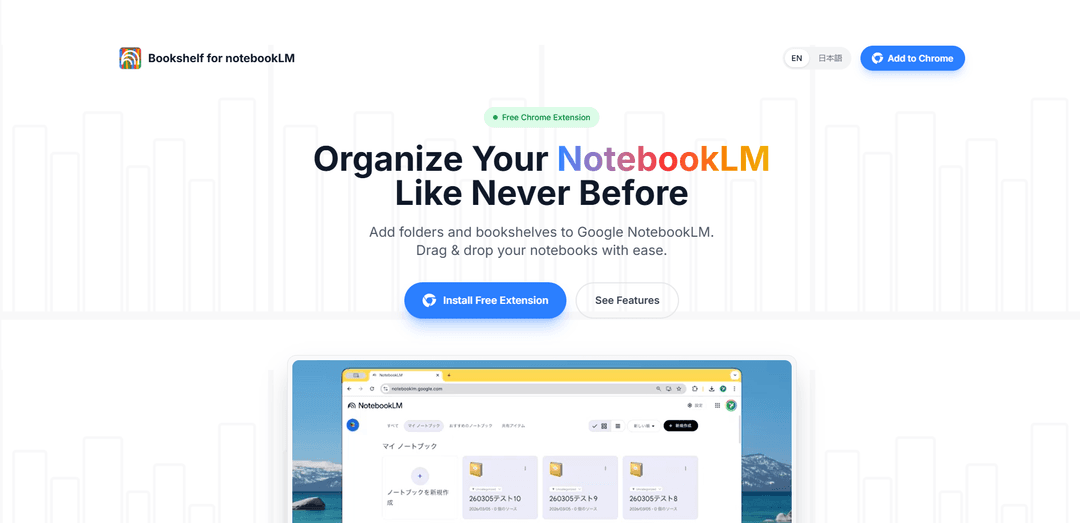
Bookshelf for NotebookLM is a free Chrome extension that adds much-needed folder management capabilities to Google NotebookLM, allowing users to organize and manage their notebooks through an intuitive drag-and-drop interface.
https://bookshelf-notebooklm.com/?ref=producthunt
Product Information
Updated:Apr 8, 2026
What is Bookshelf for NotebookLM
Bookshelf for NotebookLM is a productivity-focused Chrome extension designed to enhance Google's NotebookLM interface by introducing folder management functionality. As NotebookLM users create more notebooks for their research, study, and work, the standard interface can become cluttered and difficult to navigate. This extension solves this limitation by adding a customizable bookshelf system that helps users organize their growing collection of notebooks efficiently.
Key Features of Bookshelf for NotebookLM
Bookshelf for NotebookLM is a free Chrome extension that adds much-needed folder management functionality to Google's NotebookLM interface. It allows users to organize their notebooks into custom categories using an intuitive drag-and-drop system, featuring a collapsible sidebar for better workspace management and automatic detection of new notebooks, all while maintaining user privacy through local storage.
Custom Bookshelves: Create and customize categories like 'Work', 'Study', or 'Personal' to organize notebooks into logical groups
Drag-and-Drop Interface: Intuitively organize notebooks by dragging them into different folders and reordering them to prioritize workflow
Auto-Sync Functionality: Automatically detects and places new notebooks in an 'Uncategorized' list for easy management
Collapsible Sidebar: Toggle the bookshelf sidebar open or closed to maximize screen space when needed
Use Cases of Bookshelf for NotebookLM
Research Organization: Researchers can categorize different studies and projects into separate folders for better project management
Student Study Management: Students can organize course materials and study notes by subject or semester
Professional Content Management: Writers and content creators can separate client work, personal projects, and reference materials into distinct categories
Pros
Privacy-focused with local storage only
Simple and intuitive drag-and-drop interface
Free to use
Cons
Settings don't sync across different devices
Limited to Chrome browser only
Categorizations may be lost if browser data is cleared
How to Use Bookshelf for NotebookLM
Install the Extension: Add the 'Bookshelf for NotebookLM' extension to Chrome browser from the Chrome Web Store
Access NotebookLM: Open NotebookLM in your Chrome browser where you'll see your existing notebooks displayed in a grid layout
Open Bookshelf Sidebar: Look for the new bookshelf sidebar feature that has been added to your NotebookLM interface. You can toggle it open or closed as needed
Create Folders: Create custom folders/categories like 'Work', 'Study', or 'Personal' to organize your notebooks
Organize Notebooks: Use the intuitive drag-and-drop feature to move notebooks into your created folders. New notebooks will automatically appear in the 'Uncategorized' folder
Manage Folders: Reorder folders to prioritize your workflow and collapse/expand them as needed for better workspace management
Toggle Sidebar: Use the toggle feature to hide or show the bookshelf sidebar when you need more screen space for reading or writing
Bookshelf for NotebookLM FAQs
Bookshelf for NotebookLM is a free Chrome extension that adds folder management functionality to Google NotebookLM, allowing users to organize their notebooks using drag-and-drop bookshelves and folders.
Bookshelf for NotebookLM Video
Popular Articles

Atoms: A Multi-Agent AI Platform That Transforms Ideas into Launch-Ready Products
May 22, 2026

Nano Banana SBTI: What It Is, How It Works, and How to Use It in 2026
Apr 15, 2026

Atoms Review — The AI Product Builder Redefining Digital Creation in 2026
Apr 10, 2026

Kilo Claw: How to Deploy and Use a True "Do‑It‑For‑You" AI Agent(2026 Update)
Apr 3, 2026
Latest AI Tools Similar to Bookshelf for NotebookLM

MultipleWords
MultipleWords is a comprehensive AI platform offering 16 powerful tools for content creation and manipulation across audio, video, and image editing with cross-platform accessibility.

Athena AI
Athena AI is a versatile AI-powered platform offering personalized study assistance, business solutions, and life coaching through features like document analysis, quiz generation, flashcards, and interactive chat capabilities.

Taidai.io
Taidai.io is an AI-powered tool that automatically converts notes, emails, and text content into actionable todo lists.

Repliio
Repliio is an AI-powered email assistant Chrome extension that helps users generate professional, context-aware email responses quickly with customizable tones and multi-language support.
Popular AI Tools Like Bookshelf for NotebookLM

Microsoft Excel: Spreadsheets
Microsoft Excel is the industry-leading spreadsheet software that allows users to organize, analyze, and visualize data through powerful features like formulas, charts, and AI-powered insights.

Standboy
Standboy is a VS Code/Cursor extension that auto-expands a Game Boy (GB/GBC/GBA) emulator in the sidebar during AI agent activity, then auto-hides and pauses—resuming mid-frame next time—while keeping a persistent ROM library, saves, and cover art.
Omniaxe
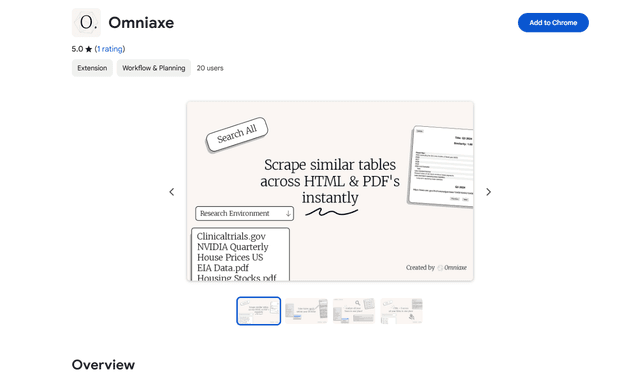
Omniaxe is an all-in-one Chrome extension research tool that combines seamless data extraction, AI-powered analysis, and centralized note-taking capabilities designed specifically for analysts, researchers and students.

Finesse by Skippr AI
Finesse by Skippr AI is a browser extension that provides instant, expert-level product feedback and critiques across design, content strategy, accessibility, and product direction through specialized AI reviewers.