
APX Terminal
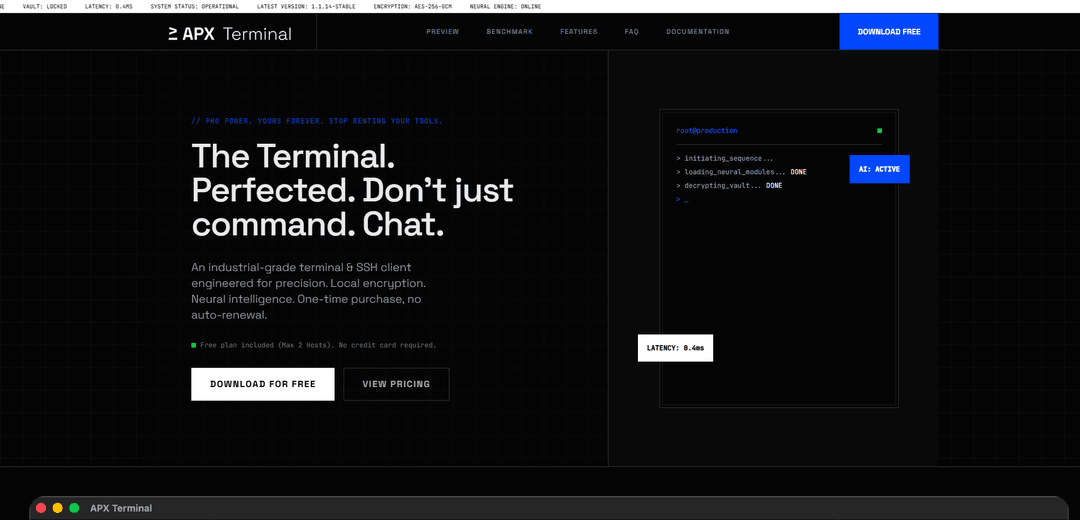
APX Terminal is an industrial-grade terminal and SSH client that combines secure local encryption, neural intelligence, and advanced features with a perpetual license model.
https://apxterminal.com/?ref=producthunt
Product Information
Updated:Feb 8, 2026
What is APX Terminal
APX Terminal is a sophisticated terminal and SSH client application designed for developers and system administrators who need powerful, secure access to remote systems. It operates on a unique perpetual license model rather than a subscription basis, offering cross-platform support for macOS, Windows, and Linux. The application stands out for its commitment to security through local encryption (AES-256-GCM), integrated AI capabilities with BYOK (Bring Your Own Key) privacy, and professional-grade features for managing remote connections.
Key Features of APX Terminal
APX Terminal is an industrial-grade terminal and SSH client that offers secure local encryption, neural intelligence, and a perpetual license model. It features local cryptographic storage for SSH keys, synchronized command multiplexing, GUI-based port forwarding, SFTP integration, and AI capabilities with BYOK (Bring Your Own Key) privacy protection.
Secure Local Vault: AES-256 encrypted local storage for SSH keys and identity files, ensuring keys never leave the user's machine
Neural AI Integration: Built-in AI agent with BYOK (Bring Your Own Key) functionality that allows direct communication with AI providers while maintaining privacy
Visual Port Forwarding: GUI-based interface for managing local port forwarding and mapping remote database ports to localhost
Command Broadcasting: Ability to execute commands simultaneously across multiple nodes with synchronized multiplexing and zero latency
Use Cases of APX Terminal
DevOps Management: Engineers can securely manage multiple servers and execute synchronized commands across various nodes
Database Administration: DBAs can easily set up secure tunnels to remote databases using the visual port forwarding interface
Team Infrastructure Management: Enterprise teams can manage infrastructure with centralized license management and shared access controls
Pros
One-time payment model with perpetual license
Strong security with local encryption and BYOK AI integration
Cross-platform support (macOS, Windows, Linux)
Cons
Free version limited to 2 hosts only
AI features require separate provider API key
Higher upfront cost compared to subscription-based alternatives
How to Use APX Terminal
Download and Install APX Terminal: Download APX Terminal from the official website (apxterminal.com) and install it on your system (supports macOS, Windows, Linux)
Choose License Type: Select between Free (2 host limit), Pro ($19), or Ultra ($29) license tiers based on your needs. Free plan requires no credit card.
Initial Setup: Launch APX Terminal and it will automatically parse and import your existing SSH configurations from ~/.ssh/config
Add SSH Keys: Import your SSH identity files (.pem/.ppk) which will be stored securely in the local encrypted vault
Connect to Hosts: Use the GUI interface to connect to your remote hosts via SSH. You can manage multiple connections simultaneously.
Use Port Forwarding: Set up local port forwarding through the visual GUI to map remote ports to localhost
File Transfer: Use the built-in SFTP integration with split-pane view to transfer and edit remote files
Execute Commands: Use the broadcast feature to run commands across multiple nodes simultaneously
AI Integration (Ultra Only): Configure AI features by adding your own API key in settings for private AI assistance
Monitor Activity: View connection timestamps and duration in the built-in audit logs
APX Terminal FAQs
It's a one-time payment model. You pay once and own the current version plus all 1.x updates forever, with no monthly recurring fees.
APX Terminal Video
Popular Articles

Vosko AI: Localize and Dub Videos for Global Audiences
Oct 15, 2026

Atoms: A Multi-Agent AI Platform That Transforms Ideas into Launch-Ready Products
Oct 13, 2026

Nano Banana SBTI: What It Is, How It Works, and How to Use It in 2026
Apr 15, 2026

Atoms Review — The AI Product Builder Redefining Digital Creation in 2026
Apr 10, 2026
Latest AI Tools Similar to APX Terminal

Gait
Gait is a collaboration tool that integrates AI-assisted code generation with version control, enabling teams to track, understand, and share AI-generated code context efficiently.

invoices.dev
invoices.dev is an automated invoicing platform that generates invoices directly from developers' Git commits, with integration capabilities for GitHub, Slack, Linear, and Google services.

EasyRFP
EasyRFP is an AI-powered edge computing toolkit that streamlines RFP (Request for Proposal) responses and enables real-time field phenotyping through deep learning technology.

Cart.ai
Cart.ai is an AI-powered service platform that provides comprehensive business automation solutions including coding, customer relations management, video editing, e-commerce setup, and custom AI development with 24/7 support.
Popular AI Tools Like APX Terminal

GitHub Copilot Chat
GitHub Copilot Chat is an AI-powered coding assistant that provides natural language interactions, real-time code suggestions, and contextual support directly within supported IDEs and GitHub.com.

CopilotForXcode
CopilotForXcode is an Xcode Source Editor Extension that integrates GitHub Copilot, Codeium, and ChatGPT to provide AI-powered code suggestions, chat assistance, and prompt-to-code functionality within Xcode.

BrowserAI
BrowserAI is an open-source library that enables running local Large Language Models (LLMs) directly in web browsers with WebGPU acceleration, offering privacy-focused AI capabilities without requiring server infrastructure.

OpenAI Codex CLI
OpenAI Codex CLI is a lightweight, open-source coding agent that runs in your terminal, enabling developers to translate natural language into code execution while providing ChatGPT-level reasoning with the ability to run code, manipulate files, and iterate under version control.