AnySearch
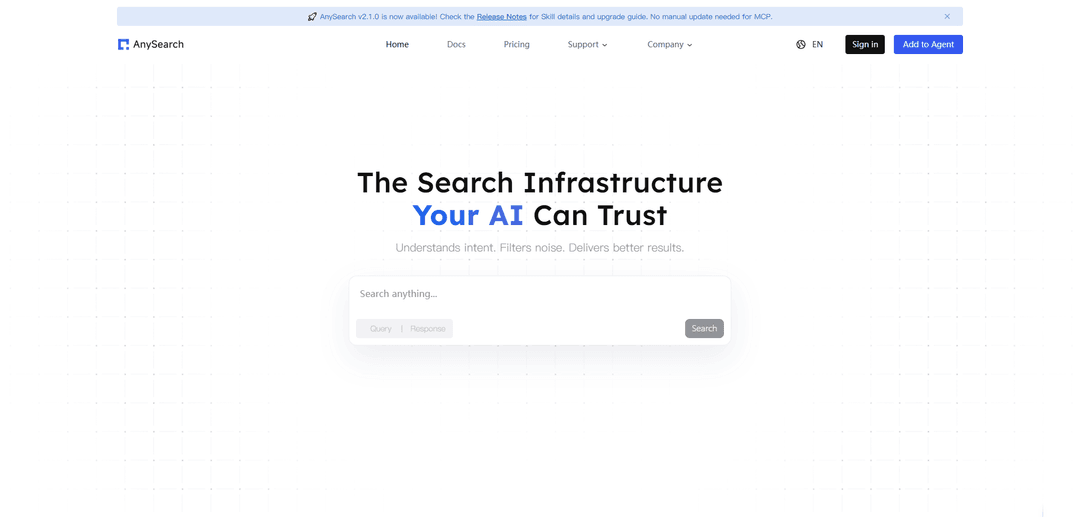
AnySearch is a privacy-first, ad-free, API-first search infrastructure for AI agents that provides fast unified real-time search, smart intent routing, and structured outputs via native API, MCP, and Skill integrations.
https://www.anysearch.com/?ref=producthunt
Product Information
Updated:Jul 8, 2026
What is AnySearch
AnySearch is an applied AI lab and product that builds search infrastructure purpose-built for AI agents and enterprise AI systems. Instead of acting like a traditional consumer search engine, it provides a developer-friendly, agent-native way to retrieve reliable information across the public web and many specialized vertical domains through a single interface. It is designed to be secure and private by default (including anonymous usage and zero telemetry) and to integrate directly into agent workflows through a native API as well as MCP and “Skill” integrations, enabling agents to fetch structured, high-quality results with less token waste and less manual source wrangling.
Key Features of AnySearch
AnySearch is a privacy-first, agent-native search infrastructure that gives AI agents unified, real-time access to high-quality information through a single API/MCP/Skill interface. It supports general web search, 23+ specialized vertical domains, parallel/batch querying, and full-page URL extraction into structured formats (e.g., Markdown/JSON) to reduce token waste and improve reliability. Designed for anonymous usage with no tracking/telemetry and smart intent routing, it aims to help agents retrieve fresher, more precise, and more actionable results for real-world tasks across research, engineering, business, and operations.
Privacy-first, anonymous search: Built around anonymous usage with claims of no tracking, no telemetry, and zero-retention-style execution so agent queries can be run without typical search-engine surveillance patterns.
Unified API + agent integrations (MCP & Skill): One integration surface for agent tools via native API, remote MCP server (no local setup), or an in-agent Skill plugin—designed to drop into popular agent environments with minimal configuration.
Smart intent routing: Automatically detects query intent and routes to the most relevant sources/domains, reducing the need for developers or agents to manually choose which backend or dataset to query.
Vertical domain search (23+ domains): Supports targeted searches across specialized areas (e.g., finance, academic/research, code, law, cybersecurity, travel, health, energy), aiming for higher precision than general web-only search.
Parallel/batch search for agents: Runs multiple independent queries simultaneously to speed up multi-step research workflows and improve end-to-end agent task completion latency.
URL content extraction to Markdown/structured output: Fetches and extracts full-page content from URLs and returns it in agent-friendly structured formats (e.g., Markdown), enabling downstream summarization, citation, and analysis.
Use Cases of AnySearch
Security operations & threat intelligence triage: Security engineers can use it to cross-check alerts, correlate indicators and attack chains, and pull relevant threat intel quickly from specialized sources to generate response recommendations.
Developer code and dependency research: Engineering teams and coding agents can search across code-focused sources (e.g., repos, issues, docs) to find implementation patterns, APIs, and troubleshooting context faster.
Product/market competitive research: PMs and analysts can gather structured competitor signals—funding/valuation context, hiring trends, industry commentary, and user sentiment—to support positioning and roadmap decisions.
Business travel and real-time decision support: Agents can retrieve time-sensitive operational info (e.g., flight status, exchange rates, transit options) in one workflow to support travelers or corporate travel ops.
Academic and applied research synthesis: Researchers can run targeted literature and domain searches, then extract and normalize source pages into structured text for evidence chains, reviews, and rapid synthesis.
Legal/finance domain lookups for enterprise workflows: Enterprise agents can query specialized verticals (law/finance/business) through one interface, reducing the need to stitch together many separate data providers and schemas.
Pros
Agent-native design: structured output, vertical domains, batch search, and URL extraction align well with automated agent workflows.
Flexible integration options: API, MCP server, and Skill plugin make it easy to add search to many agent environments.
Privacy positioning: emphasizes anonymous usage and no tracking/telemetry for sensitive agent queries.
Breadth + depth: combines general web coverage with specialized domains to support both everyday and professional tasks.
Cons
Benchmark/performance claims appear largely vendor-reported, so real-world results may vary by task, model, and workload.
Some advanced evidence needs (e.g., authenticated, account-scoped X/Twitter workflows) may require separate dedicated tools rather than AnySearch alone.
Quality and freshness depend on underlying source availability/routing; specialized vertical coverage may differ by domain and region.
How to Use AnySearch
1) Decide how you want to use AnySearch (Skill, MCP, or API/CLI): AnySearch can be used as: (a) a Skill plugin inside an agent, (b) a remote MCP server at https://api.anysearch.com/mcp (no local server install), or (c) via its JSON-RPC/REST endpoints through bundled CLI tools. Pick the integration your agent/app supports.
2) (Recommended) Get an API key for higher rate limits (optional): AnySearch supports anonymous access with lower rate limits. For regular use, sign up at https://www.anysearch.com to obtain ANYSEARCH_API_KEY, which increases throughput. Keep queries non-sensitive unless you trust the provider; queries/URLs/keys are sent to https://api.anysearch.com.
3) Install the AnySearch Skill from GitHub (zip download): Download the latest release zip from https://github.com/anysearch-ai/anysearch-skill/releases. Example (replace v2.1.0 with the latest tag): curl -L -o anysearch-skill.zip https://github.com/anysearch-ai/anysearch-skill/archive/refs/tags/v2.1.0.zip (or use .../archive/refs/heads/main.zip for unreleased main).
4) Unzip the Skill package: Run: unzip anysearch-skill.zip. This creates a directory named anysearch-skill-<ref> (e.g., anysearch-skill-2.1.0).
5) Move the Skill into your agent’s skills directory and rename to "anysearch": Move the unzipped folder to your tool’s skill directory and rename it to anysearch. Examples: Claude Code: mv anysearch-skill-2.1.0 ~/.claude/skills/anysearch; OpenCode: mv anysearch-skill-2.1.0 ~/.config/opencode/skills/anysearch; Cursor/Windsurf: mv anysearch-skill-2.1.0 <project>/.skills/anysearch; Generic: mv anysearch-skill-2.1.0 <your_agent_skill_dir>/anysearch; Shared location: mv anysearch-skill-2.1.0 ~/.agents/skills/anysearch.
6) Configure authentication (optional but recommended): Set ANYSEARCH_API_KEY in your environment or .env file so the Skill/MCP can send Authorization: Bearer <key>. If you don’t set a key, AnySearch will use anonymous access automatically (lower limits).
7) Use AnySearch via MCP (Streamable HTTP clients): If your client supports Streamable HTTP MCP (e.g., OpenCode, Claude Desktop 2025.6+), connect directly to the remote MCP server. Example config: { "mcpServers": { "anysearch": { "type": "streamable-http", "url": "https://api.anysearch.com/mcp", "headers": { "Authorization": "Bearer ${ANYSEARCH_API_KEY}" } } } }. Without an API key, omit the headers section.
8) Use AnySearch via MCP from stdio-only clients (proxy bridge): If your setup only supports stdio MCP, use a proxy bridge such as mcp-remote (per the AnySearch docs) to connect your local stdio client to the remote Streamable HTTP MCP endpoint.
9) Run core operations: search, batch_search, extract, get_sub_domains: Use AnySearch for: (a) web search, (b) vertical domain search (e.g., academic/code/security), (c) parallel batch search, and (d) full-page content extraction. Prefer these routine calls over repeatedly invoking any offline doc/metadata commands.
10) Use vertical domains for higher-quality technical retrieval: When you need more reliable sources, target a vertical domain (e.g., academic, code, cybersecurity). If your workflow requires it, call get_sub_domains first to see valid sub-domains and parameter schemas before issuing a domain-specific search.
11) Use AnySearch for public social discovery; switch tools for account-scoped X/Twitter actions: AnySearch includes a social_media vertical domain for public discovery. If you need account-scoped X/Twitter data or actions (exact tweets/replies, profile lookup, follower export, media URLs, monitors/webhooks, approved posting workflows), use a dedicated authenticated platform tool after explicit user approval.
12) Handle outages/quota limits responsibly: If AnySearch is unavailable (no API key, quota exhausted, service error, network failure), inform the user and ask approval before falling back to other search methods. If quota is exhausted, suggest configuring a new ANYSEARCH_API_KEY via .env or environment variables.
AnySearch FAQs
AnySearch is a privacy-first search infrastructure built for AI agents. It provides a unified entry point to search across extensive, high-quality data sources, and is designed to return structured output that reduces token waste. It supports native API, MCP, and Skill integrations.
Popular Articles

Proferex: A Cloud-Based Ad Tracking and Campaign Optimization Platform
Nov 4, 2026

How to Create Viral Talking Baby Podcast Videos with AI: Step-by-Step Guide
Nov 2, 2026

Vosko AI: Localize and Dub Videos for Global Audiences
Oct 15, 2026

Atoms: A Multi-Agent AI Platform That Transforms Ideas into Launch-Ready Products
Oct 13, 2026
Latest AI Tools Similar to AnySearch
Snapmark
Snapmark is an AI-powered search engine for bookmarks that allows users to save, search, and organize websites, images, and text without manual tagging or categorization.
Uměl.cz
Uměl.cz is a Czech AI-powered search engine that provides intelligent and contextual answers to user queries.
ReviewPower
ReviewPower is an all-in-one platform that aggregates and analyzes trusted reviews from G2 and Capterra to help businesses gain valuable insights from customer feedback.
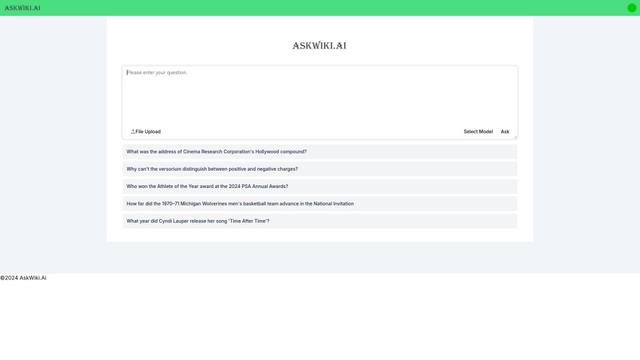
AskWiki
AskWiki is a semantic intelligence software and natural language search engine that enables users to query Wikipedia content through simple questions and receive specific, accurate answers.
Popular AI Tools Like AnySearch

SearchGPT
SearchGPT is an AI-powered search prototype by OpenAI that provides fast, conversational answers with clear sources using GPT models.
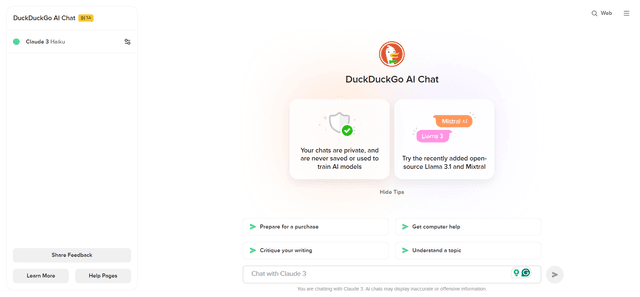
DuckDuckGo AI Chat
DuckDuckGo AI Chat is a free, anonymous way to access popular AI chatbots like GPT-3.5, Claude, and others while preserving user privacy.

R2R
R2R (Reason to Retrieve) is an advanced AI retrieval system that provides production-ready Retrieval-Augmented Generation (RAG) capabilities with multimodal content ingestion, hybrid search, knowledge graphs, and comprehensive document management through a RESTful API.

Pre-AI Search - Filter Google AI Content
Pre-AI Search is a Chrome extension that helps users filter out AI-generated content from Google search results by focusing on content published before the rise of AI content generation.