agents-cli
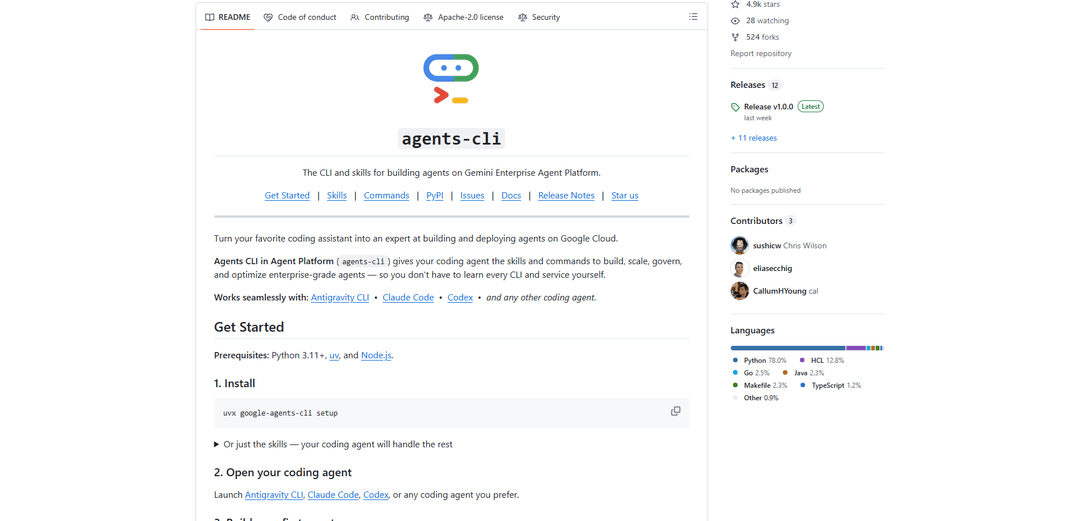
agents-cli is a unified CLI plus installable “skills” that equips any coding assistant to scaffold, run, evaluate, deploy, publish, and observe ADK-based AI agents end-to-end on Google Cloud.
https://github.com/google/agents-cli?ref=producthunt
Product Information
Updated:Jul 9, 2026
What is agents-cli
Agents CLI in Agent Platform (agents-cli) is Google’s open-source command-line tool and companion skills package designed to streamline the full agent development lifecycle for agents built with Google’s Agent Development Kit (ADK). Rather than being a coding agent itself, it integrates with coding agents (e.g., Antigravity CLI, Claude Code, Codex, Cursor) by providing machine-readable skills and a consistent set of commands for project scaffolding, local development, evaluation, deployment, publishing to enterprise environments, and production observability. You can also use agents-cli directly in “human mode” by typing commands yourself. For local prototyping you can run with an AI Studio API key; Google Cloud is primarily required for deployment and cloud-native features.
Key Features of agents-cli
agents-cli (Agents CLI in Agent Platform) is a unified CLI plus a bundled “skills” package that turns coding assistants (e.g., Antigravity CLI, Claude Code, Codex, Cursor) into end-to-end experts for building ADK-based agents: scaffolding projects, running and grading evaluations, deploying to Google Cloud targets (Cloud Run, Agent Runtime, GKE), and enabling production observability (Cloud Trace and prompt/response logging). It supports local development without Google Cloud by using an AI Studio API key for Gemini, while cloud deployment and managed features require Google Cloud credentials and a project.
Unified agent lifecycle CLI: Single command surface for scaffold/create, run, lint, eval (generate/grade/compare/analyze/optimize), deploy, publish, and infra provisioning—replacing fragmented scripts and Makefile-based workflows.
Bundled “skills” for coding agents: Installs machine-readable skills (workflow, ADK code patterns, scaffold, eval, deploy, publish, observability) so coding agents can reliably execute best-practice steps with less guesswork and fewer iterative prompts.
Local-first development option: Supports creating, running, and evaluating agents locally without Google Cloud by using an AI Studio API key to run Gemini with ADK; cloud is only required for deployment and cloud-native features.
Evaluation suite with trace-based grading: Generates execution traces from eval datasets, grades them with configurable metrics (including LLM-as-judge style rubrics), compares result JSONs, analyzes failure modes, and can optimize prompts using eval data.
Deployment + infrastructure automation on Google Cloud: Deploys agents to Cloud Run, Agent Runtime, or GKE and can provision supporting infrastructure (IAM/service accounts, APIs, telemetry resources, CI/CD pipelines, and optional RAG datastore + ingestion).
Production observability built-in: Ships with OpenTelemetry instrumentation exporting traces to Cloud Trace; optional prompt/response logging can export model interactions (prompts, responses, tokens) to GCS/BigQuery/Cloud Logging for deeper analytics.
Use Cases of agents-cli
Customer support automation (SaaS/telecom/retail): Scaffold and deploy a support agent with tool integrations, then continuously evaluate response quality and grounding via trace-based grading before releasing updates to production on Cloud Run.
Regulated document assistant (finance/legal/healthcare): Use evaluations (custom metrics and rubrics) plus observability logs to validate behavior, audit model interactions, and monitor performance regressions across versions in a governed deployment pipeline.
Daily intelligence & reporting bot (media/enterprise ops): Build scheduled agents that ingest sources (e.g., RSS), summarize key items, and publish to chat/email; use CI/CD infra scaffolding and Cloud Trace to monitor latency and failures.
RAG-powered internal knowledge agent (IT/HR/engineering): Enhance an existing agent project with datastore provisioning and ingestion, then run eval synthesis and grading to test multi-turn retrieval scenarios before deploying to a managed runtime.
Multi-agent interoperability (platform teams): Start from templates that support Agent-to-Agent (A2A) protocol to integrate ADK agents with agents built on other frameworks, and manage deployment/observability consistently across services.
Developer productivity agent factory (software orgs): Standardize agent creation via scaffolding templates, enforce linting and evaluation gates, and automate deployment and telemetry provisioning so teams can ship new agents faster and more safely.
Pros
End-to-end workflow coverage (scaffold → eval → deploy → observe) reduces tooling fragmentation and manual glue code.
Works with multiple coding assistants via installable skills, making automation more deterministic and repeatable.
Local development doesn’t require Google Cloud—AI Studio API key is sufficient for create/run/eval with Gemini.
Strong evaluation and observability story (trace-based grading, Cloud Trace, optional prompt/response logging).
Cons
Cloud deployment and many managed features require Google Cloud credentials, a project, and can incur resource costs.
Some capabilities are subject to Pre-GA/preview terms, implying potential limitations or changes.
Optimized for the Google Cloud/ADK ecosystem; teams standardized elsewhere may face adoption and integration overhead.
How to Use agents-cli
1) Install prerequisites: Ensure you have Python 3.11+, uv (Astral), and Node.js installed on your machine.
2) Install Agents CLI + bundled skills (recommended): Run: `uvx google-agents-cli setup` to install the CLI and inject the bundled Agents CLI skills into supported coding agents on your machine.
3) (Optional) Install only the skills: If you only want the skills and will let your coding agent run commands for you, run: `npx skills add google/agents-cli` (or install from the repo URL).
4) Verify the CLI is available: Run: `uvx google-agents-cli --version` and/or `uvx google-agents-cli --help` to confirm installation.
5) Authenticate (Cloud or local): Run: `agents-cli login` to authenticate. For local development you can use an AI Studio API key; for deployment and cloud features you need Google Cloud authentication. Check status with: `agents-cli login --status`.
6) Create (scaffold) a new agent project: Run: `agents-cli scaffold <name>` to generate a new ADK agent project. For a ready-to-run prototype, use the documented pattern: `agents-cli create my-agent --prototype --yes` (if your version exposes `create`).
7) Understand and configure the project: Review the generated project files, including `agents-cli-manifest.yaml` (project metadata/config). Update environment variables and/or manifest fields for model, region, and Google Cloud project as needed.
8) Implement agent logic and tools: Edit `app/agent.py` to implement your agent behavior. Add ADK tools as plain Python functions; write clear docstrings because they become the tool descriptions the LLM sees.
9) Run locally (quick prompt test): Use: `agents-cli run "<prompt>"` to send a single prompt to your agent and see the response.
10) Use the web playground (interactive dev): Run: `agents-cli playground` to launch the ADK web playground (typically at `localhost:8080`) with hot reload for rapid iteration.
11) Install project dependencies (if needed): Run: `agents-cli install` to install the project dependencies defined by the scaffolded Python project.
12) Lint the project: Run: `agents-cli lint` to execute code quality checks (Ruff) and fix issues before evaluation/deployment.
13) Create evaluation cases: Add eval cases (each case defines a user message) and configure metrics in `eval_config.yaml`. The eval system will send each message to your agent and grade the response using the configured metrics.
14) Generate traces from eval cases: Run: `agents-cli eval generate` to run your agent over the eval dataset and produce populated traces JSON.
15) Grade the traces against metrics: Run: `agents-cli eval grade --traces <PATH>` to score the generated traces against one or more metrics and output evaluation results.
16) Iterate using eval analysis tools (optional but recommended): Use `agents-cli eval compare` to compare results across runs, `agents-cli eval analyze` to cluster failure modes, and `agents-cli eval metric list` to discover available metrics. Iterate on agent code/prompt until thresholds are met.
17) Synthesize additional eval scenarios (optional): Run: `agents-cli eval dataset synthesize` to generate multi-turn scenarios for your local agent. Example: `agents-cli eval dataset synthesize -n 10 --max-turns 8 --instruction "Scenarios where users change destination"`.
18) Enhance an existing project (deployment/CI/CD/RAG): If you started with a prototype or have an existing project, run: `agents-cli scaffold enhance` to add deployment targets (Cloud Run, Agent Runtime, GKE), CI/CD, or RAG components.
19) Deploy to Google Cloud: Run: `agents-cli deploy` to deploy your agent. If you need to see the underlying `gcloud` command for advanced customization, use the CLI’s dry-run option (documented as `--dry-run` / `-n` where available).
20) Provision observability infrastructure (recommended for production): After deploying, run: `agents-cli infra single-project --project <YOUR_PROJECT_ID>` to provision telemetry resources (service account, GCS bucket, BigQuery dataset) and update the deployed service to use them. Then inspect traces in Google Cloud Trace Explorer.
21) Set up CI/CD (optional): Run: `agents-cli infra cicd` to set up a CI/CD pipeline plus staging/prod infrastructure for repeatable deployments.
22) Publish to Gemini Enterprise (optional): Run: `agents-cli publish gemini-enterprise` to register/publish your agent for Gemini Enterprise (when applicable).
23) Upgrade or update skills over time: Use `agents-cli scaffold upgrade` to upgrade a project to a newer agents-cli version, and `agents-cli update` to force reinstall/update skills to all detected IDEs/coding agents.
24) Use with a coding agent (natural-language workflow): Open your coding agent (Antigravity CLI, Claude Code, Codex, etc.) and prompt it with: "Use agents-cli to build …". With skills installed, the coding agent can scaffold, implement, evaluate, and deploy by invoking `agents-cli` commands on your behalf.
agents-cli FAQs
Agents CLI in Agent Platform (agents-cli) is a CLI and skills package that helps build, evaluate, deploy, publish, and observe enterprise-grade AI agents on Google Cloud using Google’s Agent Development Kit (ADK). It can be used directly from the terminal, and its skills can also be installed so coding agents can use them.
agents-cli Video
Popular Articles

Vosko AI: Localize and Dub Videos for Global Audiences
Oct 15, 2026

Atoms: A Multi-Agent AI Platform That Transforms Ideas into Launch-Ready Products
Oct 13, 2026

Nano Banana SBTI: What It Is, How It Works, and How to Use It in 2026
Apr 15, 2026

Atoms Review — The AI Product Builder Redefining Digital Creation in 2026
Apr 10, 2026
Latest AI Tools Similar to agents-cli

Gait
Gait is a collaboration tool that integrates AI-assisted code generation with version control, enabling teams to track, understand, and share AI-generated code context efficiently.

invoices.dev
invoices.dev is an automated invoicing platform that generates invoices directly from developers' Git commits, with integration capabilities for GitHub, Slack, Linear, and Google services.

EasyRFP
EasyRFP is an AI-powered edge computing toolkit that streamlines RFP (Request for Proposal) responses and enables real-time field phenotyping through deep learning technology.

Cart.ai
Cart.ai is an AI-powered service platform that provides comprehensive business automation solutions including coding, customer relations management, video editing, e-commerce setup, and custom AI development with 24/7 support.
Popular AI Tools Like agents-cli

GitHub Copilot Chat
GitHub Copilot Chat is an AI-powered coding assistant that provides natural language interactions, real-time code suggestions, and contextual support directly within supported IDEs and GitHub.com.

CopilotForXcode
CopilotForXcode is an Xcode Source Editor Extension that integrates GitHub Copilot, Codeium, and ChatGPT to provide AI-powered code suggestions, chat assistance, and prompt-to-code functionality within Xcode.

BrowserAI
BrowserAI is an open-source library that enables running local Large Language Models (LLMs) directly in web browsers with WebGPU acceleration, offering privacy-focused AI capabilities without requiring server infrastructure.

OpenAI Codex CLI
OpenAI Codex CLI is a lightweight, open-source coding agent that runs in your terminal, enabling developers to translate natural language into code execution while providing ChatGPT-level reasoning with the ability to run code, manipulate files, and iterate under version control.