
Agentic Document Extraction
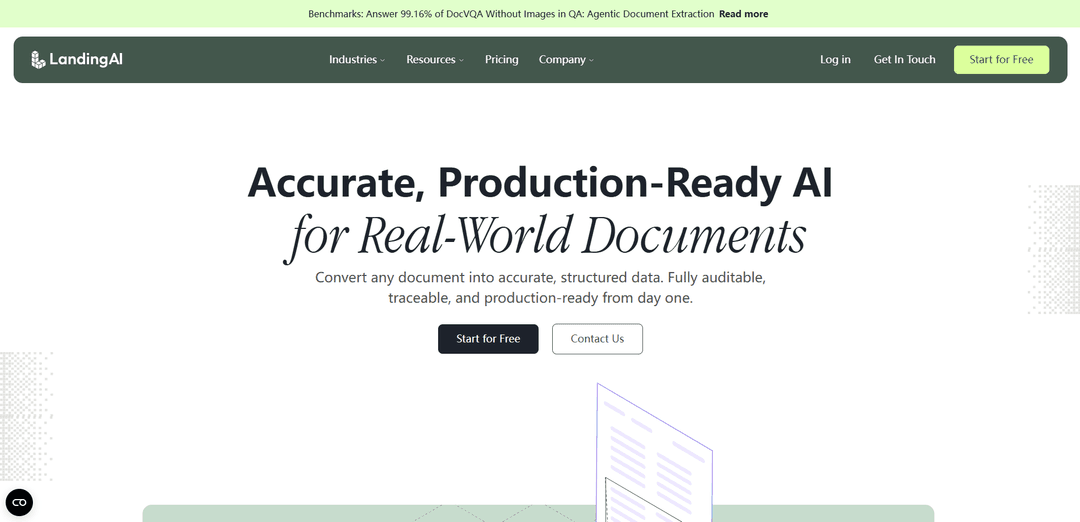
Agentic Document Extraction (ADE) is a vision-first, schema-driven document AI that converts complex PDFs and images into structured, hierarchically grounded JSON and LLM-ready Markdown with precise coordinates, confidence scoring, and audit-ready traceability.
https://landing.ai/?ref=producthunt
Product Information
Updated:Jul 8, 2026
Agentic Document Extraction Monthly Traffic Trends
Agentic Document Extraction received 210.0k visits last month, demonstrating a Slight Growth of 9.8%. Based on our analysis, this trend aligns with typical market dynamics in the AI tools sector.
View history trafficWhat is Agentic Document Extraction
Agentic Document Extraction (ADE) is LandingAI’s API-based approach to making real-world documents “computable” by extracting structured information from visually complex files such as multi-page PDFs, scans, and images that contain tables, forms, charts, and mixed layouts. Instead of treating a document as plain text, ADE preserves layout and hierarchy, producing outputs like LLM-ready Markdown and structured content blocks (e.g., text, tables, figures) along with page-level citations and exact element locations. This makes ADE suitable for production document automation where accuracy, provenance, and governance matter—especially in regulated or high-stakes workflows.
Key Features of Agentic Document Extraction
LandingAI’s Agentic Document Extraction (ADE) is a vision-first, agentic document understanding API that converts visually complex, variable-format documents (PDFs and images) into structured, hierarchical JSON and LLM-ready Markdown while preserving layout, reading order, and relationships (tables, forms, figures, headings). It returns audit-ready “visual grounding” (page numbers and precise coordinates/bounding boxes down to table-cell level) plus confidence scoring, enabling verifiable extraction, easier debugging, and reliable downstream automation at production scale (including high-throughput multi-page processing and integrations via REST and SDKs).
Vision-first layout understanding: Parses documents as visual structures (not just flattened OCR text), retaining spatial context for multi-column layouts, dense tables, forms, and mixed text+graphics pages.
Hierarchical structured outputs (JSON + Markdown): Returns a hierarchical JSON of content blocks (text, tables, figures) and LLM-ready Markdown that preserves document structure for RAG, search, and analytics.
Visual grounding for traceability: Provides exact citations for extracted elements—page numbers and precise coordinates/bounding boxes (including table-cell grounding)—so every value can be traced, audited, and defended.
Schema-first field extraction: Supports user-defined schemas (flat or nested, arrays, multi-table) to extract specific fields reliably, including large tables spanning many pages.
Confidence scoring and review targeting: Surfaces confidence scores to flag uncertain extractions for human review, improving governance and reducing downstream errors.
Scale, orchestration, and workflow building blocks: Designed to plan/decide/verify extraction steps to meet quality thresholds; includes core APIs for Parse, Split (segment and classify multi-doc PDFs), and Extract, with SDK support and enterprise deployment options (e.g., zero data retention).
Use Cases of Agentic Document Extraction
Financial services underwriting & statements: Extracts key figures, income/asset details, and risk indicators from complex, multi-page loan files and bank statements with auditable citations for compliance and faster decisions.
Insurance claims and EOB processing: Captures structured fields and tables from explanation-of-benefits, claim packets, and scanned forms to automate intake, reconciliation, and exception handling.
Healthcare knowledge/RAG over institutional PDFs: Parses clinical/medical documents into grounded chunks to power answer engines with verifiable citations, reducing hallucinations and improving trust at point of care.
Legal and compliance document review: Converts contracts and regulatory documents into structured, citable blocks to support search, clause extraction, compliance checks, and audit trails.
Engineering/plan review and complex technical docs: Extracts tables, figures, and structured sections from technical drawings and plan sets to enable downstream reasoning systems that require high trust in what came off the page.
Enterprise document archives → searchable datasets: Transforms large back-catalogs of PDFs/images into queryable, structured data for analytics, reporting, and automation (including large multi-table and multi-page extraction).
Pros
Audit-ready traceability via visual grounding (page/coordinates) makes outputs verifiable and defensible in regulated workflows.
Handles complex layouts (tables, forms, figures, dense/multi-column pages) better than text-only OCR+LLM approaches.
Schema-driven extraction plus confidence scoring supports production governance and targeted human review.
Designed for speed and scale (high-throughput multi-page processing) with API/SDK integration options.
Cons
Pricing details may not be fully transparent publicly and can be enterprise-oriented depending on usage and deployment needs.
Requires integration work to map outputs (JSON/Markdown/groundings) into downstream systems and workflows.
Like any extractor, edge cases may still need human review—especially when confidence is low or documents are highly degraded.
How to Use Agentic Document Extraction
1) Create a LandingAI ADE account and get an API key: Sign up via the ADE web app (va.landing.ai). Generate an Agentic Document Extraction API key from your account settings.
2) Store the API key in an environment variable (or .env): Set your key as an environment variable so the SDK can authenticate (the docs note you can also place it in a .env file).
3) Install the ADE client library (Python): Install the Python package that wraps the ADE APIs (commonly used entry points shown are agentic_doc.parse and related utilities).
4) Choose an input document source (local path or URL): ADE can parse PDFs and common image formats supported by OpenCV (cv2). You can pass a local file path or a URL to a PDF.
5) Parse the document into layout-aware chunks (Parse API): Run the parse step to convert the document into LLM-ready Markdown plus structured content blocks (chunks) that preserve hierarchy, reading order, tables/figures, and include page/coordinate citations.
6) Enable visual grounding image crops for debugging (optional): When parsing, set grounding_save_dir to save each grounding (bounding box region) as a PNG. The library organizes saved images by page number and chunk ID, which helps verify what was extracted.
7) Inspect parse results and print grounding image paths (optional): Iterate through parsed_doc.chunks and each chunk.grounding; if grounding.image_path exists, print it to quickly locate the saved evidence images for each extracted region.
8) Generate annotated visualizations of extracted regions (optional): Use the visualization utility (viz_parsed_document) to create annotated page images showing where each chunk came from. Save outputs to an output_dir for review and troubleshooting.
9) Define the fields you want (schema-first extraction): Create a schema describing the structured output you need (flat or nested objects, arrays, multi-table outputs). ADE’s Extract step is schema-guided and can handle large tables spanning many pages.
10) Run schema-guided extraction (Extract API): Call the Extract step using your schema to pull specific fields from the parsed document. Outputs include confidence and audit-ready citations (bounding boxes) per extracted value.
11) Review confidence + citations and route low-confidence items: Use confidence scoring to identify values that may need human review. Use the page/coordinates (and saved grounding images/visualizations) to audit and validate each extracted value.
12) Integrate outputs downstream (RAG, analytics, automation): Use the returned Markdown/chunks for retrieval (RAG) and the extracted JSON for databases, dashboards, compliance checks, reconciliation, or workflow automation. Keep citations to provide traceable answers.
Agentic Document Extraction FAQs
Agentic Document Extraction (ADE) is LandingAI’s document intelligence solution that converts visually complex documents into reliable, structured data. It returns a hierarchical JSON output and can also produce LLM-ready, layout-aware Markdown.
Agentic Document Extraction Video
Popular Articles

Vosko AI: Localize and Dub Videos for Global Audiences
Oct 15, 2026

Atoms: A Multi-Agent AI Platform That Transforms Ideas into Launch-Ready Products
Oct 13, 2026

Nano Banana SBTI: What It Is, How It Works, and How to Use It in 2026
Apr 15, 2026

Atoms Review — The AI Product Builder Redefining Digital Creation in 2026
Apr 10, 2026
Analytics of Agentic Document Extraction Website
Agentic Document Extraction Traffic & Rankings
210K
Monthly Visits
#185023
Global Rank
#5594
Category Rank
Traffic Trends: Jul 2024-Jun 2025
Agentic Document Extraction User Insights
00:01:11
Avg. Visit Duration
3.24
Pages Per Visit
37.67%
User Bounce Rate
Top Regions of Agentic Document Extraction
US: 22.6%
IN: 10.88%
CN: 6.26%
PH: 5.53%
VN: 4.19%
Others: 50.54%
Latest AI Tools Similar to Agentic Document Extraction

Folderr
Folderr is a comprehensive AI platform that enables users to create custom AI assistants by uploading unlimited files, integrating with multiple language models, and automating workflows through a user-friendly interface.
InDesign Translator
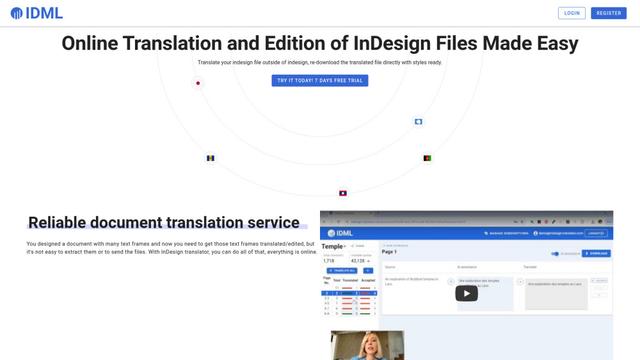
InDesign Translator is an online translation service that enables users to translate InDesign files while maintaining formatting and styles, offering AI-assisted translation and easy collaboration features without requiring translators to have InDesign installed.
Specgen.ai
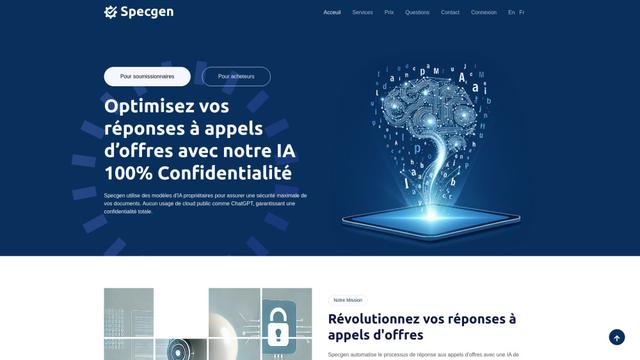
Specgen.ai is an AI-powered platform that helps businesses optimize their bid responses by automatically analyzing tender requirements and generating personalized responses while ensuring 100% data confidentiality through proprietary AI models.
TurboDoc
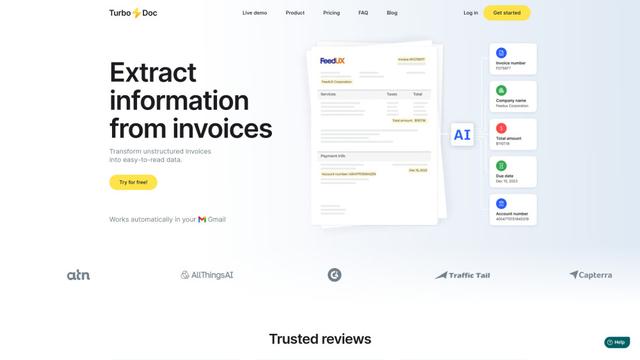
TurboDoc is an AI-powered invoice processing software that automatically extracts and transforms unstructured invoice data into organized, easy-to-read structured data through Gmail integration and intelligent document processing.
Popular AI Tools Like Agentic Document Extraction
R2R
R2R (Reason to Retrieve) is an advanced AI retrieval system that provides production-ready Retrieval-Augmented Generation (RAG) capabilities with multimodal content ingestion, hybrid search, knowledge graphs, and comprehensive document management through a RESTful API.

Claude Folder Upload
A Chrome extension that enables users to upload entire folders to Claude AI while intelligently preserving directory structures and file relationships, with smart filtering capabilities for irrelevant files.
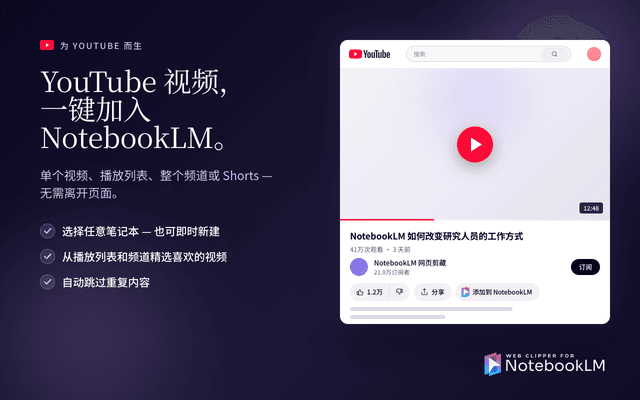
Web Clipper for NotebookLM
Web Clipper for NotebookLM is a Chrome extension that saves web pages, PDFs, YouTube content, social posts/threads, and even AI chat conversations directly into Google NotebookLM in one click, plus adds powerful export, sync, and notebook-management tools.
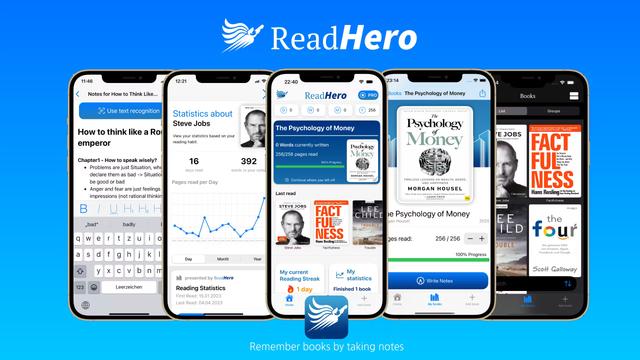
ReadHero
ReadHero is a comprehensive book tracking and note-taking app that helps readers remember and retain more of what they read by enabling progress tracking, note-taking, and book management all in one place.