Actionbook
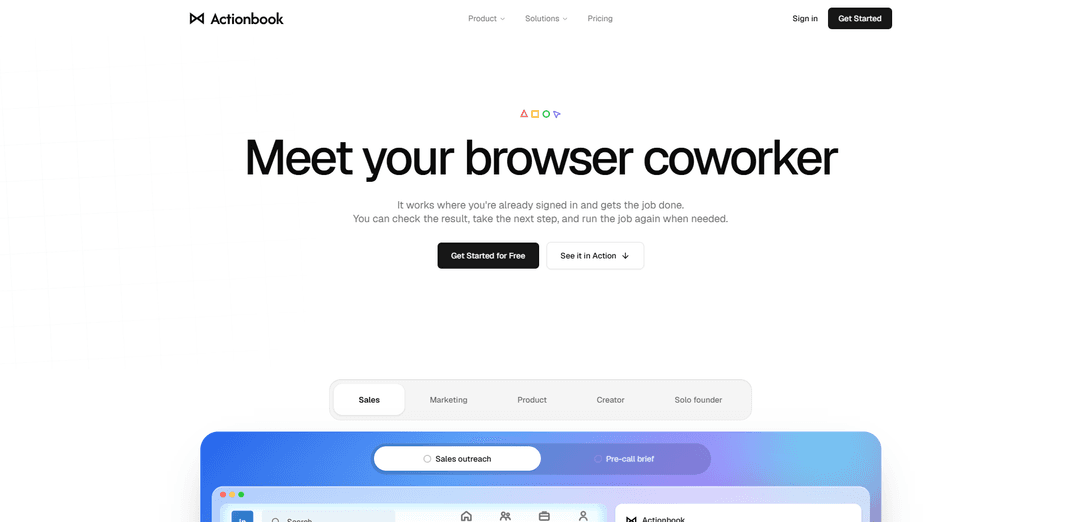
Actionbook is an AI browser coworker for Chrome and Edge that works in a user’s signed-in browser, automates multi-step web tasks, produces sourced results, and keeps credentials local.
https://actionbook.app/?utm_source=aipure
Product Information
Updated:Oct 19, 2026
What is Actionbook
Actionbook is a browser-based AI agent designed to complete work across the websites and SaaS tools people already use. Available through a Chrome or Edge extension and compatible with MCP-enabled AI clients, it can read information from authenticated tabs, navigate webpages, fill forms, and return completed outputs such as research briefs, reports, CSVs, and ready-to-review drafts. Rather than only answering questions, Actionbook is intended to execute the browser steps needed to produce an outcome while preserving the user’s visibility and control.
Key Features of Actionbook
Actionbook is an AI browser coworker for Chrome and Edge that works in the user’s signed-in browser sessions to complete multi-step web tasks and return finished outputs such as sourced reports, CSVs, and ready-to-review drafts. It operates from a browser side panel or through compatible MCP clients, can work across multiple tabs and services, links findings to their original sources, and lets users save successful repeatable workflows as Plays. Credentials and sessions remain on the user’s device, while important actions require user approval.
Signed-in browser access: Works with websites and services the user is already signed into, allowing it to gather context from dashboards, reports, communities, and other tabs without sending usernames, passwords, or sessions to the model.
Browser-side task execution: Runs beside the current page in a side panel and can understand page context, click, type, navigate, and complete multi-step work rather than only providing instructions.
Sourced finished results: Returns practical deliverables—including reports, CSVs, briefs, and drafts—with links back to the original pages so users can verify the evidence and context.
Approval and user control: Keeps the user in control by allowing review of results, approval of important actions, and the ability to stop a run at any time.
Reusable Plays: Lets users save a successful completed workflow as a Play, retaining effective steps while removing detours to make recurring work faster and more consistent.
MCP client connectivity: Can be connected to MCP-compatible AI clients such as ChatGPT, Claude, Gemini, Perplexity, and Cursor, enabling those clients to work through the same signed-in browser.
Use Cases of Actionbook
Sales prospecting and outreach: Research prospects across LinkedIn, CRM records, and live online signals; create sourced lead lists, identify buying intent, draft personalized connection requests, and update CRM records after approval.
Customer account preparation: Combine product-usage data, CRM pipeline information, and support or account signals into a renewal or expansion brief, highlighting risks, opportunities, and recommended next actions.
Marketing and SEO research: Compare keyword gaps and search-performance data across tools such as Semrush and Google Search Console, then produce an organized report of opportunities and priorities.
Community and market research: Find and organize current discussions, needs, and purchase-intent signals from communities such as Reddit and X, with each finding linked to the post or page where it was found.
Competitive intelligence: Review competitor websites, paid resources, member communities, and other pages available through the user’s existing accounts, then produce a citation-backed dossier or comparison.
Creator and performance reporting: Pull performance information across creator or social platforms and consolidate it into a finished report covering reach, posts, platforms, and notable changes.
Pros
Uses the user’s existing signed-in browser sessions while keeping credentials, passwords, and sessions on the device.
Produces actionable deliverables instead of only answers, including reports, CSVs, briefs, and reviewable drafts.
Provides source links for findings, making results easier to check, validate, and share.
Supports repeatable work through Plays and can connect with MCP-compatible AI clients.
Cons
Requires an open browser and access to the relevant signed-in sites; it cannot use services or content the user cannot access.
Important actions may require user review and approval, which improves control but can add friction to fully hands-off workflows.
Performance and completeness can depend on the structure, permissions, and reliability of the websites being used.
Best suited to browser-based workflows; tasks centered on offline systems or unsupported environments may need other tools.
How to Use Actionbook
1. Install the Actionbook extension: In Google Chrome or Microsoft Edge, install the Actionbook extension from the Chrome Web Store. Use a Chromium-based browser with sidebar support (Chrome 114 or later is documented).
2. Open the sites you want Actionbook to use: Navigate to the websites, dashboards, or web apps needed for your task and sign in normally. Actionbook operates in your real browser and reuses the sessions already active there; do not provide it with passwords.
3. Open the Actionbook side panel: Click Chrome’s Extensions puzzle icon, pin Actionbook if desired, then click the Actionbook icon in the toolbar. The Actionbook sidebar opens alongside the current page and remains available as you browse.
4. Give it a clear task: Describe the finished outcome you need, including relevant inputs and constraints. For example: create a renewal brief from product and CRM data, find CRM-alternative discussions, collect pricing from several sites, export leads to CSV, or prepare outreach drafts.
5. Let Actionbook inspect and work across your tabs: Actionbook reads the live pages available in your signed-in browser, navigates sites, gathers information, and can click or fill forms to complete the workflow. It can combine information from multiple sources into one report, CSV, draft, or completed action.
6. Review sourced results: Check the returned result and open its source links to verify facts, numbers, and context. Actionbook is designed to link findings back to the original pages so you can validate work before using or sharing it.
7. Approve consequential actions: For actions such as sending messages, submitting forms, or making changes in external systems, review the proposed work and approve it when prompted. You can stop a run at any time.
8. Save repeatable work as a Play: When a task succeeds, save the run as a Play. A Play retains the successful workflow so it can be rerun later with new inputs, typically with fewer detours and lower token use.
9. Optionally connect Actionbook to an AI client via MCP: To use Actionbook from ChatGPT, Claude, Gemini, Perplexity, Cursor, or another MCP-compatible client, open that client’s connector settings and add the hosted Actionbook MCP endpoint: https://edge.actionbook.app/mcp. Then sign in to the Actionbook dashboard, complete the connection flow, and confirm that the Chrome extension is linked.
10. Run browser tasks from the connected AI client: After MCP setup, give instructions in your chosen AI client. The client sends the task to Actionbook, while the Actionbook extension operates your linked, signed-in Chrome session and returns the completed result to the client.
Actionbook FAQs
Actionbook is an AI browser agent for Chrome and Edge that works in a browser side panel. It can read pages, navigate websites, fill forms, and combine information from multiple sites into a completed result rather than only providing chat responses.
Official Posts
Loading...Popular Articles

Vosko AI: Localize and Dub Videos for Global Audiences
Oct 15, 2026

Atoms: A Multi-Agent AI Platform That Transforms Ideas into Launch-Ready Products
Oct 13, 2026

Nano Banana SBTI: What It Is, How It Works, and How to Use It in 2026
Apr 15, 2026

Atoms Review — The AI Product Builder Redefining Digital Creation in 2026
Apr 10, 2026
Latest AI Tools Similar to Actionbook
MultipleWords
MultipleWords is a comprehensive AI platform offering 16 powerful tools for content creation and manipulation across audio, video, and image editing with cross-platform accessibility.
Athena AI
Athena AI is a versatile AI-powered platform offering personalized study assistance, business solutions, and life coaching through features like document analysis, quiz generation, flashcards, and interactive chat capabilities.
Taidai.io
Taidai.io is an AI-powered tool that automatically converts notes, emails, and text content into actionable todo lists.
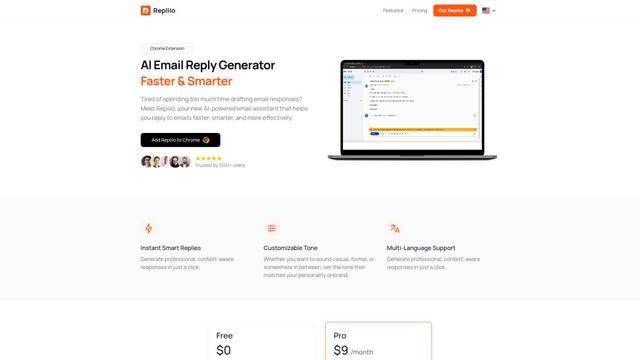
Repliio
Repliio is an AI-powered email assistant Chrome extension that helps users generate professional, context-aware email responses quickly with customizable tones and multi-language support.
Popular AI Tools Like Actionbook
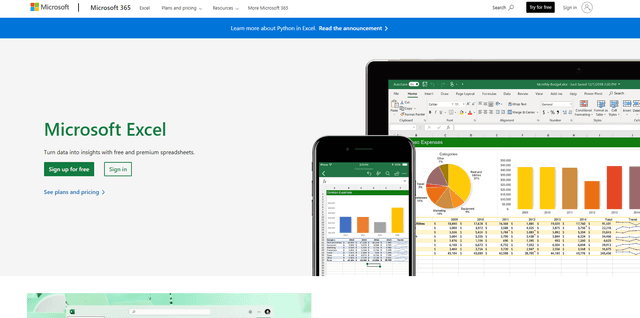
Microsoft Excel: Spreadsheets
Microsoft Excel is the industry-leading spreadsheet software that allows users to organize, analyze, and visualize data through powerful features like formulas, charts, and AI-powered insights.
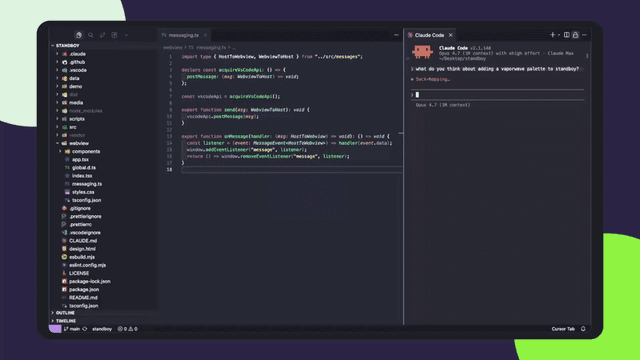
Standboy
Standboy is a VS Code/Cursor extension that auto-expands a Game Boy (GB/GBC/GBA) emulator in the sidebar during AI agent activity, then auto-hides and pauses—resuming mid-frame next time—while keeping a persistent ROM library, saves, and cover art.
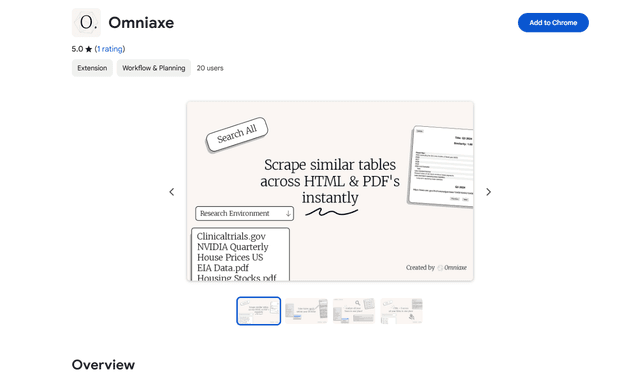
Omniaxe
Omniaxe is an all-in-one Chrome extension research tool that combines seamless data extraction, AI-powered analysis, and centralized note-taking capabilities designed specifically for analysts, researchers and students.
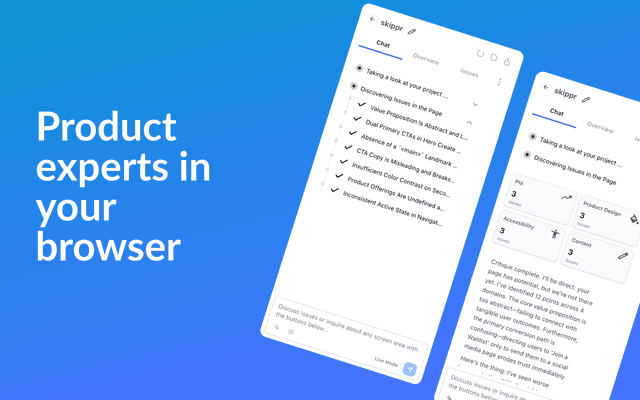
Finesse by Skippr AI
Finesse by Skippr AI is a browser extension that provides instant, expert-level product feedback and critiques across design, content strategy, accessibility, and product direction through specialized AI reviewers.