
GitUX
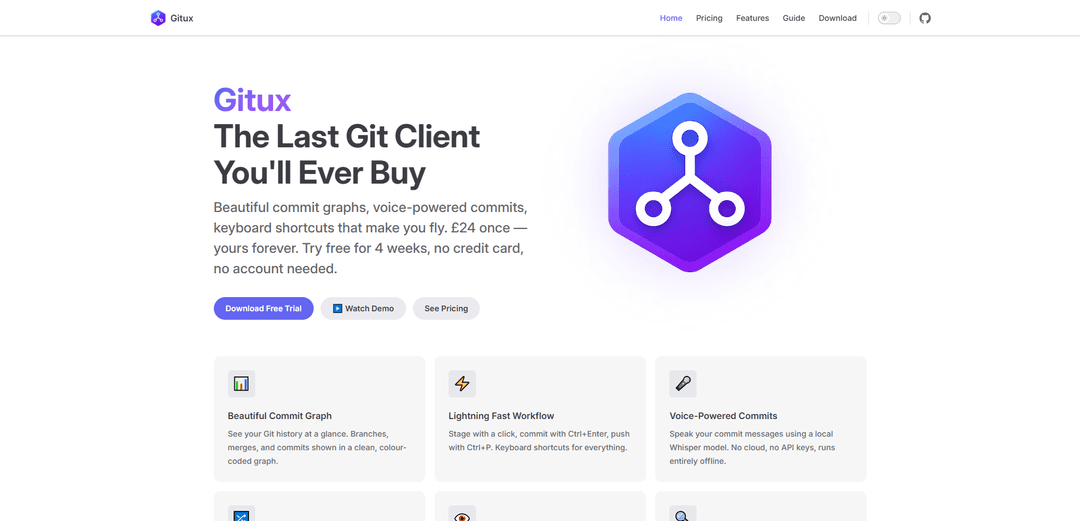
GitUX is a lightweight, keyboard-driven Git client with beautiful commit graphs, voice-powered commits, and intuitive drag-and-drop merging capabilities available for a one-time purchase.
https://gitux.co/?ref=producthunt
제품 정보
업데이트됨:Feb 15, 2026
GitUX이란?
GitUX is a modern Git client born out of frustration with existing solutions that either lacked good UI, were bloated with unnecessary features, or required expensive yearly subscriptions. It offers a streamlined Git experience with essential features packaged in a fast, responsive interface. Available for a one-time fee of £24, GitUX provides lifetime access to all features with a 28-day free trial period that requires no credit card or account creation.
GitUX의 주요 기능
GitUX is a visual Git client that offers a modern, user-friendly interface for Git operations. It features a beautiful commit graph visualization, voice-powered commit messages using local Whisper model, keyboard shortcuts for efficient workflow, drag-and-drop merging capabilities, and advanced diff viewing options. The software is designed to be lightweight, privacy-focused, and available for a one-time purchase rather than a subscription model.
Visual Commit Graph: Clean, color-coded graph visualization showing branches, merges, and commits history at a glance
Voice-Powered Commits: Local voice recognition for creating commit messages without cloud dependency, running entirely offline
Keyboard-Driven Interface: Comprehensive keyboard shortcuts for all operations including staging, committing, and pushing code
Advanced Diff Viewing: Split and unified diff views with syntax highlighting and minimap for large diffs
GitUX의 사용 사례
Individual Developer Workflow: Streamline daily Git operations with quick keyboard shortcuts and visual commit history
Team Code Review: Easily review changes and merge branches using the visual interface and drag-drop functionality
Large Project Management: Navigate and search through extensive commit history and file changes in large repositories
장점
One-time purchase instead of subscription
Privacy-focused with local processing
Lightweight and fast performance
단점
Limited feature set compared to some competitors
Relatively new product with potential stability issues
GitUX 사용 방법
Download and Install: Download GitUX from gitux.co and install it on your computer. No account or credit card needed for the 28-day free trial.
View Commit Graph: Open GitUX to see your Git repository history displayed in a clean, color-coded graph showing branches, merges and commits.
Stage Changes: Stage files for commit by clicking on them in the interface, or use keyboard shortcut Ctrl+Enter to stage changes.
Create Commits: Create commits either by typing commit messages or using the voice-powered commit feature which uses local Whisper model for offline voice recognition.
Push Changes: Push your committed changes to remote repository using Ctrl+P keyboard shortcut.
Merge Branches: Merge branches by dragging and dropping one branch onto another in the visual interface. Visual feedback shows the merge result.
View Diffs: Review code changes in either unified or split view with syntax highlighting and minimap for large diffs.
Search Repository: Use search functionality to find specific commits by message, author or date. Browse repo tree to view file history.
GitUX 자주 묻는 질문
GitUX costs £24 as a one-time payment for lifetime access. There is also a free 4-week trial available with no credit card or account required.




GitUX와(과) 유사한 최신 AI 도구

Gait
Gait는 AI 지원 코드 생성을 버전 관리와 통합하여 팀이 AI 생성 코드 맥락을 효율적으로 추적, 이해 및 공유할 수 있도록 하는 협업 도구입니다.

invoices.dev
invoices.dev는 개발자의 Git 커밋에서 직접 청구서를 생성하는 자동화된 청구 플랫폼으로, GitHub, Slack, Linear 및 Google 서비스와의 통합 기능을 제공합니다.

EasyRFP
EasyRFP는 RFP(제안 요청) 응답을 간소화하고 딥 러닝 기술을 통해 실시간 현장 표현형을 가능하게 하는 AI 기반 엣지 컴퓨팅 툴킷입니다.

Cart.ai
Cart.ai는 코딩, 고객 관계 관리, 비디오 편집, 전자상거래 설정 및 맞춤형 AI 개발을 포함한 종합적인 비즈니스 자동화 솔루션을 제공하는 AI 기반 서비스 플랫폼으로, 24/7 지원을 제공합니다.
GitUX와(과) 유사한 인기 AI 도구

GitHub Copilot Chat
GitHub Copilot Chat은 자연어 상호작용, 실시간 코드 제안 및 지원되는 IDE와 GitHub.com 내에서 직접 제공되는 맥락 지원을 제공하는 AI 기반 코딩 도우미입니다.

CopilotForXcode
CopilotForXcode는 Xcode 내에서 AI 기반 코드 제안, 채팅 지원 및 프롬프트-투-코드 기능을 제공하기 위해 GitHub Copilot, Codeium 및 ChatGPT를 통합한 Xcode 소스 편집기 확장입니다.

BrowserAI
BrowserAI는 서버 인프라 없이 개인 정보 보호에 중점을 둔 AI 기능을 제공하여 WebGPU 가속을 통해 웹 브라우저에서 직접 로컬 대규모 언어 모델(LLM)을 실행할 수 있도록 하는 오픈 소스 라이브러리입니다.

OpenAI Codex CLI
OpenAI Codex CLI는 터미널에서 실행되는 경량 오픈 소스 코딩 에이전트로, 개발자가 자연어를 코드 실행으로 변환하고 코드 실행, 파일 조작, 버전 제어 하에서 반복 작업을 수행할 수 있는 ChatGPT 수준의 추론 기능을 제공합니다.