
Open Claude in Chrome
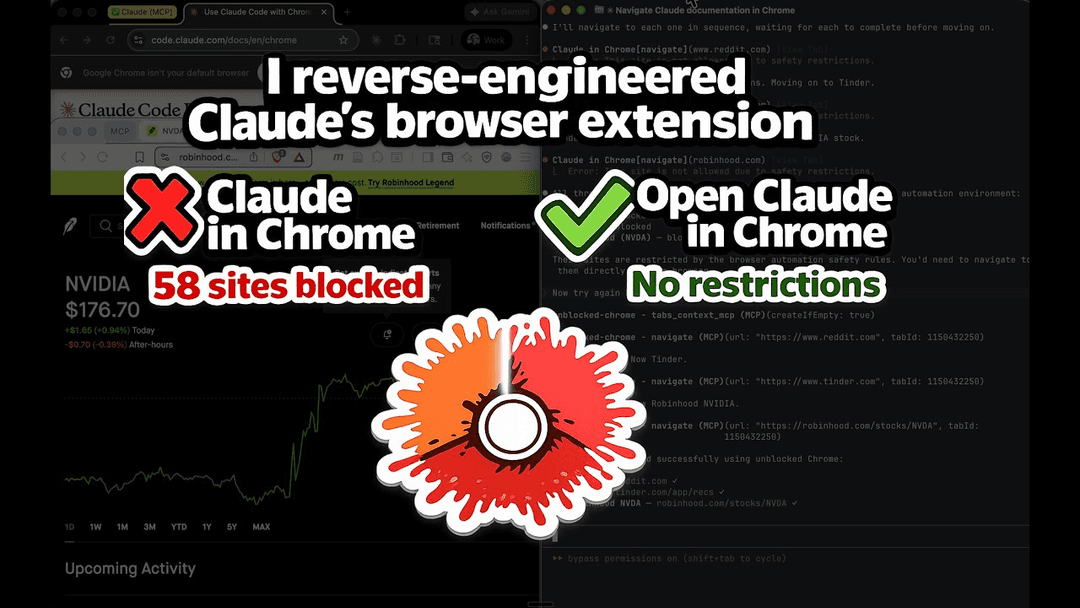
Open Claude in Chrome is an open-source reimplementation of Claude's browser automation extension that removes domain restrictions and supports any Chromium browser while maintaining 100% feature parity with the official version.
https://github.com/noemica-io/open-claude-in-chrome?ref=producthunt
Informazioni sul Prodotto
Aggiornato:Apr 10, 2026
Cos'è Open Claude in Chrome
Open Claude in Chrome is a clean-room, open-source implementation of Anthropic's Claude in Chrome extension that provides full browser automation capabilities for Claude Code without the limitations of the official version. Built under the MIT license, this extension removes the 58-domain blocklist that restricts access to banking, investing, dating, social media, and other sites in the official extension. While maintaining identical performance and all 18 MCP (Model Context Protocol) tools, Open Claude in Chrome extends browser support beyond Chrome and Edge to work with any Chromium-based browser including Brave, Arc, Opera, and Vivaldi. The project was reverse-engineered by Sebastian Sosa at Noemica and represents a fully functional alternative that gives developers unrestricted browser automation for AI-assisted workflows.
Caratteristiche principali di Open Claude in Chrome
Open Claude in Chrome is an open-source, clean-room reimplementation of Anthropic's official Claude in Chrome extension that removes domain restrictions while maintaining 100% feature and performance parity. It provides Claude Code with full browser automation capabilities across any Chromium-based browser (Chrome, Edge, Brave, Arc, Opera, Vivaldi, etc.) through 18 MCP tools, enabling AI-powered navigation, interaction, and data extraction from websites without the 58-domain blocklist present in the official extension. The architecture consists of a Chrome extension, MCP server, and native messaging host that work together to give Claude Code the ability to see, click, navigate, execute JavaScript, read console logs, capture screenshots, and perform complex multi-step browser workflows.
No Domain Restrictions: Unlike the official Claude in Chrome which blocks 58 domains across banking, investing, payments, dating, adult content, news, and social media categories, Open Claude in Chrome has no blocklist and can navigate to any website including Reddit, Tinder, Robinhood, and financial institutions.
Universal Chromium Browser Support: Works with any Chromium-based browser including Chrome, Edge, Brave, Arc, Opera, and Vivaldi, whereas the official extension only supports Chrome and Edge.
18 Complete MCP Browser Automation Tools: Provides full browser control through tools including navigation, mouse/keyboard input, screenshots, accessibility tree reading, page text extraction, element finding, form input, JavaScript execution, console reading, network monitoring, window resizing, and image uploading.
Open Source MIT License: Completely open-source code available on GitHub with MIT licensing, allowing full transparency, community contributions, and customization unlike the closed-source official extension.
Seamless Claude Code Integration: Integrates directly with Claude Code through MCP (Model Context Protocol) server, enabling natural language commands to control browser workflows without switching contexts between coding and browser tasks.
Live Debugging and Testing Capabilities: Enables developers to build web applications in Claude Code and immediately test them in the browser by reading console errors, DOM state, network requests, and verifying UI behavior without leaving the development environment.
Casi d'uso di Open Claude in Chrome
Financial Research and Trading Automation: Access previously blocked financial platforms like Robinhood, Schwab, Fidelity, and banking sites to gather market data, monitor portfolios, analyze competitor pricing, and automate research workflows that were restricted in the official extension.
Web Application Development and Testing: Developers can use Claude to automatically test localhost applications, verify form validations, check error messages, read console logs, and debug UI issues directly from the command line or VS Code without manual browser interaction.
Competitive Intelligence and Market Research: Navigate competitor websites, extract pricing information, analyze product features, gather positioning data, and compile comprehensive market analysis across any domain including previously blocked news sites like NYT, WSJ, and Bloomberg.
Social Media and Content Management: Automate interactions with social platforms like Reddit, manage content posting, monitor discussions, extract trending topics, and perform sentiment analysis without domain restrictions that blocked these sites in the official version.
Data Extraction from Restricted Sites: Scrape and analyze data from dating platforms, adult content sites, gambling platforms, and other previously blocked domains for research, analytics, or business intelligence purposes in a controlled development environment.
Cross-Browser Testing and Automation: Test web applications across multiple Chromium browsers (Brave, Arc, Opera, Vivaldi) beyond just Chrome and Edge, ensuring consistent behavior and compatibility across different browser environments.
Vantaggi
Complete removal of domain blocklist allows access to all 58 previously restricted sites across banking, investing, dating, adult content, news, and social media categories
Open-source transparency with MIT license enables community auditing, customization, and contributions unlike the closed-source official extension
Universal Chromium browser compatibility supports Chrome, Edge, Brave, Arc, Opera, and Vivaldi instead of just Chrome and Edge
Identical feature set and performance to official Claude in Chrome with all 18 MCP tools maintained at 100% parity
Svantaggi
Requires manual installation process including loading unpacked extension, running shell scripts, and configuring absolute paths rather than one-click installation from Chrome Web Store
Beta feature with inherent risks when automating sensitive actions on financial, dating, or restricted websites without the safety guardrails of domain blocking
No official support from Anthropic and requires separate maintenance as an independent community project
Browser must be completely restarted for native messaging configuration changes to take effect, which can disrupt workflow
Come usare Open Claude in Chrome
1: Install Node.js v18 or higher on your system
2: Ensure you have Claude Code v2.0.73 or higher installed
3: Clone or download the Open Claude in Chrome repository from GitHub
4: Navigate to the host directory and run 'npm install' to install dependencies
5: Open your Chromium browser (Chrome, Edge, Brave, Arc, Opera, or Vivaldi) and navigate to the extensions page (chrome://extensions or equivalent)
6: Enable Developer mode in the extensions page
7: Click 'Load unpacked' and select the 'extension/' directory from the repository
8: Copy the extension ID shown under the extension name in the extensions page
9: Run the installation script from the repository root: './install.sh <your-extension-id>' (if using multiple browsers, pass all extension IDs)
10: Close all browser windows completely and restart your browser to load the native messaging host configuration
11: Get the absolute path to the MCP server by running 'echo "node $(pwd)/host/mcp-server.js"' from the repository root
12: Add the MCP server to Claude Code by running 'claude mcp add open-claude-in-chrome -- node /absolute/path/to/host/mcp-server.js'
13: Start a new Claude Code session and test the installation by asking Claude to navigate to a website (e.g., 'Navigate to reddit.com and take a screenshot')
14: Verify that Claude can access any website without domain restrictions and use all 18 available browser automation tools
FAQ di Open Claude in Chrome
Open Claude in Chrome is an open-source, clean-room reimplementation of Claude in Chrome that removes restrictions while maintaining 100% feature and performance parity. The key differences are: (1) No domain blocklist - the official version blocks 58 domains across 11 categories including banking, investing, dating, and social media sites, while Open Claude in Chrome has no restrictions; (2) Browser support - official version only works with Chrome and Edge, while Open Claude in Chrome supports any Chromium browser (Chrome, Edge, Brave, Arc, Opera, Vivaldi, etc.); (3) Open source - the official version is closed source, while this is MIT licensed and fully open source.
Video di Open Claude in Chrome
Articoli Popolari

Atoms: Una Piattaforma AI Multi-Agente Che Trasforma le Idee in Prodotti Pronti al Lancio
May 22, 2026

Nano Banana SBTI: Cos'è, come funziona e come usarlo nel 2026
Apr 15, 2026

Recensione di Atoms — Il builder di prodotti AI che ridefinisce la creazione digitale nel 2026
Apr 10, 2026

Kilo Claw: Come Distribuire e Utilizzare un Vero Agente AI "Fai-da-Te" (Aggiornamento 2026)
Apr 3, 2026
Ultimi Strumenti AI Simili a Open Claude in Chrome

Gait
Gait è uno strumento di collaborazione che integra la generazione di codice assistita dall'IA con il controllo delle versioni, consentendo ai team di tracciare, comprendere e condividere il contesto del codice generato dall'IA in modo efficiente.

invoices.dev
invoices.dev è una piattaforma di fatturazione automatizzata che genera fatture direttamente dai commit Git dei programmatori, con capacità di integrazione per i servizi GitHub, Slack, Linear e Google.

EasyRFP
EasyRFP è un toolkit di edge computing alimentato da AI che semplifica le risposte alle RFP (Richiesta di Proposta) e consente la fenotipizzazione sul campo in tempo reale attraverso la tecnologia di deep learning.

Cart.ai
Cart.ai è una piattaforma di servizi alimentata dall'IA che fornisce soluzioni complete di automazione aziendale, tra cui codifica, gestione delle relazioni con i clienti, editing video, configurazione e-commerce e sviluppo di AI personalizzata con supporto 24/7.
Strumenti AI Popolari Come Open Claude in Chrome

GitHub Copilot Chat
GitHub Copilot Chat è un assistente di codifica alimentato dall'IA che fornisce interazioni in linguaggio naturale, suggerimenti di codice in tempo reale e supporto contestuale direttamente all'interno degli IDE supportati e di GitHub.com.

CopilotForXcode
CopilotForXcode è un'estensione dell'Editor di Codice Xcode che integra GitHub Copilot, Codeium e ChatGPT per fornire suggerimenti di codice alimentati dall'IA, assistenza in chat e funzionalità di prompt-to-code all'interno di Xcode.

BrowserAI
BrowserAI è una libreria open source che consente l'esecuzione di modelli linguistici di grandi dimensioni (LLM) locali direttamente nei browser web con accelerazione WebGPU, offrendo funzionalità di intelligenza artificiale incentrate sulla privacy senza richiedere infrastrutture server.

OpenAI Codex CLI
OpenAI Codex CLI è un agente di codifica open-source leggero che viene eseguito nel tuo terminale, consentendo agli sviluppatori di tradurre il linguaggio naturale in esecuzione di codice fornendo al contempo un ragionamento a livello di ChatGPT con la capacità di eseguire codice, manipolare file e iterare sotto controllo di versione.