OpenAI has been moving at full speed lately. Just one week after releasing GPT-5.2, the company officially announced its new flagship image generation model, ChatGPT Images, on X (formerly Twitter) on December 17, 2025. This update introduces ChatGPT Image 1.5, also known as GPT Image 1.5, marking a major leap forward in AI-powered image creation and editing.

(Image Credit: https://x.com/OpenAI/status/2000990989629161873)
As one of the leading AI tool aggregation platforms, AIPURE closely tracks the latest developments in the AI industry—especially from major players like OpenAI and Google. Naturally, once ChatGPT Images went live, our editorial team couldn’t wait to test it firsthand. In this article, you’ll get a clear overview of ChatGPT Image 1.5, a practical guide on how to use ChatGPT Images, and our real-world experience using the tool at AIPURE.

Curious how ChatGPT Image 1.5 compares to Google’s Nano Banana Pro? That in-depth comparison will be covered in our next article(updated). For now, let’s focus on understanding what makes ChatGPT Images special and why GPT Image 1.5 is quickly becoming one of the most talked-about AI image models today.

Why Did ChatGPT Images Go Viral Immediately After Launch?
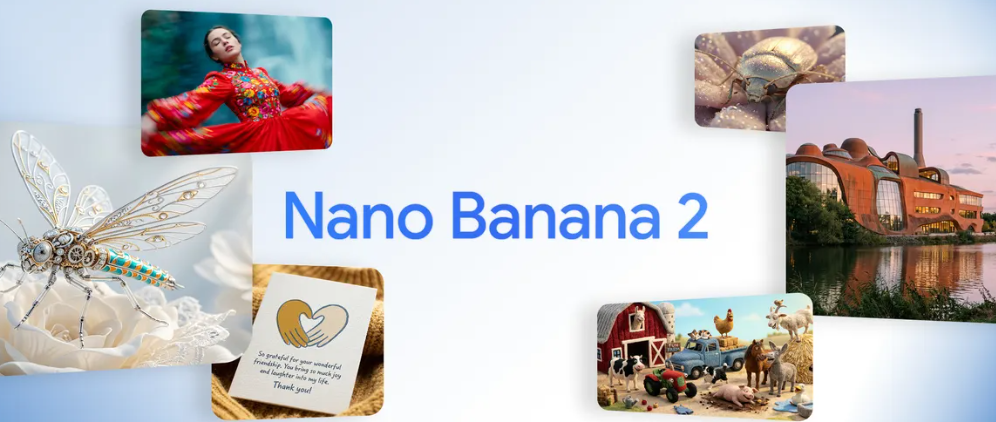
When it comes to AI image generation, many users initially think of Nano Banana Pro. Backed by Google, it built a strong reputation starting with Nano Banana, the first generation of its image model, and earned widespread praise—especially after its major upgrades. As a pioneer of the AI industry, OpenAI has long set the standard in the chatbot space with ChatGPT. Now, by expanding ChatGPT beyond text, OpenAI is clearly aiming to compete at the highest level of visual AI. With the launch of ChatGPT Images, powered by ChatGPT Image 1.5 (GPT Image 1.5), OpenAI positioned this release as its flagship image generation model. This immediately sparked massive interest, as users rushed to test whether ChatGPT Images could truly rival Nano Banana Pro in quality, speed, and creative control.
What Optimizations Does ChatGPT Images Include? (GPT Image 1.5 Improvements)
Before using ChatGPT Images, it’s important to understand what improvements OpenAI has made with its latest image model, GPT Image 1.5 — especially if you’re deciding whether to adopt it in your creative, design, or business workflows. After reviewing the official OpenAI announcement "The new ChatGPT Images is here", we found that ChatGPT Image 1.5 delivers several significant enhancements that make ChatGPT Images more powerful, precise, and practical than previous versions.

1. More Accurate Instruction Following
One of the biggest optimizations in GPT Image 1.5 is stronger adherence to user instructions. Whether you’re generating an image from a prompt or making edits to an existing photo, the model now follows natural language commands more reliably and interprets relationships between objects, lighting, and context more consistently than before. This helps produce outputs that match your intent without repeatedly tweaking prompts.
2. Precise Edits That Preserve Important Details
ChatGPT Images powered by GPT Image 1.5 preserves critical visual elements like lighting, composition, facial features, and backgrounds when applying edits. For example, you can change clothes, swap backgrounds, or add objects while retaining realism — an improvement that closes the gap between simple AI imagery and professional creative work.

(Image Credit: The new ChatGPT Images is here)
3. Up to 4× Faster Image Generation and Editing
Speed has been dramatically improved: GPT Image 1.5 can generate and edit images up to four times faster than previous models. This makes iterative testing, rapid prototyping, and bulk content workflows much more efficient — a key advantage for designers, marketers, and enterprise teams.
4. Improved Text Rendering and Fine Detail
Another key upgrade is better handling of text and small visual elements in generated images. Dense text, fine typography, logos, and small details now render with higher fidelity, making ChatGPT Images more suitable for commercial use cases such as advertising banners, product packaging concepts, and UX/UI mockups.

(Image Credit: The new ChatGPT Images is here)
5. New Dedicated Images Workspace and Presets
OpenAI introduced a dedicated Images workspace inside ChatGPT, with preset styles, trending prompts, and creative suggestions. This visual-first environment helps users quickly explore ideas, choose styles, and generate consistent results without crafting detailed prompt templates from scratch.

(Image Credit: The new ChatGPT Images is here)
6. Enhanced Creative Transformations
Beyond basic creation and editing, GPT Image 1.5 supports sophisticated transformations that preserve context while creatively reimagining visual concepts. This is useful for making stylistic changes, thematic compositions, and conceptual visuals — making ChatGPT Images feel more like a full creative studio.

(Image Credit: The new ChatGPT Images is here)
Can You Use ChatGPT Images for Free?
Are you eager to try ChatGPT Images for yourself? The good news is YES — ChatGPT Images can currently be used for FREE.
According to OpenAI’s official documentation, the new image generation model has been rolled out to all users, with the API version officially named GPT Image 1.5. At the same time, OpenAI has introduced a refreshed ChatGPT Images experience, which is now available to most ChatGPT users. Enterprise and Business plan users are expected to gain full access shortly.
Based on multiple hands-on tests, there are no visible usage limits or pop-up restrictions at the moment for standard image generation within ChatGPT. This makes ChatGPT Image 1.5 one of the most accessible high-quality AI image tools currently available, especially for creators, designers, and marketers who want to experiment without upfront costs.
That said, free access policies can change. A similar situation occurred with Nano Banana Pro, which initially allowed free usage but later introduced token-based limits as adoption increased. For this reason, we recommend bookmarking this page — we’ll update this article immediately if OpenAI introduces new pricing tiers, usage caps, or API restrictions for GPT Image 1.5.
For now, if you’re looking to explore next-generation ChatGPT Images without paying, this is one of the best times to start.
How to Use ChatGPT Images (2025 Step-by-Step Guide)
Using ChatGPT Images powered by ChatGPT Image 1.5 (GPT Image 1.5) is incredibly simple, even for beginners. In this 2025 guide, AIPURE walks you through the exact steps to generate, edit, and refine images using OpenAI’s latest image model.

Step 1: Get Familiar with the ChatGPT Images Interface
Before using any AI image tool, the first step is understanding its interface. Open ChatGPT and click the “+” (plus) button, then select Images.
You’ll see a sliding banner titled “Try a style on an image”, featuring a wide range of built-in visual styles. These include popular options such as Sketch, Plushies, and 3D Glam Doll, among others. At the time of writing, there are 13 preset styles available.

(Image Credit: ChatGPT Image 1.5)
Below this banner, you’ll find the “Discover something new” section, which showcases additional themed styles like “Create a Holiday Card” and other creative templates. Currently, this section includes around 12 extra styles, and OpenAI is expected to introduce more trending styles in future updates.
This intuitive layout makes ChatGPT Images far more accessible than traditional prompt-only image generators.
Step 2: Choose an Image Style
For this example, we selected the Plushies style, as its preview looks especially cute and visually appealing. Click on Plushies, and a dialog box will appear asking whether you want to upload a new image or select a previously saved image from ChatGPT.

(Image Credit: ChatGPT Image 1.5)

(Image Credit: ChatGPT Image 1.5)
Here, we chose an image that had already been uploaded and saved in ChatGPT. This workflow highlights one of the strengths of ChatGPT Image 1.5—its seamless integration with your existing chat history and assets.
Step 3: Wait for Image Generation
Once the image is selected, ChatGPT Images automatically handles the prompt generation for you. The style you choose already includes optimized AI instructions behind the scenes, powered by GPT Image 1.5.
There’s no need to write complex prompts manually. Simply wait while ChatGPT processes the request and generates your image.
Step 4: Refine, Save, or Share
Image generation is extremely fast—usually taking just a few seconds. Once the image appears, you’ll immediately notice how polished and adorable the result is. Honestly, the output can look so good that you might wish it existed in real life!

If you’re not fully satisfied, you can easily refine the image by adding follow-up instructions, such as:
“Add a blue beret hat to her head” or “Make the background softer and pastel-colored.”
Thanks to the improved instruction-following capabilities of ChatGPT Image 1.5, these refinements are applied accurately without breaking the original composition.

(Image Credit: ChatGPT Image 1.5)
When you’re happy with the result, you can download, save, or share the image directly.
Simple, fast, and fun—this is why ChatGPT Images has become one of the most beginner-friendly AI image generation tools in 2025. Try it yourself and see how easy it is!
AIPURE Editor’s Experience with ChatGPT Images (GPT Image 1.5)
From AIPURE’s editorial perspective, our hands-on experience with ChatGPT Images powered by GPT Image 1.5 has been largely positive — especially in terms of speed and output consistency.
When we rely on the built-in styles and presets provided by GPT Image 1.5, the image generation process feels both fast and reliable. The model delivers visually appealing results within seconds, with balanced lighting, strong composition, and noticeably fewer distortions compared to earlier ChatGPT Images models. For content creators, marketers, and designers who need quick, ready-to-use visuals, this workflow is extremely efficient.
However, when we move beyond presets and attempt to generate images based purely on custom ideas or highly specific creative concepts, the experience becomes more nuanced. While GPT Image 1.5 clearly shows improvements in instruction-following and detail preservation, complex prompts still require careful refinement. Achieving precise results often involves iterative prompting — adjusting descriptions, adding constraints, or breaking ideas into step-by-step edits.
That said, this behavior is not unique to OpenAI’s model. Competing solutions such as Nano Banana Pro face similar challenges when handling abstract concepts or multi-layered creative instructions. In practical testing, GPT Image 1.5 remains highly competitive thanks to its faster generation speed, stronger edit consistency, and seamless integration within the ChatGPT ecosystem.
Overall, ChatGPT Image 1.5 (GPT Image 1.5) represents a significant upgrade in the evolution of ChatGPT Images. It excels as a fast, production-ready image generator for everyday use cases, while also offering enough depth for advanced users willing to iterate on prompts. For creators who value efficiency, flexibility, and integration with AI writing and reasoning tools, GPT Image 1.5 is currently one of the most practical choices on the market — standing strong even when compared with leading alternatives like Nano Banana Pro.
At AIPURE, we believe ChatGPT Image 1.5 is not just an incremental update, but a meaningful step toward making AI image generation truly usable in real-world creative workflows.



