
Inspector
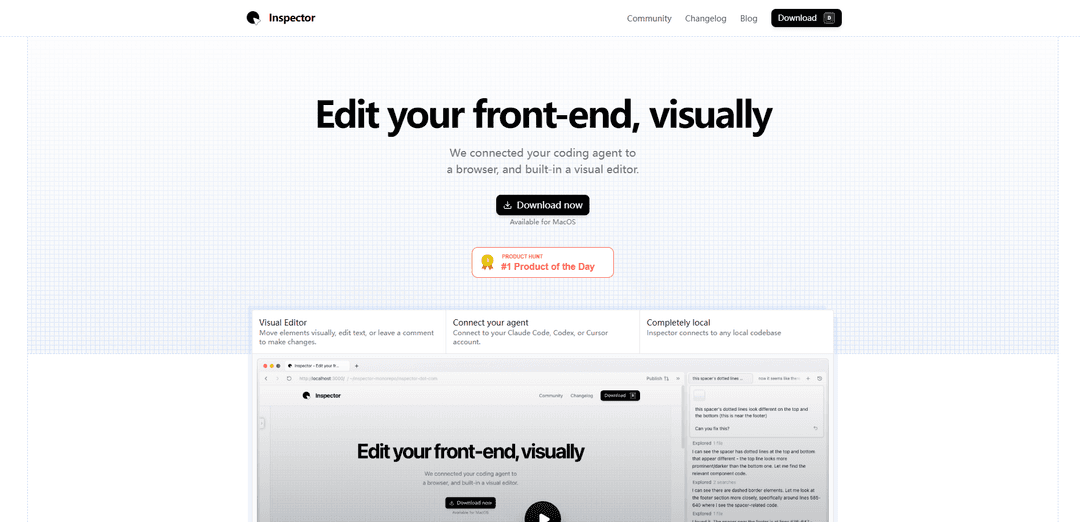
Inspector is a visual front-end editor that connects to AI coding agents (like Claude Code, Cursor, or Codex) allowing developers to edit text, move elements, and iterate on React, Next.js, or Vite applications through a visual interface while working directly on their local codebase.
https://tryinspector.com/?ref=producthunt
Информация о продукте
Обновлено:10/02/2026
Что такое Inspector
Inspector is an innovative development tool that bridges the gap between visual editing and code development by providing a browser-based IDE interface. It acts as a visual layer on top of your codebase, allowing developers and designers to make visual changes while automatically updating the underlying code. The tool is specifically designed to work with modern front-end frameworks, with particular emphasis on React applications, and integrates seamlessly with popular AI coding agents.
Ключевые особенности Inspector
Inspector is a visual front-end editor that integrates with AI coding agents (like Claude Code, Cursor, and Codex) to allow developers and designers to visually edit and debug web applications. It provides a browser-based interface where users can directly manipulate UI elements, edit text, take context-aware screenshots, and make code changes while connecting to local codebases, with all changes being automatically reflected in the source code.
Visual Element Manipulation: Allows users to move and edit UI elements visually with drag-and-drop functionality, automatically updating the underlying code
AI Agent Integration: Seamlessly connects with coding agents like Claude Code, Cursor, and Codex to provide intelligent coding assistance
Code-Element Linking: Automatically links visual elements to their exact location in the source code, providing immediate context for developers
GitHub Integration: Direct connection to GitHub for creating branches, committing changes, and publishing pull requests from within the Inspector interface
Варианты использования Inspector
Front-end Development: Developers can quickly iterate on UI changes while seeing immediate visual feedback without switching between editor and browser
Designer-Developer Collaboration: Designers can directly make visual changes to production codebases without needing to understand the underlying code
React Application Development: Specialized support for React applications with direct component editing and visual context engine integration
Преимущества
Local data storage with focus on privacy and security
No setup required - works immediately with local codebases
Intuitive visual editing interface with direct code integration
Недостатки
Currently only available for MacOS
Best performance limited to React applications
Requires connection to external AI coding agents
Как использовать Inspector
Open Inspector: Right-click on any webpage element and select 'Inspect' or use keyboard shortcuts: F12 (Windows) or Command+Option+I (Mac)
Select Elements: Use the element selector tool (arrow icon) in the inspector panel to hover over and click specific elements on the page you want to inspect
View HTML Structure: The Elements/Inspector panel shows the HTML structure of the selected element. You can expand/collapse nodes to explore the DOM hierarchy
Examine Styles: Check the Styles panel on the right to see all CSS properties applied to the selected element. Applied styles are shown with active properties, overridden styles are shown with strikethrough
Edit Live: Double-click on CSS properties or HTML elements to edit them directly in the inspector. Changes appear live on the page but are temporary
Use Console: Switch to the Console tab to test JavaScript code, debug issues, and see logged messages/errors
Adjust Inspector Position: Drag edges to resize the inspector panel or use the dock options to position it at the bottom or side of the browser window
Search Elements: Use the search functionality (usually Ctrl+F/Cmd+F within inspector) to find specific elements, classes, or IDs in the code
Toggle Device Mode: Use the device toggle (mobile icon) to test responsive designs and simulate different screen sizes
Access Additional Tools: Explore other tabs like Network (for monitoring requests), Application (for storage), and Sources (for debugging) based on your needs
Часто задаваемые вопросы о Inspector
Inspector is a visual front-end editor that connects to AI coding agents (Cursor, Claude Code, Codex) allowing users to edit text, move elements, and iterate on React, Next.js, or Vite apps locally on their codebase.
Видео Inspector
Популярные статьи

Vosko AI: локализация и дубляж видео для мировой аудитории
Oct 15, 2026

Atoms: Мультиагентная ИИ-платформа, которая превращает идеи в готовые к запуску продукты
May 22, 2026

Nano Banana SBTI: Что это такое, как это работает и как это использовать в 2026 году
Apr 15, 2026

Обзор Atoms — AI Product Builder, переопределяющий цифровое творчество в 2026 году
Apr 10, 2026
Последние ИИ-инструменты, похожие на Inspector

Gait
Gait — это инструмент для сотрудничества, который интегрирует генерацию кода с поддержкой ИИ с системой контроля версий, позволяя командам эффективно отслеживать, понимать и делиться контекстом кода, сгенерированного ИИ.

invoices.dev
invoices.dev - это автоматизированная платформа для выставления счетов, которая генерирует счета напрямую из коммитов Git разработчиков, с возможностями интеграции с GitHub, Slack, Linear и Google-услугами.

EasyRFP
EasyRFP — это ИИ-технология для вычислений на краю, которая упрощает ответы на RFP (запросы предложений) и позволяет проводить реальное время полевой фенотипизации с использованием технологий глубокого обучения.

Cart.ai
Cart.ai — это платформа на основе ИИ, предоставляющая комплексные решения для автоматизации бизнеса, включая программирование, управление отношениями с клиентами, редактирование видео, настройку электронной коммерции и разработку пользовательских решений на основе ИИ с поддержкой 24/7.
Популярные ИИ-инструменты, похожие на Inspector

GitHub Copilot Chat
GitHub Copilot Chat — это помощник по кодированию на базе искусственного интеллекта, который обеспечивает взаимодействия на естественном языке, реальные предложения кода и контекстную поддержку непосредственно в поддерживаемых IDE и на GitHub.com.

CopilotForXcode
CopilotForXcode — это расширение редактора исходного кода Xcode, которое интегрирует GitHub Copilot, Codeium и ChatGPT для предоставления предложений по коду на основе искусственного интеллекта, чат-помощи и функциональности prompt-to-code в Xcode.

BrowserAI
BrowserAI — это библиотека с открытым исходным кодом, которая позволяет запускать локальные большие языковые модели (LLM) непосредственно в веб-браузерах с ускорением WebGPU, предлагая возможности ИИ, ориентированные на конфиденциальность, без необходимости в серверной инфраструктуре.

OpenAI Codex CLI
OpenAI Codex CLI - это легкий агент для кодирования с открытым исходным кодом, который работает в вашем терминале, позволяя разработчикам переводить естественный язык в выполнение кода, обеспечивая при этом рассуждения на уровне ChatGPT с возможностью запуска кода, манипулирования файлами и итерации под контролем версий.