If you’re a YouTube creator, you’re probably well aware of how crucial thumbnails are for the success of your videos. Creating high-quality thumbnails, however, can be time-consuming, especially when you're focused on filming, editing, and promoting your content. At AIPURE, one of the leading AI tool aggregation platforms, we are committed to testing the latest and most popular AI tools to help you maximize the power of AI and improve your efficiency in content creation. Recently, we discovered a new AI tool called ThumbnailCreator, which allows you to generate professional YouTube thumbnails with just one click.
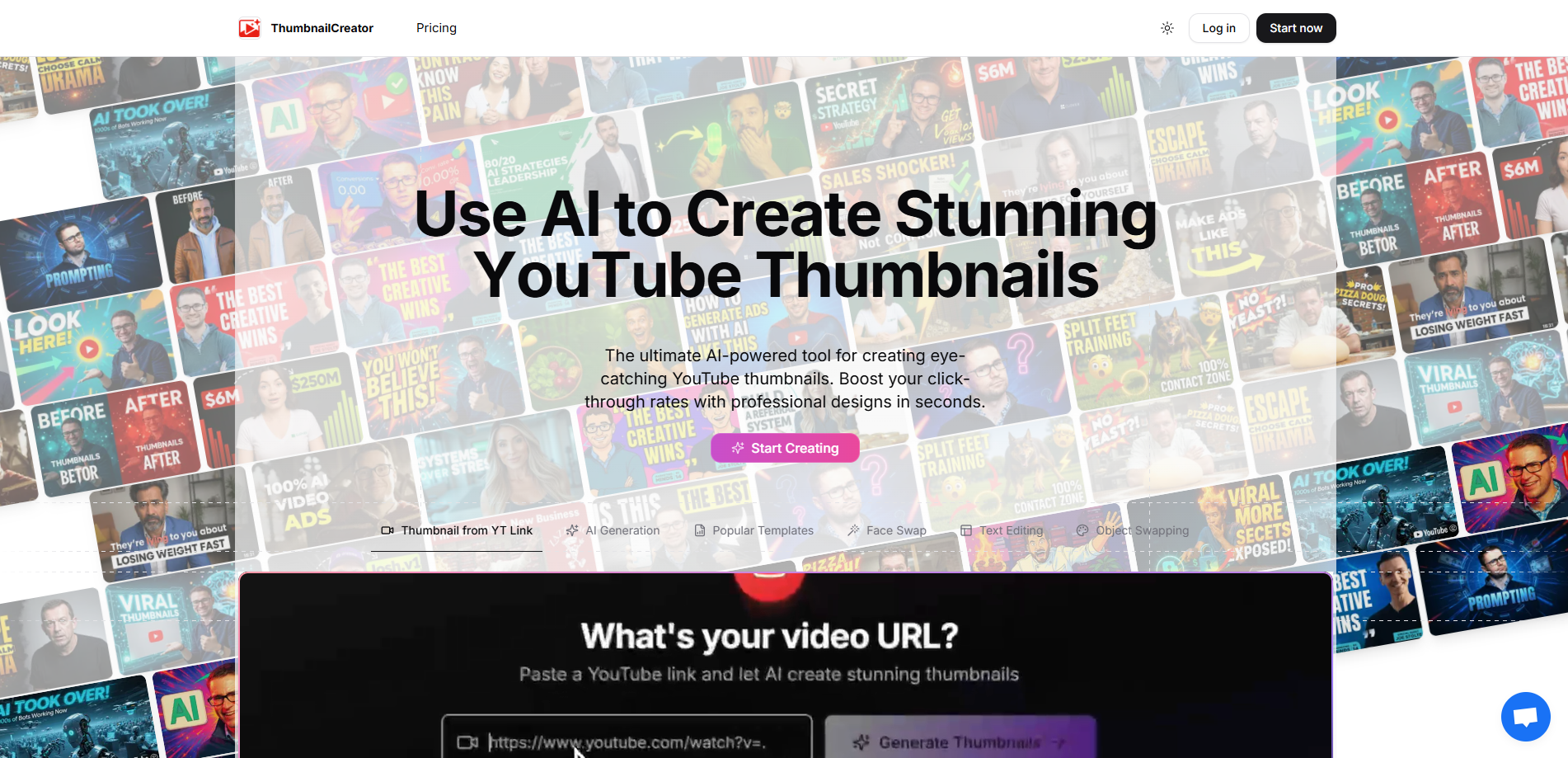
In this article, we will introduce the features of ThumbnailCreator, how to use it, and provide an honest review from our own testing at AIPURE.
Why You Should Use ThumbnailCreator to Create YouTube Thumbnails
According to data analysis by YT-Thumbnail from 1,000 of the highest-performing YouTube videos, thumbnails influence about 65% of the initial click decisions made by viewers. Thumbnails with high-contrast colors, a clear focus on the main subject, and expressive faces tend to show higher click-through rates, bringing more views and potential revenue. If you're a content creator looking to improve your video performance, creating professional thumbnails should be your top priority. This is where ThumbnailCreator comes in handy.

Now, let’s dive into what ThumbnailCreator is all about.

What is ThumbnailCreator?
ThumbnailCreator is an AI-powered tool designed to simplify the process of creating YouTube thumbnails. It provides automated, high-quality thumbnail generation while giving users flexibility to customize designs according to their needs.

Key features include:
- AI-Powered Thumbnail Generation: Simply paste the URL of your YouTube video, and the AI analyzes your video content to generate multiple thumbnail options that are relevant and visually appealing.
- Customization Options: You can personalize thumbnails by adding text, changing layouts, adjusting colors, uploading images, or including your own face for branding purposes.
- Template Library: ThumbnailCreator offers a variety of trending YouTube thumbnail templates, helping your videos stay up-to-date with current design trends.
- Batch Generation: The tool can produce multiple thumbnails at once, saving time and providing several options to choose from.
- High-Resolution Output: All thumbnails are generated in high resolution, ensuring they look professional and sharp on any device.
With these features, ThumbnailCreator enables creators to save time, maintain consistent branding, and ensure their thumbnails are visually appealing and optimized for optimal YouTube channel performance.
Now that you have a clear understanding of what ThumbnailCreator offers, it’s time to see how you can actually use it to create YouTube thumbnails that attract more clicks.
How to Use ThumbnailCreator in 2026
Based on our hands-on testing, AIPURE has put together the following step-by-step guide to help you get started quickly and make the most of ThumbnailCreator’s features.

Step 1: Search for ThumbnailCreator on AIPURE
Start by visiting AIPURE and searching for ThumbnailCreator. Click the result and then click Visit Website to go to ThumbnailCreator.com.

Step 2: Create an Account
Click Start Now on the ThumbnailCreator website. Signing up with a Google account is fast and convenient.

Step 3: Paste Your YouTube Video Link
Once you’re in the dashboard, paste the link to your video and click Generate Thumbnails. The AI will analyze your video and create multiple thumbnail options automatically.

Step 4: Customize Your Thumbnails
You can customize your thumbnails by adding your face, uploading images, changing text, adjusting colors, or selecting different layouts. This ensures your thumbnails match your brand style.

Step 5: Generate and Download
Click Generate Thumbnails, and within a few seconds, you’ll have several high-quality thumbnails ready to download.

AIPURE’s Review of ThumbnailCreator
After testing ThumbnailCreator, we were impressed by its ease of use and the quality of the generated thumbnails. The thumbnails we created were clean, professional, and perfectly aligned with AIPURE’s style. The rich color palettes, text placement options, and layout choices made the thumbnails stand out instantly.
Since YouTube now supports A/B testing for thumbnails, ThumbnailCreator allows us to quickly generate multiple versions in different styles, which can then be uploaded for testing to determine the best-performing version. This feature helps save time while optimizing user engagement without the need to design each version from scratch.

One of the most useful features for us was the ability to upload our own face photos, enabling us to create personalized and authentic custom thumbnails that better align with our brand identity. Additionally, the high-resolution output ensures that the thumbnails look sharp across all devices, whether on desktop monitors or mobile screens.
The biggest advantage of ThumbnailCreator, however, is its one-click generation process. There’s no need for complicated instructions or Photoshop skills. Simply paste your YouTube video link, customize it if necessary, and you’ll have your own high-click YouTube thumbnail in seconds.
Why AIPURE Chooses ThumbnailCreator
ThumbnailCreator offers a quick and easy way to generate visually appealing thumbnails that help boost click-through rates, views, and overall engagement. It allows us to create high-quality thumbnails in a short amount of time, without requiring professional design skills. This tool has greatly increased our content creation efficiency while maintaining high quality.
AIPURE’s Final Verdict
We believe that whether you're just starting out on YouTube or uploading multiple videos per week, this tool can help streamline your workflow. Did you see the thumbnail in our AIPURE YouTube video titled "ThumbnailCreator Review: The Easiest AI Thumbnail Tool in 2026"? That’s right — it was created using ThumbnailCreator. As you can see, it looks professional and eye-catching. What do you think?

Start creating professional YouTube thumbnails quickly with ThumbnailCreator.com and improve your video performance today!

If you'd like to explore more of the latest AI tools and comprehensive AI guides, make sure to bookmark AIPURE and subscribe to our YouTube channel.



