
Zush
Zush is an AI-powered macOS application that automatically renames and organizes image files with meaningful, descriptive names using advanced image recognition technology.
https://zushapp.com/?ref=producthunt

Product Information
Updated:Feb 8, 2026
What is Zush
Zush is an intelligent file organization tool designed specifically for macOS that solves the common problem of managing and finding images in large libraries. It leverages artificial intelligence to analyze image content and automatically generate descriptive, meaningful filenames - eliminating the tedious task of manual file naming. The app supports various image formats including RAW photos, SVGs, and PDFs, making it valuable for designers, photographers, marketers, developers, content creators, and product managers.
Key Features of Zush
Zush is an AI-powered macOS application that automatically renames image files by analyzing their content. It offers intelligent file organization, supports multiple file formats including RAW images, SVGs, and PDFs, and provides customizable naming patterns with metadata tagging. The app runs in the background to monitor designated folders and enables quick file retrieval through natural language search.
AI-Powered Renaming: Uses advanced image recognition to automatically generate meaningful, descriptive names for files based on their content
Background Monitoring: Watches one or multiple folders and processes new images instantly as they are added
Customizable Naming Patterns: Allows users to set their own file naming patterns using variables like title, date, time, and category
Metadata Integration: Automatically adds Finder tags and Spotlight metadata for enhanced searchability
Use Cases of Zush
Design Asset Management: Helps designers organize and quickly locate UI mockups, screenshots, and design references
Photography Organization: Manages large photo libraries with support for professional RAW formats and automated naming
Content Creation: Organizes visual assets, thumbnails, and references for content creators and social media managers
Pros
Automated file organization saves time
Supports multiple file formats including professional RAW images
Customizable naming patterns and metadata integration
Cons
Limited to macOS platform
Requires credits/subscription for advanced features
How to Use Zush
Install Zush: Download and install Zush from the official website (zushapp.com) for macOS
Choose Plan: Select either the Free plan (single folder monitoring) or Pro plan ($10/month with multiple folder support and advanced features)
Add Folders to Monitor: Select folders you want Zush to monitor for image files by clicking 'Add Folder' or dragging folders into the app
Configure Naming Pattern: Set up your preferred file naming pattern using variables like {title}, {original}, {date}, {time}, or {category}
Let AI Process Images: Zush will automatically analyze new images in monitored folders and rename them with meaningful, descriptive names based on AI recognition
Review and Manage Renamed Files: Track changes in the app and use the undo feature if needed to revert to original filenames
Use Search Features: Find renamed files quickly using Finder tags and Spotlight metadata that Zush automatically adds
Zush FAQs
Zush is an AI-powered macOS application that automatically renames image files by analyzing their content to give them meaningful, descriptive names.
Zush Video
Popular Articles

Vosko AI: Localize and Dub Videos for Global Audiences
Oct 15, 2026

Atoms: A Multi-Agent AI Platform That Transforms Ideas into Launch-Ready Products
Oct 13, 2026

Nano Banana SBTI: What It Is, How It Works, and How to Use It in 2026
Apr 15, 2026

Atoms Review — The AI Product Builder Redefining Digital Creation in 2026
Apr 10, 2026
Latest AI Tools Similar to Zush

altcheckerai
AltCheckerAI is an AI-powered tool that automatically optimizes image alt text to improve website SEO and accessibility through intelligent recommendations.

IMG Processing
IMG Processing is a powerful API service that enables fast and reliable image processing capabilities including uploading, transforming, and watermarking through simple integration.

ImageKit.io
ImageKit.io is a comprehensive media management and delivery platform that provides real-time image and video optimization, processing APIs, and Digital Asset Management (DAM) solutions for delivering high-quality visual experiences on websites and apps.
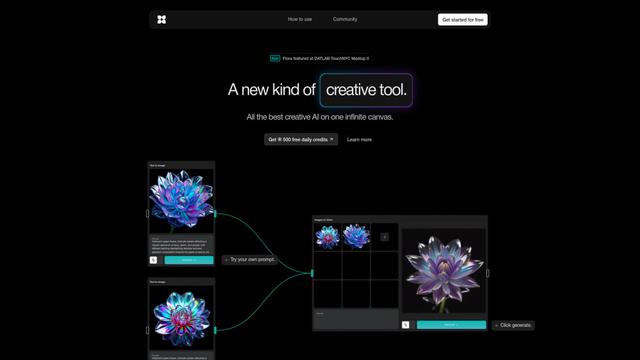
FLORA
FLORA is an innovative AI-powered creative tool that combines multiple AI capabilities on an infinite canvas to enable personalized plant identification, creative design, and interactive botanical assistance.
Popular AI Tools Like Zush

Somme: Wine Matched to You
FreemiumAI Image Recognition
Somme is an AI-powered personal sommelier app that combines advanced image recognition, personalized recommendations, and comprehensive wine insights to help users discover and enjoy wines that match their unique taste preferences.
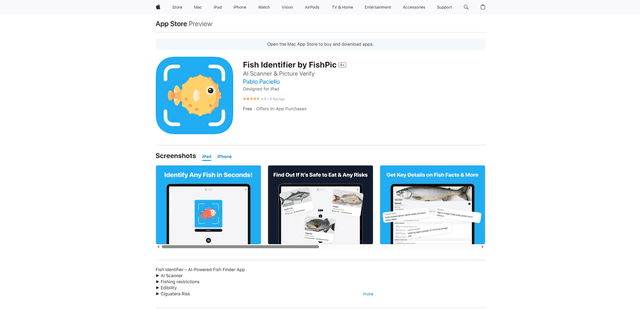
FishPic
FishPic is an AI-powered fish identification app that instantly recognizes fish species from photos while providing comprehensive information about edibility, regulations, and recipes.
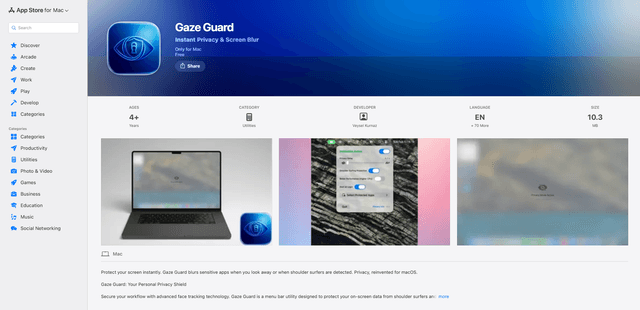
Gaze Guard
Gaze Guard is a privacy-focused menu bar utility for Mac that automatically blurs your screen content when you look away or when someone is shoulder surfing, using advanced face tracking technology.

WatermarkRemover.io
WatermarkRemover.io is an AI-powered online tool that automatically removes watermarks from images for free while maintaining image quality.