
Xcode
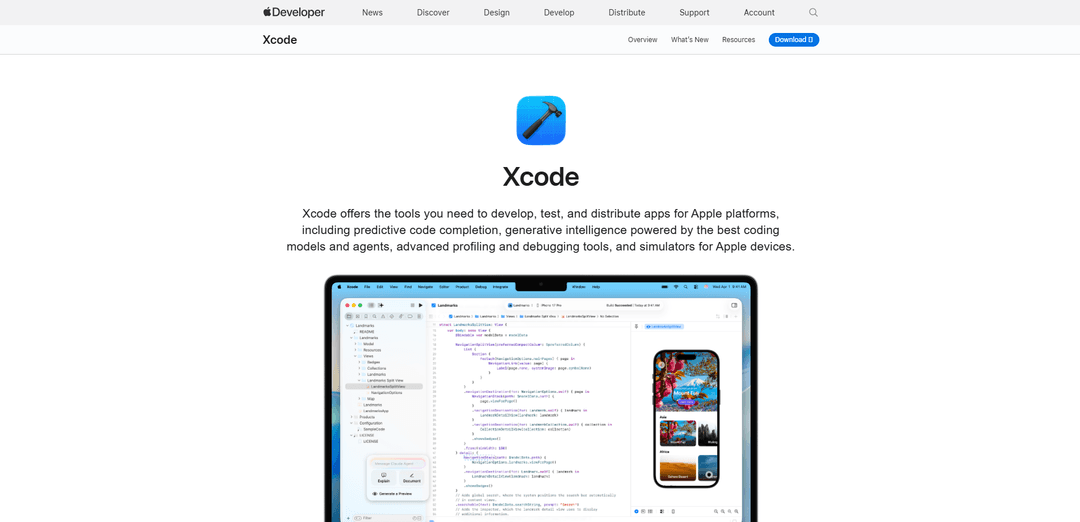
Xcode is Apple's comprehensive integrated development environment (IDE) that provides all the essential tools needed to develop, test, and distribute apps across all Apple platforms, featuring intelligent code completion, advanced debugging tools, and device simulators.
https://developer.apple.com/xcode?ref=producthunt
Product Information
Updated:Feb 8, 2026
What is Xcode
Xcode is Apple's official and free integrated development environment (IDE) designed specifically for creating applications for macOS, iOS, iPadOS, watchOS, tvOS, and visionOS. Initially released in 2003, it serves as the primary development tool for Apple's platforms, supporting programming languages like Swift and Objective-C. As an all-in-one development solution, Xcode is exclusively available for Mac users and represents the only official pathway for publishing apps to the Apple App Store.
Key Features of Xcode
Xcode is Apple's integrated development environment (IDE) that provides a comprehensive suite of tools for developing, testing, and distributing apps across all Apple platforms. It features advanced coding intelligence with predictive code completion, generative AI integration, powerful debugging tools, real-time preview capabilities, built-in simulators, and seamless integration with Apple's ecosystem, making it the essential tool for Apple platform development.
Intelligent Code Assistance: Offers predictive code completion powered by machine learning, along with integration of coding models and agents from Anthropic and OpenAI for enhanced development workflow
Real-time Preview System: Provides Xcode Previews feature allowing developers to visualize and interact with UI changes in real-time across SwiftUI, UIKit, and AppKit views
Comprehensive Testing Framework: Includes robust testing capabilities with Swift Testing framework, XCTest for unit and UI testing, and Xcode Cloud for continuous integration and delivery
Advanced Debugging Tools: Features sophisticated debugging capabilities including breakpoint management, memory leak detection, and performance profiling through Instruments
Use Cases of Xcode
iOS App Development: Creating mobile applications for iPhone and iPad with full access to platform-specific features and APIs
Cross-Platform Apple Development: Building applications that work seamlessly across multiple Apple platforms including macOS, watchOS, tvOS, and visionOS
Enterprise Application Development: Developing sophisticated business applications with robust security features and integration capabilities for corporate environments
Educational Software Creation: Building interactive learning applications and tools using Swift Playgrounds and educational frameworks
Pros
Complete integration with Apple's ecosystem and development workflow
Powerful built-in tools for testing, debugging, and performance optimization
Free to use with extensive documentation and community support
Cons
Only available for macOS, requiring Apple hardware
Large installation size and significant storage requirements
Steep learning curve for beginners
How to Use Xcode
Install Xcode: Download and install Xcode from the Mac App Store or Apple Developer website. Ensure your Mac meets system requirements. You'll need a free Apple ID to download.
Create Apple Developer Account: Sign up for a free Apple Developer account to access documentation and testing features. A paid Apple Developer Program membership ($99/year) is required to publish apps to the App Store.
Create New Project: Open Xcode and create a new project by selecting File > New > Project. Choose a template based on your target platform (iOS, macOS, etc) and configure basic project settings.
Design User Interface: Use Interface Builder or SwiftUI to design your app's UI. Drag and drop interface elements, set up constraints, and preview layouts across different devices using the preview canvas.
Write Code: Write your app logic using Swift or Objective-C in the source editor. Take advantage of predictive code completion and coding intelligence features powered by machine learning.
Test in Simulator: Test your app using the iOS Simulator to preview how it runs on different devices. Debug issues, test different scenarios like device orientation and network conditions.
Run Unit Tests: Write and run unit tests using XCTest or Swift Testing framework to verify individual components of your code work correctly. Set up UI tests to validate user interface behaviors.
Debug and Optimize: Use Xcode's debugging tools to set breakpoints, inspect variables, and find bugs. Use Instruments to profile performance, memory usage, and other metrics.
Configure App Settings: Set up app icons, launch screens, and other required assets. Configure signing certificates and provisioning profiles needed for testing on real devices.
Deploy and Distribute: Archive your app for distribution. Submit to App Store Connect for review and publication on the App Store, or distribute directly to testers using TestFlight.
Xcode FAQs
Xcode is Apple's integrated development environment (IDE) that provides all the tools needed to develop, test, and distribute apps for Apple platforms. It includes features like predictive code completion, debugging tools, and simulators for Apple devices.
Popular Articles

Vosko AI: Localize and Dub Videos for Global Audiences
Oct 15, 2026

Atoms: A Multi-Agent AI Platform That Transforms Ideas into Launch-Ready Products
Oct 13, 2026

Nano Banana SBTI: What It Is, How It Works, and How to Use It in 2026
Apr 15, 2026

Atoms Review — The AI Product Builder Redefining Digital Creation in 2026
Apr 10, 2026
Latest AI Tools Similar to Xcode

Gait
Gait is a collaboration tool that integrates AI-assisted code generation with version control, enabling teams to track, understand, and share AI-generated code context efficiently.

invoices.dev
invoices.dev is an automated invoicing platform that generates invoices directly from developers' Git commits, with integration capabilities for GitHub, Slack, Linear, and Google services.

EasyRFP
EasyRFP is an AI-powered edge computing toolkit that streamlines RFP (Request for Proposal) responses and enables real-time field phenotyping through deep learning technology.

Cart.ai
Cart.ai is an AI-powered service platform that provides comprehensive business automation solutions including coding, customer relations management, video editing, e-commerce setup, and custom AI development with 24/7 support.
Popular AI Tools Like Xcode

GitHub Copilot Chat
GitHub Copilot Chat is an AI-powered coding assistant that provides natural language interactions, real-time code suggestions, and contextual support directly within supported IDEs and GitHub.com.

CopilotForXcode
CopilotForXcode is an Xcode Source Editor Extension that integrates GitHub Copilot, Codeium, and ChatGPT to provide AI-powered code suggestions, chat assistance, and prompt-to-code functionality within Xcode.

BrowserAI
BrowserAI is an open-source library that enables running local Large Language Models (LLMs) directly in web browsers with WebGPU acceleration, offering privacy-focused AI capabilities without requiring server infrastructure.

OpenAI Codex CLI
OpenAI Codex CLI is a lightweight, open-source coding agent that runs in your terminal, enabling developers to translate natural language into code execution while providing ChatGPT-level reasoning with the ability to run code, manipulate files, and iterate under version control.