Wan 3.0
Trình tạo video AI WAN 3.0 trên Fooocus là một công cụ tạo video AI để tạo và tinh chỉnh video từ lời nhắc văn bản, hình ảnh và tham chiếu trực quan. Nó hỗ trợ tạo video từ văn bản, tạo video từ hình ảnh, tạo video có hướng dẫn tham chiếu, chỉnh sửa ngôn ngữ tự nhiên, kiểm soát chuyển động máy ảnh và tính nhất quán của cảnh.
https://fooocus.one/wan-30?utm_source=aipure
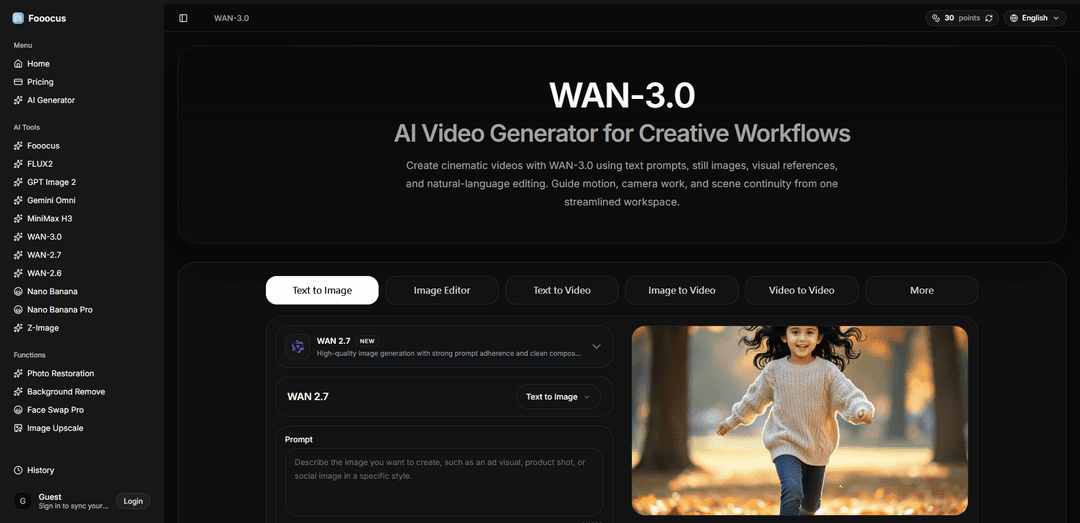
Thông tin Sản phẩm
Đã cập nhật:Aug 15, 2026
Xu hướng Lưu lượng Truy cập Hàng tháng của Wan 3.0
Wan 3.0 đã nhận được 203.0k lượt truy cập trong tháng trước, thể hiện mức Tăng trưởng Nhẹ 16.8%. Dựa trên phân tích của chúng tôi, xu hướng này phù hợp với động lực thị trường điển hình trong lĩnh vực công cụ AI.
Xem lịch sử lưu lượng truy cậpWan 3.0 là gì
Wan 3.0 là một mô hình tạo video AI thế hệ tiếp theo có sẵn thông qua các nền tảng đám mây dưới mã định danh mô hình wan3.0-video. Nó được thiết kế để vượt ra ngoài các clip ngắn, tĩnh bằng cách tạo ra các video dài hơn, mạch lạc hơn (lên đến 30 giây) trong một lần tạo liên tục, đồng thời hỗ trợ các đầu vào đa phương thức như lời nhắc văn bản, hình ảnh, âm thanh và video. Một bổ sung nổi bật là khả năng Omni-Reference của nó, có thể nhập tài liệu (ví dụ: PPT/XLS/PDF/Markdown) và trang web làm tài liệu nguồn, cho phép các quy trình làm việc như báo cáo thành video, bảng sản phẩm thành quảng cáo và trang web thành quảng cáo mà không cần viết lại mọi thứ thành lời nhắc theo cách thủ công.
Các Tính năng Chính của Wan 3.0
Wan 3.0 là một mô hình video AI đa phương thức nhằm mục đích tạo ra các clip dài hơn, mạch lạc hơn và đầu ra có thể kiểm soát tốt hơn so với các phiên bản Wan trước đây. Khả năng nổi bật của nó là tạo ra video dài tới 30 giây trong một lần chạy với thời lượng thông minh phù hợp với độ dài clip theo lời nhắc, cho phép di chuyển camera liên tục và ít lỗi ghép nối hơn. Nó cũng mở rộng đầu vào ngoài văn bản/hình ảnh để bao gồm các tham chiếu âm thanh/video và – đặc biệt – tài liệu và trang web (Omni-Reference / tài liệu thành video), đồng thời có thể tạo âm thanh trong cùng một lần với hình ảnh, hỗ trợ các sản phẩm hoàn chỉnh hơn, theo phong cách sản xuất.
Tạo một lần chạy 30 giây (thời lượng thông minh): Tạo tối đa 30 giây trong một lần chạy, với kiểm soát thời lượng thông minh giúp tránh làm đầy các lời nhắc ngắn – hữu ích cho các cảnh quay liên tục và giảm ghép nối nhiều clip.
Âm thanh gốc với video: Tạo âm thanh cùng với hình ảnh trong cùng một lần tạo, vì vậy đầu ra có thể trở lại dưới dạng các clip có điểm số/giọng nói thay vì cảnh quay im lặng.
Đầu vào Omni-Reference / tài liệu thành video: Chấp nhận tài liệu và tệp có cấu trúc (ví dụ: doc/xls/ppt/pdf/md) và thậm chí cả trang web bằng URL, đọc nội dung và biến nó thành một chuỗi video – được định vị là bề mặt đầu vào đầu tiên trong ngành.
Kiểm soát tham chiếu đa phương thức: Hỗ trợ sử dụng các tham chiếu hỗn hợp (văn bản cộng với hình ảnh/video/âm thanh và tài liệu) để neo chủ đề, phong cách, chuyển động hoặc nội dung, cải thiện khả năng kiểm soát cho các yêu cầu sáng tạo cụ thể.
Cải thiện tính nhất quán của chủ thể/cảnh: Nhấn mạnh tính liên tục ổn định hơn của nhân vật/đạo cụ/cảnh trong một clip dài hơn, giải quyết các vấn đề trôi dạt phổ biến trong việc tạo video ngắn trước đây.
Quy trình làm việc tạo thống nhất + chỉnh sửa dựa trên hướng dẫn: Kết hợp văn bản thành video, hình ảnh thành video, tạo hướng dẫn tham chiếu và chỉnh sửa/tinh chỉnh ngôn ngữ tự nhiên vào một quy trình làm việc duy nhất để sản xuất lặp đi lặp lại.
Các Trường hợp Sử dụng của Wan 3.0
Quảng cáo thương hiệu và sản phẩm dài 30 giây: Tạo một đơn vị quảng cáo đầy đủ theo phong cách phát sóng hoặc mạng xã hội (mở đầu, khoảnh khắc sản phẩm, khung kết thúc) trong một lần tạo, giảm các vấn đề về tính liên tục và ghép nối sau đó.
Giải thích tài liệu thành video cho báo cáo kinh doanh: Biến các bản trình bày, PDF và bảng tính thành các bản tóm tắt video được tường thuật/minh họa ngắn gọn cho các bản cập nhật nội bộ, thông tin liên lạc với nhà đầu tư hoặc hỗ trợ bán hàng.
Nội dung xã hội và kể chuyện của người sáng tạo: Tạo các cảnh ngắn hoàn chỉnh (độ dài Reels/Shorts/TikTok) với hành động và chuyển động camera mạch lạc, tận dụng các tham chiếu để giữ giao diện nhất quán.
Trực quan hóa khái niệm và bảng phân cảnh: Nhanh chóng tạo mẫu các khái niệm điện ảnh với các chuyển động camera, ánh sáng và nhịp độ được chỉ định, sau đó lặp lại thông qua các chỉnh sửa và tham chiếu dựa trên hướng dẫn.
Bài học nhỏ về giáo dục và đào tạo: Chuyển đổi các tài liệu đào tạo nặng về văn bản (sổ tay, PDF, bản trình bày) thành các mô-đun video ngắn với hình ảnh và âm thanh để tiêu thụ nhanh hơn.
Tái sử dụng tiếp thị trang web thành video: Nhập một trang sản phẩm hoặc trang đích chiến dịch bằng URL và tạo một clip quảng cáo ngắn phản ánh nội dung và cấu trúc chính của trang.
Ưu điểm
Các clip chạy một lần dài hơn (tối đa 30 giây) giảm ghép nối và cho phép ngôn ngữ camera liên tục.
Đầu vào Omni-Reference/tài liệu thành video và trang web mở rộng kiểm soát và mở khóa quy trình làm việc báo cáo/bản trình bày thành video.
Âm thanh được tạo cùng với hình ảnh hỗ trợ các sản phẩm hoàn chỉnh hơn từ một lần chạy.
Nhược điểm
Thời lượng dài hơn không phải là giấy phép cho các lời nhắc quá phức tạp; các cảnh nhiều nhịp vẫn yêu cầu dàn dựng cẩn thận và rõ ràng để tránh kết quả lộn xộn.
Chi tiết về giá cả/khả dụng có thể khác nhau tùy theo nền tảng/nhà cung cấp; một số tuyên bố được lặp lại rộng rãi trong kết quả tìm kiếm có thể không khớp với thông số kỹ thuật chính thức và nên được xác minh theo điểm cuối/điều khoản.
Việc tạo có thể mất vài phút và nhạy cảm với độ dài clip, độ phân giải và lưu lượng truy cập nền tảng.
Cách Sử dụng Wan 3.0
1) Chọn chế độ tạo phù hợp với nguồn của bạn: Quyết định cách bạn muốn điều khiển Wan 3.0: Văn bản thành Video (chỉ lời nhắc thuần túy), Hình ảnh thành Video (tạo hoạt ảnh cho một hình ảnh tĩnh), Khung đầu tiên / Khung đầu tiên & cuối cùng (giới hạn bắt đầu/kết thúc), hoặc Tham chiếu thành Video (sử dụng nhiều tham chiếu để khóa giao diện/chuyển động). Chọn chế độ phù hợp với những gì bạn đã có (chỉ kịch bản so với ảnh sản phẩm so với tham chiếu nhân vật so với clip hiện có).
2) Đặt thời lượng mục tiêu và tỷ lệ khung hình ngay từ đầu: Chọn thời lượng từ ~3 đến 30 giây. Khả năng nổi bật của Wan 3.0 là lên đến 30 giây trong một lần chạy, vì vậy hãy lên kế hoạch cảnh quay như một cảnh quay liên tục (hoặc một chuỗi ngắn) có thể nằm trong giới hạn thời gian đó. Chọn tỷ lệ khung hình (ví dụ: 16:9, 9:16) phù hợp với nơi bạn sẽ xuất bản.
3) Thu thập các tham chiếu (tùy chọn, nhưng được khuyến nghị để đảm bảo tính nhất quán): Chỉ tải lên hoặc đính kèm các tham chiếu nếu chúng có một nhiệm vụ: nhận dạng nhân vật, hình thức sản phẩm, vị trí, chuyển động hoặc âm thanh. Wan 3.0 hỗ trợ các tham chiếu hỗn hợp (hình ảnh, video, âm thanh) và cũng có thể đọc tài liệu hoặc trang web làm tài liệu nguồn (Omni-Reference / tài liệu thành video). Giữ video tham chiếu ngắn: trong Tham chiếu thành Video, tổng thời lượng video tham chiếu phải ≤15 giây, vì đầu vào + đầu ra phải nằm trong giới hạn 30 giây.
4) Nếu sử dụng tài liệu thành video, hãy cung cấp tài liệu hoặc URL và xác định mục đích đầu ra: Đính kèm một tài liệu (hoặc cung cấp URL trang web, tùy thuộc vào giao diện) và cho Wan 3.0 biết phải tạo ra gì từ đó: đối tượng, tông màu và những gì phải xuất hiện trên màn hình. Điều này được thiết kế để biến tài liệu tĩnh, nặng văn bản (tài liệu/bảng tính/bản trình bày/pdf/trang web) thành một chuỗi video ngắn mà không cần viết lại mọi thứ theo cách thủ công.
5) Viết một lời nhắc có cấu trúc (cảnh quay trước, sau đó là chi tiết): Sử dụng một hệ thống phân cấp rõ ràng để mô hình biết những gì cần bảo vệ trong một cảnh quay dài: (a) cảnh quay + chủ thể, (b) máy ảnh, (c) bối cảnh + ánh sáng, (d) hành động, (e) kế hoạch thời gian/nhịp điệu, (f) các lớp âm thanh, (g) những gì phải giữ nguyên, (h) các loại trừ. Bắt đầu với cảnh quay và máy ảnh, sau đó là trang phục/đạo cụ, sau đó là tâm trạng/phong cách. Ưu tiên các hướng dẫn ánh sáng định hướng (ví dụ: ánh sáng yếu từ bên trái màn hình) hơn là các tính từ mơ hồ.
6) Giữ một hành động chính cho mỗi cảnh quay (đừng quá tải 30 giây): Coi 30 giây là một ngân sách thời gian, không phải là sự cho phép cho một lời nhắc lớn. Chọn một hành động cốt lõi và để nó phát triển theo thời gian. Nếu bạn cần nhiều sự kiện, hãy sắp xếp chúng thành các nhịp đơn giản (ví dụ: 0–10 giây, 10–20 giây, 20–30 giây) thay vì các hành động không liên quan cạnh tranh cùng một lúc.
7) Điều khiển máy ảnh một cách rõ ràng: Chỉ định vị trí và chuyển động của máy ảnh bằng ngôn ngữ điện ảnh: cảnh quay theo dõi, đẩy chậm vào, lia máy, xoay 360 độ, cần cẩu, cảnh quay theo dõi, v.v. Nếu công cụ của bạn cung cấp các cài đặt trước chuyển động máy ảnh, hãy chọn một và củng cố nó trong lời nhắc. Đối với các clip 30 giây, ngôn ngữ máy ảnh liên tục là một đòn bẩy chất lượng chính—nêu rõ chuyển động và giữ cho nó nhất quán.
8) Khóa những gì phải giữ nguyên trên toàn bộ clip: Thêm các ràng buộc 'phải giữ nguyên' rõ ràng để người lập kế hoạch bảo vệ chúng theo thời gian: nhận dạng nhân vật (khuôn mặt/đặc điểm), màu sắc trang phục, khả năng đọc nhãn/logo sản phẩm, tính liên tục của vị trí và các đạo cụ chính. Ví dụ về kiểu ràng buộc: Logo vẫn dễ đọc trong suốt; hình dạng chai và thiết kế nhãn không thay đổi.
9) Lên kế hoạch âm thanh trong cùng một lần (đối thoại + không khí + âm nhạc): Wan 3.0 có thể tạo âm thanh cùng với hình ảnh trong một lần, vì vậy hãy mô tả các lớp âm thanh: các dòng đối thoại (và ai nói), âm thanh môi trường (âm thanh phòng, mưa thành phố, đám đông) và âm nhạc (thể loại, cường độ, khi nào nó tăng lên). Nếu bạn cung cấp một tham chiếu âm thanh, hãy nêu vai trò của nó (tường thuật, hướng dẫn thời gian hoặc tham chiếu phong cách).
10) Chỉ thêm lời nhắc phủ định khi bạn thấy các tạo tác lặp lại: Sử dụng Lời nhắc phủ định để loại trừ các vấn đề như mờ, chất lượng thấp, tay biến dạng, văn bản không đọc được, logo bị méo khi chúng xuất hiện. Tránh nhồi nhét quá nhiều phủ định ngay từ đầu; hãy thêm chúng làm các bản sửa lỗi có mục tiêu sau khi bạn quan sát thấy các vấn đề.
11) Tạo một bài kiểm tra ngắn trước, sau đó mở rộng lên 30 giây: Để lặp lại nhanh hơn, hãy bắt đầu với thời lượng ngắn hơn và/hoặc độ phân giải thấp hơn nếu giao diện của bạn cho phép, xác thực chủ thể, chuyển động máy ảnh và tính liên tục, sau đó chạy lại với độ dài đầy đủ. Điều này giúp giảm thời gian lãng phí khi bạn vẫn đang tìm kiếm cách diễn đạt và sự kết hợp tham chiếu tốt nhất.
12) Lặp lại bằng cách thay đổi một biến mỗi lần chạy: Điều chỉnh một yếu tố tại một thời điểm (chuyển động máy ảnh, hướng ánh sáng, thời gian hành động, một tham chiếu duy nhất hoặc một ràng buộc). Điều này làm rõ điều gì đã cải thiện kết quả và giúp bạn hội tụ vào một lời nhắc ổn định cho các đầu ra có thể lặp lại.
13) Sử dụng chỉnh sửa dựa trên hướng dẫn / chỉnh sửa ngôn ngữ tự nhiên khi có sẵn: Nếu giao diện Wan 3.0 của bạn hỗ trợ chỉnh sửa dựa trên hướng dẫn, hãy mô tả thay đổi bạn muốn trong khi vẫn giữ nguyên phần còn lại (ví dụ: giữ nguyên nhân vật và khung hình; thay đổi ánh sáng thành giờ vàng; giảm rung máy ảnh; làm cho văn bản trên màn hình rõ ràng hơn). Điều này hữu ích cho việc tinh chỉnh mà không cần xây dựng lại toàn bộ cảnh.
14) Chỉ mở rộng hoặc tiếp tục sau khi bạn có một clip cơ sở mạnh mẽ: Khi bạn có một clip có tính liên tục tốt, hãy sử dụng các công cụ tiếp tục/mở rộng (nếu được nền tảng của bạn cung cấp) để xây dựng các chuỗi dài hơn. Bắt đầu từ cảnh quay tốt nhất của bạn để nhận dạng, ánh sáng và chuyển động vẫn ổn định.
15) Xem xét tính liên tục, khả năng đọc văn bản và sự mạch lạc của âm thanh trước khi xuất: Xem lại toàn bộ clip và kiểm tra: sự trôi dạt của nhân vật, sự ổn định của đạo cụ/logo, độ mượt của máy ảnh và liệu bất kỳ văn bản nào trên màn hình có dễ đọc hay không. Xác nhận thời gian đối thoại và liệu không khí/âm nhạc có phù hợp với cảnh hay không. Sau đó xuất/tải xuống với chất lượng cao nhất mà nền tảng của bạn cung cấp và tiến hành bất kỳ việc lắp ráp dòng thời gian cuối cùng hoặc đặt tiêu đề trong trình chỉnh sửa của bạn nếu cần.
Câu hỏi Thường gặp về Wan 3.0
Wan 3.0 là mô hình tạo video AI thế hệ tiếp theo. Nó được định vị là một mô hình tạo và chỉnh sửa video tất cả trong một.
Bài viết phổ biến

Vosko AI: Bản địa hóa và Lồng tiếng Video cho Khán giả Toàn cầu
Oct 15, 2026

Atoms: Nền tảng AI đa tác nhân biến ý tưởng thành sản phẩm sẵn sàng ra mắt
May 22, 2026

Nano Banana SBTI: Nó là gì, Cách thức hoạt động và Cách sử dụng nó vào năm 2026
Apr 15, 2026

Đánh giá Atoms — Trình tạo sản phẩm AI định nghĩa lại việc tạo nội dung số vào năm 2026
Apr 10, 2026
Phân tích Trang web Wan 3.0
Lưu lượng truy cập & Xếp hạng của Wan 3.0
203K
Lượt truy cập hàng tháng
#188317
Xếp hạng Toàn cầu
#880
Xếp hạng Danh mục
Xu hướng Lưu lượng truy cập: Jul 2024-Jun 2025
Thông tin chi tiết về Người dùng Wan 3.0
00:01:21
Thời lượng Truy cập Trung bình
2.65
Số trang mỗi lần Truy cập
40%
Tỷ lệ Thoát của Người dùng
Khu vực Hàng đầu của Wan 3.0
IN: 15.3%
BR: 13.17%
US: 12.95%
ES: 4.25%
IT: 4.16%
Others: 50.17%
Công cụ AI Mới nhất Tương tự Wan 3.0
Loud Fame
Loud Fame là một công cụ biến đổi video được hỗ trợ bởi AI cho phép người dùng chuyển đổi video thông thường thành hoạt hình theo phong cách anime và tạo ra video nói chuyện của người nổi tiếng được tạo ra bởi AI.

BizBoom.ai
BizBoom.ai là một nền tảng được hỗ trợ bởi AI tự động tạo video sản phẩm chuyên nghiệp từ các liên kết và hình ảnh sản phẩm với chi phí giảm 95%.

EzVideos
EzVideos là một công cụ tạo video tất cả trong một giúp người dùng tạo ra các video lan truyền cho các nền tảng mạng xã hội như Instagram, TikTok và YouTube với các tính năng chỉnh sửa tự động và tài nguyên tích hợp sẵn.
Illuminix
Illuminix là một nền tảng được hỗ trợ bởi AI, cung cấp cho các doanh nghiệp các chuyên gia tự động hóa cao cấp và các công cụ chuyên biệt cho quy trình kinh doanh tự động, quản lý dữ liệu và tạo nội dung video.
Công cụ AI Phổ biến Giống Wan 3.0
HunyuanVideo-I2V
HunyuanVideo-I2V is an open-source AI framework developed by Tencent that transforms static images into high-quality, dynamic videos with customizable motion effects and exceptional visual consistency.
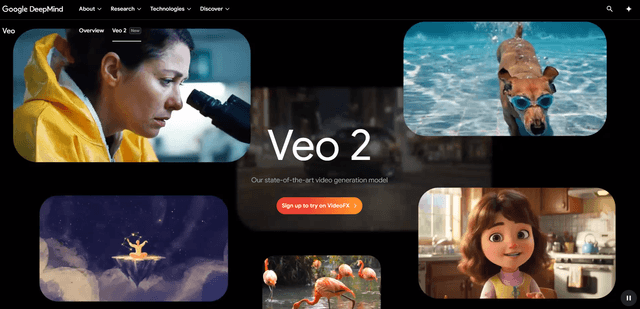
Google Veo 2
Veo 2 là mô hình tạo video AI tiên tiến của Google DeepMind có thể tạo ra video chất lượng cao lên đến độ phân giải 4K với chuyển động chân thực, điều khiển camera rộng rãi và mô phỏng vật lý được cải thiện từ các gợi ý văn bản.

Vibing
Vibing là một ứng dụng hẹn hò sử dụng AI giúp người dùng chia sẻ những khoảnh khắc chân thực thông qua các câu chuyện video và tạo ra những kết nối chân thật dựa trên việc ghép đôi tính cách và các tính năng tương tác.
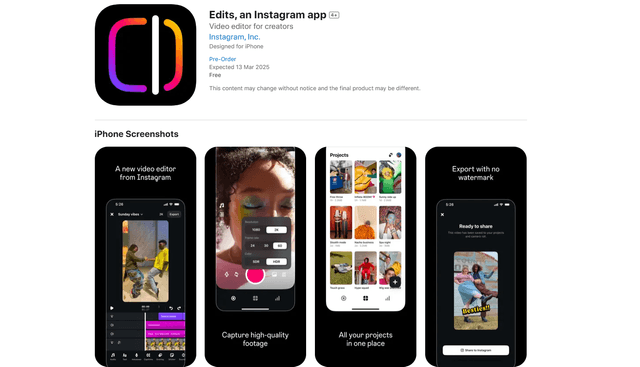
Edits, an Instagram app
Edits là ứng dụng tạo video miễn phí của Instagram cung cấp cho các nhà sáng tạo các công cụ chỉnh sửa chuyên nghiệp, các tính năng AI và khả năng phân tích để tạo ra video chất lượng cao trực tiếp từ điện thoại của họ.